I have two G5 Pro and two G100 cameras. In case of an alarm (away mode), I want to ring the alarm only on my two G5 Pro, because the other two are in the kids rooms. How do I set this up? Last night we had an false alarm and all cameras were beeping out loud.
2 Likes
You can configure this under “Alarm bell response”.
Go into Home Guard settings to configure which devices you want to use to play the alarm sound.
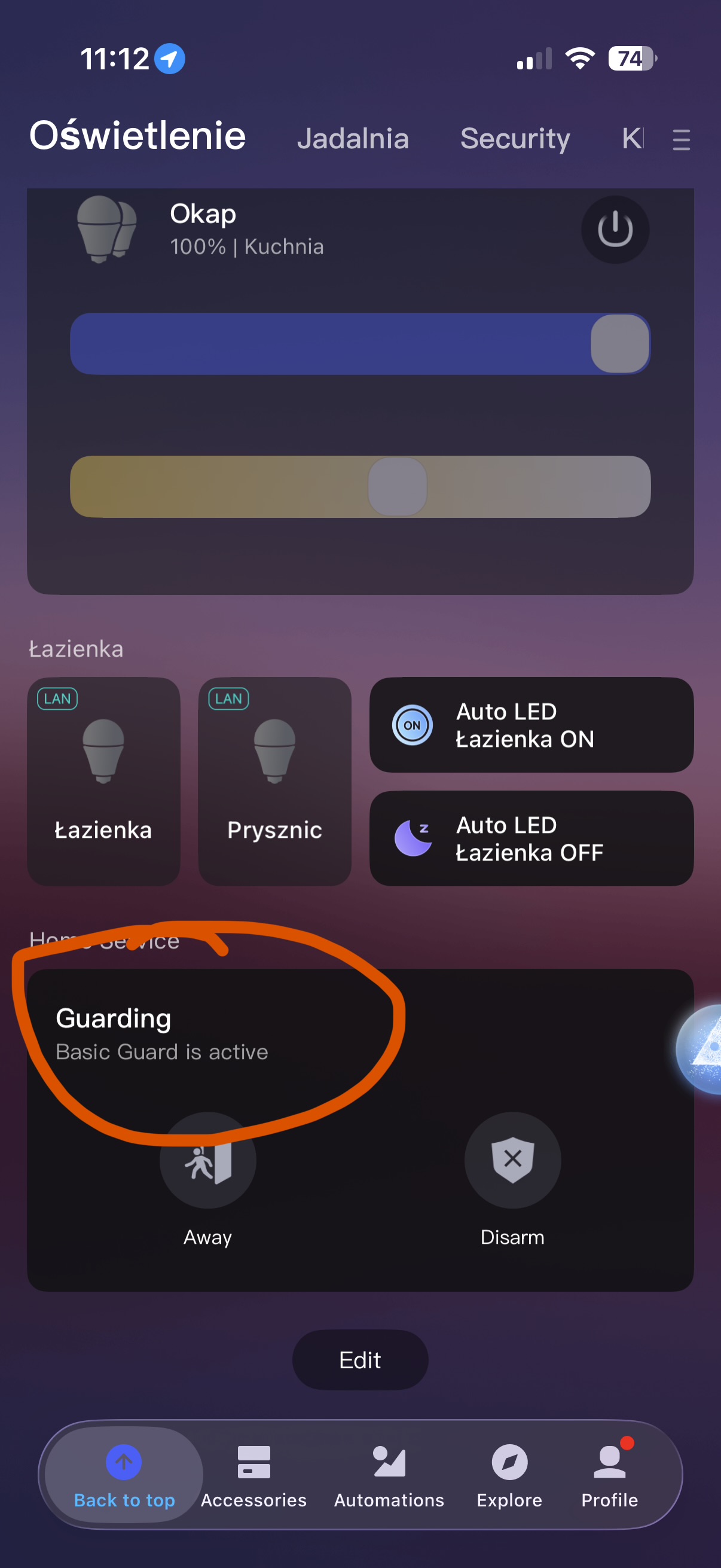
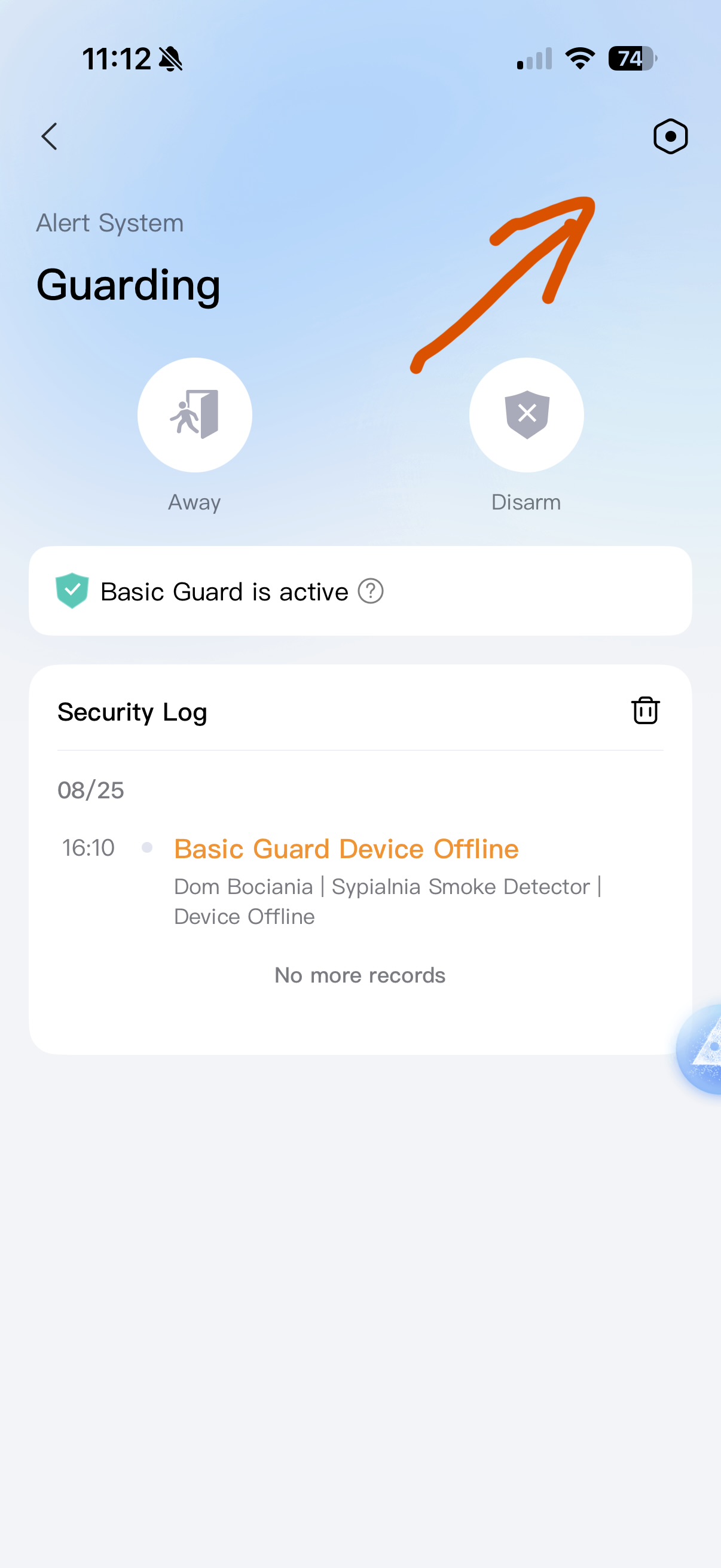
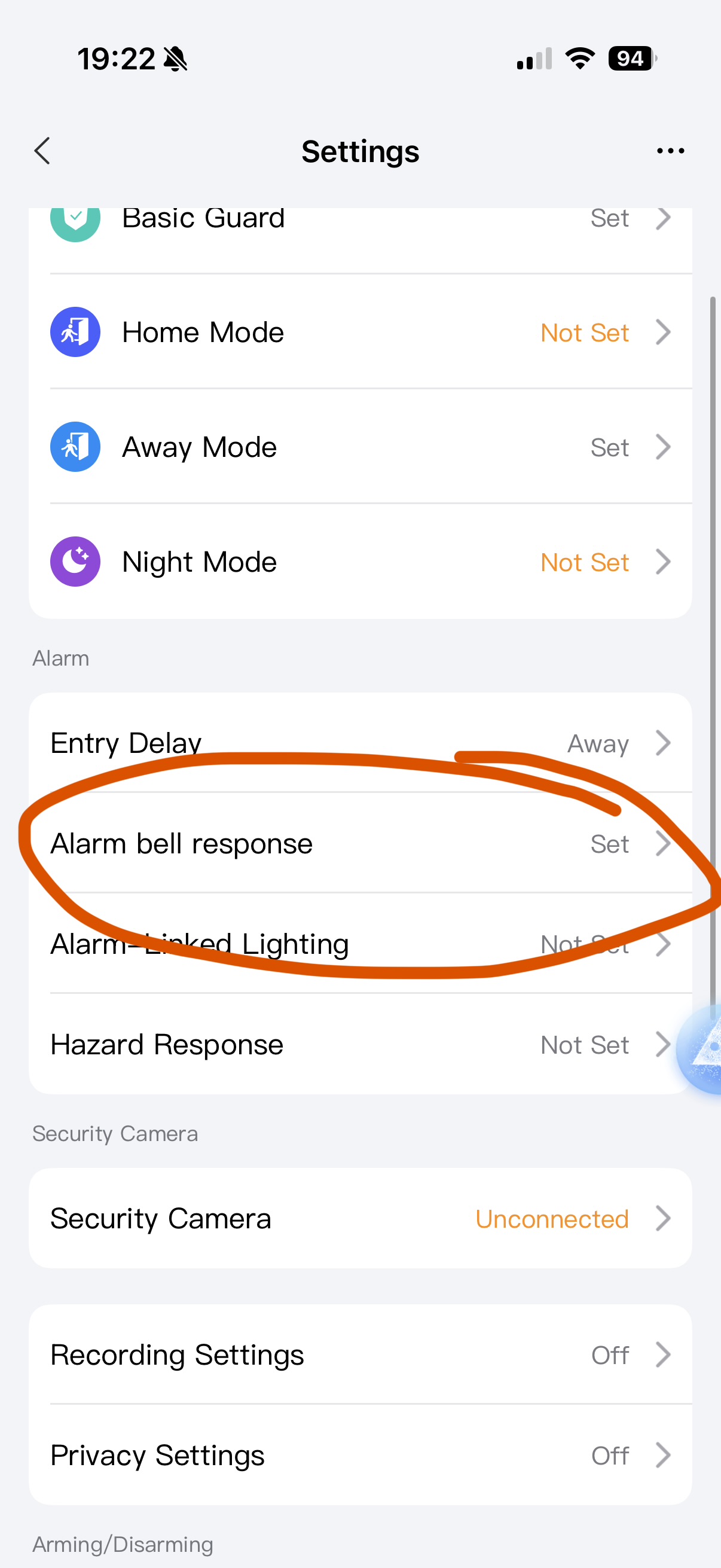
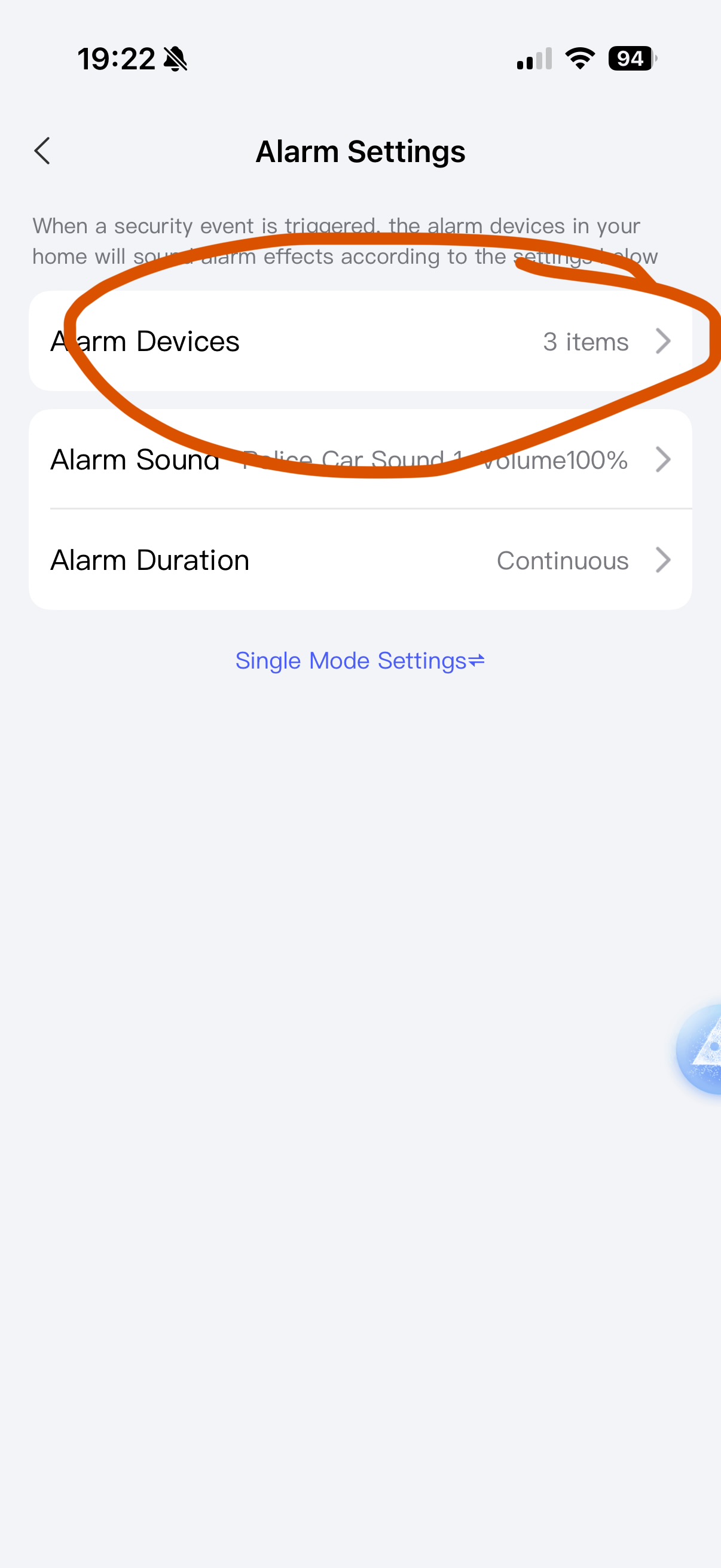
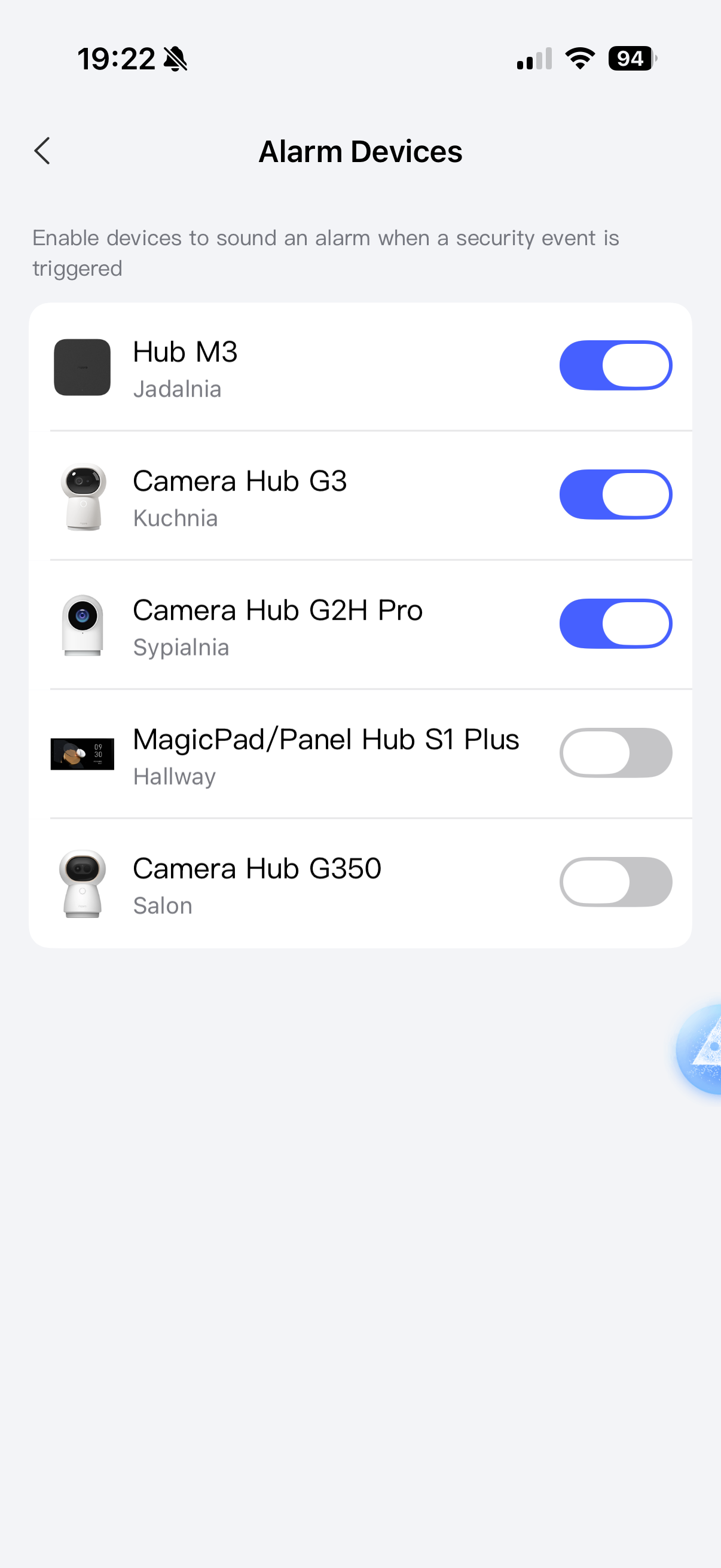
If you tap “Single Mode Settings” then you can use different configuration for different modes. By default, you use “Unified” settings, which are the same for all modes.
6 Likes
You can also set device volume to 0 in the Aqara app. Go into your G100 device settings. You will find Sound Settings. Set the Device Volume there to 0.
2 Likes