Is anyone else experiencing new sensors added to their Aqara hub not being exposed to/picked up by Apple Home? I have 10 x Aqara door and temp/humidity sensors working fine. I recently added some new (same brand and model) door and temp/humidity sensors but they are not working. They show up in Google Home and SmartThings but not Apple Home. Any ideas?
5 Likes
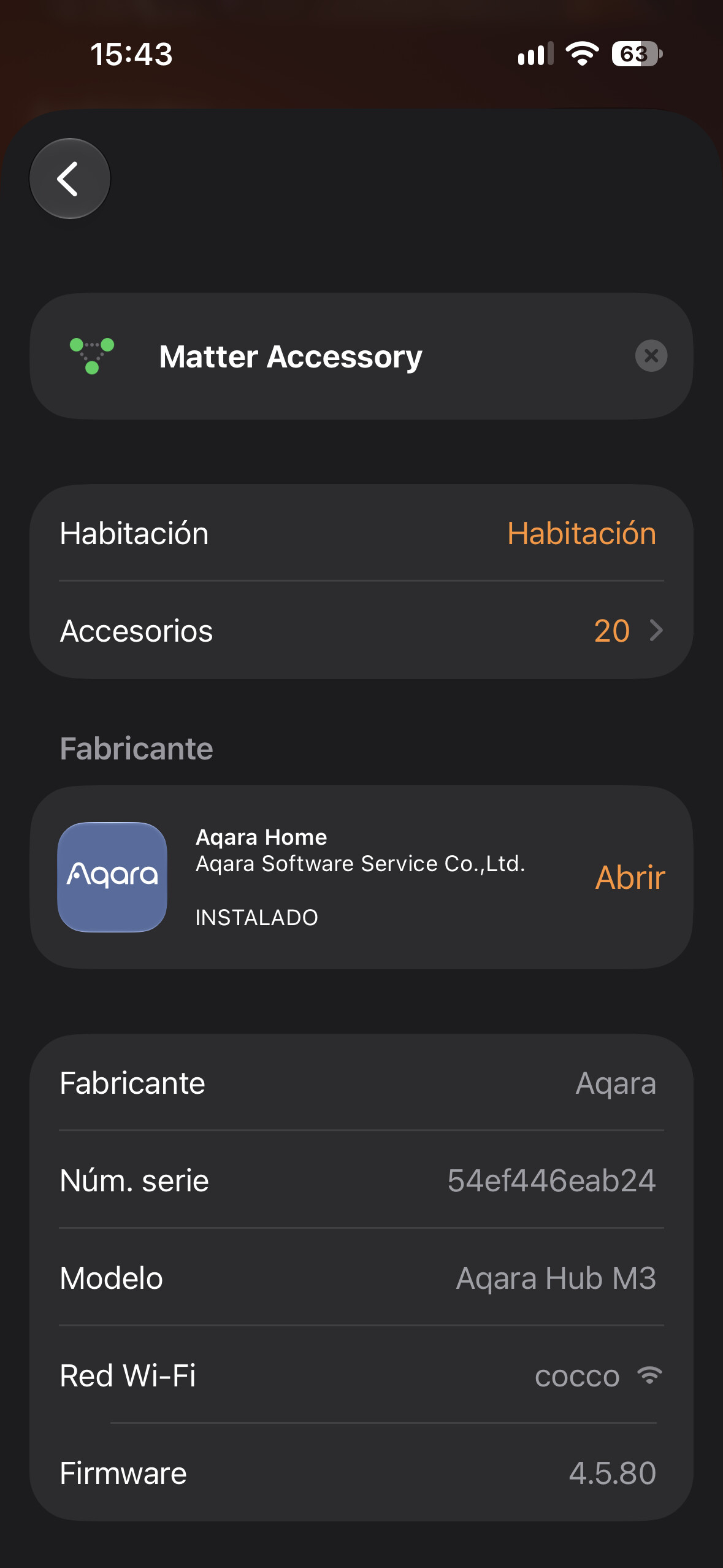
Hey there and welcome to the forum.if your hub is exposed to HomeKit then your sensors too but on apple home app they do not appear as cards for example if you go to apple home app open the Aqara hub settings there you will see accessories and it will show what sensors are connected.also the temp and hum sensors only show under climate or on the room you place them as indicators not cards and the for and window sensor same thing.first screen to see were you find that sensors on the hub settings
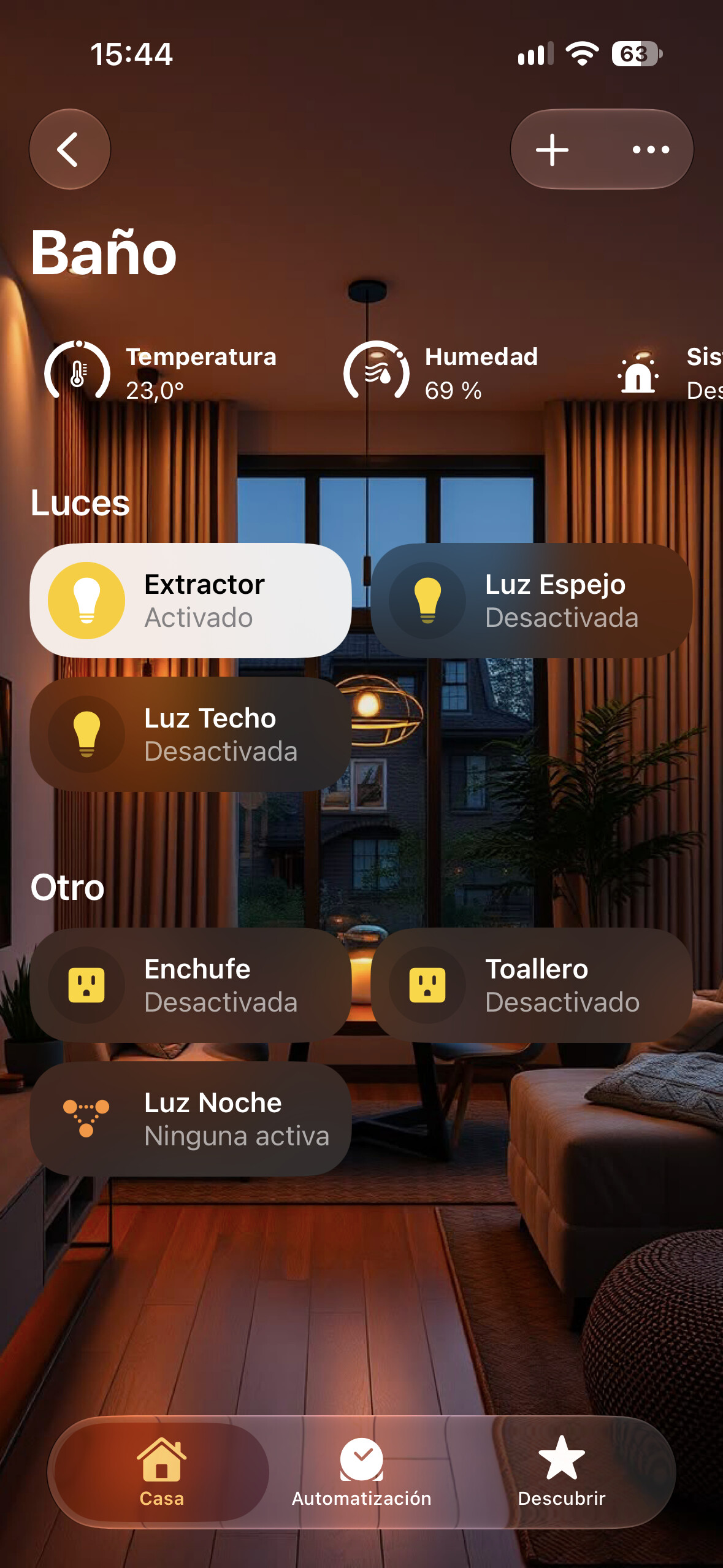
Here in the second screenshot shows the temp and hunidity sensor on top of that room
And on 3th screenshot you see the contact sensor on top of that room
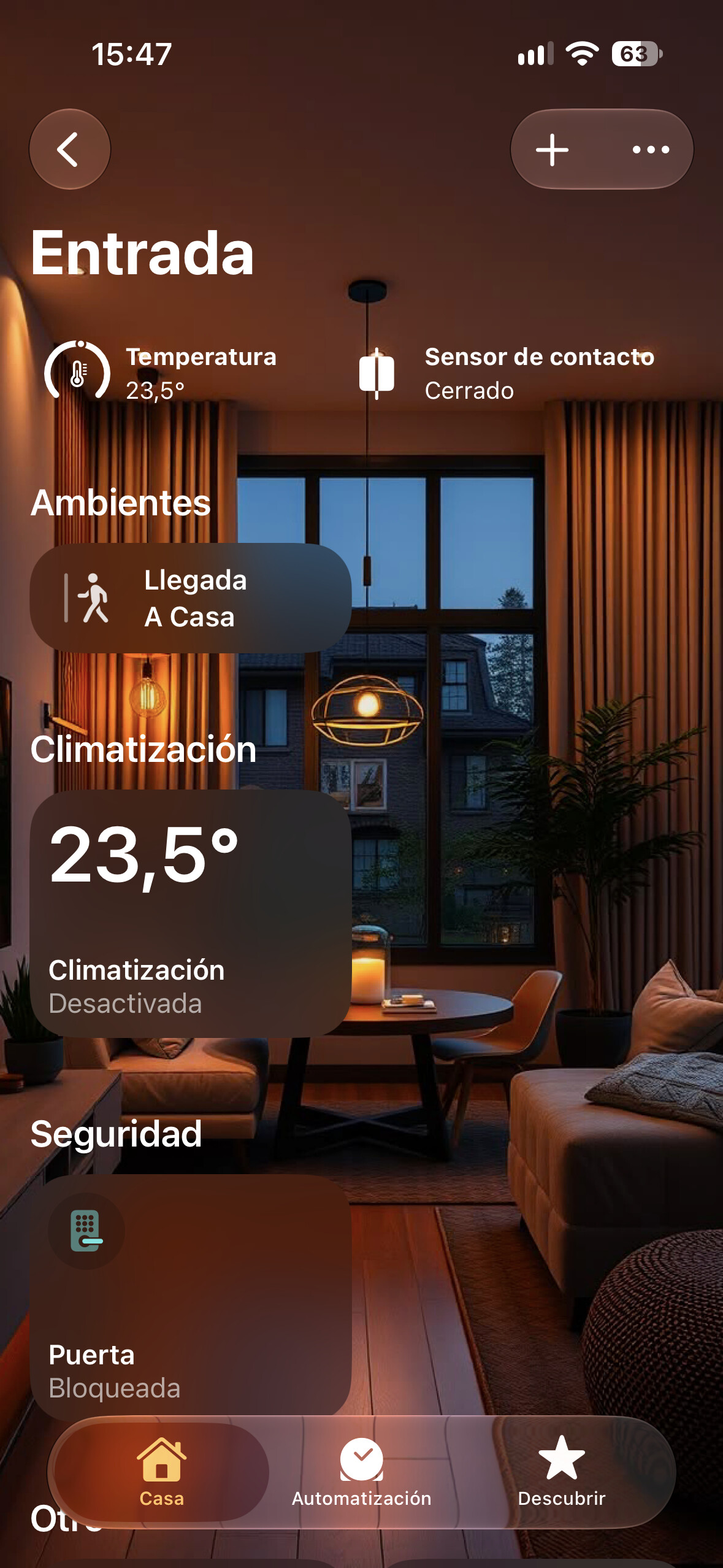
Sow they are not exposed as cards just as info on top of the room were they are added to.but you need to have the hub added to HomeKit in order to show the sensors.
2 Likes
Thanks for the reply. Yes understood and I am able ti see the status or door and other temp sensors but the new ones are not showing at all. Oddly, when I view the “connect to ecosystem” option it only shows 13 of my devices rather than the correct 16
1 Like
Did you try to unplug that hub for an min and plug it back?see if this helps if not turn the hole electricity on your home for about 1/2 min this way will refresh everything
1 Like
By the way the 3th option if those I mention won’t work is to eliminate the hub from the apple home app only and then add it back if is an matter/thread hub like M100,M200 or M300 erase it from the accessories too from Settings/General/Matter accessories and after that all this is done add it back and it should show all the sensors.it happens sometimes and happened to me too once with my M3
In the Apple Home App look in the Room the Aqara Hub is assigned to for all those missing Sensors.
Sometimes (most of the time) Apple adds the Aqara devices to the Room the Aqara Hub is assigned to and you have to go to that Room later after install and move them to the correct location.
Hope that makes sense?
1 Like
SOLVED: Thanks all for the pointers. In the end it was an odd fix. The sensors were all bound and working properly in SmartThings and Google Home but not Apple. When I sent them up I added them via the Aqara app. The fix was to put the G350 camera hub into pairing mode by triple pressing the front button and then adding the sensor but pressing and holding the button for 5s then pressing and releasing a few times to connect the sensor. The previously bound devices all got a red dot, retained their original names but suddenly appeared on the bound devices list in the “add to ecosystems” page. There must be a difference between pairing through the app and pairing manually. Will email Aqara support to let them know.
2 Likes