Any tips to getting the aquarium G5 POE to connect?
It’s not discoverable and won’t connect to the app.
Hi there, it looks like you’re experiencing a support-related issue. We’ve automatically created a support ticket for you and will reach out via the forum email within the next two business days.
If other members have any suggestions or insights on this topic, feel free to share!
Do you have an Ethernet cable tester? Or just other device (like a laptop) that can verify that the cable is ok in terms of data transfer?
Secondly, your mobile phone and G5 should be on the same network. That is - your WiFi and Ethernet need to be the same subnet, and the G5 should be discoverable by another device connected by WiFi.
Sometimes WiFi access points are configured as routers by default - which means they create their own subnet.
Tested cable and it’s good.
Devices are on same network. Using UniFi devices. Any tips? It’s not a complicated setup but the G5 never is detected.
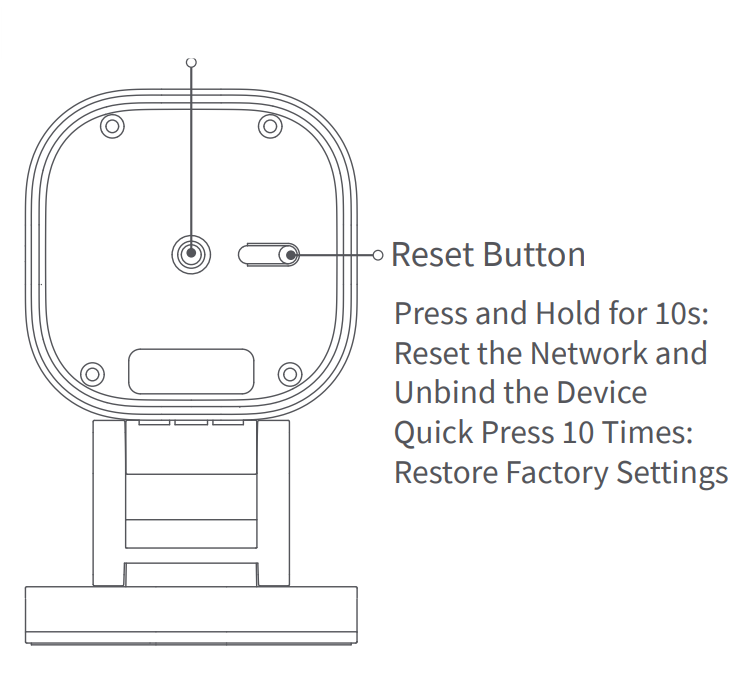
Try resetting the camera to its factory settings:
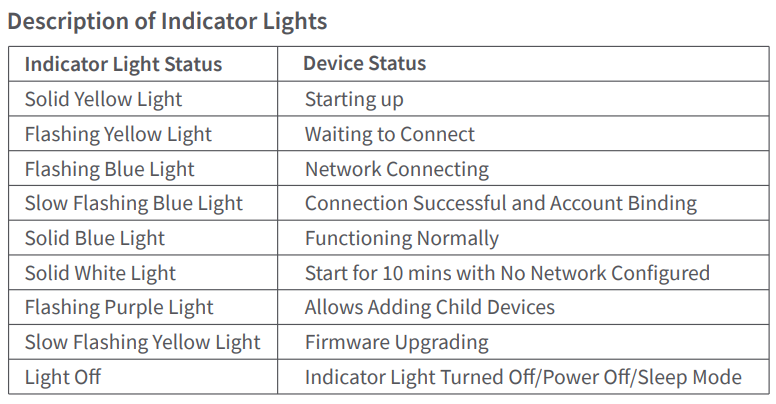
Is the LED on the camera lit, and if so, how?
Do you power the camera via USB or Power over Ethernet?
Images Source: https://cdn.shopify.com/s/files/1/0710/9220/7830/files/Camera_Hub_G5_Pro_POE_User_Manual-EN.pdf?v=1750144962
Can you log into UniFi and see if it connects and gets an IP and ensure network isolation doesn’t separate it from WiFi
Powering camera by Ethernet cable with UniFi Poe system and switch.
It’s not pulling an IP yet; not sure about isolation.
I’ve successfully reset the camera. When adding the camera to the Aqara app it does not discover it.
Anything I can tweak?
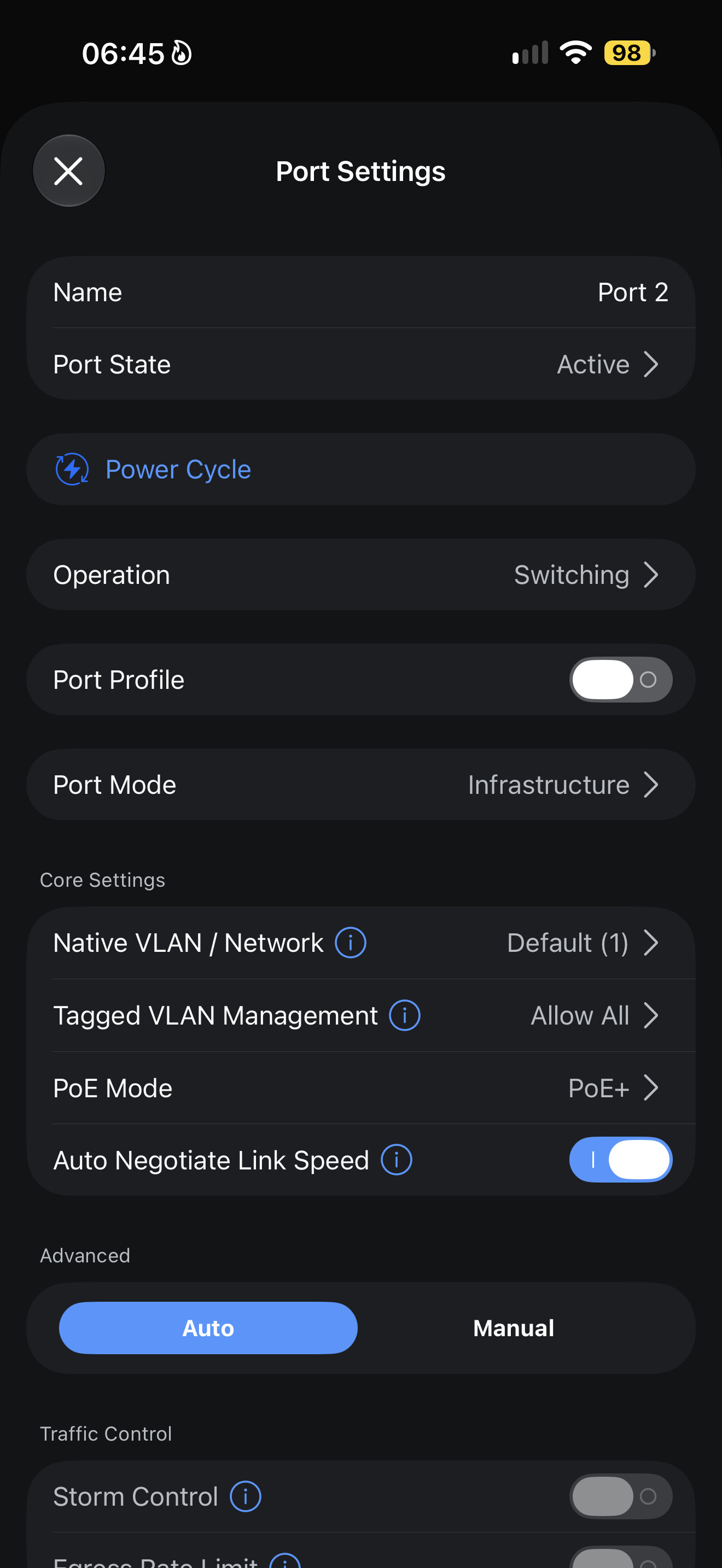
These settings look correct. Without an IP address it won’t be usable though. Have you already tried using a different Ethernet cable or a different port?