H2 EU Dimmer switch, RGB CCT & FP2 Automation

Aqara H2 EU Dimmer – can one switch control on/off, brightness, white temperature and RGB?

Hi everyone, I’m looking at using an Aqara H2 EU rotary dimmer with compatible RGB+CCT smart lighting through Aqara Home, ideally in Zigbee/wireless mode.

I want to control everything from one switch, without needing to open the app:

• Turn the light on/off while keeping its last selected colour or white setting.
• Dim or brighten whatever is currently on, whether that’s white or RGB.
• Switch between white temperature mode and RGB colour mode.
• Adjust the white temperature or cycle through RGB colours.

Ideally, the controls would be something like:

• Single press = on/off.
• Rotate = brightness.
• Double press = switch between white and RGB.
• Hold and rotate = adjust white temperature or cycle colours.

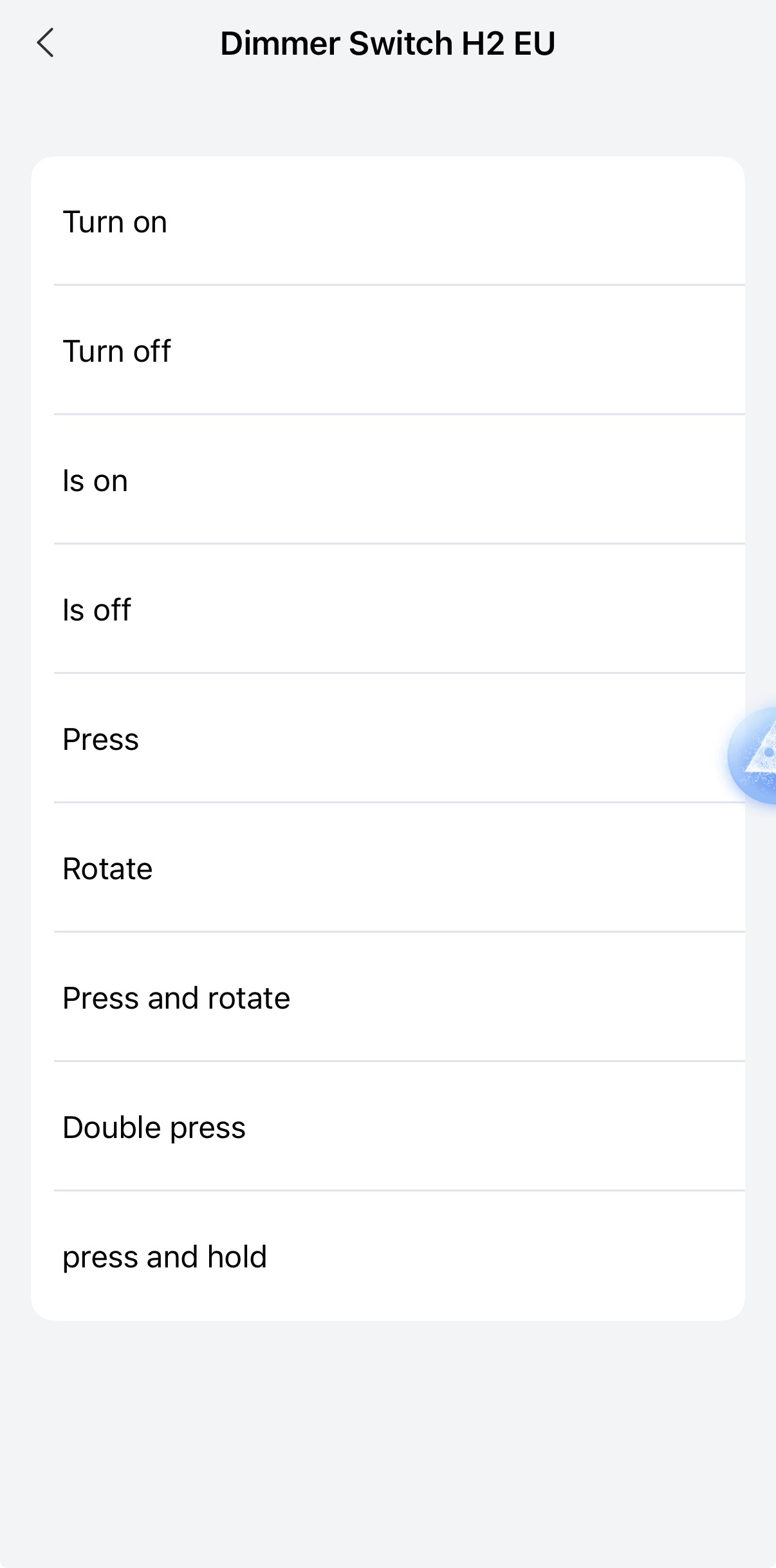
Those are just suggested controls—I’m trying to find out which triggers the H2 actually exposes in Aqara Home and whether there are enough to achieve this.

I’d also like to combine it with an FP2 in a bedroom:

• Normal presence lighting during the day/evening.
• Turning the light off at bedtime prevents presence in bed from turning it straight back on.
• During set night-time hours, entering a walkway zone beside the bed brings the light on dimmed.
• Once the walkway is empty again, the light switches off, even if someone remains in bed.

The smart lighting would need to stay powered, with brightness and colour controlled wirelessly rather than through mains dimming.

Has anyone achieved this with the H2 EU rotary dimmer specifically, entirely within Aqara Home? Which button/rotation triggers are available in wireless mode, and which bulbs or lights have you used successfully?

Screenshots of the available triggers or working automations would be really helpful. Thanks!
3 Likes

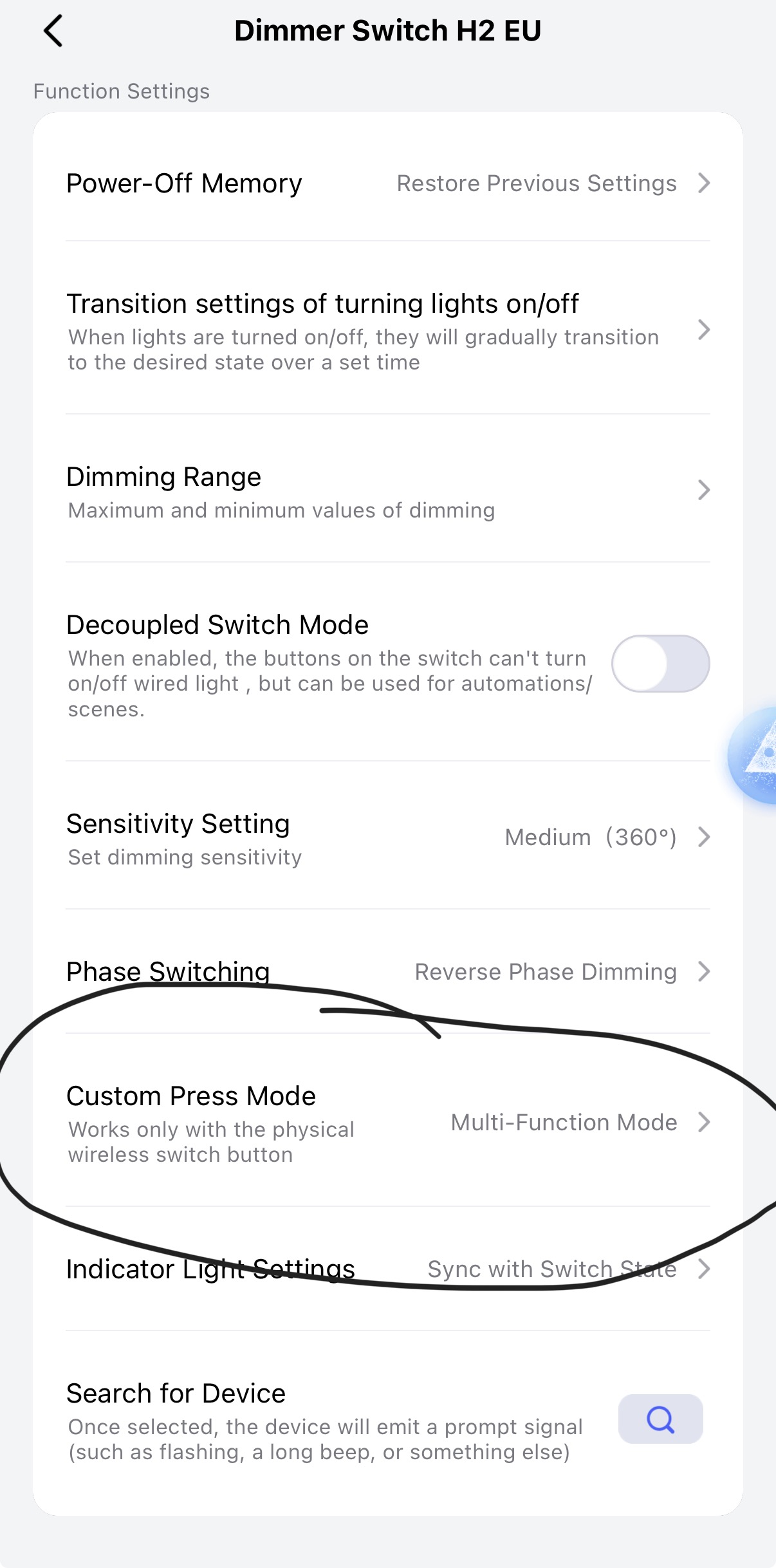
Those are the triggers exposed by H2 EU dimmer switch. It needs to have “custom-press mode” set to “multi-function mode”.


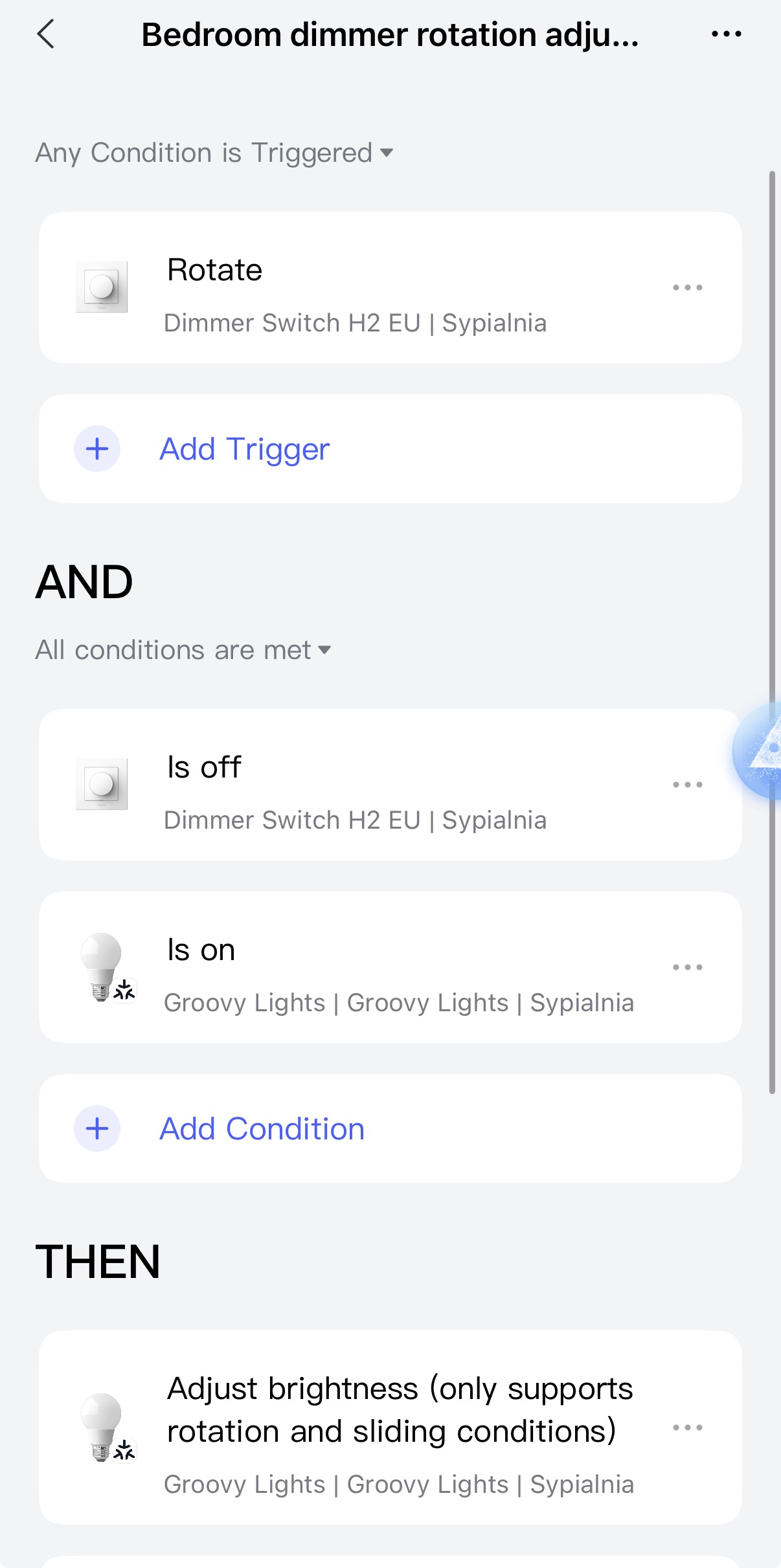
I think that most of what you want is achievable with the H2 Dimmer. I actually use the “rotate” trigger to control either the brightness of lightbulbs connected to the H2 Dimmer (it’s the default function of “rotate” action), or the smart LED Lights (connected via Matter; I have an automation for that).

I don’t know what you mean by “switch between white and RGB”. Do you mean to change the bulbs from white to RGB color or vice versa? If yes, then I think it’s not possible to “go back” to the previous color, but you can set it to a predefined color when changing modes.

3 Likes

Thank you very much; that is exactly what I was after. Yes, I meant the Aqara T2 RGB CCT bulb; looking at that, I can use:

Rotate for + or - dimming, presumably on whatever color is selected.
Double tap to change temperature from RGB to CCT.
Hold and rotate to hopefully change colors or effects via an automation.

I have achieved color or mood changes with an H1 wall switch by adding the set colors as an effect and then setting up an automation where, when pressed, it turns that automation off and turns the next one on, cycling through them.

So it all looks good; the only outstanding part would be whether I can cycle effects using the hold and rotate as a trigger.

1 Like

Btw I did something like “cycling the effects” with an H2 display switch. It worked like this:

I setup 4 automations, all 4 are “trigger once” - so they are disabled immediately after being triggered.

It worked more or less like this:

Automation 1:
WHEN
button pressed
THEN
set to static LED effect 1
enable automation 2

Automation 2:
WHEN
button pressed
THEN
set to static LED effect 2
enable automation 3

Automation 3:
WHEN
button is pressed
THEN
set to dynamic LED effect 1
enable automation 1

Only 1 of those automations is enabled at a time. So it effectively cycles between different variants of this automation (all of them have the same trigger)

2 Likes