Hello,
I love the Touchscreen Switch S100, but there are a few features that I can’t seem to figure out.
It is working very well with the virtual switches triggering my home assistant automations.
Where I am struggling is more the UI side. I can’t seem to get the screen saver to work at all. The device is off until I walk up, and then it shows the virtual buttons. I swiped down on the screen and can click the lower left icon, but that only turns off the display immediately. It doesn’t toggle on the screen saver as my google search suggested.
I also can’t seem to get the icons that are defined in the app to display. E.g. I see this on the screen:
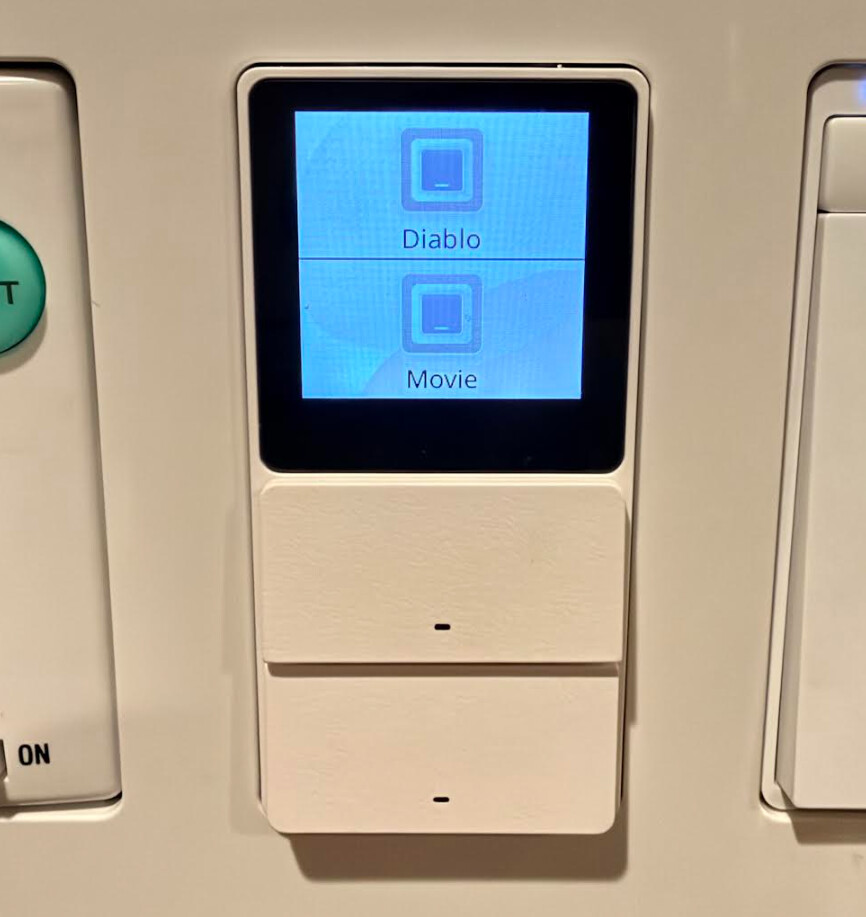
But both virutal buttons have different icons set in the application:
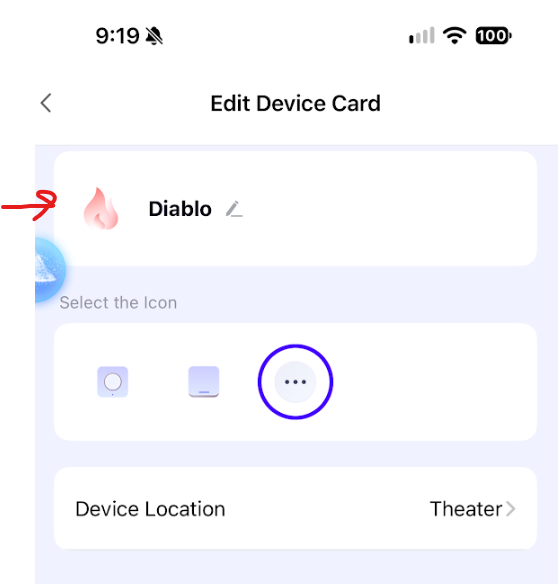
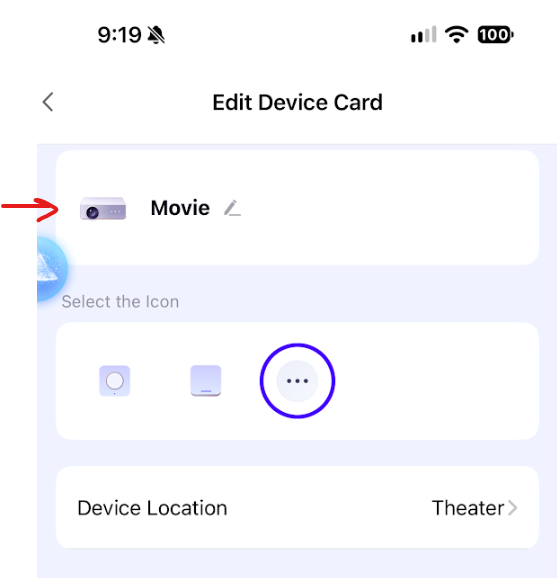
These are just UI related, but I would love to make the screen more dynamic.