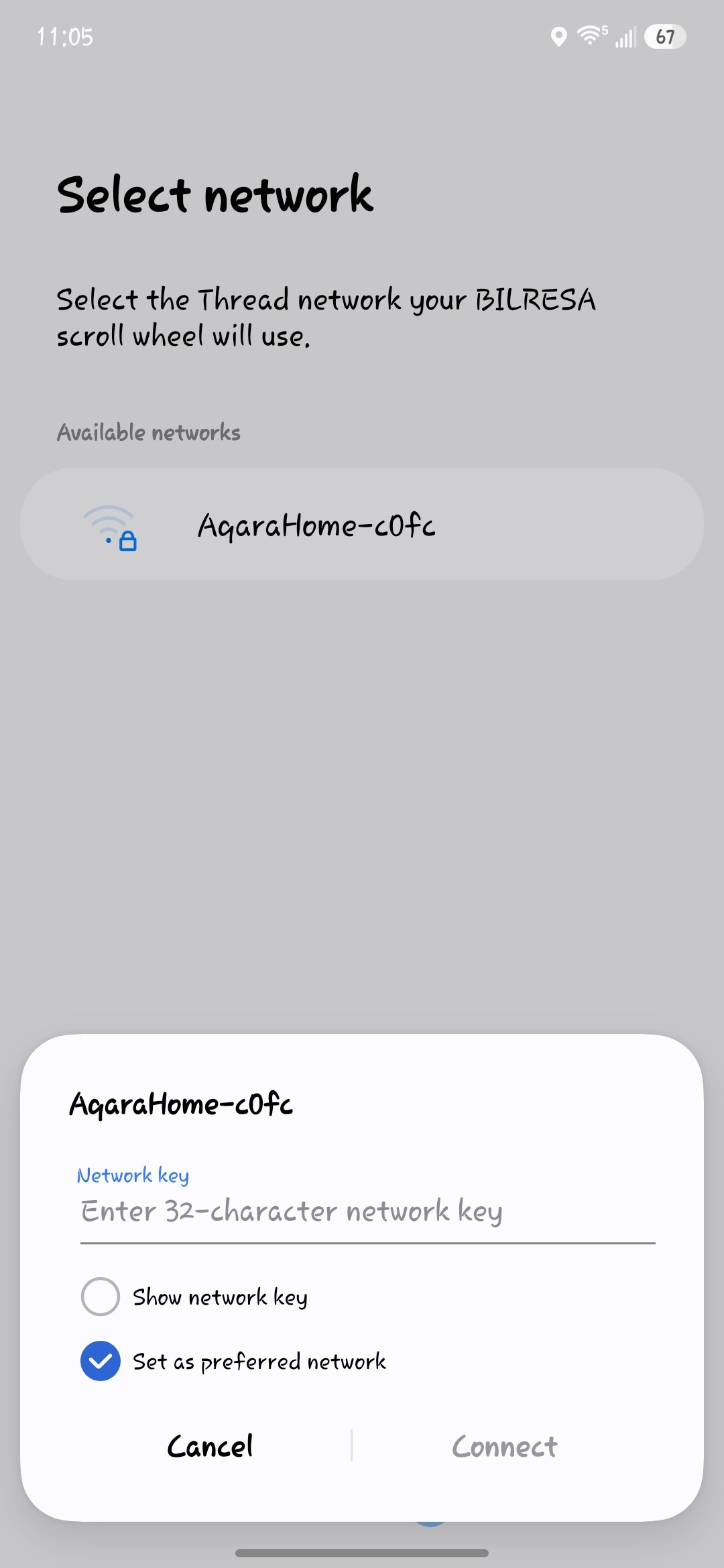
I got an aqara m100 to use as a thread border router connecting to my smartthings hub, and I use the smartthings app to control my devices. When I try to add a device to the smartthings app, i select the m100, and it asks me for the
32 character network key. Where can i find this?
1 Like
@brodieb666_aqara Hey there! Great question — the M100 is a solid choice for Thread border routing.
For the 32-character network key that SmartThings is asking for, that’s typically the Thread network credential (also sometimes called the Thread Network Key or Master Key). Here’s where you can find it in the Aqara Home app:
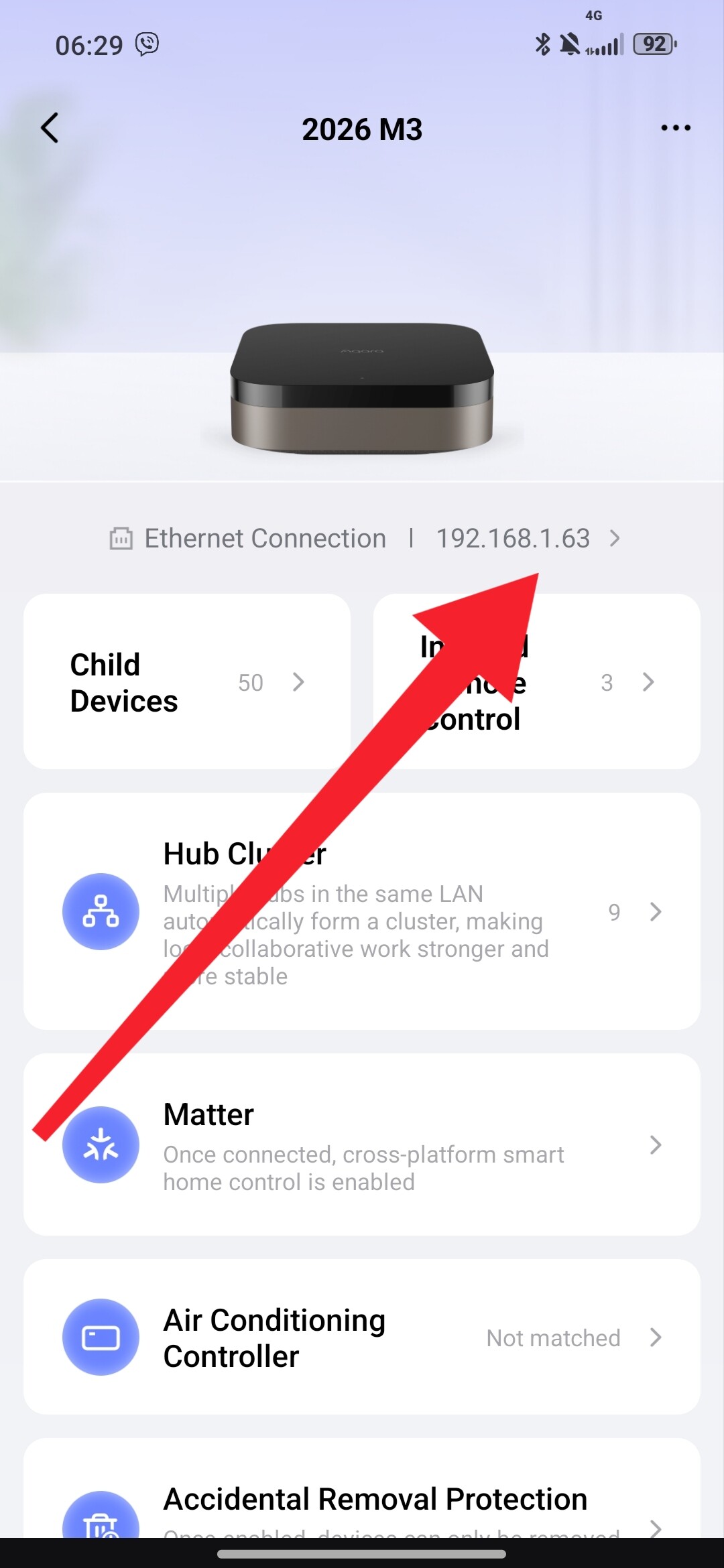
Aqara Home app > Accessories > M100 Hub > ⋮ (top right) > Network Information > Thread Network
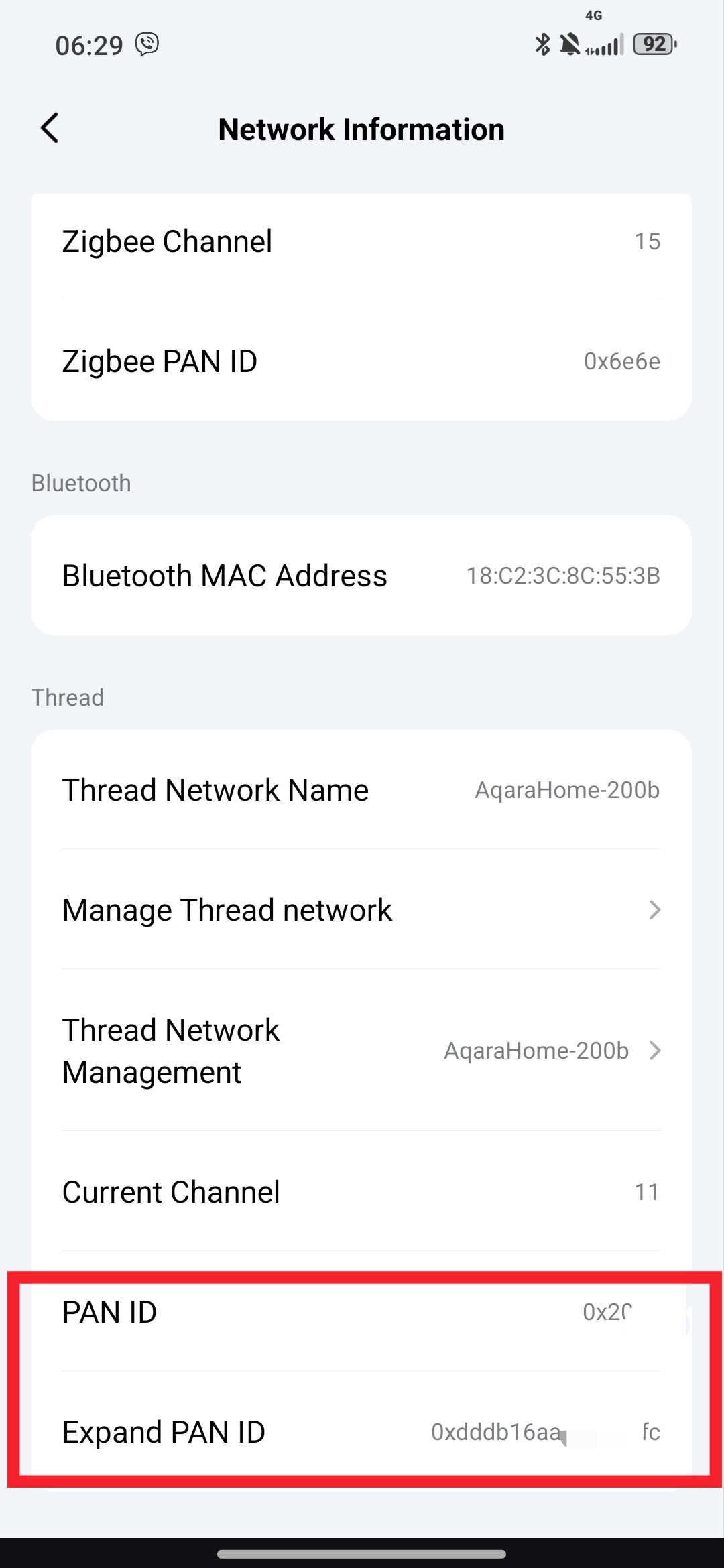
You should see details like the Network Name, Channel, Extended PAN ID, PAN ID, and the network key itself there.
A couple of quick things to keep in mind:
- Make sure your M100 is actually joined to or has created a Thread network first — if it’s blank, you’ll need to get that set up before SmartThings can use it as a border router.
- The M100, M3, G5 Pro, and G410 can all work as Matter controllers in Aqara Home, so double-check that the M100 is your preferred Matter Controller if you’re juggling multiple hubs: go to the hub page > ⋮ > Matter Controller > Set as Preferred.
If the Thread network field is empty or you’re still hitting walls, try creating a fresh Thread network (same menu path: Network Information > Thread Network management) — just note that any existing Thread devices will need to be re-paired after that.
Hope that gets you unstuck! Let us know how it goes or if SmartThings throws you any other curveballs.
2 Likes
Hi, welcome to the forum. Here is a screenshot of the settings; I don’t have an M100, but it’s the same for all gateways.
1 Like
To clarify, the required 32 character network key is the cryptographic Thread Master Key responsible for encryption, not the PAN ID or Extended PAN ID. This main key consists of 16 bytes which perfectly matches the 32 hexadecimal characters needed, whereas the PAN ID and Extended PAN ID are only 4 and 16 hex characters respectively and therefore much too short. Additionally, in my opinion, the Aqara Hub does not actually display this requested network key anywhere in the app.
@aqara604 found a solution using an iPhone and the Home Assistant Companion app:
3 Likes