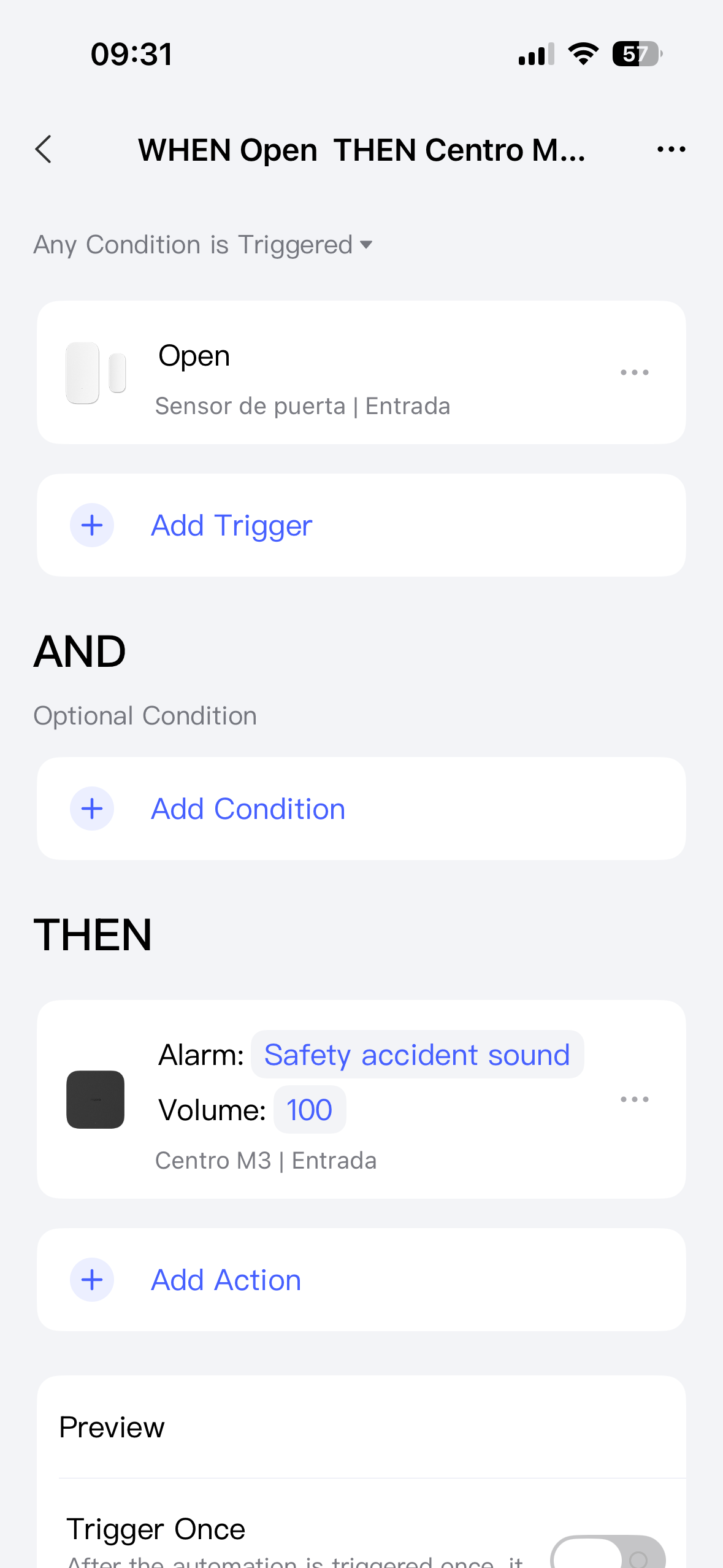
I have an issue with my Aqara Hub M3 when using Automation 2.0.
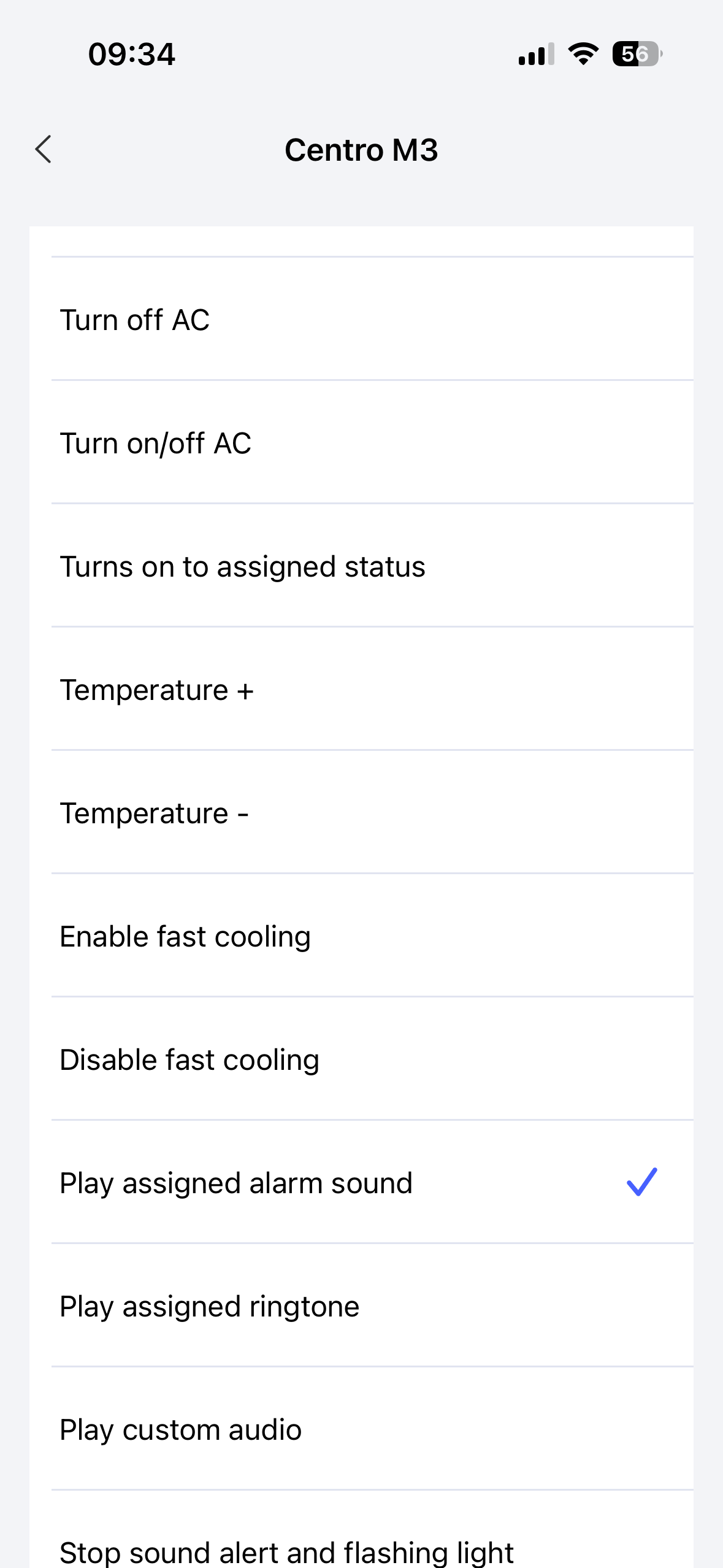
When an automation triggers “Play assigned alarm sound”, built-in alarm sounds such as Police Siren 1 or Police Siren 2 only play for about one second, then stop automatically.
I have tried different alarm sounds, restarted the M3, and tested delays of 5 seconds and 20 seconds before triggering the alarm sound again. The second playback command is also ignored.
The automation itself triggers correctly and immediately from my Door and Window Sensor T1, so the sensor and Zigbee communication seem to be working properly.
Is this a known issue with the Hub M3 or Automation 2.0?
Is there a way to make the built-in alarm sound continue playing until it is manually stopped, or for a configurable duration such as 1, 3 or 5 minutes?
Hi there, it looks like you’re experiencing a support-related issue. We’ve automatically created a support ticket for you and will reach out via the forum email within the next two business days.
If other members have any suggestions or insights on this topic, feel free to share!
Hey Nicolas! Which sound are you triggering — built-in preset or custom? Some presets are only ~1 sec by design, worth confirming which one. Try triggering it manually from the device page instead of through automation. This tells you if it’s an automation issue or a playback bug. Checked the M3 manual, zero mention of alarm duration behavior.
Thanks! I tested both built-in presets and a custom MP3.
The built-in presets I tried were Police Siren 1 and Police Siren 2. Both only play for about 1 second when triggered by the automation.
I also tested a custom MP3. At first it seemed to play correctly, but after further testing it also stopped after about 1 second when triggered through the automation.
So it does not seem to be limited to a short built-in preset.
I’ll also test playback manually from the Hub M3 device page, as you suggested, to check whether the issue comes from the automation or from audio playback itself.
Hi there and welcome to the forum.i just made this simple automation to try it with my door sensor and it sound continuum I had to stop it myself as it wouldn’t stop.mu be you can show as some screens with your automations.
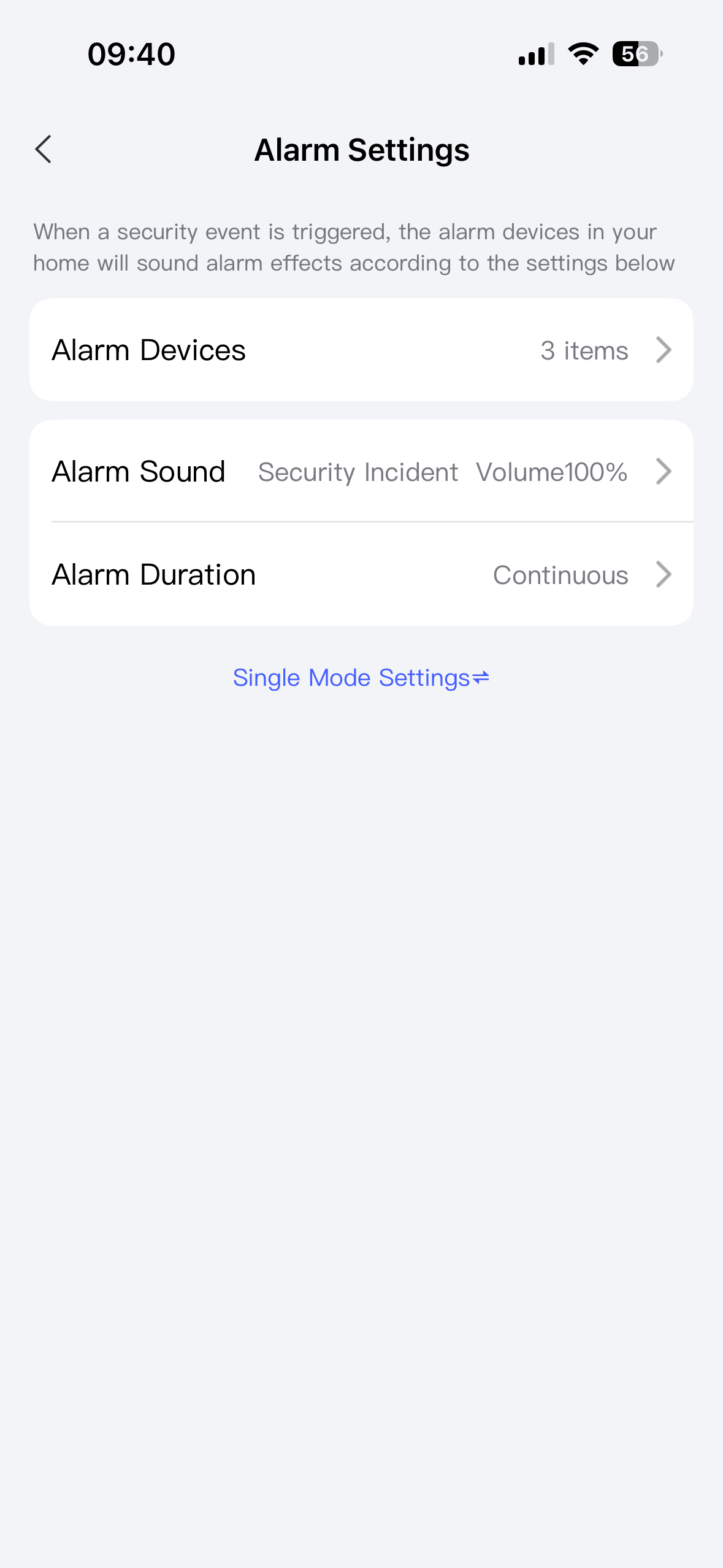
Also check on alarm if the sound is set to continuous as I have set it not sure if this have something to do with but check it and set it also to continuum