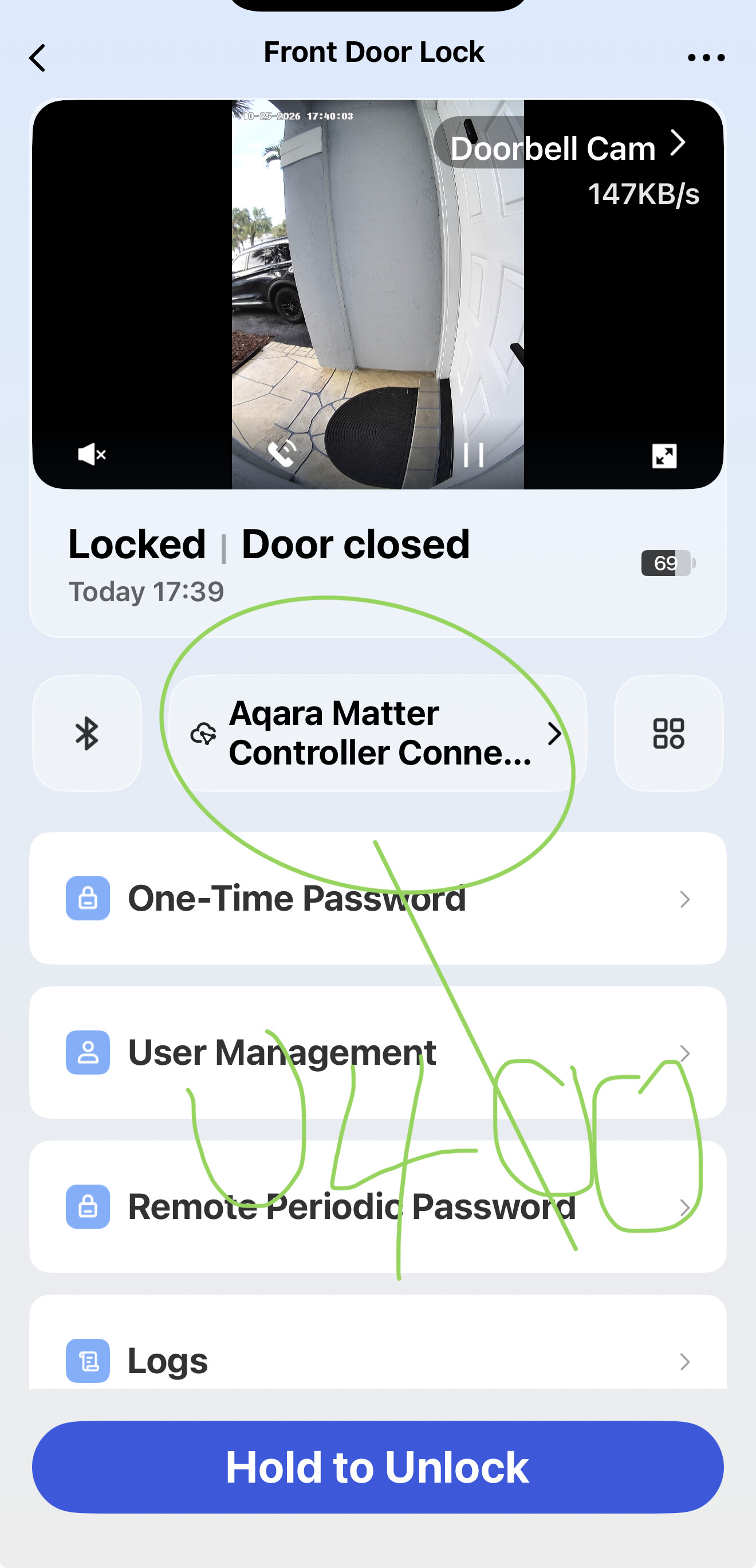
So I’m having an issue with third-party matter devices. Every time I Have any kIn of little issue with my router, All the third-party devices connected to Aqara app stop working. If the Router has a channel issue or reboots. all third-party matter devices, all of them stop working, and can’t find a way to reconnect, and that includes the door U400 doorlock matter connection.
So far, the only solution I’ve been able to come to, and I will say that the tech support is absolutely horrible and have given zero help on trying to fix this issue.
I literally have to delete the matter device from Apple Home reconnected to aqara and starting all over again and reconnecting all of tjem.It is areal pain. Anyone with any kind of help or knowledge on the situation would definitely be appreciated. I have roughly about 35 matter devices.
Hi there, it looks like you’re experiencing a support-related issue. We’ve automatically created a support ticket for you and will reach out via the forum email within the next two business days.
If other members have any suggestions or insights on this topic, feel free to share!
Hey there.well first i suggest to change your router or internet company if your internet connection drops a lot.second check the power supply for the M3 or M200 hub you need an good quality power supply because if your M3 hub or M200 reboots this things may happen.I personally have some Meross thread devices and no matter if i unplug my M3 and plug it back does device will works again without me doing nothing.you could also try unplug your Aqara hub for an min to refresh his thread network and plug it back see if this way your thread devices will connect automatically to the hub.
If the router goes down or restarts, you may receive a new IPv6 prefix from your ISP. As a result, Matter-over-Thread devices may no longer be accessible.
It may be possible to fix this problem, but you’ll need to adjust the router settings. What kind of router do you have?
I have the netgear cax80 and yes been playing with setting after reading up. Have a lot of issues with 2.4 gh conflicts causing isues.
But when it comes to matter only on Aqara been having issue. Power on my Aqara m3 is fine. All the matter devices are all plugs and switches on 2.4 gh net.
I recently made some changes, separating all the 5 GHz and 2.4 from each other. Hopefully this will fix my issues, but my router has not been rebooting itself. What’s happening is some things conflicting on the 2.4, and I have to continue to keep changing the channel. Thus eventually caused an issue with matter.
Question is, is once the matter connection is lost on the Aqara app? Is there anyway of them coming back on, or do they have to be removed and reconnected again? I have too many of them to continue having to do this.
My assumption was more about Matter over Thread devices, like the U400 door lock you mentioned.
If you have many Matter over Wi-Fi devices, a changing IPv6 prefix would not be my first suspect, although IPv6 configuration issues can still affect connectivity.
Separating the 2.4 GHz and 5 GHz networks can help prevent devices from switching between bands, depending on how the router and clients handle band steering. However, it probably won’t help with actual channel interference on the 2.4 GHz band itself. Does your router have a feature to scan nearby Wi-Fi networks and show channel utilization?
Additionally, a high number of Wi-Fi devices can sometimes cause problems. The actual capacity depends on the router, airtime usage, signal quality, and interference. Smart home devices such as lights and smart plugs typically generate very little traffic, but interference from neighboring Wi-Fi networks and overlapping Zigbee or Thread channels can still affect reliability.
Regarding your last question, you shouldn’t normally have to remove and re-pair Matter devices every time they go offline. They should generally reconnect once the underlying network issue is resolved.
As a first troubleshooting step, try power-cycling an offline device by unplugging it for about 10 seconds, then check whether it reconnects. This may help restore connectivity, but it won’t necessarily fix the underlying cause.
Have tried turning off for periods of time, turning back on the hubs, the router, the devices, none of the matter devices that were connected to the Aqara software reestablish a connection . I have had to remove and redo over again from scratch. had to remove from Apple Home the matter connection to a Aqara and then reestablish it again. I have made some the vast router changes. I do believe the underlying issue does start with that router and the problems I’ve had with the 2.4 and it continuing to want to change the channel.
Probably about 50 devices on the 2.4 15 devices on the 5 GHz and another eight devices on Ethernet.
Internet speeds of about 1000 that I pay for.
You could separate your iot network work a separate VLAN assuming your router would allow this. This can help with congestion and all keep IOT traffic away from normal traffic.
I don’t believe the netgear cax80 has that ability.
But thanks.
You’re right. It doesn’t.
What are the things you need to watch out for if you do this? What about IOT devices that support both 2.4 and 5? My router (ZenWiFi BQ16 Pro) does support VLANs. Am I crazy to not have a separate IOT VLAN?
Around 50 devices on that band is a substantial load for a single access point, especially if many are smart home devices that need reliable connectivity. I would recommend an additional access point as an option to offload the traffic.
Does your router have a built in feature to scan nearby WiFi networks and show channel utilization? You should set the 2.4 GHz band to a fixed channel to stop the auto hopping. Try locking it strictly to channel 1, 6, or 11, depending on which one is the least crowded in your area.
Not crazy at all, by separating iot traffic your free up general ip addresses for phones computers etc.
All my IOT including smart TV’S are on a dedicated VLAN.
I use Mikrotik router and mikrotik switches and configuring VLANS is so simple.
Things like your smart hubs etc can be given static up addresses
I have sky TV and it’s on its vlan too as it’s quite a noisy network talker
So far working a few days now . Hopefully holds .
1st thing I did was remove the smart connect and set separate pass for 5g network.
Also turned off the OFDMA.
Reconnects all devices that could be removed off 2.4 on the 5gh network. Cameras or anything that could .
Most left was smart plugs, smart light switches and few other items. Still 40+ items Also turned off 20/40Mhz Coexistnce. Eliminating any neighbors or other conflicts. Yes, I know it slows down the 2.4, but personally I don’t care because nothing really needs to run fast on the 2.4 that I have. Everything I need to run fast is either ether, Ethernet, or 5G. All items seem to be working. anything that has matter, which is mostly plugs and switches, I reestablish connection for some of them from Apple home back to a Aqara app. Now it’s just a matter of waiting and seeing if this happens to work for more than just two or three days.