Between setting up your devices to matter or zigbee, I wonder what is your first choice and why. I personnaly like Matter over Thread for everything, it works well and is fast, secure, and the hub is an actually useful device, not just something sitting near the modem.
However, especially with Aqara, some functionalities are only available with zigbee - Especially decoupled mode for smart switches. So would you still use Matter or then switch to zigbee ?
I especially had to get a zigbee stick in order to get my switch in decoupled mode, which is a pain as most of the house is matter over thread and I try to get products that are only through this protocol.
Also I wonder why Aqara hasn’t included the decoupled mode in Matter, and if it can (will ?) be added in a new update ?
@cholapin06 Great question, and I totally get the dilemma — Matter over Thread feels like the future, but then you hit a wall when you want features like decoupled mode.
From what I know, Decoupled Mode is currently only supported in Zigbee mode and within the Aqara Home app — it’s not available when the switch is exposed to third-party platforms via Matter bridge, even if the underlying hardware supports it. The device itself has the capability, but the feature gets lost in translation when bridged to Apple Home, Google Home, etc.
As for why it’s not in Matter yet — the reference info doesn’t go into the technical blockers, but it’s worth noting that Aqara explicitly suggests using Zigbee mode with an Aqara hub to guarantee this functionality. That tells me it’s less of a hardware limitation and more about where the control logic lives (Aqara’s ecosystem vs. standardized Matter clusters).
Your hybrid setup — Thread for most things, Zigbee stick just for decoupled switches — is honestly what a lot of us are doing right now. It’s not elegant, but it’s practical. If you’re all-in on Matter ecosystems, you might need to weigh whether decoupled mode is worth the extra complexity, or if standard relay control + scene buttons elsewhere in your setup can cover the same use cases.
For the roadmap question on whether it’ll come to Matter in an update, I’d recommend reaching out directly — Contact the Aqara Home App Customer Service Team (Profile > Help & Feedback > Customer Service) or scan the QR code:
@cholapin06 Nice workaround! Zigbee2MQTT definitely opens up some flexibility, though it’s worth noting that Zigbee2MQTT and comparable third-party USB dongles are not Aqara-supported — full product functionality may be limited or unavailable. So while you got decoupled mode running, you might hit quirks or missing features down the line.
The irony of your setup isn’t lost on me — using a non-Aqara-supported tool to unlock a feature that Aqara reserves for its own Zigbee ecosystem. It works, but you’re kind of proving the point that Aqara’s walled garden around advanced features is real.
If you’re mostly happy with the hybrid approach, more power to you. But if you ever want native, fully-supported decoupled mode without the extra stick, Aqara explicitly suggests using Zigbee mode and connecting the device to an Aqara hub to guarantee this functionality. The trade-off, of course, is losing that clean Matter-over-Thread simplicity you clearly value.
For whether official Matter support for decoupled mode is on the roadmap, I’d still push you toward Contact the Aqara Home App Customer Service Team (Profile > Help & Feedback > Customer Service) or scan the QR code:
My first choice is always Matter over Thread. BUT with the technology transitioning from a very large and strong Zigbee (and Z-Wave) user base, to a new generation of Matter and Thread, many devices (not just Aqara) will require some time to move some properties to Matter/Thread.
Additionally, Thread has a ways to go in its evolution and from what I understand its future might be helped a bit if it could also move into a better frequency band like Zigbee is doing.
Just to clarify: Thread and Zigbee aren’t leaving 2.4 GHz. Sub-GHz is simply an addition, running as a parallel mesh network for better range and wall penetration. You will, however, need a new dual-band hub or border router, as current 2.4 GHz hardware physically can’t communicate with Sub-GHz devices.
I have had to go the hybrid route as well. When we renovated our home before moving in, I went with wifi for everything possible because my wife was accustomed to (and actually liked) Alexa. However, in one location for outside lights controlled from the basement, I needed a double rocker single-gang switch. At the time, Aqara was about the only option. It was Zigbee, so I ended up buying the G2H Pro camera to use as a hub, which also gave me the ability to monitor the garage doors. Until earlier this year, those were the only Zigbee devices. I then added some water leak and P1 motion sensors. There are definitely more Zigbee devices than that now, but I don’t plan to buy anything going forward with only Zigbee. I have a growing number of Matter over Thread devices, and I firmly believe that is the future.
One angle nobody’s mentioned yet: ask what happens when the thing holding your network dies or gets replaced. That’s where Zigbee has cost me the most time.
I run a Zigbee network of about 50 devices in Home Assistant (ZHA), and I’ve changed coordinators three times over the years (Nortek USB stick, then TubesZB, then SLZB-06, now a ZBT-2). Twice, a coordinator swap or a failing coordinator meant re-pairing roughly 40 devices by hand. That’s an evening of climbing ladders and poking reset pins.
What I learned:
1. Download a Zigbee network backup before you touch the coordinator. The network’s real identity (extended PAN ID + network key) lives in that backup. With it, a new coordinator can take over and devices follow. Without it, you’re re-pairing everything.
2. Unplug the old coordinator last, not first. The migration tool reads the old adapter directly; if it’s already gone, you’re relying on whatever backup HA happened to save.
3. The same risk applies to an Aqara hub running your Zigbee devices, and as others have pointed out, you can’t back those up yourself.
That’s a big part of why I’m with @tennvol88 on buying Thread going forward: Thread devices can use any Thread border router you have, so no single box is the network. But I’d keep Zigbee for the things that only work properly on Zigbee (like @cholapin06’s decoupled-mode switches), and back up the network.
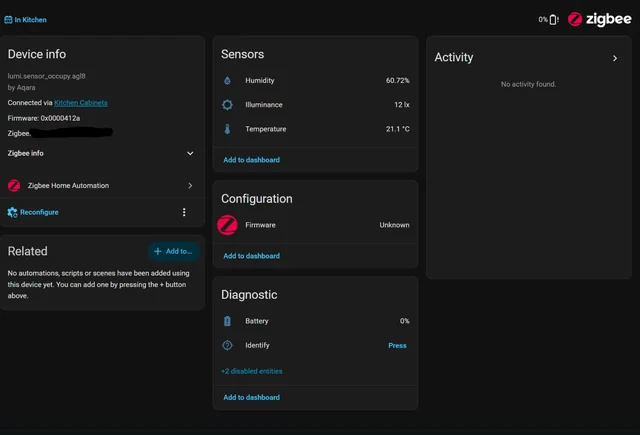
Personally i’d much prefer to be using Zigbee for my FP300 sensor, but without the Aqara Hub it doesn’t expose the right entities when added to home assistant, which is a pity. A presence sensor with no Occupancy entity doesn’t really work haha.
Unfortunately i went down the ZHA route when setting up my system, far too much hassle to change now. I’ll just suck up the odd dropout off the thread network for now.
Personally, I prefer Zigbee for my smart home, especially when using Home Assistant. It’s mature, reliable, offers a wide selection of devices, and gives me more flexibility and local control without depending on manufacturers’ cloud services.
I do like Matter over Thread and believe it has great potential, especially for interoperability between different ecosystems. However, I wouldn’t choose a protocol just because it’s newer or more universal. Functionality is what matters most.
With Aqara switches, for example, decoupled mode is an important feature for me, so I would definitely choose Zigbee if Matter doesn’t expose that functionality.
Regarding why Aqara hasn’t implemented decoupled mode in Matter, I suspect it comes down to differences in how the protocols expose device capabilities and the additional development and certification requirements. Whether Aqara will add it through a firmware update remains to be seen.
My approach is to choose the protocol that provides the functionality I need, rather than trying to standardize everything on a single protocol. In a Home Assistant environment, mixing Matter, Zigbee, and even Z-Wave is perfectly reasonable.
IP - fdf3
IP - 2a00
IP - fe80
gateway - fe80
DNS - fdf3
The issue appears to be tied to the eero mesh updates, which unfortunatly happens every month and you can’t skip it, it will force it a 2am if you don’t update manually.
When it updates all 4 eero’s go down at once so at that point there is no active thread border router. Then when the eero’s come back up it’s a lottery if everything reconnects or not, the fp300 is pretty good. Ikea thread bulbs were terrible and all have been forced into zigbee mode, they did my head in.
I’ll have a read of that thread and see if i can understand it hah.
Since an address starts with “fd“ everything is fine. So it’s not a problem with the addresses. In that case, adding another Border Router to maintain the network while the Eeros are updating might help. It could be a hub like the M100.
The best thing I ever did for my Thread Network was to disable that feature on the Eero Pro 6E Mesh Routers.
They were trying to take over my current Apple Thread Network and cause Thread devices to fight over which Thread Network to connect to. I couldn’t force the Eero’s to join my Apple Thread Network.
I did force all the Aqara devices onto the Apple Network via Home Assistant. Now everything plays nice together on the same Thread Network no more children fighting over who’s in charge.
Recently bought some bulbs with both Zigbee and Matter, toyed on which protocol to use. I have La general rule of thumb”, if you have umpteen Zigbee devices then the new device is likely to work best on Zigbee and vice versa for Matter!
In my case, having umpteen Zigbee devices I needed to beefing up my Matter network for a end point device and the lights did just the trick, so now have bulbs on Zigbee and other bulbs on Matter
This is the maintenance side of reliability that is easy to overlook. Thanks for spelling out the failure cases.
Your shower automation write-up makes a related point at the sensor level: a fallback should preserve useful behavior when one part stops working.
After restoring a coordinator backup, what do you check first to confirm that the recovery actually worked: devices reporting again, automations firing, or battery devices waking up? A short verification sequence would be a useful addition to the migration checklist.
I have just recently started to play around with Thread/Matter…setup an esp32c6 as a border router and with the 2 new W200’s I acquired they joined the thread network effortlessly. I also just purchased a W100 and joined it vie Thread/Matter; however, am discovering it appears a lot of functionality is missing when running on Thread vs Zigbee. I am switching it to Zigbee this evening to contrast/compare. Overall the Thread/Matter devices I have setup have been amazingly simple and quick…just seems some of the functionality (as others have noted) is not quite there yet.