Hi everyone! Seeing all the Home Assistant projects in this category I wanted to share mine: instead of a dashboard full of cards, my house is a live 3D replica in the browser, and the Aqara sensors are a big part of what brings it to life.
The idea: look instead of read
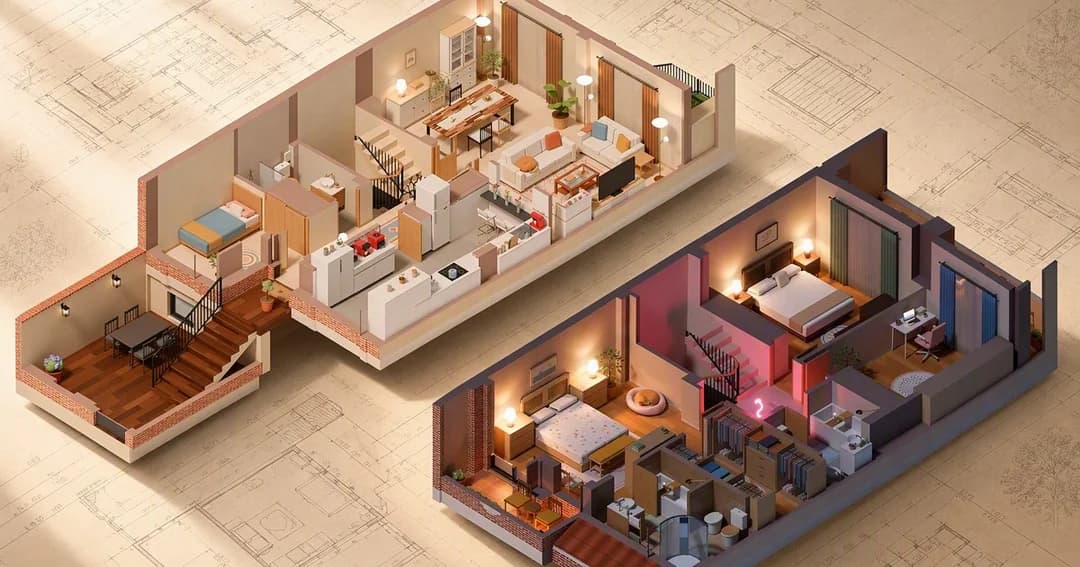
Home Assistant runs everything in my house, but its dashboards are cards: you read states. I wanted to look. So I built a 3D model of my real house from the original floor plans, and everything in it moves because a real sensor says so.
Where the Aqara sensors come in
-
Aqara Door and Window Sensors: every door and window opens in 3D when the real one does. The garage door and the front gate too, and I can open them from the 3D house itself through a Shelly relay (it asks for confirmation first).
-
Aqara Smoke Detectors: if one goes off, its room fills with smoke in 3D.
-
Aqara Water Leak Sensors: a leak puts a puddle on the floor, right where it’s happening.
-
Aqara Temperature and Humidity Sensors: every fridge, freezer and room with a sensor shows its own temperature.
-
The washing machine: an Aqara door sensor on its door plus a Shelly plug measuring its power. When a cycle ends and nobody has emptied it, a laundry basket appears next to it as a reminder.
The house tells you what happened
With dynamic views on, when something happens the camera flies to that room on its own and a banner at the bottom says what happened: a door opens, someone walks into a room, a smoke detector goes off. You don’t have to look for anything.
How it’s built
-
Python scripts generate the house in Blender from the floor plans, with every object labeled (light, door, sensor…).
-
It runs in the browser with Three.js and talks to Home Assistant over its WebSocket API. Two YAML files map each object to its entity, so nothing about my house is hard-coded.
-
It works as a Home Assistant sidebar panel (in the phone app too) or as a standalone site. Everything is self-hosted at home, with no cloud.
-
I built it in about two weeks with AI coding agents.
Bonus: it knows which room we’re in
A few days later I added my own Bluetooth positioning engine, built on the same 3D model and 21 Bluetooth proxies, so the 3D house also shows where each of us is. Home Assistant uses it, together with motion and what’s switched on, to turn off the air conditioning on floors nobody is using.
The full write-ups
-
The 3D house, with a second video and the full sensor list: Home Assistant 3D dashboard: a live digital twin of my house
-
The Bluetooth positioning: Bluetooth trilateration in Home Assistant, without Bermuda
The code isn’t public yet: the part that generates the house is still very specific to mine.
 Nice Job.


