Hello everyone!
We had our apartment furnished with roller blinds, but we soon found that this was rather impractical as it meant that we had to open and close them all the time. This constituted my initiation into the realm of the smart home. And yes, what can I say? I ended up with more and more devices and automations - these are just a few of them! So here’s my video. Have fun!
Sequences in the video
- Notification of high CO₂ levels in the Apple Home app.
- Siri executes the ventilation scene on command.
- The roller blinds open automatically.
- The heaters are turned off and the lights are switched off (not shown in the video).
- Windows are opened manually. However, I’m sure that Aqara is working on a solution for this problem

- Ten minutes later, the windows are closed manually.
- The window/door contact triggers several automations.
- Roller blinds close with a delay.
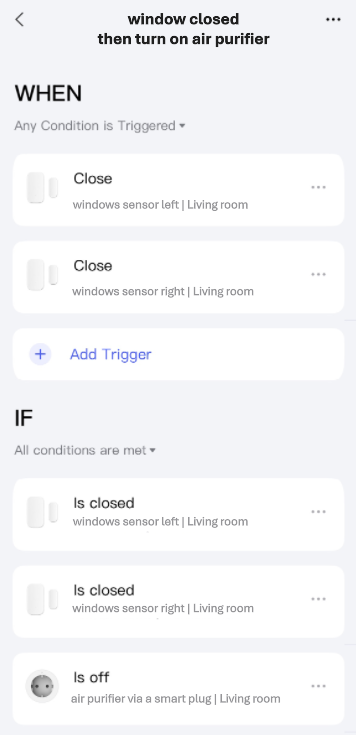
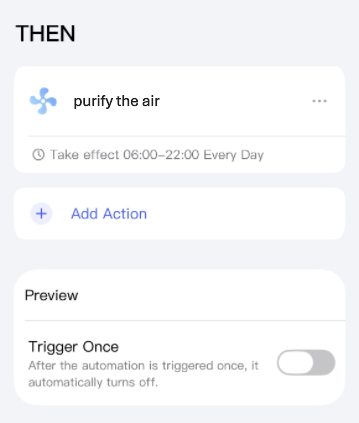
- Turns on the air purifier via a smart plug
- Heating is switched back on.
- Alternatively, the ventilation scene can be started by double-clicking the light switch. This is for when you don’t want to talk to Siri or the other way around.
 Please note that the roller blinds close completely one hour after sunset and open to 2% before sunset, so that they are half transparent. In addition, they close automatically up to one hour before sunset with the help of a light sensor, even if the room is not being ventilated at that time.
Illustration for better understanding
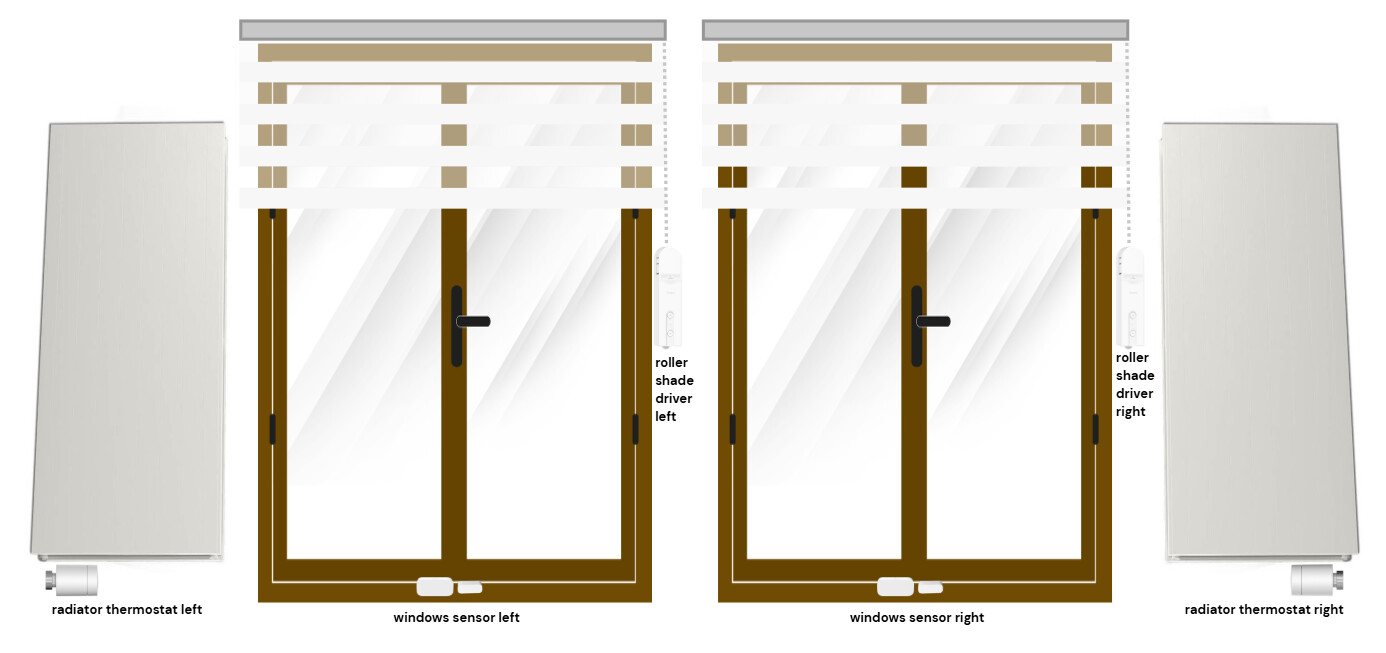
 Here is the setup, in a different order to that shown in the video. First, all scenes and automations for closing the windows, then all scenes and automations for ventilation.
Scenes to close the roller blinds
I created four scenes for the roller blinds and grouped them under “Blinds”:
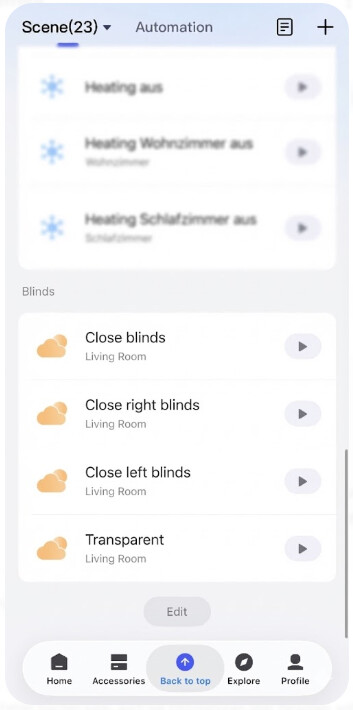
Two of these scenes are for automation:
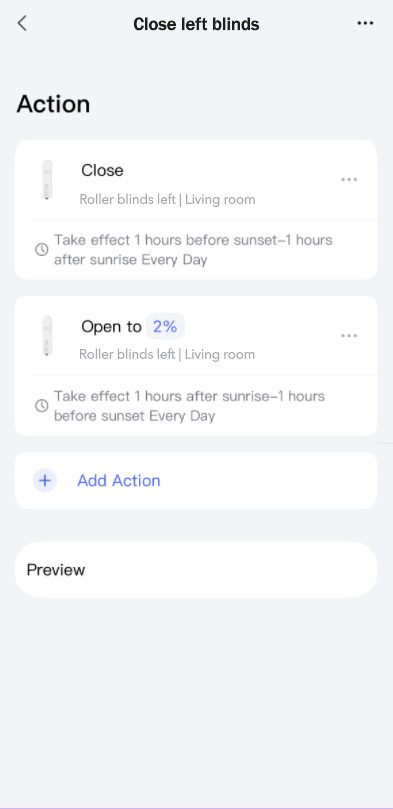

And the other two are for Siri (and also one is used to close the blinds in the evening):
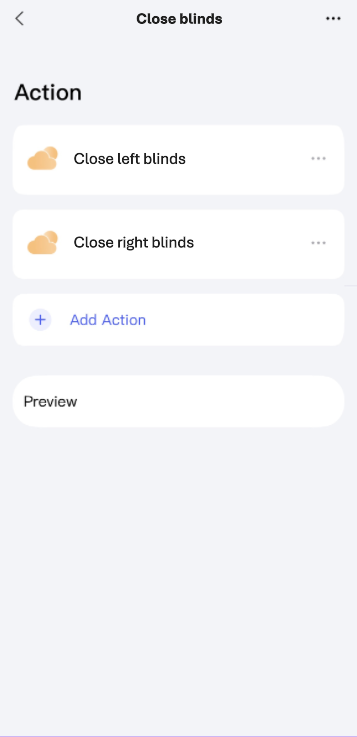
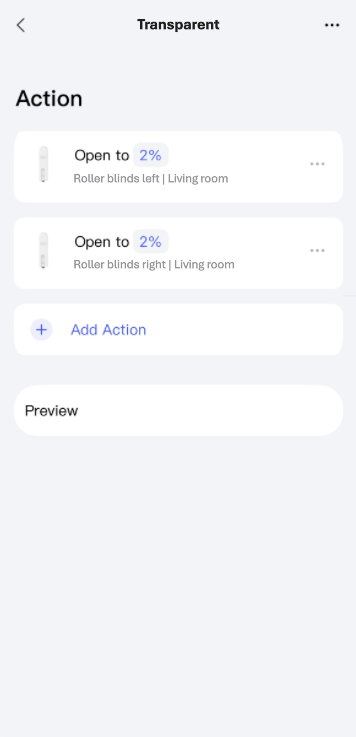
One of these scenes takes into account the time setting, determining whether a roller blind should be completely or partially closed, while the other scene always opens the roller blinds to be semi-transparent, if desired. If you want, you can also create a scene that closes the blinds at any time. But Siri understands “close all blinds in the living room” even without an extra scene. Don’t forget to add the required scenes to Apple Home.
Automation to close the roller blinds
I created three automations for the roller blinds and grouped them under “Blinds”:
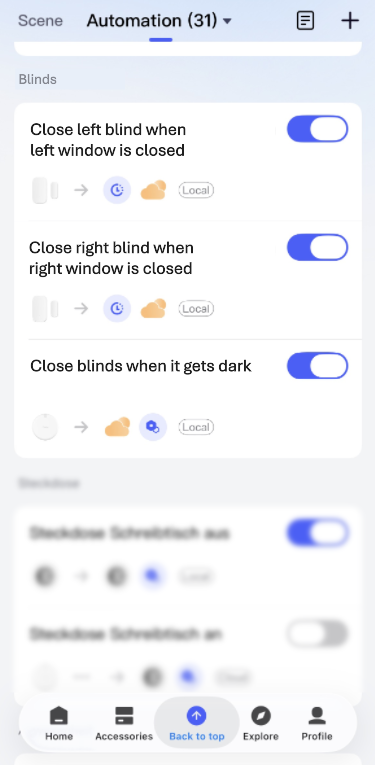
There are two automations, each of which closes every roller blind with a five-second delay:
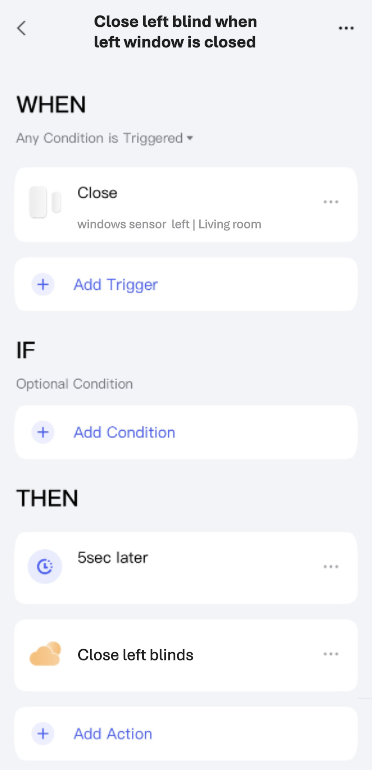
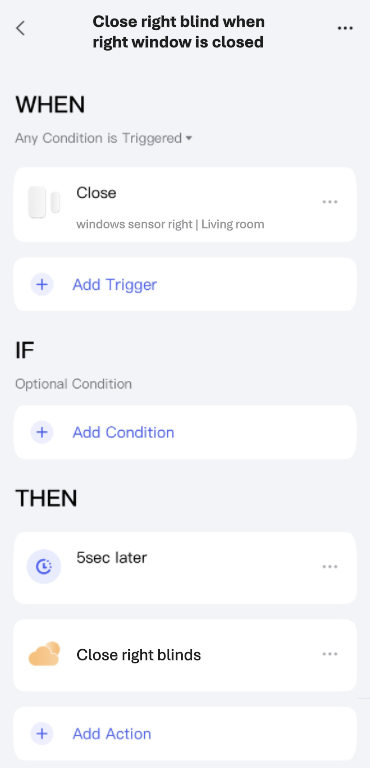
And an automation that closes the blinds in the evening when it gets dark (only if the windows are closed, of course):
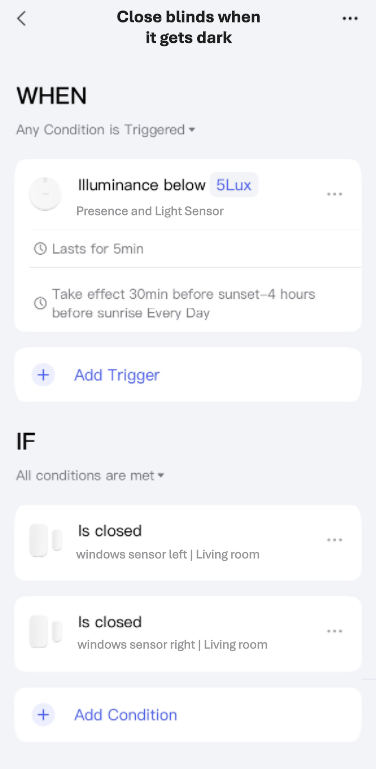
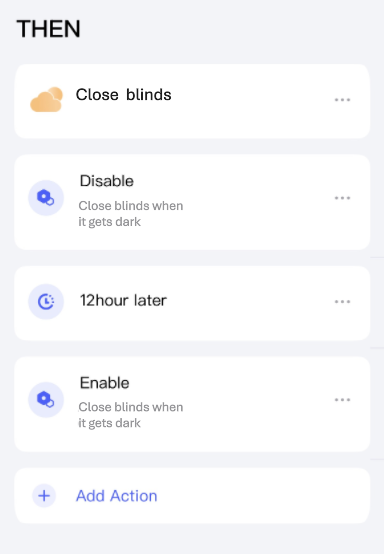
After the initial trigger, switching the light on and off again would cause the automation to trigger again. To avoid this, it is deactivated for 12 hours.
Scene that turns on and off the air purifier via a smart plug
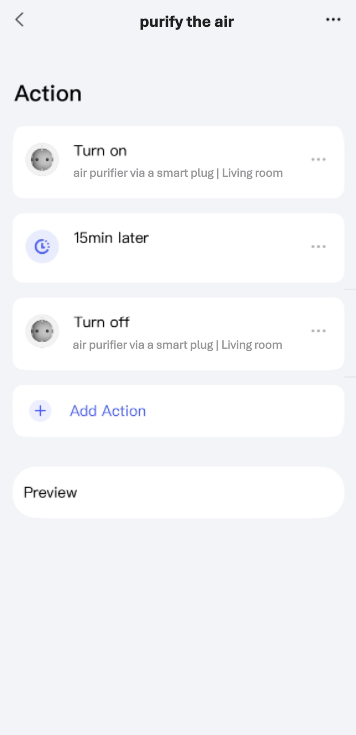
Automation that starts the air purifier
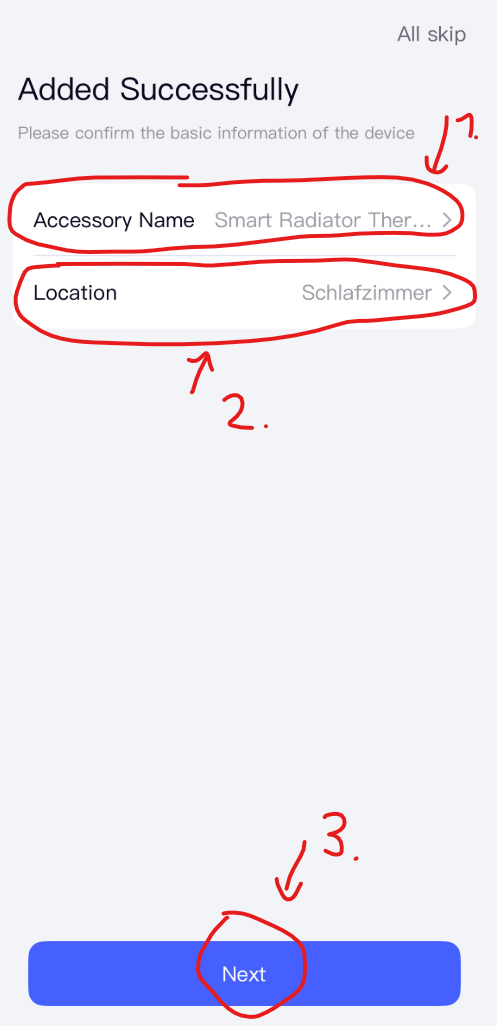
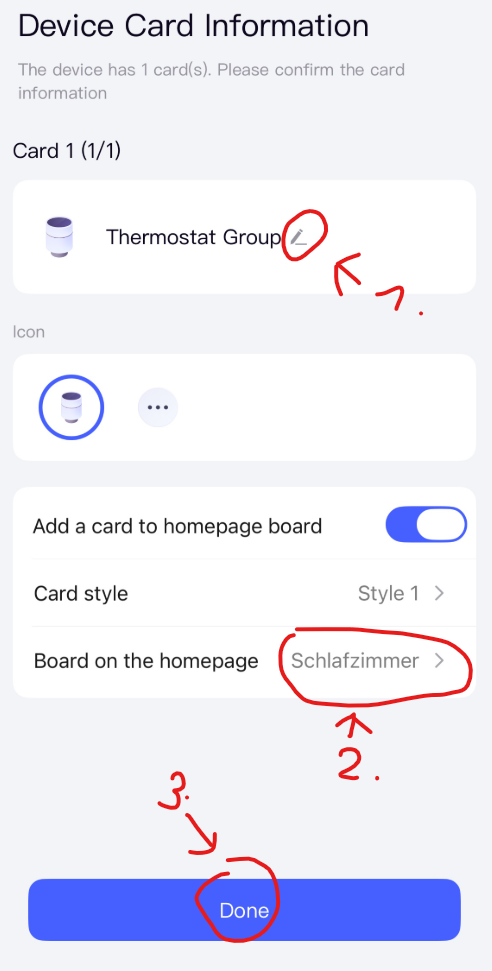
Create a device group for the thermostats
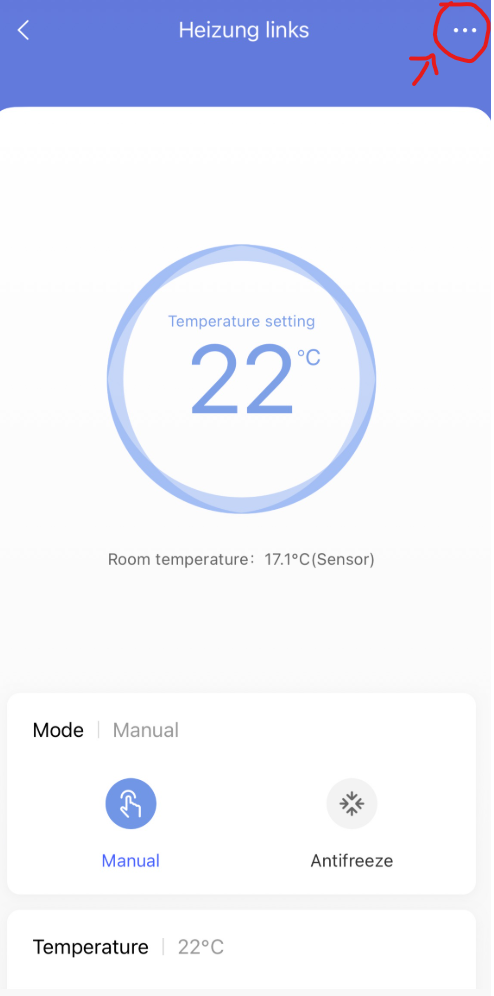
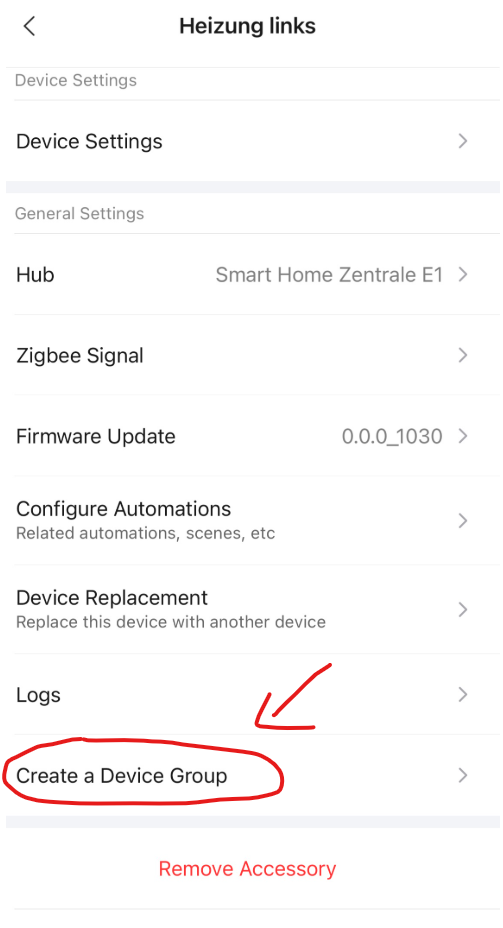
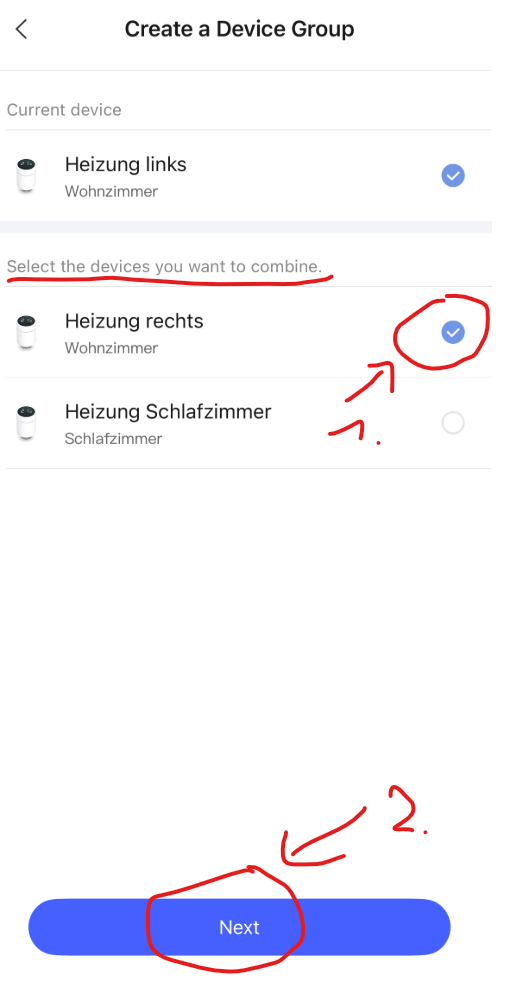
I created a group to control the two left and right thermostats simultaneously. Here are the instructions on how to set it up:

Automation to switch on thermostats
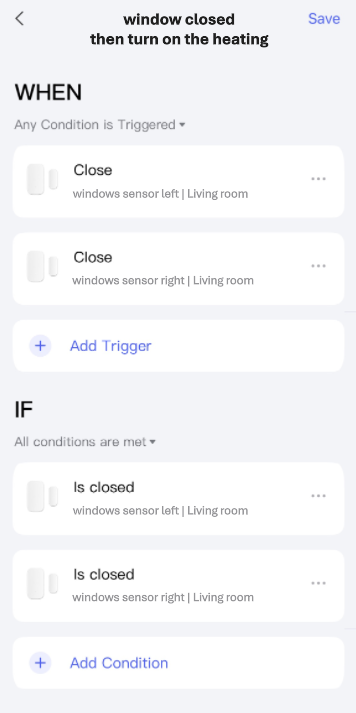
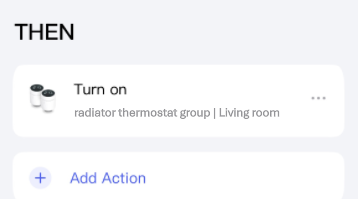
It doesn’t matter which window you close first; only when both windows are closed will the heaters turn on.
Scene for ventilating the living room
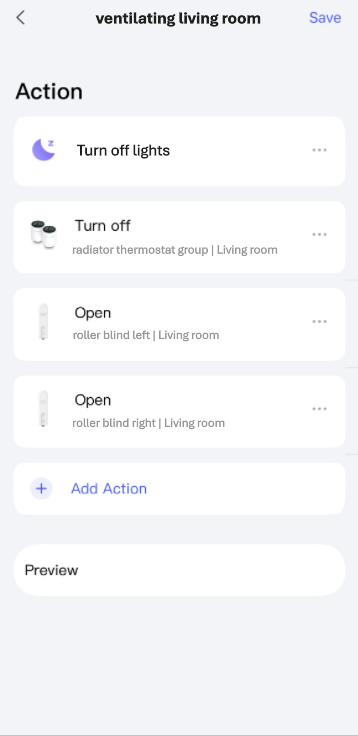
Add this scene to Apple Home and remember that the name of the scene is exactly what you need to say to Siri to trigger it.
“Turn off lights” is another scene in which all lights are being turned off. I have not shown this scene here as it should be self-explanatory.
Automation for ventilating the living room
As an alternative to Siri, the scene can also be started with a light switch.
I created the following automation for this purpose:
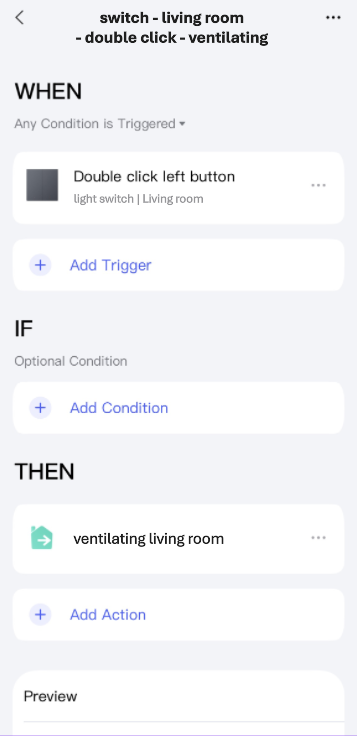
I hope I haven’t overlooked or forgotten anything.
If you have any questions, please get in touch.

