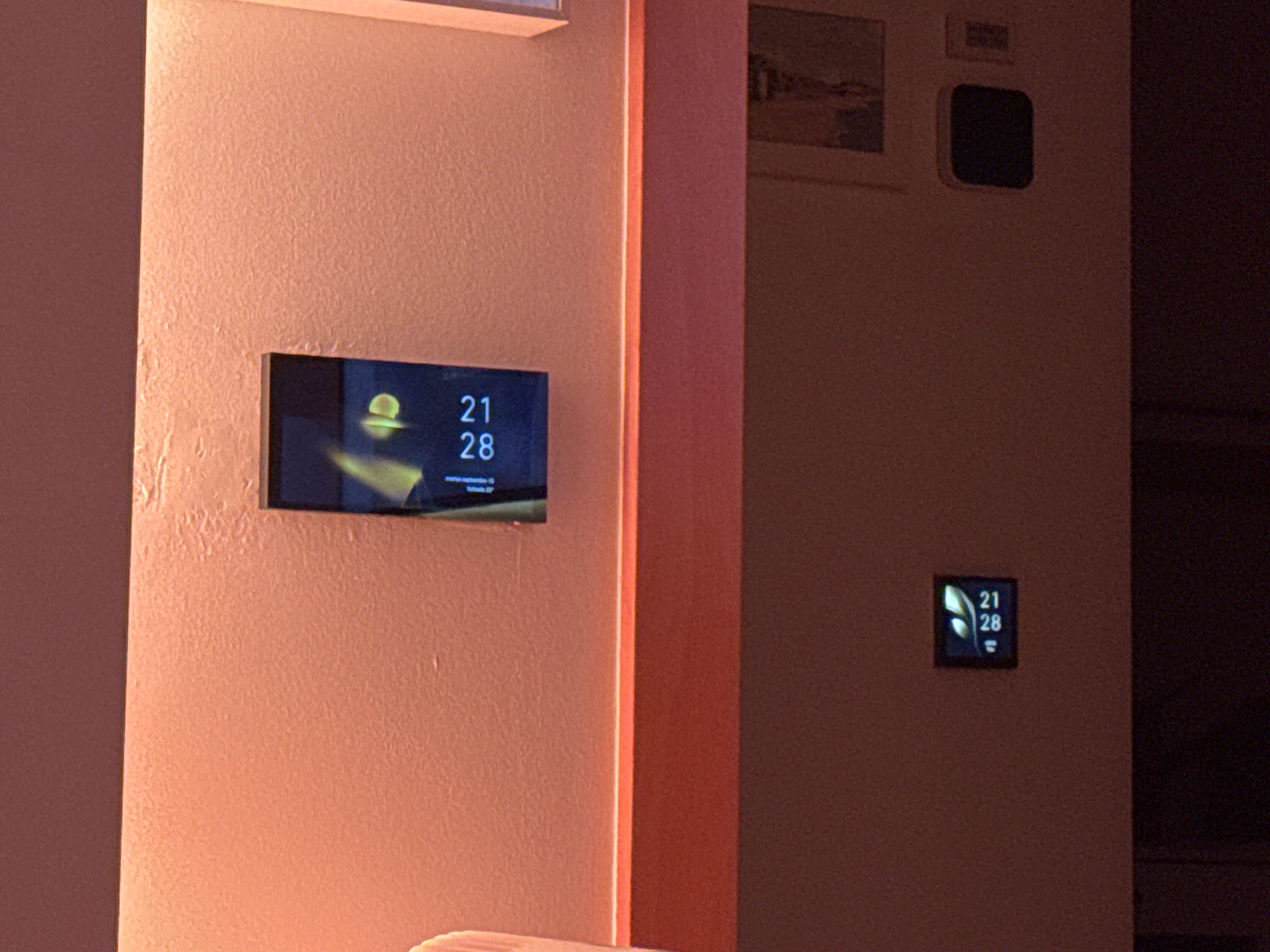
Why aren’t there the same wallpapers and screensavers for the different screen switches in the range (s1 plus, s1e, s100, knob v1…) so that if different models are installed I will be harmonious?
3 Likes
@correoto Totally get the frustration—mixing different screen switches and having them feel visually disjointed is annoying when you’re aiming for a cohesive smart home look. It’s a fair design gripe.
From what I can see in the reference info, each of these panels runs its own standalone customization system right now. The S1E handles themes through the Aqara Home app under “Theme Style”, the S1 Plus lets you tweak standby/lock screen images via Settings > Display, and the S100 offers four standby styles including wallpaper options. The S100 also supports screen rotation and independent tile layouts, which suggests the UI frameworks are pretty divergent under the hood.
There’s no mention of a unified wallpaper library or cross-device theme syncing in any of the docs. The hardware likely differs enough—screen sizes, aspect ratios, touch vs. knob interaction—that Aqara’s treating each as its own ecosystem rather than building shared visual assets.
Since this is more of a product suggestion than something fixable on the user end, your best bet is to flag it directly to the team. Contact the Aqara Home App Customer Service Team (Profile > Help & Feedback > Customer Service) or scan the QR code:

This will be more efficient. If you do not have an Aqara Home account, please click here to create a ticket.
Would be curious if others have found workarounds—maybe custom images that happen to work across devices, or third-party tools?
2 Likes
Impossible to contact, even though the qr code 
@correoto Sorry to hear the QR route hit a wall — that’s genuinely frustrating when you’re already trying to get a design issue heard. A couple of things to try:
-
In the Aqara Home App, go to Profile > Help & Feedback > Customer Service and start a chat ticket directly rather than using the QR code. Sometimes the in-app channel routes differently and gets through faster.
-
If you don’t have an Aqara Home account or the app path stalls too, you can bypass it entirely and submit a ticket here — this goes straight to the support queue without needing to navigate the app.
-
Also worth checking: are you running the latest Aqara Home app version? There’ve been cases where older builds glitch out on the help section.
Totally feel you on wanting that visual harmony across the S1 Plus, S1E, S100, and Dial V1 — it’s one of those “small thing, big difference” smart home details. If the ticket route works, it might help to mention specific models and maybe even attach a photo showing the mismatch; product teams tend to latch onto concrete examples.
Keep us posted if you crack a workaround or get a response — curious if others have managed to push this kind of feedback through too.
Hi @correoto !
I like your idea and totally agree with you!
Also a designer for own designs would be nice to have 
2 Likes