Two recent camera threads show different failure points: a G5 PoE owner cannot discover the camera after checking the cable and network, while a G5 Pro/G410 owner gets “Account binding failed” even after a factory reset. Those call for different next checks, but a generic retry prompt can blur the distinction.
I would find it useful if Aqara Home showed three separate setup stages where it can: whether the device has network link and an IP address, whether the app discovered it locally, and whether account binding succeeded. If a stage cannot be determined, “unknown” is better than implying a particular cause. A shareable support summary could include the stage, timestamp, app and device versions, and a sanitized error code without exposing account or network identifiers.
What does Aqara Home already show reliably for your camera during setup? Which one missing status would have saved you time before another reset?
4 Likes
@jamesfengyuyang Hi there! 
Thanks for sharing such a thoughtful and detailed perspective on the Aqara Home app’s setup diagnostics. It’s always refreshing to see users like you who are deeply engaged with the ecosystem and thinking critically about how we can improve the user experience. Your point about distinguishing between network discovery failures and account binding errors is spot on—generic “retry” prompts can definitely be frustrating when the root causes are quite different! 
To answer your question about what the app currently shows:
For devices like the Smart Camera G5 Pro (PoE), the app typically displays the device once it is automatically discovered on the network, with the status indicator light turning solid blue upon successful binding. If the light isn’t flashing yellow, a reset might be needed.
For other cameras like the Camera E1 or Camera Hub G3, the app relies on you manually adding the device, and the status is often indicated by the device’s LED lights (e.g., blue for success, purple for password/binding errors, or flashing red/blue for network issues).
However, as you noted, the app doesn’t always explicitly break down the exact stage of failure (e.g., “No IP assigned” vs. “LAN discovery failed” vs. “Cloud binding error”), which can leave users guessing.
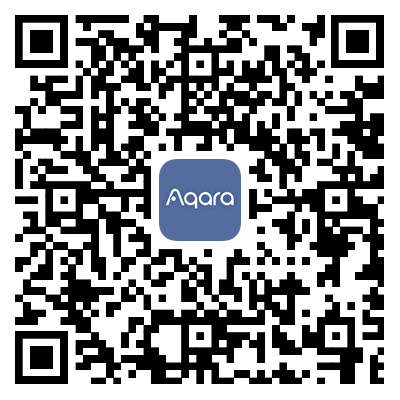
Your suggestion for a shareable support summary with stage, timestamp, and sanitized error codes is brilliant. It would make troubleshooting much more efficient for both users and support teams. Since this is a valuable suggestion for improving the product, I’d encourage you to submit it directly through our customer service channels so the team can review it properly. You can contact the Aqara Home App Customer Service Team (Profile > Help & Feedback > Customer Service) or scan the QR code below:
If you don’t have an Aqara Home account, please click here to create a ticket.
We’d love to hear more from you and the community about which missing statuses have cost you the most time during setup. Keep the great insights coming! 
This information comes from community discussions and user experience summaries and may vary by environment. Please verify carefully.
1 Like