Hi everyone,
Not sure if anyone will be able to help… and I have a ticket into support already, but figured I’d ask the community…
I recently upgraded my phone and as such have had to re-log into all applications. When I re-logged into Aqara, my home and all applicable rooms are still visible, as well as the picture I chose for my home, HOWEVER, none of my accessories are showing up… multiple cameras, sensors, doorbell, etc… it’s all blank. Has anyone experience anything similar? Am I going to have to manually re-add ALL of my devices??
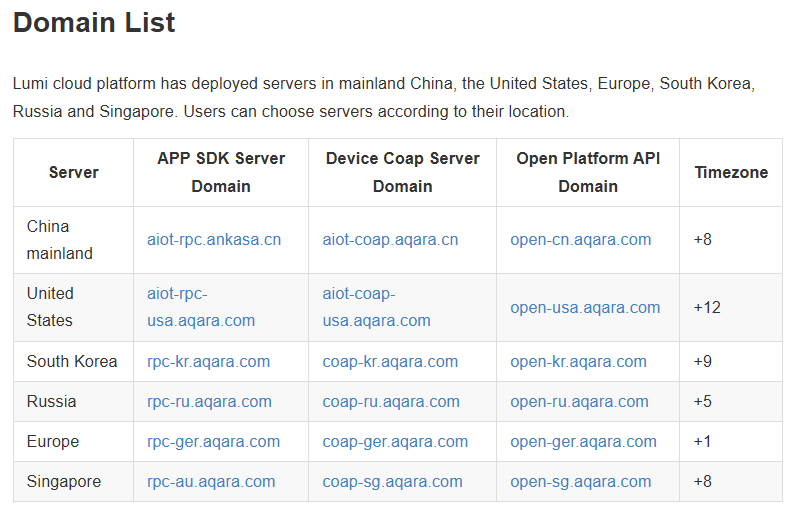
Hello, welcome to the forum. Maybe you selected a different region on your old phone (by mistake). Now on your new phone you select your region, which you did not use on your old phone. Switch regions, think about what you selected the first time.
What sometimes help is to completely uninstall the app, restart the device and then reinstall the app in the App Store. Then log in to the app again and you may have everything back now. Good luck in advance
Just to clarify, when you select a specific region and add homes, rooms, or devices, this data is stored in the cloud on the server for that region. Aqara’s servers do not exchange data across these regional boundaries, so if you log in to a server in a different region, no data will be available there because the data is stored on a different server. However, your user login works on all servers.
 Good luck in advance