Activate passage mode (door stays unlocked) more easily

Passage Mode is a status where the door remains unlocked until manually locked. It seems that it can only be activated on the door lock keypad.

Can we get a simple remote way to do this? Either a simple toggle in the app, or a Google Home toggle? Ideally an automation if possible. For use cases where we need the door to unlock and remain unlocked it is very inconvenient to need to be physically at the door itself. I’m using the Hub but am upset that this apparently isn’t possible even with hub connectivity for remote control.
2 Likes

If you use a door and window sensor, then you can create a feature that works in a very similar way.

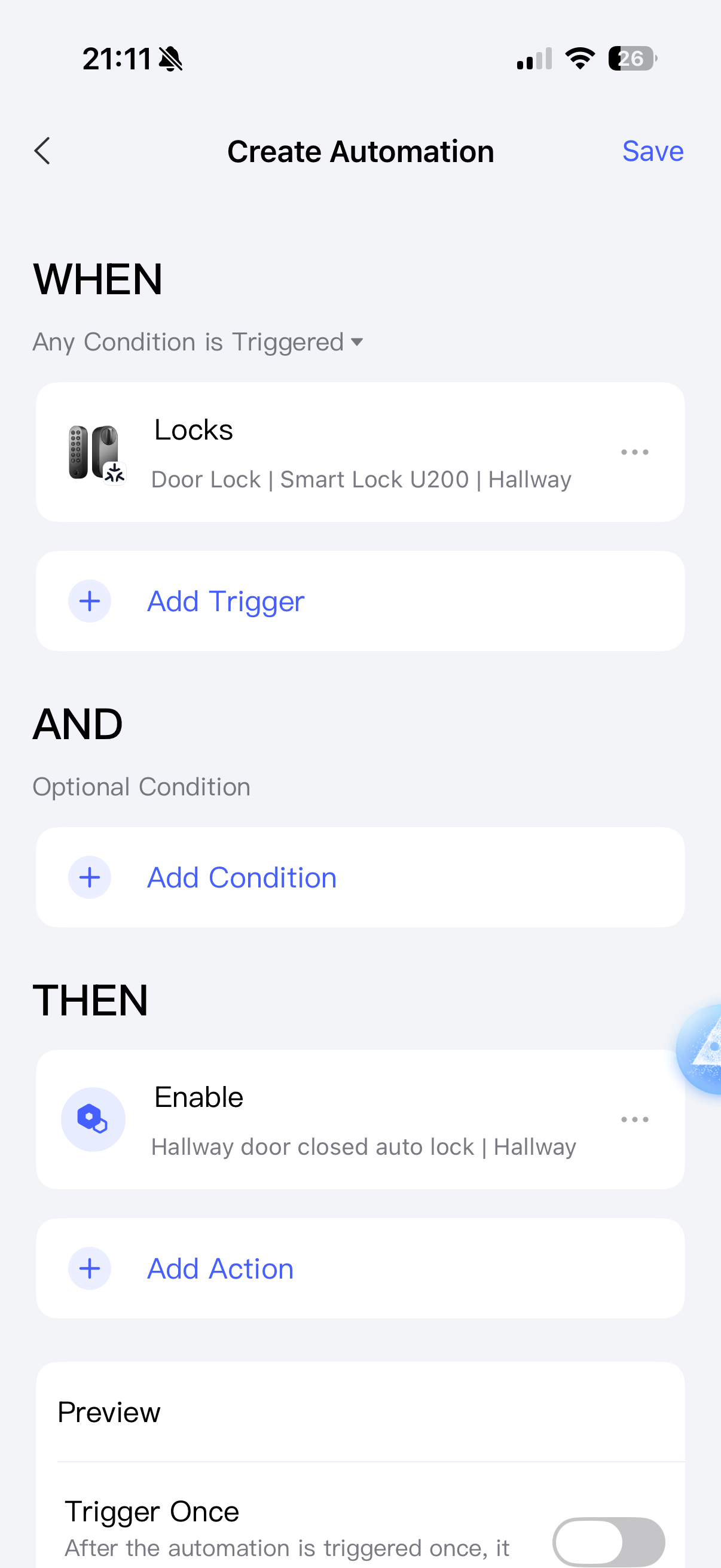
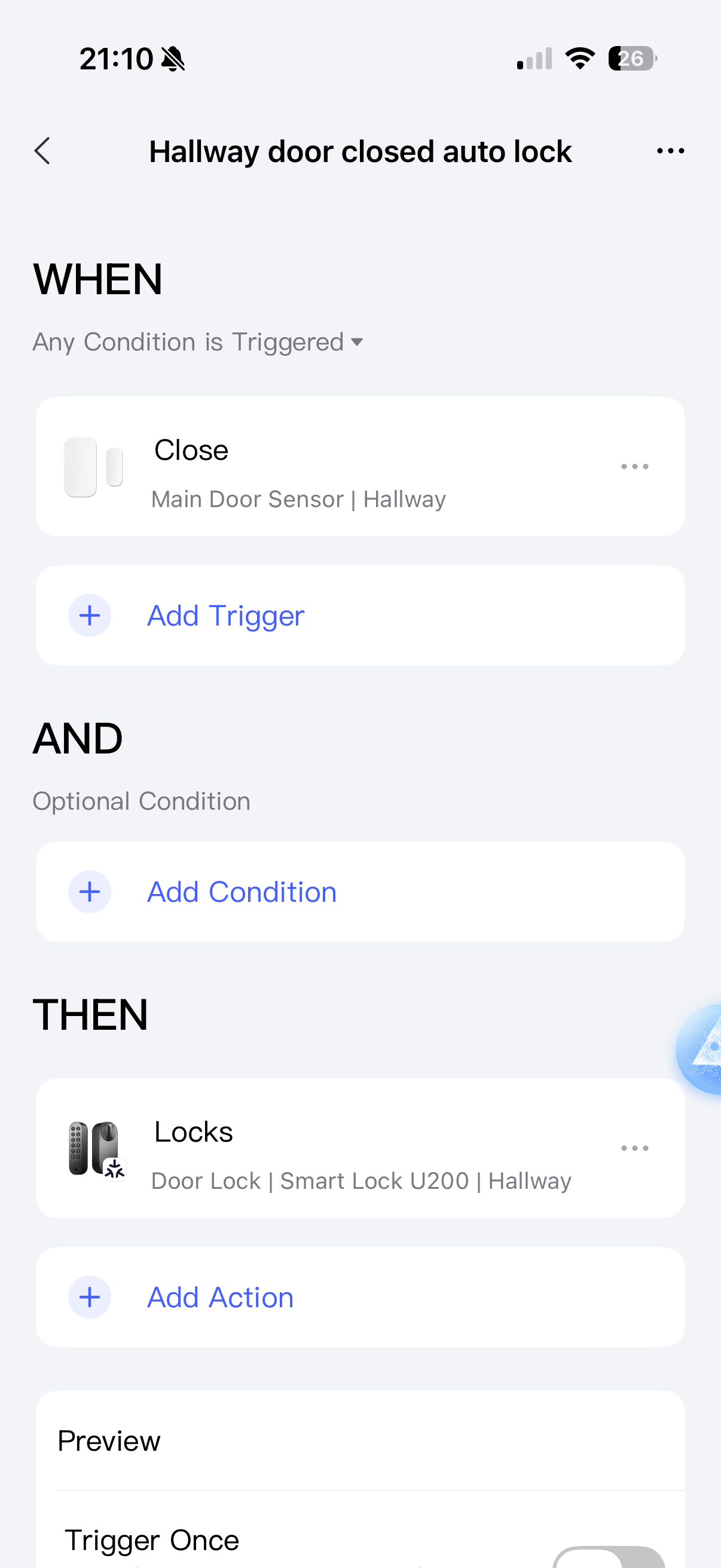
Disable auto-lock on your lock. Add an automation that locks the door when the door sensor detects closing.

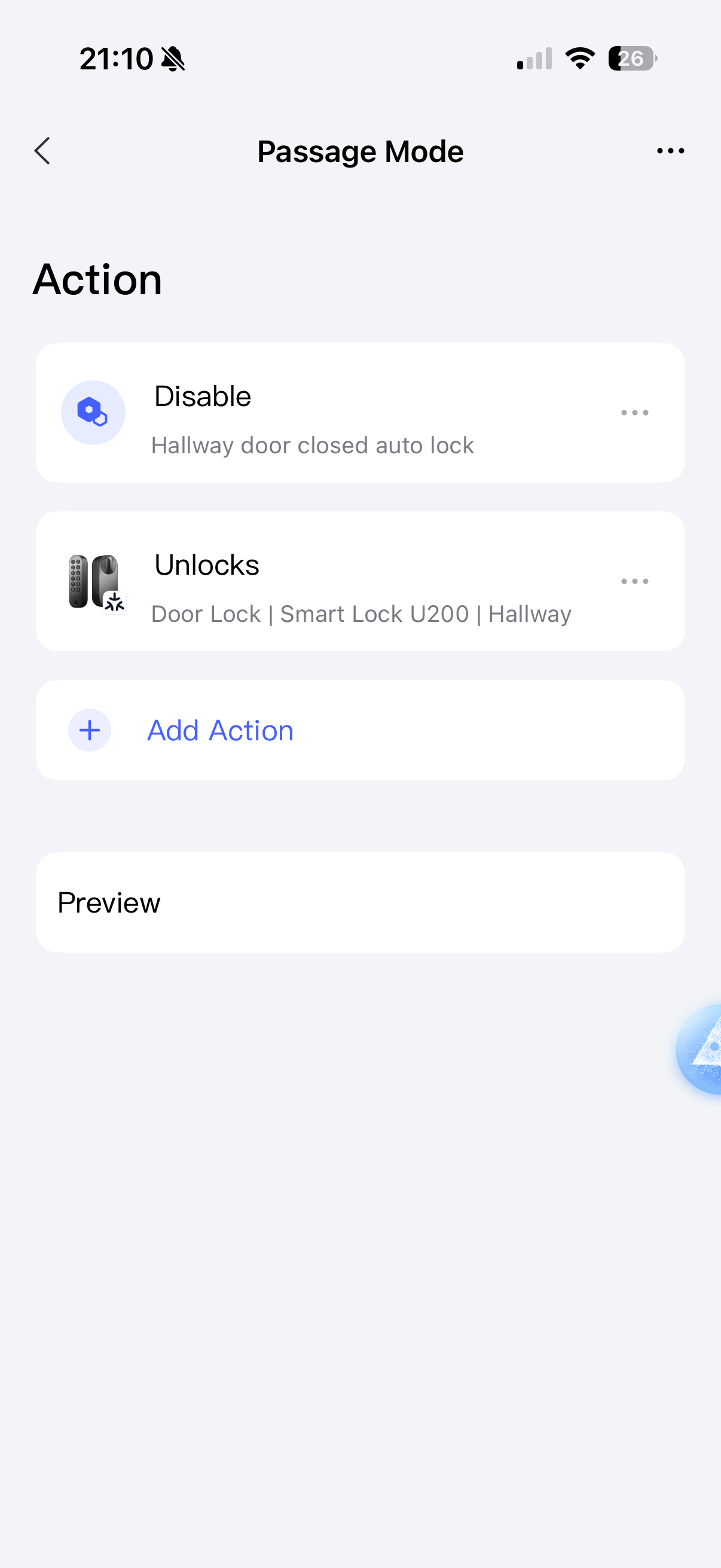
Then create a scene that works just like “Passage Mode” - it disables auto lock.


Now you can activate your custom “passage mode” by running this scene.

If you want the “passage mode” to automatically end when you lock the door, create an automation like this:

2 Likes