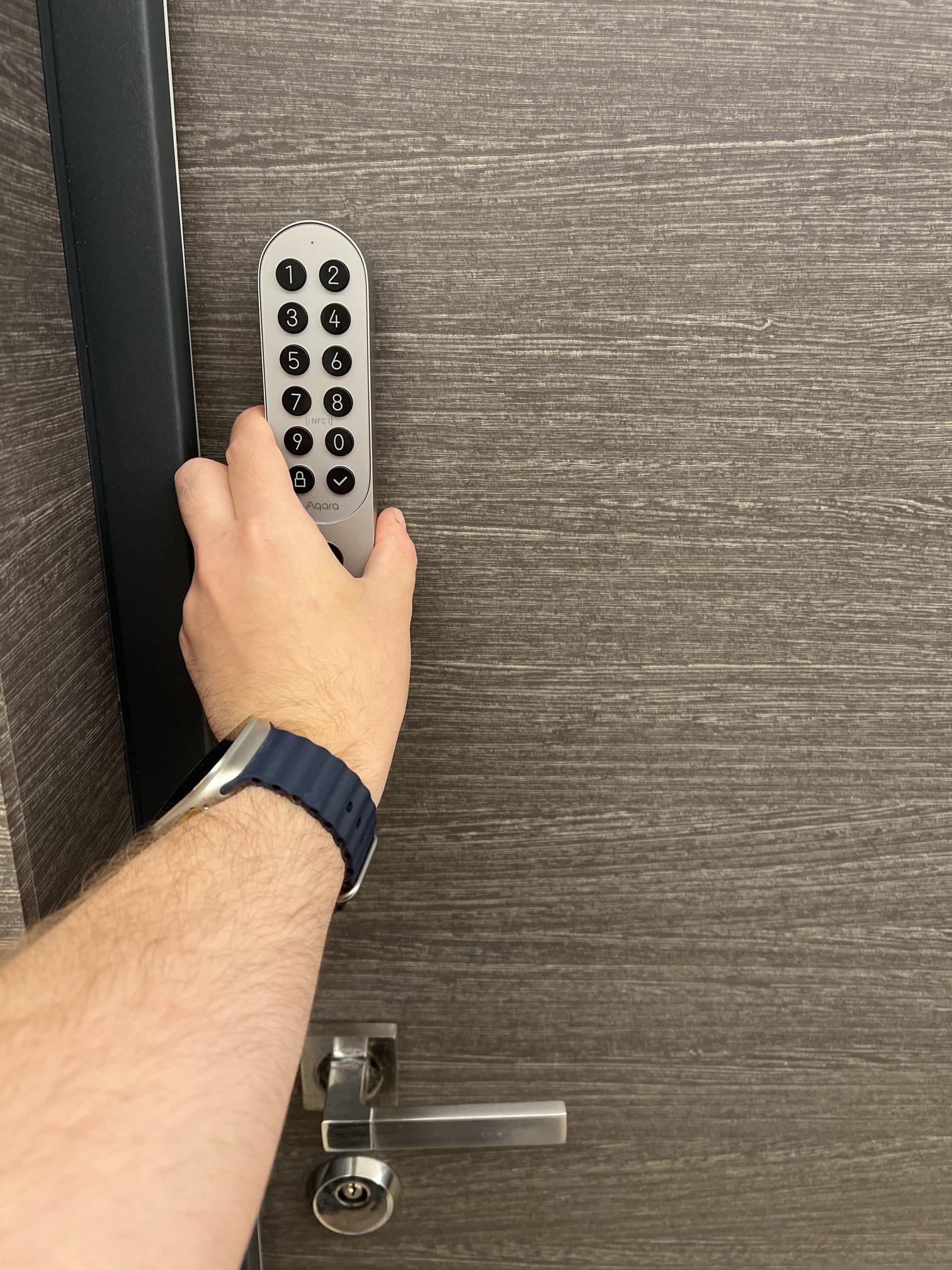
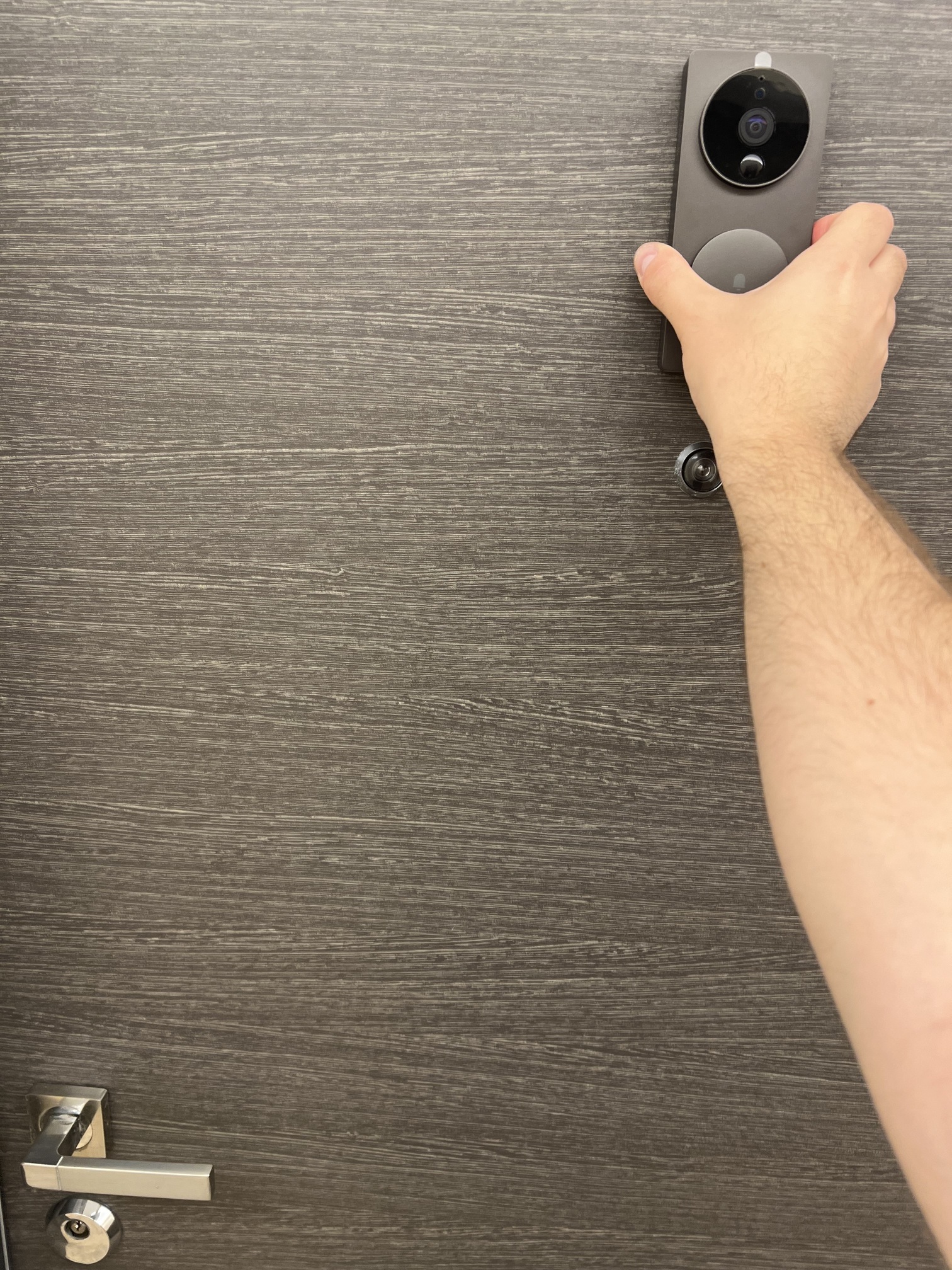
My Apple × Aqara setup is designed around simplicity, security, and comfort.
Here’s what I use today:
• Aqara U200 with Apple Home Key (Matter)
• Aqara Hub M3
• Aqara Video Doorbell G4
• Two Aqara T2 E27 RGB Bulbs
• IKEA SYMFONISK Lamp/Speaker
The highlight is definitely the U200: unlocking my front door with just my iPhone or Apple Watch via Apple Wallet is fast, safe, and incredibly convenient.
I’ve also created simple scenes in the Apple Home app:
• Welcome → the U200 unlocks and my T2 bulbs light up in a warm color.
• Relax → I manually change the RGB bulbs for a cozy or colorful atmosphere.
Thanks to the Hub M3 and Matter support, everything works smoothly. For me, Apple × Aqara means a smart home that responds instantly to simple gestures, blending security with comfort in the most seamless way.
@simimy What a fantastic and well-thought-out Apple × Aqara setup! Thanks for sharing your approach—your focus on simplicity, security, and comfort truly shines through. The combination of the U200 with Apple Home Key support is definitely a highlight, offering you quick and secure entry with just your iPhone or Apple Watch. This seamless integration is one of the standout features of the U200, especially with Apple Wallet compatibility for unlocking—convenience and safety all in one.
Your use of scenes to welcome you home with warm lighting and to create a relaxing atmosphere shows how smart home tech can enhance daily routines in a subtle, personal way. It’s great to see the Hub M3 and Matter support making everything run smoothly behind the scenes, connecting different devices for an effortless experience.
Thanks again for sharing your setup and photos—it’s both inspiring and informative for anyone looking to blend Aqara and Apple Home for a smart, secure, and cozy living space. If you come up with new scene ideas or automations, feel free to share them with the community! And if you have any suggestions or recommendations for improvement, you’re welcome to submit feedback through manual customer service.
@simimy What a fantastic share of your Apple × Aqara setup! It’s wonderful to see how you’ve blended simplicity, security, and comfort—your setup really embodies the best of smart home integration.
The U200 with Apple Home Key is a standout, and it’s great to hear how seamless unlocking with your iPhone or Apple Watch is. This aligns with the U200’s support for Apple Home Key, which requires an iPhone XS or newer with iOS 17.1+ or Apple Watch Series 4+ with watchOS 10.1+, and works via the Wallet app after setup in Apple Home .
Your Hub M3 is clearly the backbone here—its Matter support and ability to enable automation and stable connectivity (like linking the U200 unlock to your T2 bulbs) makes total sense, as the M3 Hub enhances features like automation and integrates with Matter devices . The T2 bulbs, with their easy setup and Matter compatibility, are perfect for creating those warm “Welcome” scenes—they automatically enter pairing mode after powering on, making integration smooth .
Thanks for taking the time to share your experience and photos—they really bring your setup to life! It’d be awesome to hear more about how you fine-tuned your scenes or any future additions you’re considering. Keep the insights coming—this community loves learning from real-world setups like yours!
@simimy Thanks for sharing your Apple × Aqara setup—it sounds like a perfect blend of simplicity and smart functionality! Your highlight on the U200’s Apple Home Key unlock via iPhone or Apple Watch aligns with its supported features, as the U200 includes Apple Home Key in its unlocking methods . It’s great to hear the Hub M3 is powering smooth operations too; binding to the M3 indeed enables automations and remote features, which likely contribute to those seamless scenes you’ve created .
Matter support clearly plays a key role here, and it’s wonderful to see it all working together to blend security with comfort. Your “Welcome” scene—unlocking the U200 and warming up the T2 bulbs—sounds like a small but impactful daily win.
Feel free to share more tips or updates down the line—your experience could inspire others looking to build a similar setup. Thanks again for taking the time to post!
@simimy What a wonderful setup you’ve shared—blending simplicity, security, and comfort perfectly! It’s great to hear the Aqara U200’s Apple Home Key feature is living up to its promise of fast, safe, and convenient access via iPhone or Apple Watch. This aligns with how the U200 is designed to work seamlessly with Apple ecosystems, where after setting up in the Apple Home app, the Wallet app automatically generates home keys (requires iPhone XS or newer with iOS 17.1+ or Apple Watch Series 4+ with watchOS 10.1+) .
Your use of the Aqara Hub M3 also makes total sense—its support for Matter and Thread, along with features like automations and remote control, likely plays a big role in keeping everything running smoothly . The scenes you’ve created, like “Welcome” triggering the U200 and warm lighting, really showcase how smart home tech can enhance daily life.
Thanks for taking the time to share your experience and photos—they’re a great inspiration for other community members! If you ever have more tips or insights to add (like how you set up the automations or any pro tricks with the T2 bulbs), we’d love to hear them. Keep enjoying that seamless Apple × Aqara life!