Hi
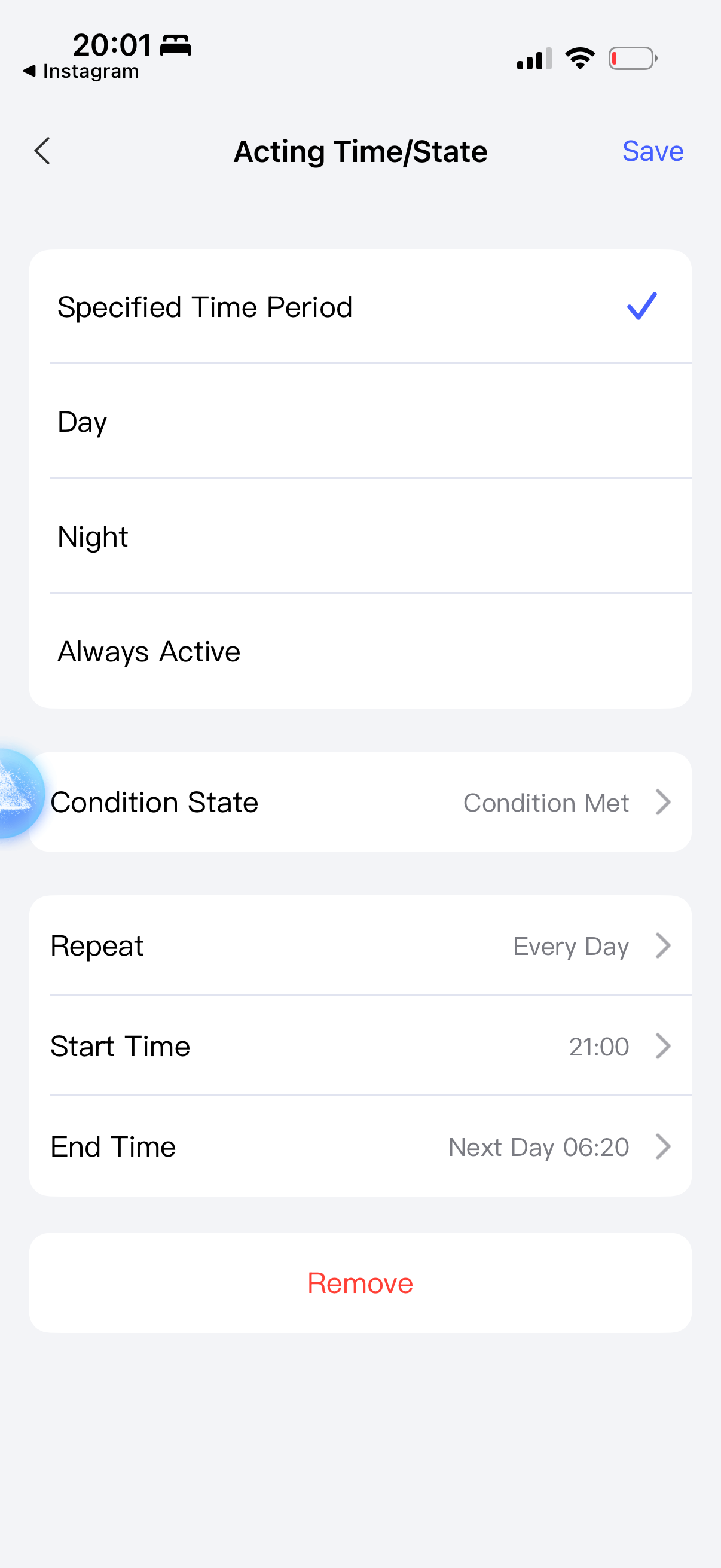
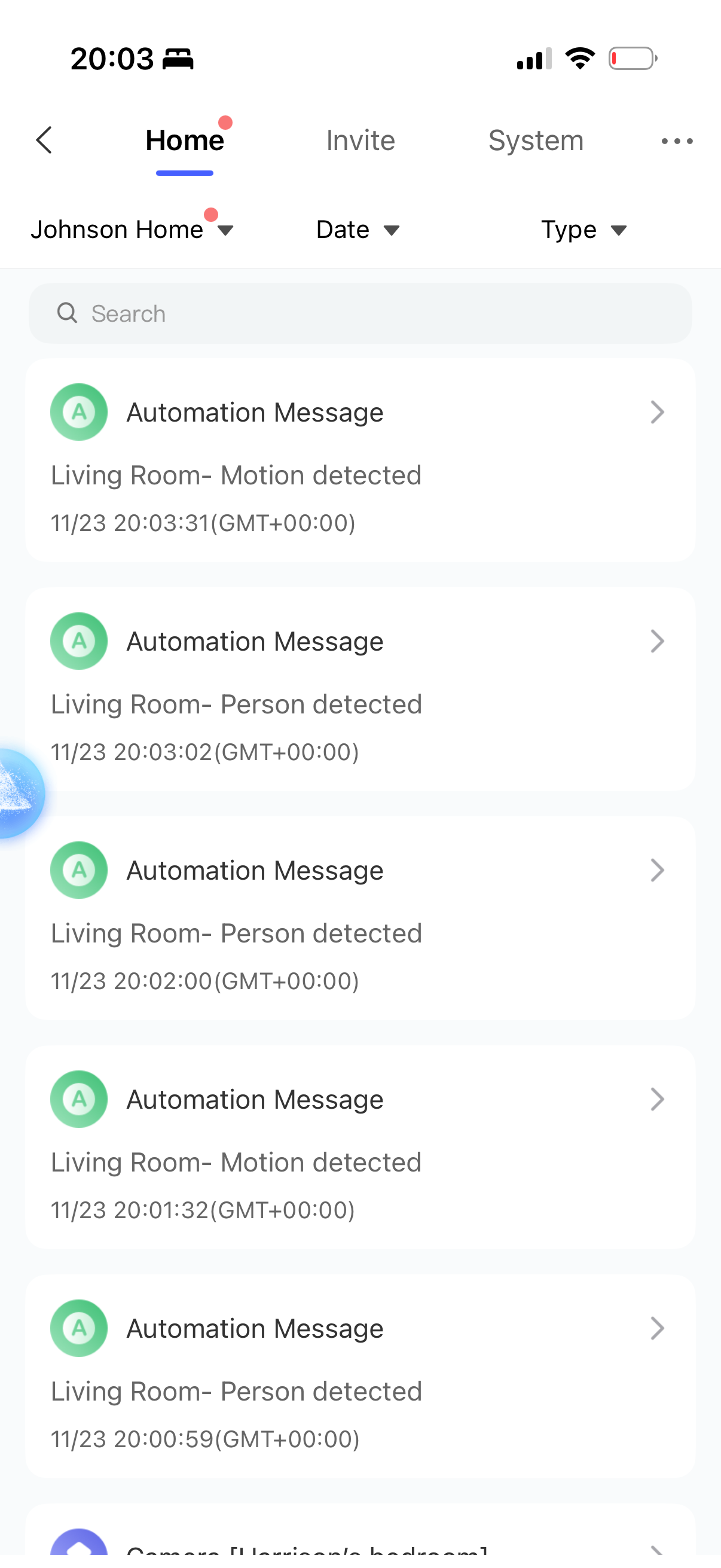
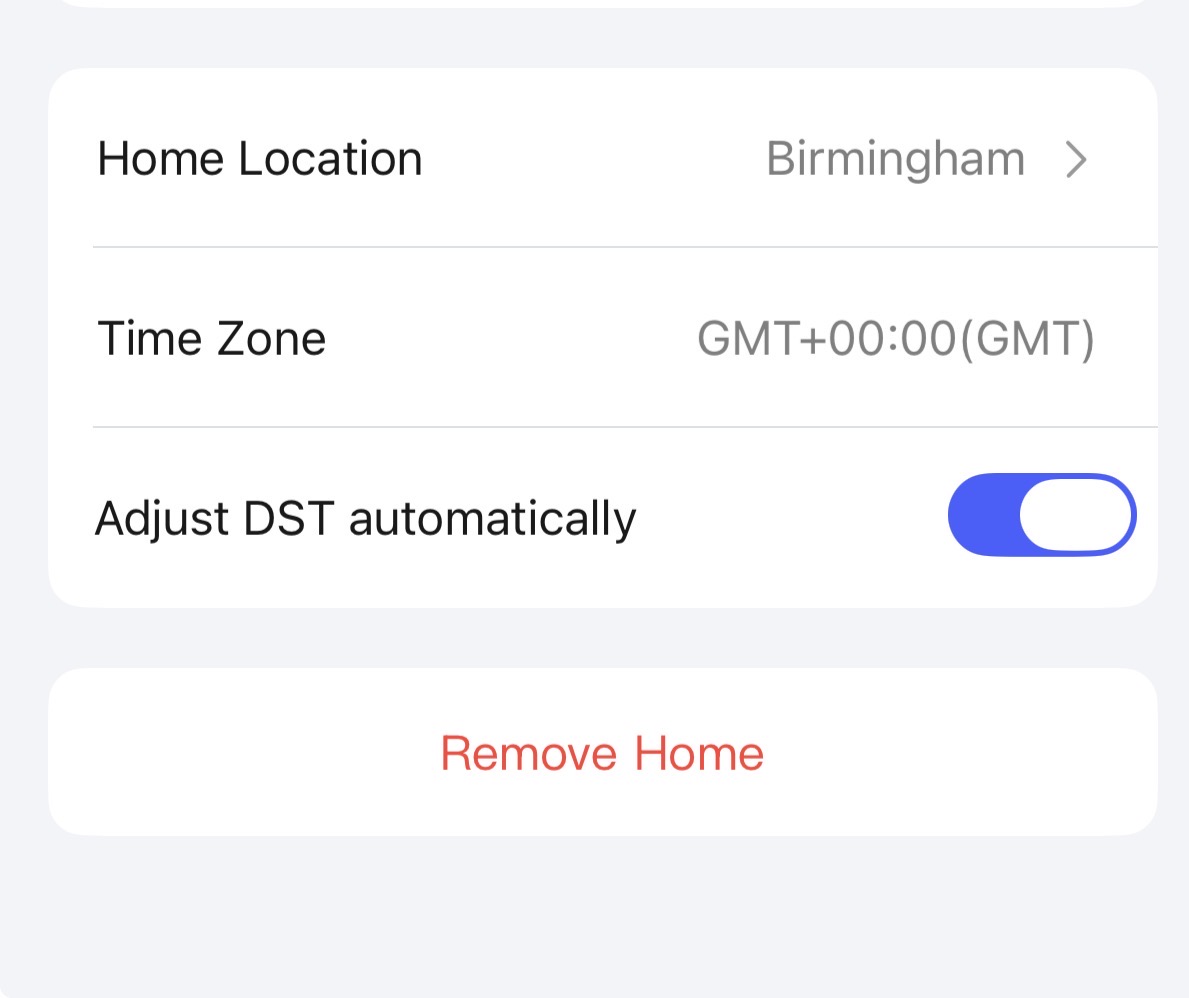
I live in the UK, I have automations that should run from 21:00 through to 06:20 however since daylight saving time in October the automations are starting from 20:00 even tho it clearly states it should start at 21:00
Has anyone else had this issue and any ways they have fixed this ?
2 Likes
Hello, second step, check your automations for cloudiness.
1 Like
What do you mean sorry ?
They look like they are been done via the cloud - they used to be local until the update
1 Like
Rewrite them again, theoretically they should become local. Then there will be no problems.
2 Likes
Thank you.
Just changed them all and most have changed back to local apart from my G100 camera
2 Likes
Hi, I’m having a similar issue. I have an automation that should only function between sunset and sunrise, but it functions during the night and day.
The automation is that if my porch light is off, it should switch on when the doorbell is pressed, if it is between sunset and sunist.
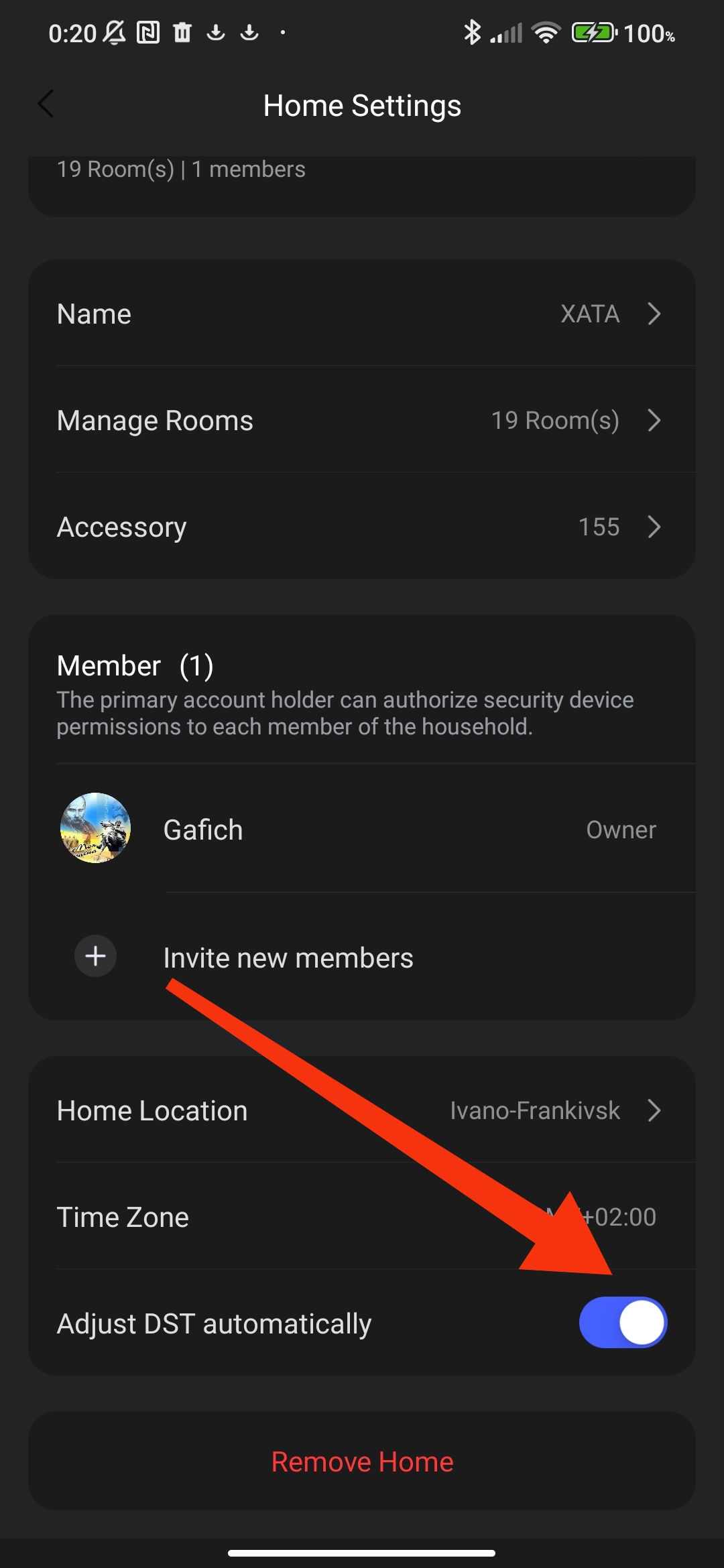
In the Aqara Home app, I have the correct Home Location, Time Zone settings and as @gafich10 suggested, Adjust DST is on (I’m in Australia).
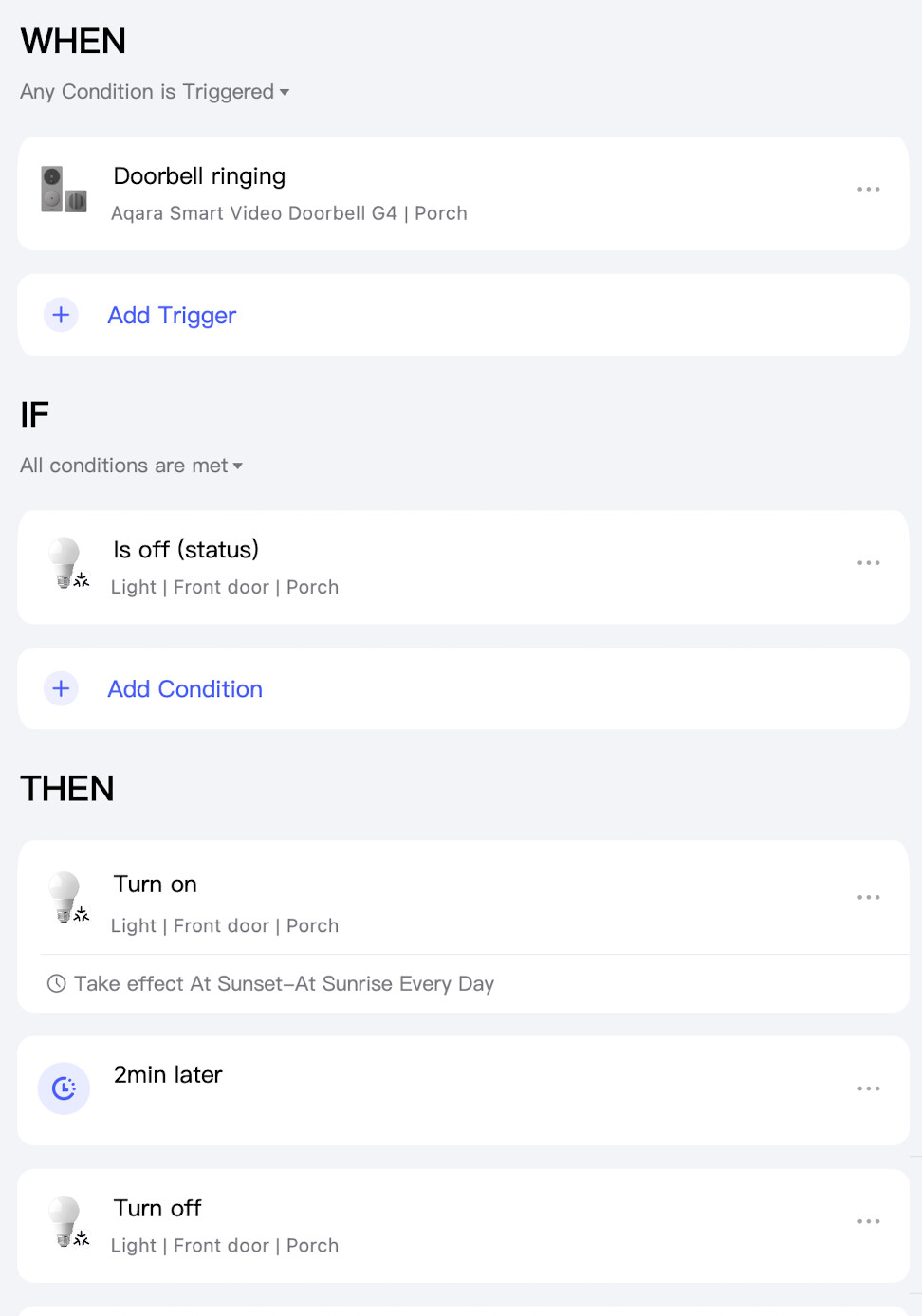
Have I created the automation correctly?
Does anyone have any thoughts on this?
thanks
1 Like
Good afternoon, go to the option “…” and select the desired period. You can also create a scene and launch it at the desired time. My smart home. Automatic night light mode after 11:00 PM
1 Like
thanks @gafich10
I had already tapped the ... and set it to sunset - sunrise.
I’d prefer not to set specific times of the day, as the times of light/dark change drastically throughout the year.
I want the the light to switch on when the doorbell is rung when it is dark.
The problem is that the light switches on when the doorbell is rung at any time of day/night.
Am I correct in thinking that with this automation it should work only between sunset - sunrise? Or have I not set it up correctly?
Thank you
Hello, yes, in this automation the lamp turns on with different brightness at a fixed night time and a floating sunset/sunrise time. In your case, if you want to illuminate only at the time of the call. (night), you just need to select “…” → time period-> night (sunset-sunrise). You can set the “…” option in the THEN section (turn on the lamp)
1 Like
Oh, thank you! In my screenshot above, I had selected night in the THEN section. I’ve now changed i to the WHEN section. I didn’t realised I could set and Acting Time for any step. Thanks for explaining that 
I just saved, then tested it. The light is still switching on during the day when the doorbell is pressed.
Perhaps it needs time to save the automation changes?
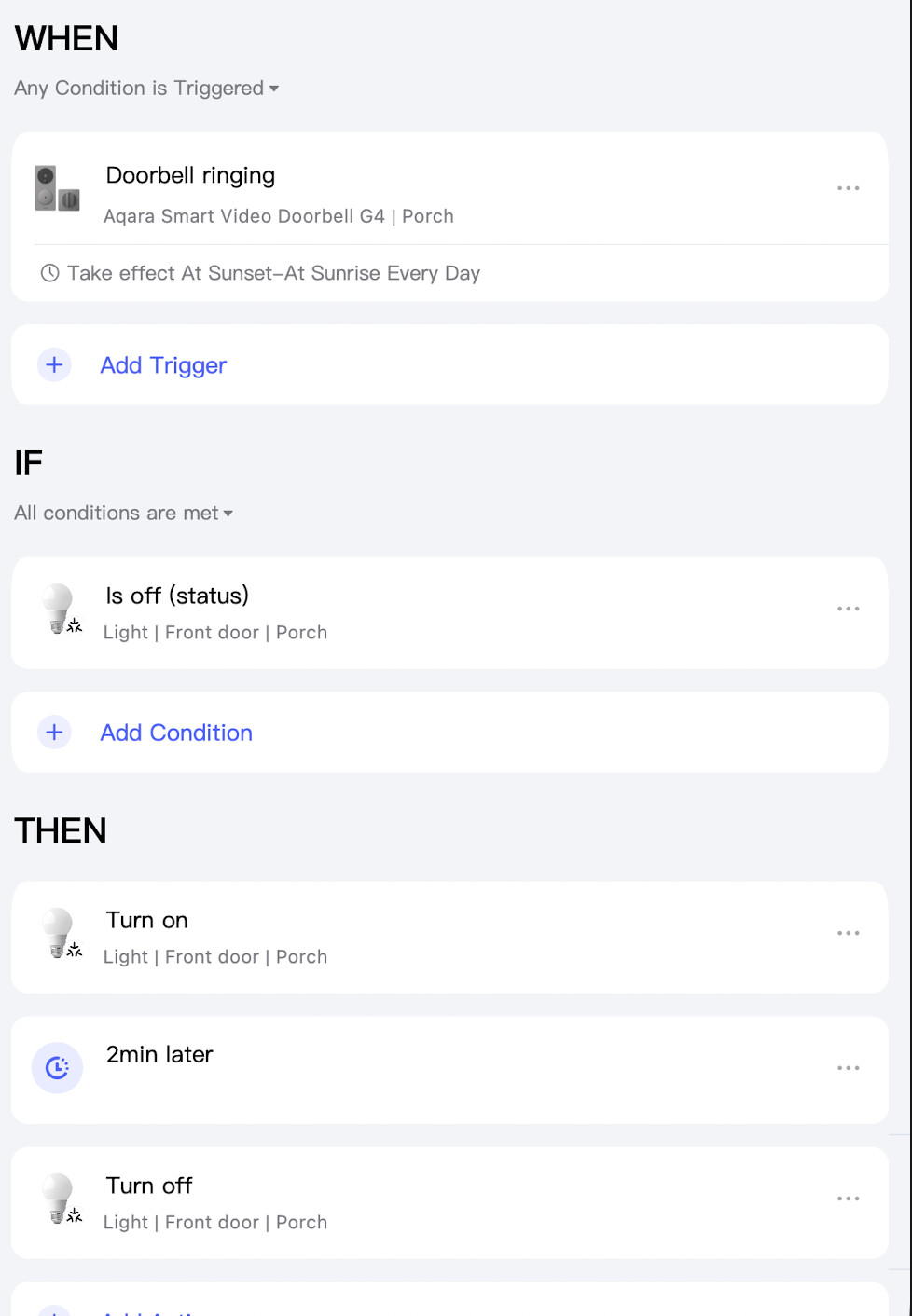
Let me know if you have any other thoughts. I’ll be away from home for 3 days. I’ll test it again when I’m back 
Have you set your time zone in the APP?
Yes, I have the correct Home Location, Time Zone settings, and Adjust DST is on (I’m in Australia).
1 Like
Another possible problem is, check your automation for LOCAL. Maybe your automation is cloud-based? If so, then rewrite it.
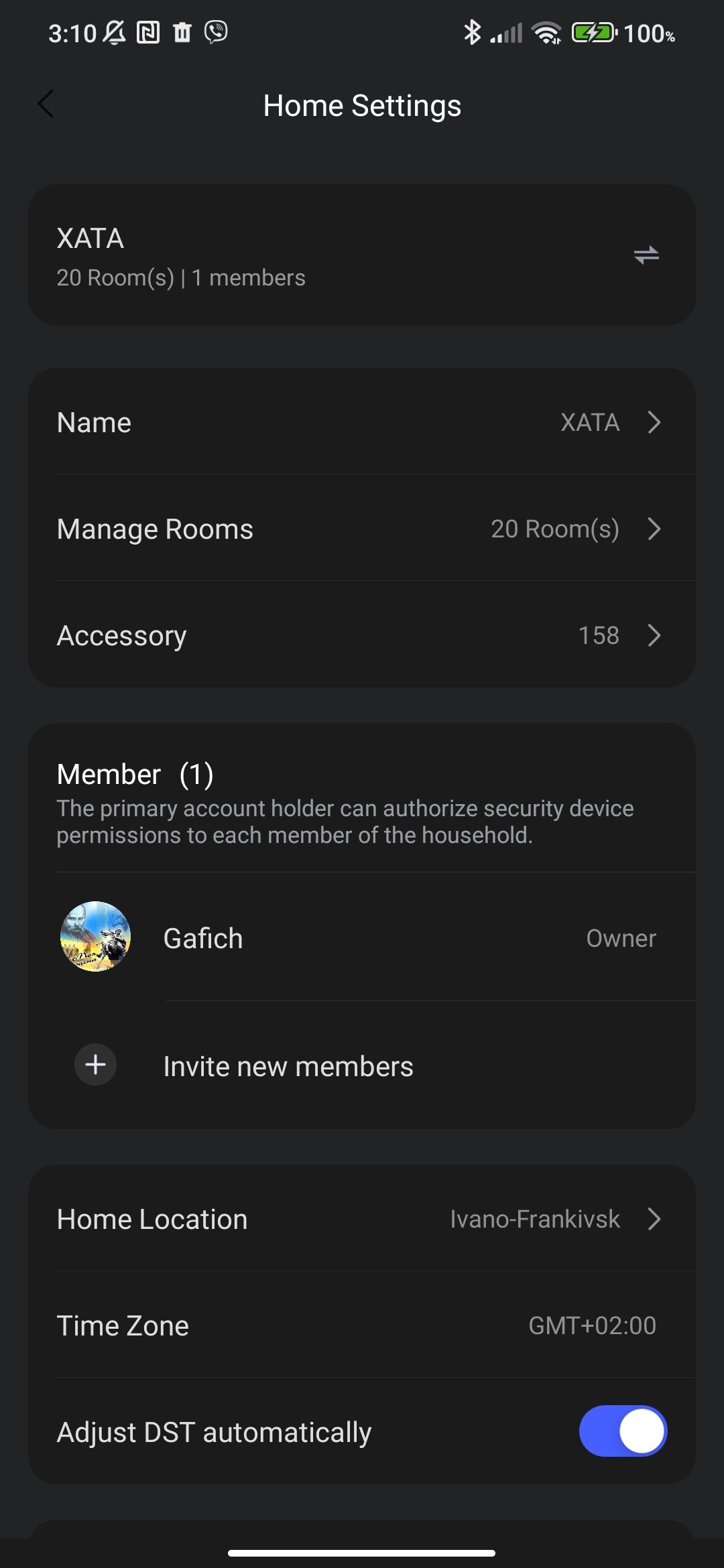
Good thought, but it says ‘Edge’ so that’s not the issue.
Yes, it lists my city as the ‘Home Location’.
But even so, I don’t think this could be the issue because the light will switch on when the doorbell is rung at any time of day or night.
I believe this means that the Sunset - Sunrise rule is being ignored.
Does it look correct to you in the screenshot?
Hi, this needs to be checked, Australia has a very large time range. For an example of checking, set the time range (fixed hour) and check. You can change the hour and check until the automation stops working according to the time.
By the way, try moving the time limit to the THEN section (On lamp). From WHEN, remove (bell).
Yes, that’s right, this is the range in which the automation should work (the call job triggers THEN)