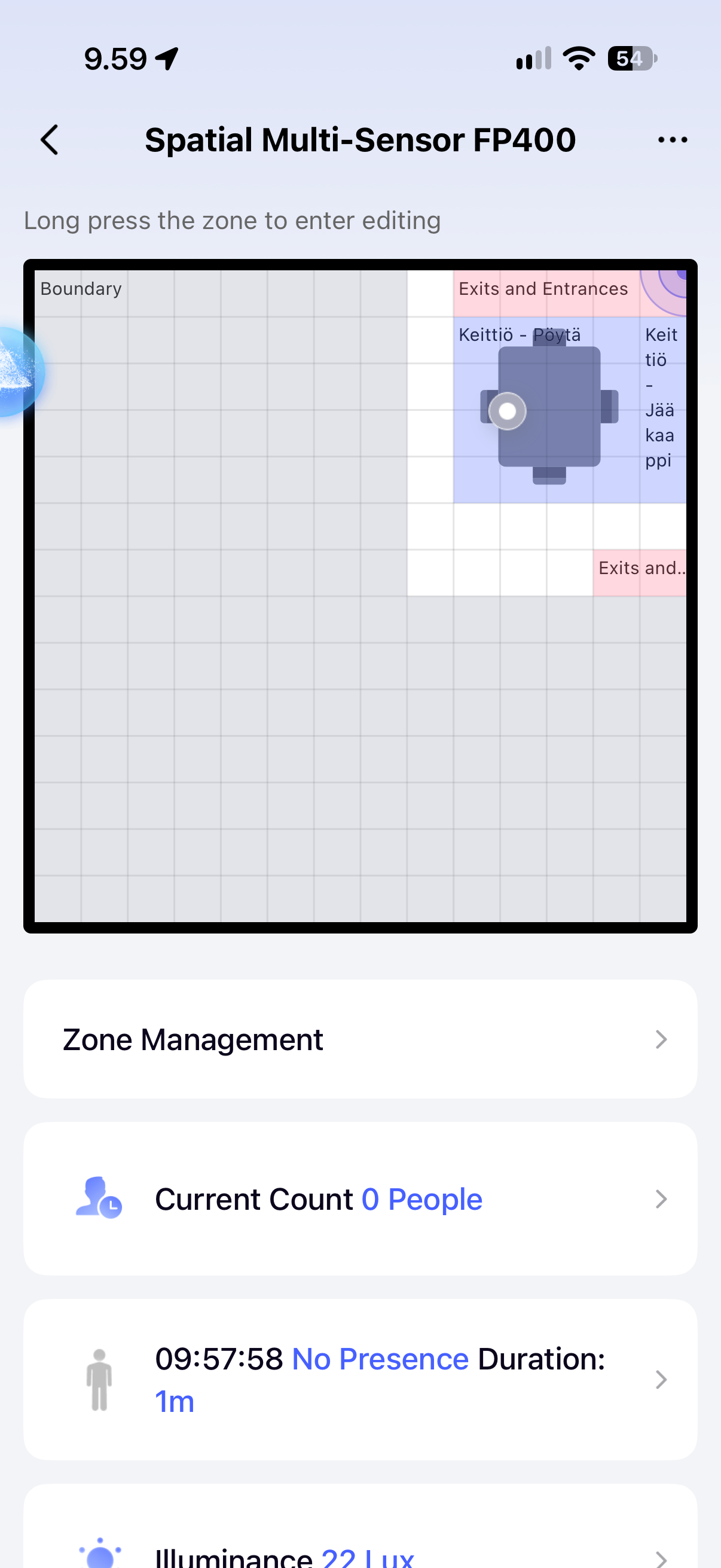
My FP400 has been functioning pretty good lately with two sensors in my living room and kitchen. For some reason when i’m sitting in my Kitchen zone i get turned to an inference or ignored blip (grayed out). Is this a bug or is there something i can do in the settings that would help with this? This occurs when i’m sitting still in the kitchen table for some time.
Hi there, it looks like you’re experiencing a support-related issue. We’ve automatically created a support ticket for you and will reach out via the forum email within the next two business days.
If other members have any suggestions or insights on this topic, feel free to share!
I use FP400 presence for lights, media and climate in Home Assistant, so I would check the kitchen zone’s actual occupancy state alongside the map. When the marker goes grey, does that state also become unoccupied and cause an automation to run, or is it only the map marker that changes? I would not infer the automation state from the marker colour alone.
Alongside the pictures or video DEChrisE requested, could you share each sensor’s firmware version, whether it uses Zigbee or Matter, and which hub or controller it is paired with? That would help separate a detection or zone-configuration issue from a problem with the occupancy state reaching the automation.
I’m using the G410 Hub via Zigbee. I’m using automations through Home Assistant and i noticed this because the kitchen lights go out when i’m sitting at the table, so yes the zone changes to “Cleared” status in HA.
I’ve received a beta firmware upgrade to the G410 hub because it was crashing daily before the upgrade.
I’m still waiting for the picture to be accepted in the release, i noticed that the detection occupancy was set to Low (played around with these previously). I’ll try to move it to High and see what happens.
Sure, sorry for the vague description. This is my kitchen area, when i’m sitting at the table i might be detected as a presence normally for 10-20 minutes, but after this if i sit still and eat breakfast for example, i get turned “gray” and then the person count goes to 0.
That confirms that the change reaches HA and switches the lights off, rather than being only a grey map marker. For the planned Low-to-High test, I would repeat the same seated situation beyond the usual 10–20 minutes and keep the other settings unchanged. Compare the kitchen zone’s occupancy in Aqara Home with the HA entity at the moment the light goes off, not just the room-wide person count.
If both clear together, that points the next investigation toward detection or zone configuration. If Aqara Home still shows that zone occupied while HA reports cleared, save both states and any available light-off automation trace for the existing support ticket, with private details removed. I would do this before also changing the absence confirmation period, so the effect of each change stays identifiable. The beta G410 firmware belongs in the report, but it is not proof by itself that the firmware caused this.