Sometimes, an initiative doesn’t quite hit the intended target.
That’s a bit how I feel about Aqara’s implementation of its MCP server — the idea is great, but the execution feels unnecessarily complicated.
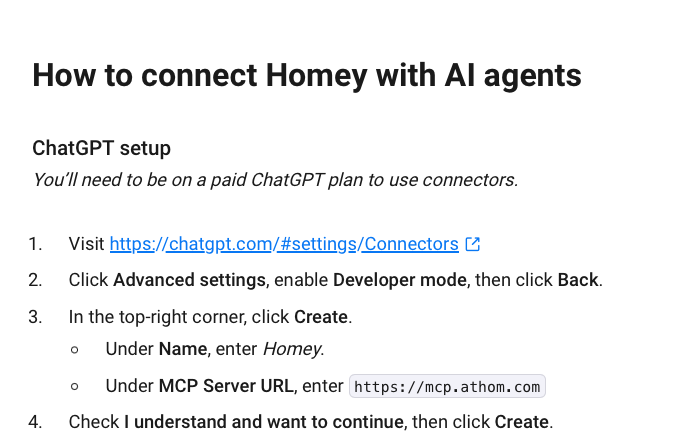
For comparison, Homey Pro (a smart home hub) also offers its own MCP server, and I was able to set it up in ChatGPTin under a minute — no hassle Au trav
For those who haven’t discovered MCP servers (Model Context Protocol) yet, they’re platforms that provide services to clients like Claude or ChatGPT. Once configured, these “clients” can interact directly with the server without going through traditional APIs. The number of MCP servers keeps growing, and this approach is quickly becoming one of the most reliable ways for AI to interact with a connected ecosystem.
Back to Aqara: its MCP server works, but it’s honestly quite hard to use. In comparison, with Homey, I just added a URL in ChatGPT, selected the OAuth authentication mode, entered my account and password… and that was it. No JSON files, no complex setup.
Since then, ChatGPT can:
– tell me if the living room light is on,
– report the bedroom temperature,
– run simple commands (“turn on the bedroom lamp”) or more complex ones (“run the evening relaxation automation”).
What makes this really interesting is that ChatGPT can also help me build a table of my devices, track battery levels, or even increase the heating automatically when it’s too cold outside.
All of that in under a minute.
I just wish Aqara could be that simple.ail all.