I just got a P100 sensor this afternoon and have a working Zigbee2MQTT converter done for it. It was reverse-engineered from Zigbee packet captures.
I think I’ve got every action and setting included, let me know if there’s anything missing. I’ll include any updates in the linked Github repository version.
How to install
- In Zigbee2MQTT go to Settings > Dev Console > External Converters
- Select Create new converter
- Name it
p100.mjs - Paste in the code
- Click Save
- Make sure you have events enabled in the Z2M HA integration settings
- Restart Zigbee2MQTT
Pairing the device
- In Zigbee2MQTT click Permit join in the side menu
- Hold the button on the P100 for 5 seconds
- The LED will flash blue several time them pulse purple
- It should be recognised in Z2M and have a cyan coloured label “Supported: external”
- Calibrate the device according to the user manual
Operating Modes
The P100 has two mutually-exclusive operating modes set via device_mode:
| Mode | Purpose | Active exposures |
|---|---|---|
object |
Watches an object for movement, vibration, tilt, tap, orientation, fall | action, orientation |
door window |
Reports a door/window as open/closed using internal motion inference | contact |
The event-enable toggles (movement_detection, vibration_detection, etc.) and door_window_type only have effect in their respective modes.
Exposures
Events (object mode)
| Exposure | Values | Notes |
|---|---|---|
action |
triple tap, movement, vibration, orientation, fall |
Published momentarily on each detected event |
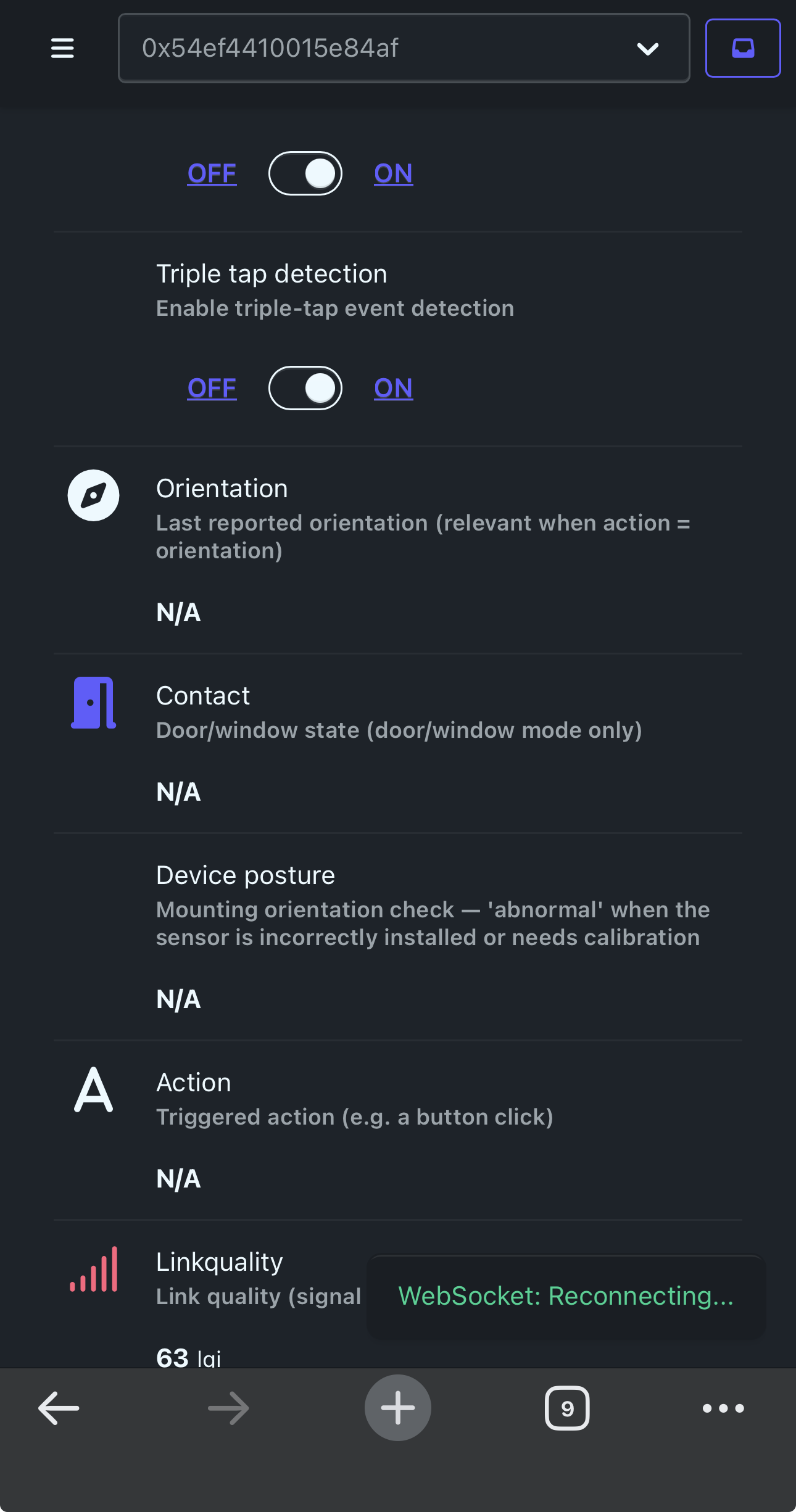
orientation |
face up, face down, vertical, tilt |
Last reported orientation; meaningful when action = orientation |
Contact (door/window mode)
| Exposure | Values | Notes |
|---|---|---|
contact |
true (closed) / false (open) |
Derived internally by the device from its motion sensors — not an IAS contact sensor |
Settings
| Exposure | Type | Range / Values | Description |
|---|---|---|---|
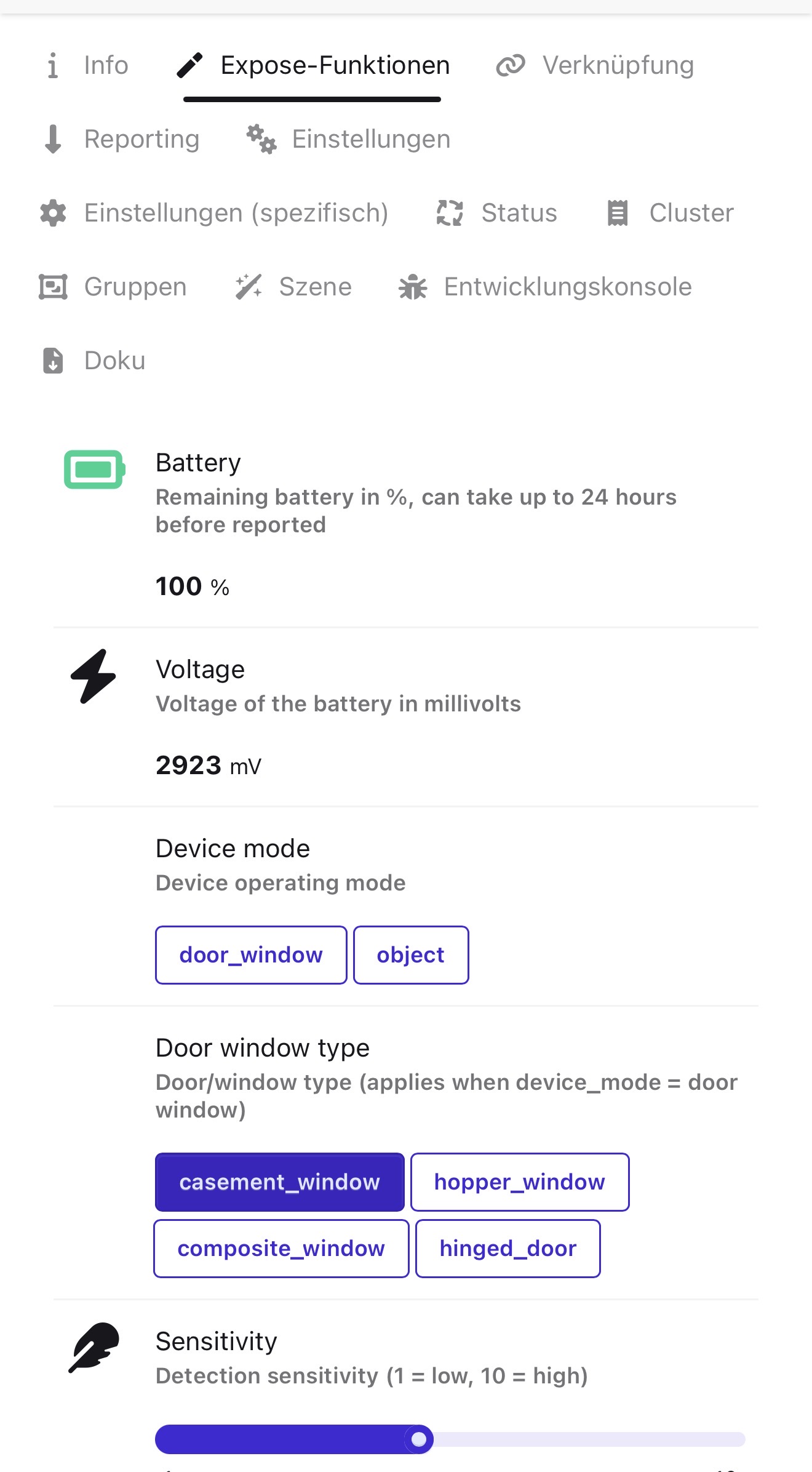
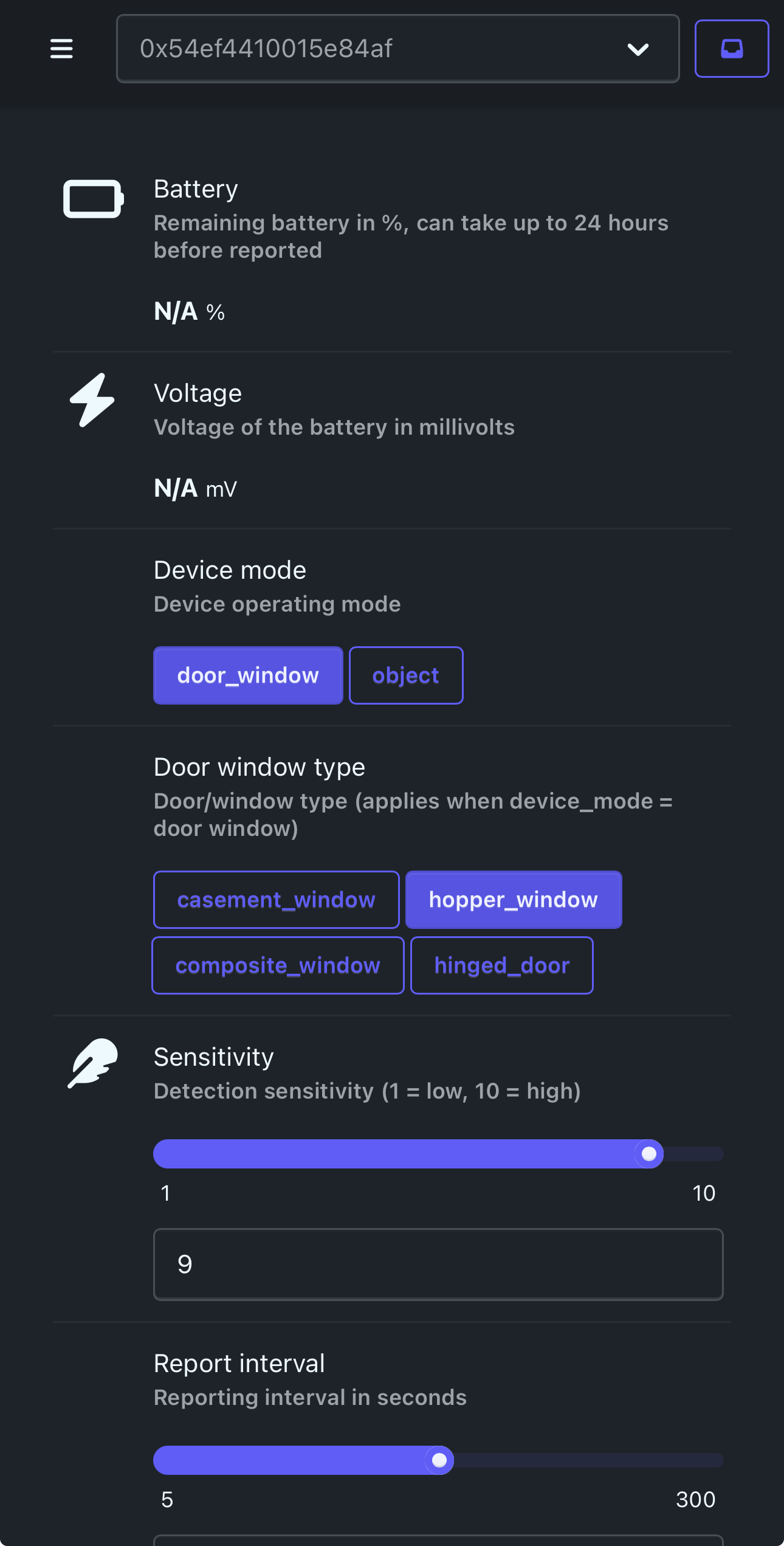
device_mode |
enum | door window, object |
Operating mode (see above) |
door_window_type |
enum | casement window, hopper window, composite window, hinged door |
Door/window profile (only relevant in door/window mode) |
motion_sensitivity |
numeric | 1–10 | Detection sensitivity (1 = low, 10 = high) |
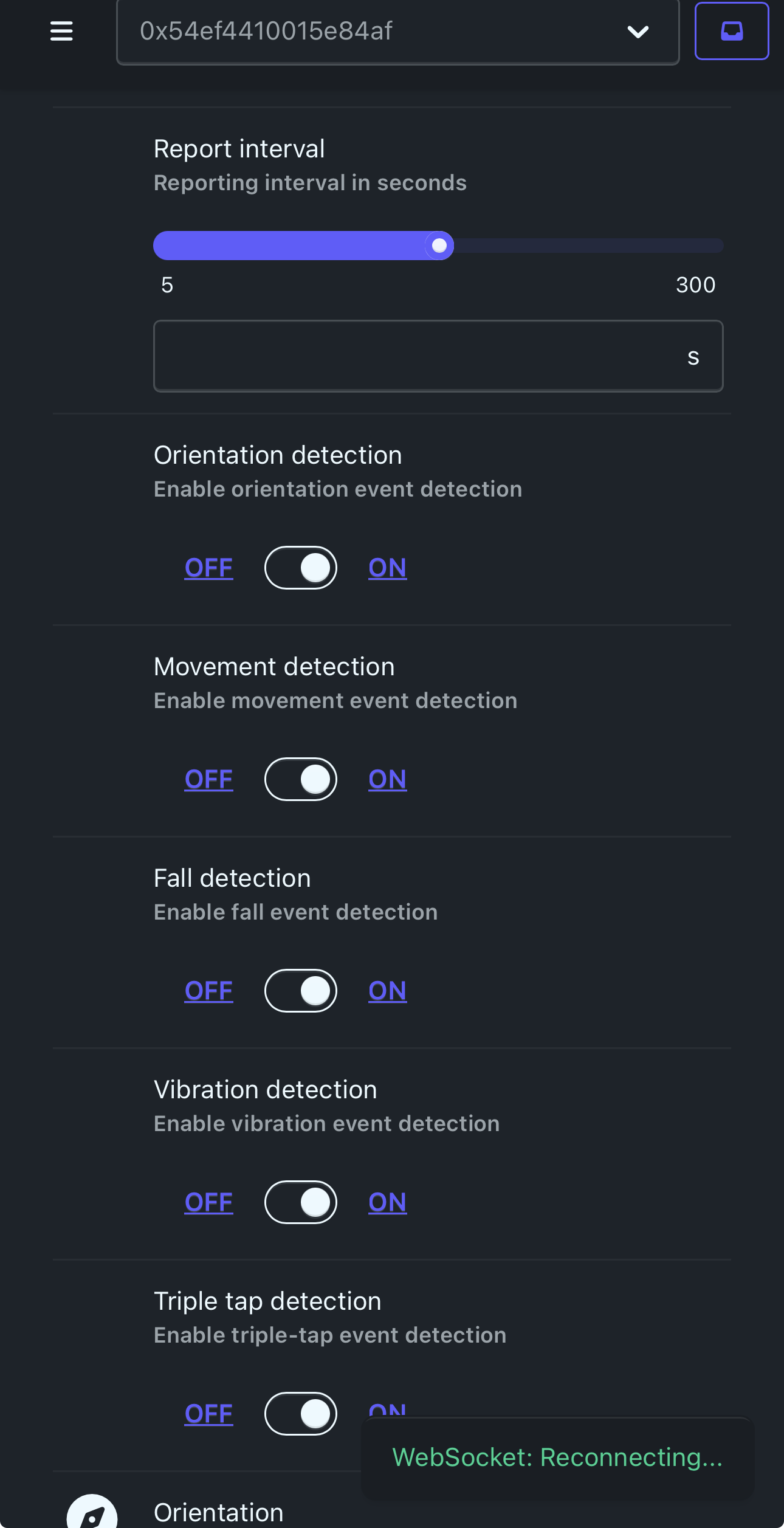
report_interval |
numeric | 5–300 seconds | How often the device reports state |
orientation_detection |
binary | ON / OFF | Enable orientation event reporting (object mode) |
movement_detection |
binary | ON / OFF | Enable movement event reporting (object mode) |
fall_detection |
binary | ON / OFF | Enable fall event reporting (object mode) |
vibration_detection |
binary | ON / OFF | Enable vibration event reporting (object mode) |
triple_tap_detection |
binary | ON / OFF | Enable triple-tap event reporting (object mode) |
Diagnostics
| Exposure | Values | Notes |
|---|---|---|
battery |
0–100 % | From the Aqara bundled buffer (attribute 0x00f7, TLV field 0x18) |
voltage |
mV | From the same buffer (TLV field 0x17) |
device_posture |
normal, abnormal |
Mounting orientation check — abnormal when installed incorrectly or needs calibration |
How it appears in Home Assistant
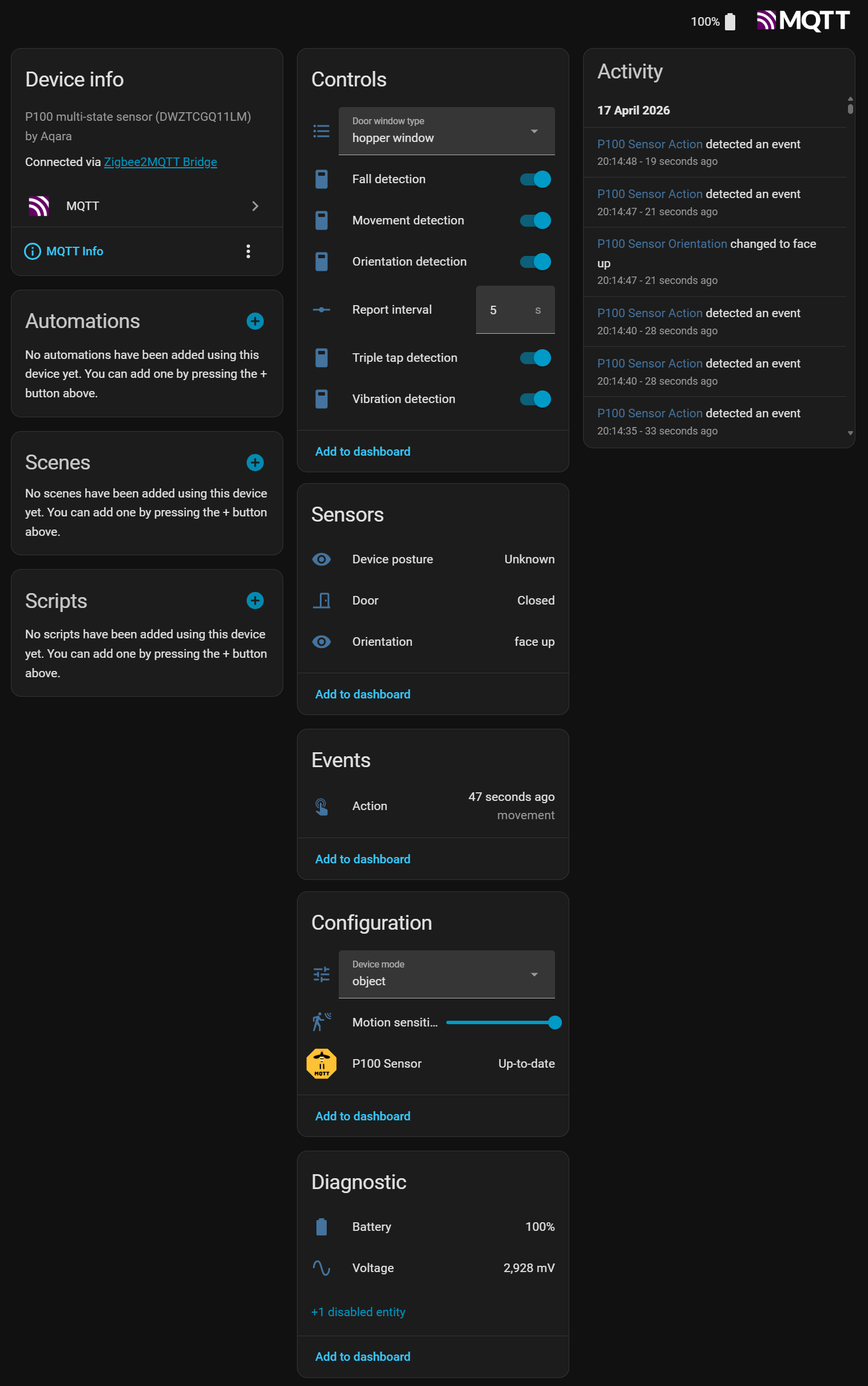
You can get the converter code from my Github repository (recommend), or copy it from below:
import * as lumi from "zigbee-herdsman-converters/lib/lumi";
import * as m from "zigbee-herdsman-converters/lib/modernExtend";

const {lumiModernExtend, manufacturerCode} = lumi;

export default {
    zigbeeModel: ["lumi.vibration.agl002"],
    model: "DWZTCGQ11LM",
    vendor: "Aqara",
    description: "Multi-state sensor P100",

    extend: [
        m.quirkCheckinInterval("1_HOUR"),
        lumiModernExtend.addManuSpecificLumiCluster(),
        lumiModernExtend.lumiPreventReset(),
        lumiModernExtend.lumiBattery({
            voltageAttribute: 0x17,
            percentageAtrribute: 0x18, // typo intentional — matches z-h-c lumiBattery() arg name
        }),
        lumiModernExtend.lumiZigbeeOTA(),

        m.enumLookup({
            name: "device_mode",
            cluster: "manuSpecificLumi",
            attribute: {ID: 0x0116, type: 0x20},
            lookup: {"door_window": 3, "object": 5},
            description: "Device operating mode",
            access: "STATE_SET",
            entityCategory: "config",
            zigbeeCommandOptions: {manufacturerCode},
        }),
        m.enumLookup({
            name: "door_window_type",
            cluster: "manuSpecificLumi",
            attribute: {ID: 0x01eb, type: 0x20},
            lookup: {"casement_window": 1, "hopper_window": 2, "composite_window": 3, "hinged_door": 4},
            description: "Door/window type (applies when device_mode = door window)",
            access: "STATE_SET",
            entityCategory: "config",
            zigbeeCommandOptions: {manufacturerCode},
        }),
        m.numeric({
            name: "sensitivity",
            cluster: "manuSpecificLumi",
            attribute: {ID: 0x010c, type: 0x20},
            valueMin: 1,
            valueMax: 10,
            description: "Detection sensitivity (1 = low, 10 = high)",
            access: "STATE_SET",
            entityCategory: "config",
            zigbeeCommandOptions: {manufacturerCode},
        }),
        m.numeric({
            name: 'report_interval',
            cluster: "manuSpecificLumi",
            attribute: {ID: 0x01ec, type: 0x23},
            unit: "s",
            valueMin: 5,
            valueMax: 300,
            description: "Reporting interval in seconds",
            access: "STATE_SET",
            entityCategory: "config",
            zigbeeCommandOptions: {manufacturerCode},
        }),
        m.binary({
            name: "orientation_detection",
            cluster: "manuSpecificLumi",
            attribute: {ID: 0x01f0, type: 0x10},
            valueOn: ["ON", 1],
            valueOff: ["OFF", 0],
            description: "Enable orientation event detection",
            access: "STATE_SET",
            zigbeeCommandOptions: {manufacturerCode},
        }),
        m.binary({
            name: "movement_detection",
            cluster: "manuSpecificLumi",
            attribute: {ID: 0x01ed, type: 0x10},
            valueOn: ["ON", 1],
            valueOff: ["OFF", 0],
            description: "Enable movement event detection",
            access: "STATE_SET",
            zigbeeCommandOptions: {manufacturerCode},
        }),
        m.binary({
            name: "fall_detection",
            cluster: "manuSpecificLumi",
            attribute: {ID: 0x01d8, type: 0x10},
            valueOn: ["ON", 1],
            valueOff: ["OFF", 0],
            description: "Enable fall event detection",
            access: "STATE_SET",
            zigbeeCommandOptions: {manufacturerCode},
        }),
        m.binary({
            name: "vibration_detection",
            cluster: "manuSpecificLumi",
            attribute: {ID: 0x0107, type: 0x10},
            valueOn: ["ON", 1],
            valueOff: ["OFF", 0],
            description: "Enable vibration event detection",
            access: "STATE_SET",
            zigbeeCommandOptions: {manufacturerCode},
        }),
        m.binary({
            name: "triple_tap_detection",
            cluster: "manuSpecificLumi",
            attribute: {ID: 0x01ef, type: 0x10},
            valueOn: ["ON", 1],
            valueOff: ["OFF", 0],
            description: "Enable triple-tap event detection",
            access: "STATE_SET",
            zigbeeCommandOptions: {manufacturerCode},
        }),
        m.enumLookup({
            name: "orientation",
            cluster: "manuSpecificLumi",
            attribute: {ID: 0x01f1, type: 0x20},
            lookup: {"face_up": 1, "face_down": 2, "vertical": 3, "tilt": 4},
            description: "Last reported orientation (relevant when action = orientation)",
            access: "STATE",
            zigbeeCommandOptions: {manufacturerCode},
        }),
        // 0x01f3 fires true on every detection but never resets — no signal beyond `action`, not exposed.
        m.actionEnumLookup({
            cluster: "closuresDoorLock",
            attribute: {ID: 0x0055, type: 0x21},
            actionLookup: {
                "triple_tap": 0,
                "movement": 1,
                "vibration": 2,
                "orientation": 3,
                "fall": 4,
            },
        }),
        m.binary({
            name: "contact",
            cluster: "genOnOff",
            attribute: "onOff",
            valueOn: [false, 1],
            valueOff: [true, 0],
            description: "Door/window state (door/window mode only)",
            access: "STATE",
        }),
        m.enumLookup({
            name: "device_posture",
            cluster: "manuSpecificLumi",
            attribute: {ID: 0x01ee, type: 0x20},
            lookup: {"normal": 1, "abnormal": 2},
            description: "Mounting orientation check — 'abnormal' when the sensor is incorrectly installed or needs calibration",
            access: "STATE",
            entityCategory: "diagnostic",
            zigbeeCommandOptions: {manufacturerCode},
        }),
    ],
};