Aqara Push Notification Broken

Hi everyone,

I’m facing an issue with my second Aqara setup and hoping someone here has experienced something similar.

I have two separate Aqara setups:

  • Home (my place) – Aqara G4 works perfectly. I receive instant push notifications when someone presses the doorbell.
  • Parents’ house – Installed another G4 last week.

For my parents’ place:

  • I created a new Aqara account for my dad.
  • Set up the G4 from scratch under that new account.
  • The doorbell itself works fine (live view works, recordings work, button press registers inside the app).
  • Problem: No push notification is triggered when someone presses the doorbell.

What I’ve already tried:

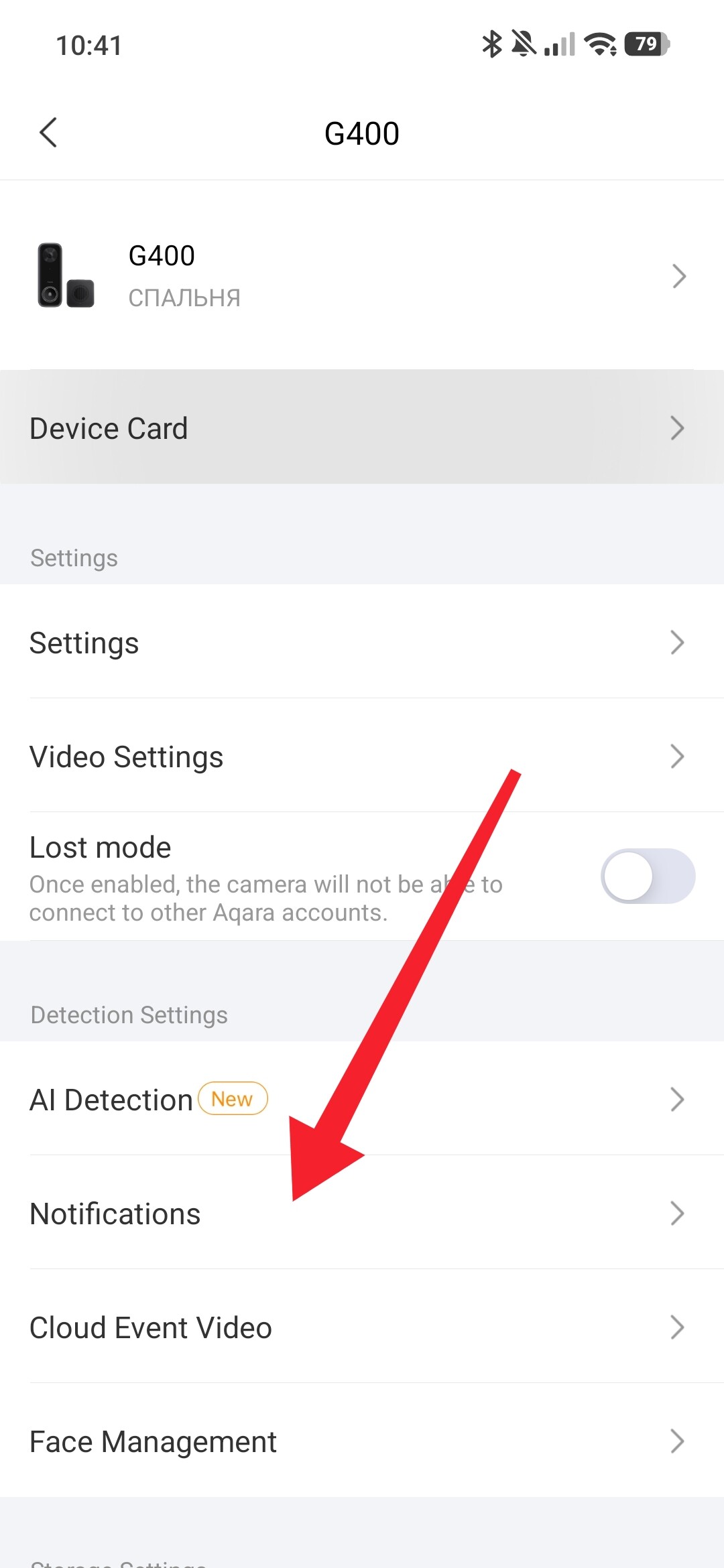
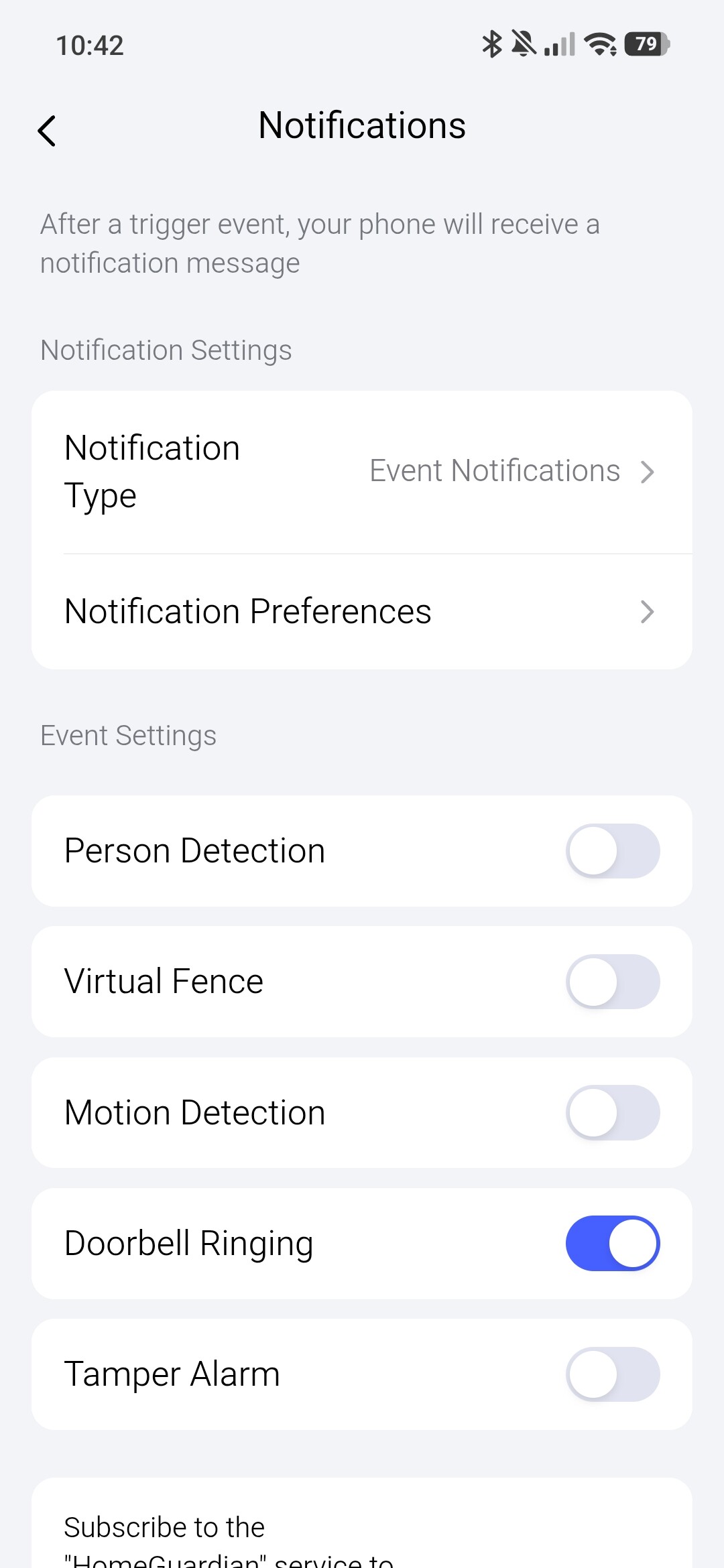
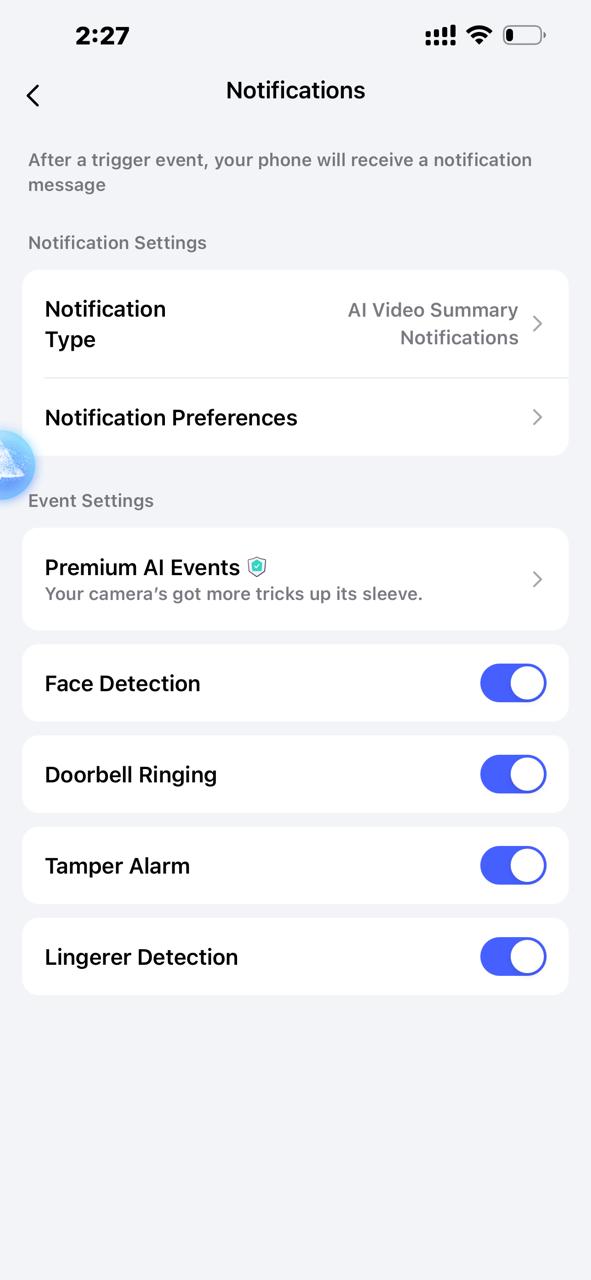
  • Enabled/disabled all notification settings inside the Aqara app.
  • Checked iOS notification permissions (Notifications enabled, Lock Screen, Banners, Sounds all allowed).
  • Reinstalled the Aqara app.
  • Logged out and back in.
  • Restarted the phone.
  • Confirmed the device is online and accessible remotely.

Still no push notification when the button is pressed.

The strange part is that my G4 at home works exactly as expected under my main Aqara account.

Has anyone faced push notification issues when using a completely new Aqara account?

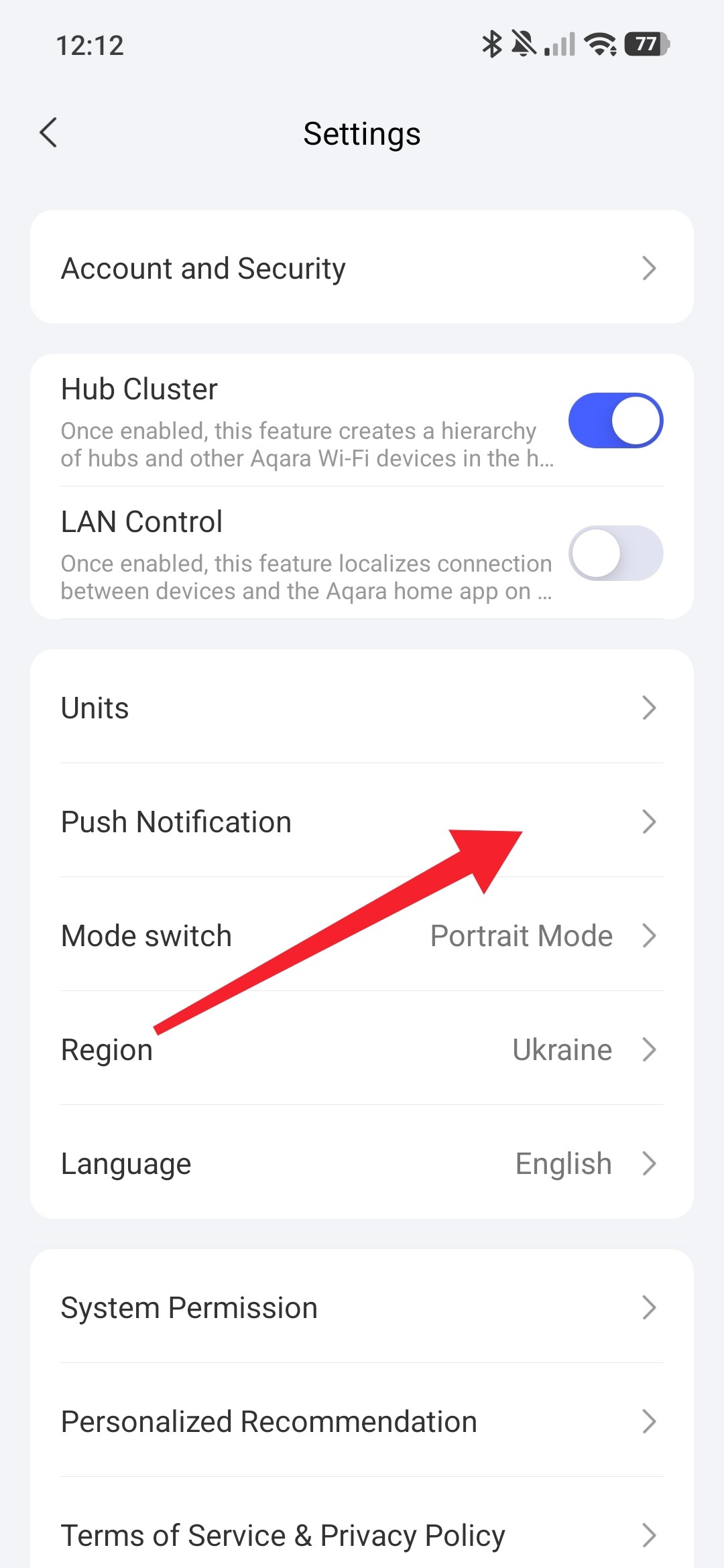
Hi, check this setting. I don’t have your doorbell, but Aqara makes similar ones for me for easy use.


Hi,

Thanks for reaching out. I’ve checked those settings, I have enabled them all.

1 Like

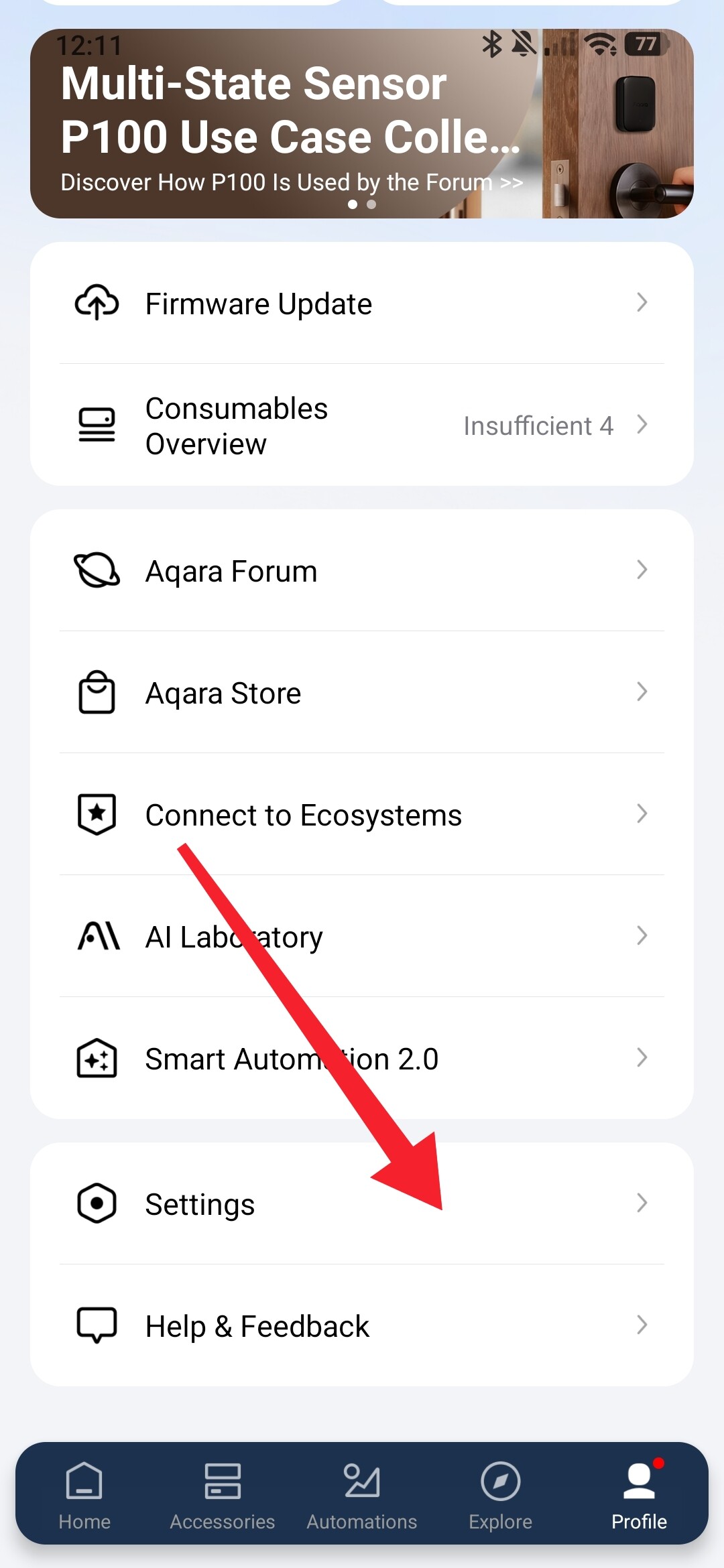
Also take a look here.


1 Like

I might be slightly off topic, but I’ve also noticed that notifications can sometimes be delayed. In some cases it’s just a few seconds, but other times it can take a few minutes before I receive the alert.

Not sure if it’s related to cloud processing, network conditions, or push notification services, but it’s something I’ve experienced occasionally.

2 Likes

Indeed notifications are very cloud dependant as well as your phone deciding to go into a deep sleep and not immediately show notifications.

On android there is an option for certain notifications / apps to prevent the app from deep sleeping.

I do not know if IOS has something similar.

1 Like

If the doorbell has never successfully pushed a notification, please contact Aqara customer service via email( support@aqara.com )And provide your Aqara Home account and device binding country, DID information for us to check the working status of the device.

First, you can check if there are any doorbell notifications in “Profile - Message Center.” You can also try logging into your parents’ account on your phone to see if you can receive push notifications normally.

2 Likes

iOS Push Notification is handled by Apple Push Notification Service(APNs)

Hi everyone,

I’m facing similar issue with my Aqara Smart Video Doorbell G410 and hoping someone here might have experienced the same problem.

I installed the G410 at my house recently, and the device itself seems to work normally. I can access live view, recordings are saved, and the doorbell button press is detected inside the Aqara app.

Problem:
When someone presses the doorbell, no push notification is sent to my phone.

What I’ve already tried:

  • Enabled and disabled all notification settings inside the Aqara app.
  • Checked phone notification permissions (Notifications enabled, Lock Screen, Banners, Sounds all allowed).
  • Reinstalled the Aqara app.
  • Logged out and logged back in.
  • Restarted my phone.
  • Confirmed the doorbell is online and accessible remotely.

Even though the button press is registered in the app, I still don’t receive any push notification when someone presses the doorbell.

Has anyone faced a similar push notification issue with the G410? Any suggestions or fixes would be really helpful.

Thanks!

1 Like