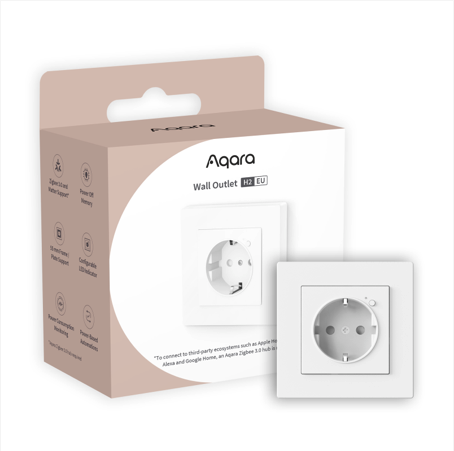
A Sleek Addition to Your Home
Integrating smart home technology often involves adding bulky modules to existing outlets. With the Wall Outlet H2 EU (model WP-P01D), Aqara offers an in-wall solution that is both aesthetically pleasing and high-performing especially in Europe.
One of its key strengths is its standard design for simplified integration. This outlet fits into 45 mm deep junction boxes, making it easy to replace your traditional outlets without heavy masonry work. It is also compatible with 55 mm plates, which are the standard today.
The Aqara H2 supports a load of up to 16 Amps. This means it can safely control energy-hungry appliances like a washing machine or a space heater.
Safety Enhanced by Customizable Software Features:
- Overheat Protection: Automatic power cut-off if an abnormal temperature is detected. Whether in Aqara Home or Zigbee2MQTT (Z2M), you can choose the maximum threshold that will trigger the shutdown.
Zigbee2MQTT
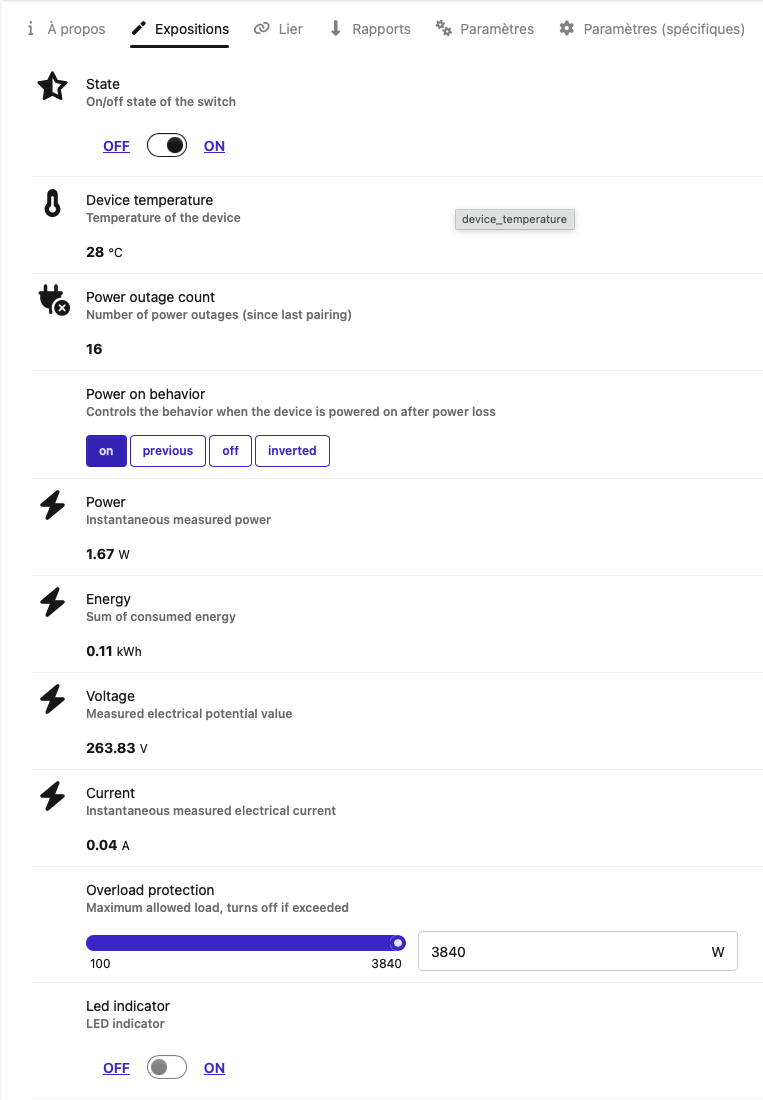
Aqara Home
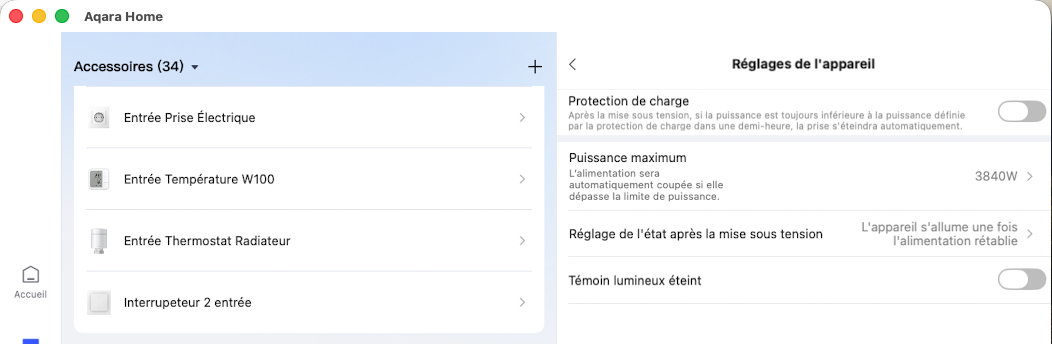
- Charging Protection: This is a more niche option that works the opposite way. For example, the outlet turns off if the power consumption drops below 2W. This is great for preserving the batteries of older smartphones or e-bikes by cutting power once the charge is complete.
Zigbee2MQTT
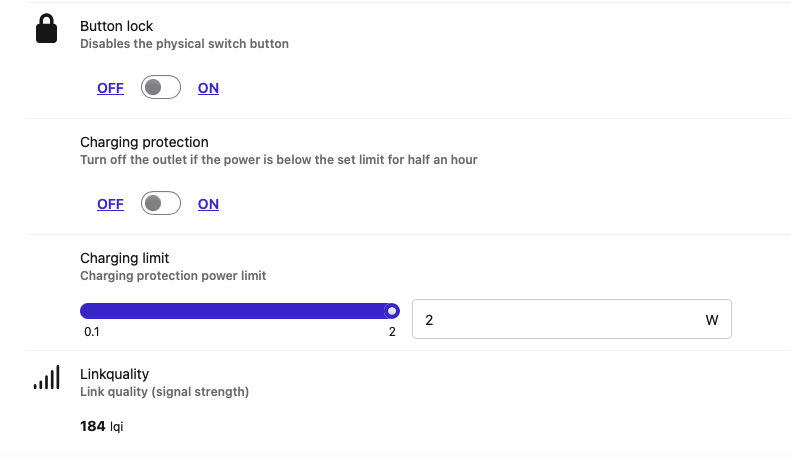
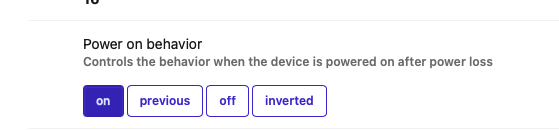
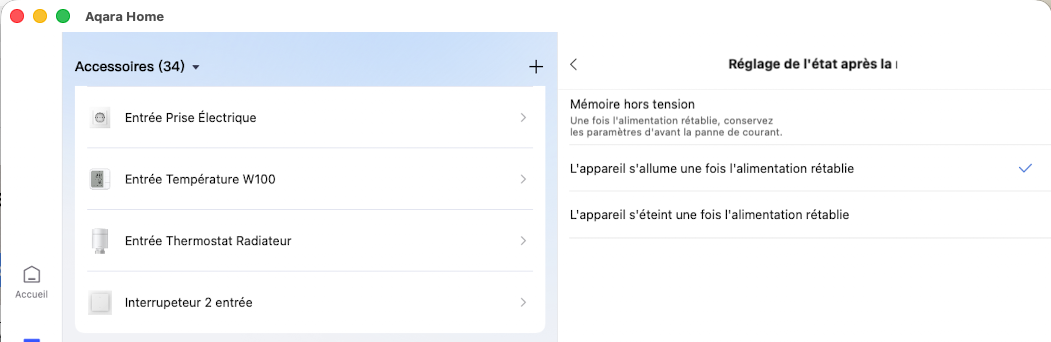
- Power-Off Memory: You choose whether the outlet should stay off or turn back on after a power failure. This is a classic feature, but there is a difference here between the Aqara app and Z2M: in Zigbee2MQTT, a fourth option is offered—“Invert”—which means that when power returns, the outlet takes the opposite state it had at the moment of the cut.
Zigbee2MQTT : 4 options
Aqara Home : 3 options
Connectivity and Networking:
The outlet is equipped with Zigbee 3.0 connectivity but is not natively Matter-compatible. It integrates seamlessly into Home Assistant (ZHA), Homey, and Zigbee2MQTT, but it won’t show up directly in Apple HomeKit or Google Home without a bridge.
To get this outlet into HomeKit, you will need to use a hub like the Aqara M3 or use options like “Matter Bridge” in Home Assistant or Homey. It’s still strange that this outlet isn’t offered in a native Zigbee + Matter version, like many of Aqara’s newer products.
Crucial for the Aqara Ecosystem
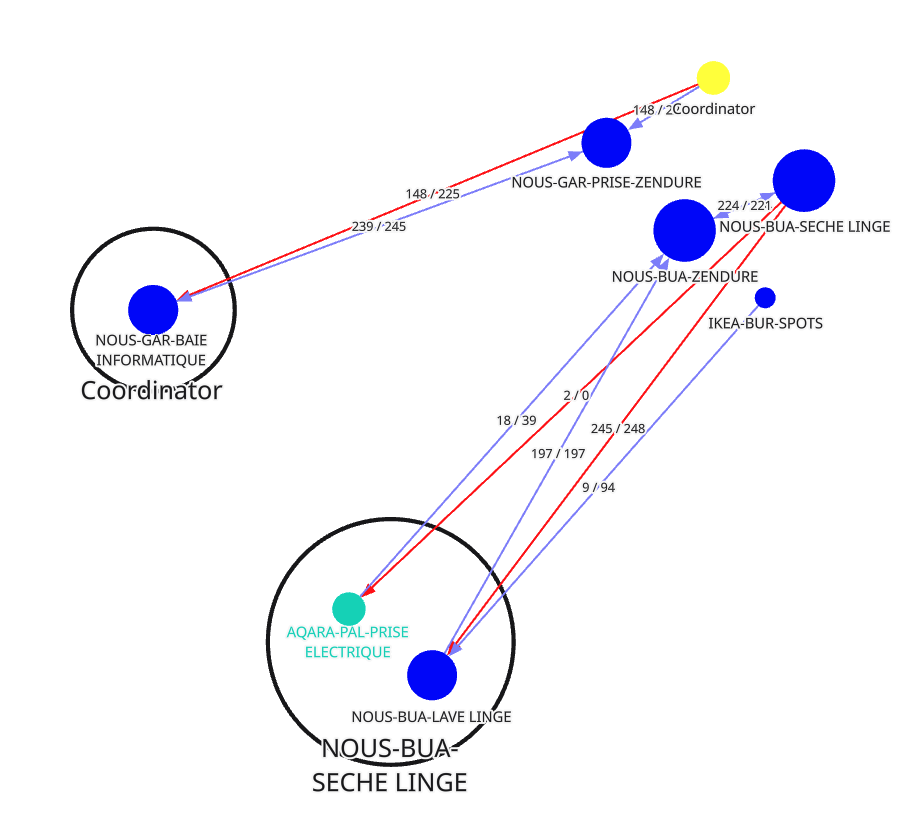
One of the major downsides of the Aqara ecosystem is the difficulty in seeing the quality of the Zigbee mesh; sometimes an accessory won’t work because it’s too far away. Using this outlet is one way to solve that problem.
Because it acts as a signal repeater (router), it extends the range of your smart home network. This is a huge plus. However, we would expect better from Aqara regarding the precision of mesh network information.
Zigbee network Map from Z2M
Energy Monitoring and Automation
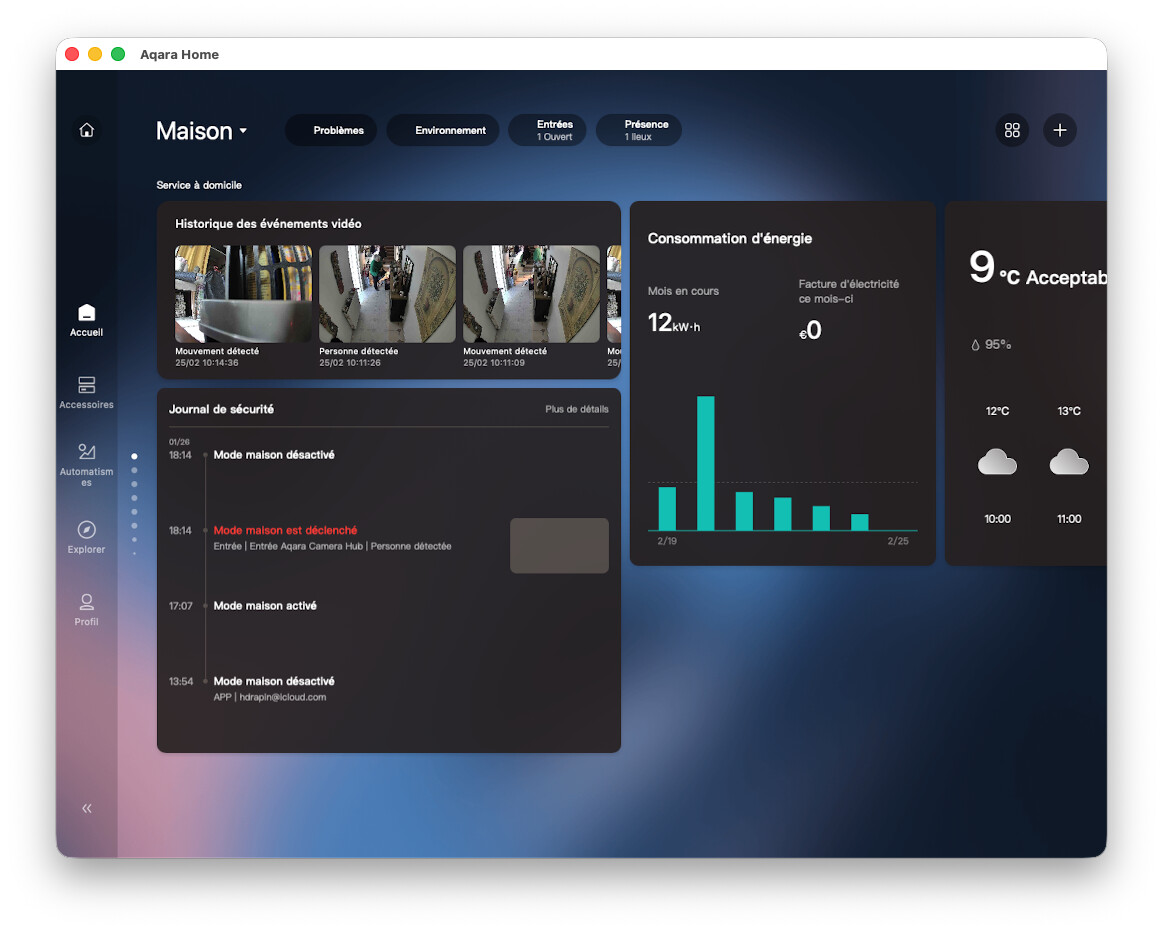
Thanks to real-time consumption tracking in the Aqara Home app, you can identify your most power-hungry devices. More than just a reading, this data allows you to create power-based automations: receive a notification when your laundry cycle is finished or automatically turn off standby devices Au travai
While the Aqara Home app is starting to provide dashboards, nothing currently beats Home Assistant for precise electrical consumption tracking.
Aqara Home with Energy Dashboard
If you don’t want to deploy Zigbee2MQTT,(which can be complex) you can use the Aqara Hub M3 and pair it with Home Assistant using Matter. This works very well, even for reporting the energy consumption of the outlet.
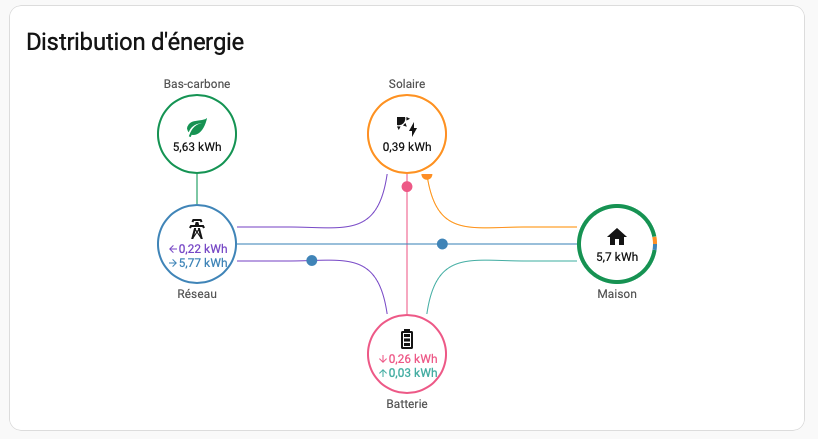
Home Assistant Energy dashboard (live)
Conclusion
This outlet is one of my favorite Aqara products. It works flawlessly, and I am gradually replacing my old in-wall outlets at strategic locations with this model. This gives me better Zigbee coverage throughout the house, and my accessories perform much better.
If you have already deployed Zigbee2MQTT or another Zigbee platform, rest assured that this outlet integrates without any issues.
Hope this helps.