Automation 2.0 : Bug in grouped devices

Hi, I’m not sure whether this issue is related to the French interface, but Automation 2.0 seems to have a bug with grouped devices.

Normally, grouping should allow devices with the same capabilities to be combined into a single group, making it easier to create automations based on that group.

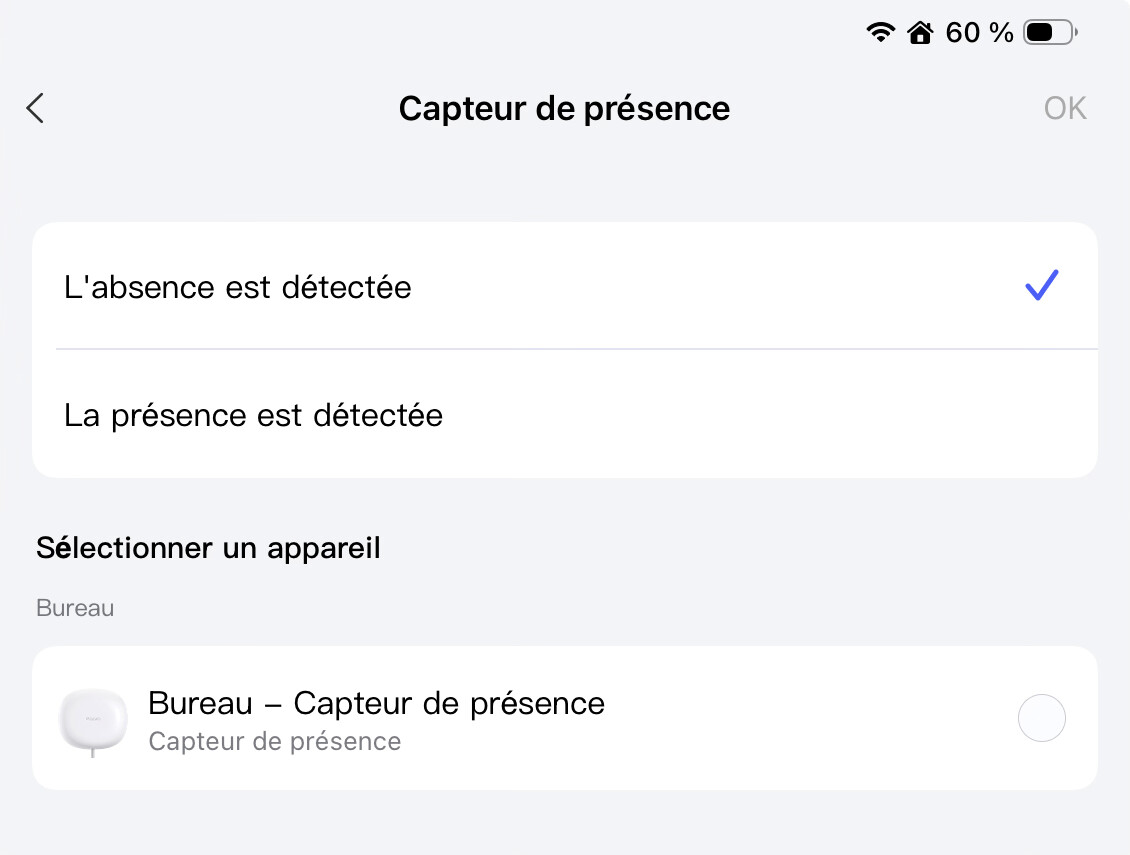
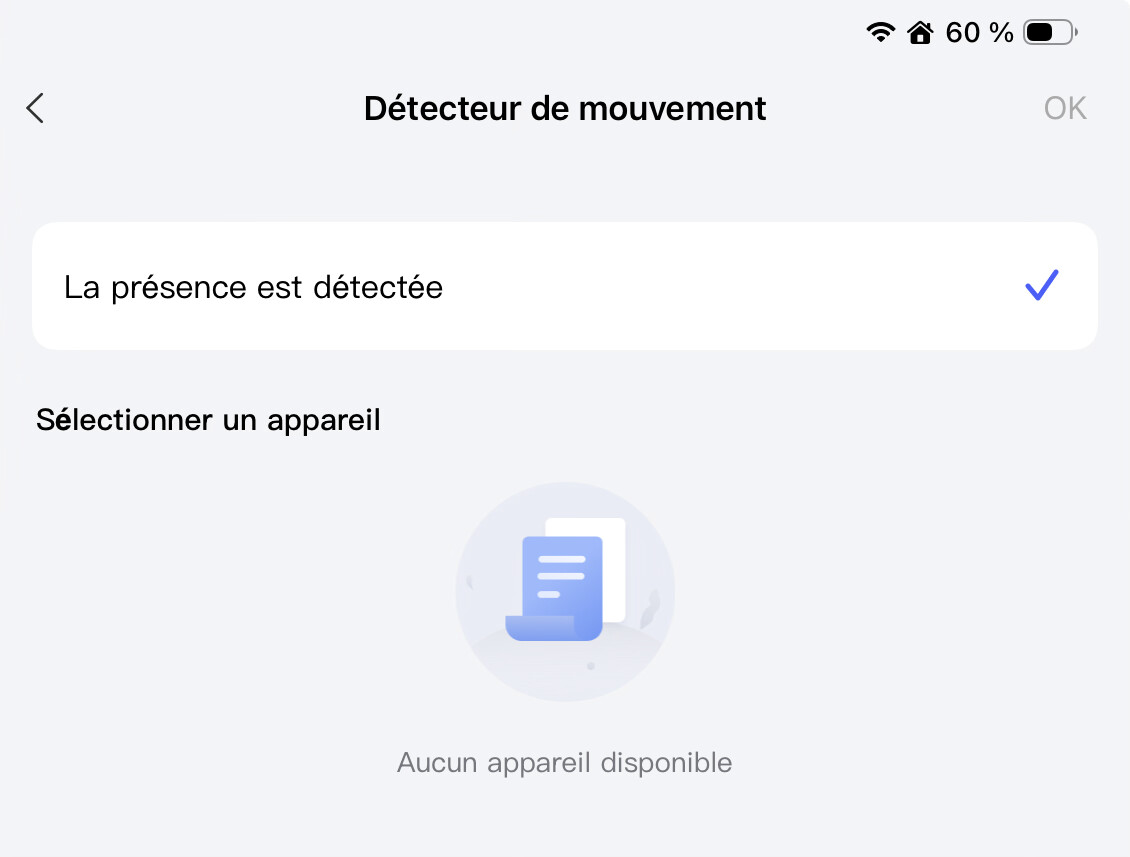
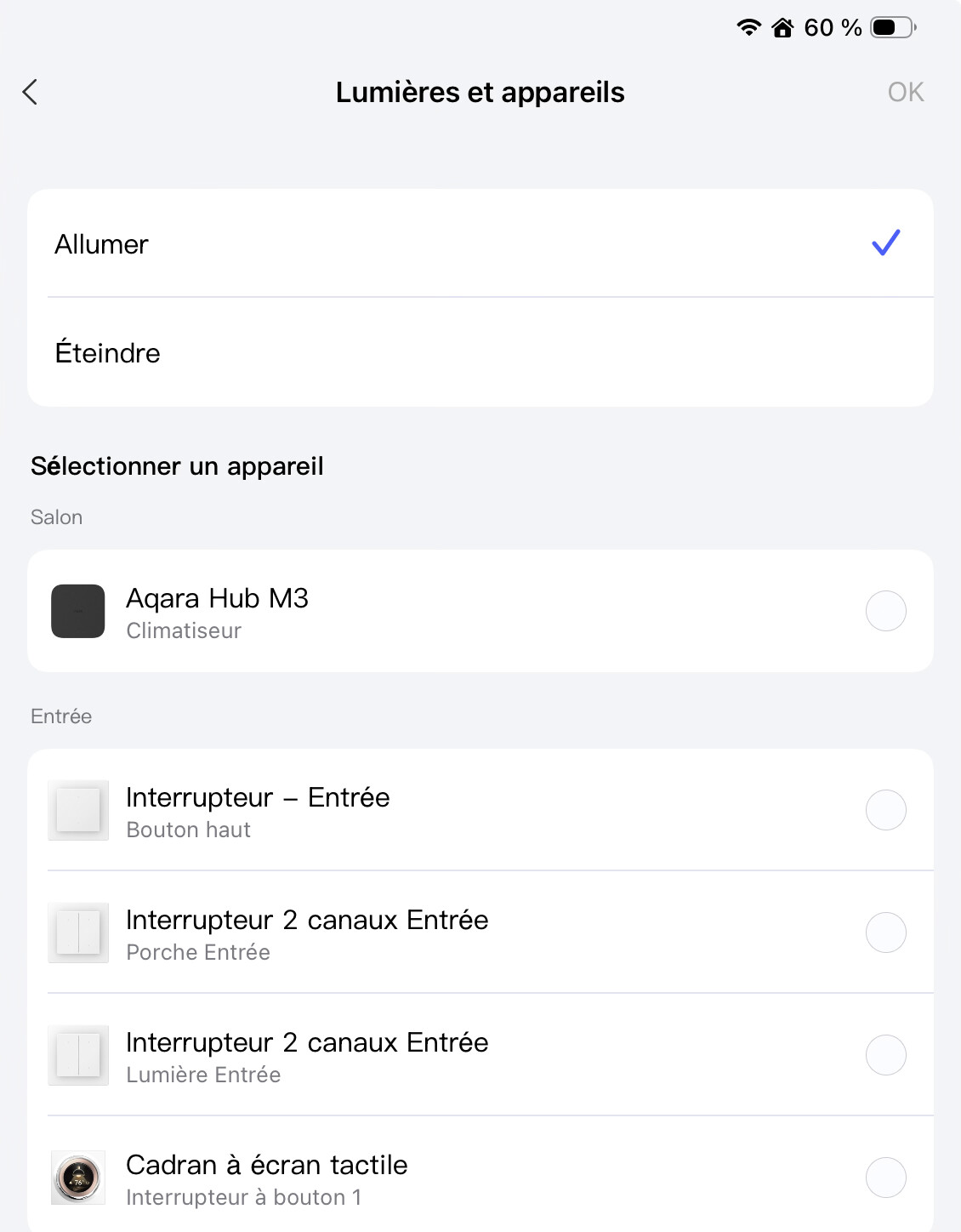
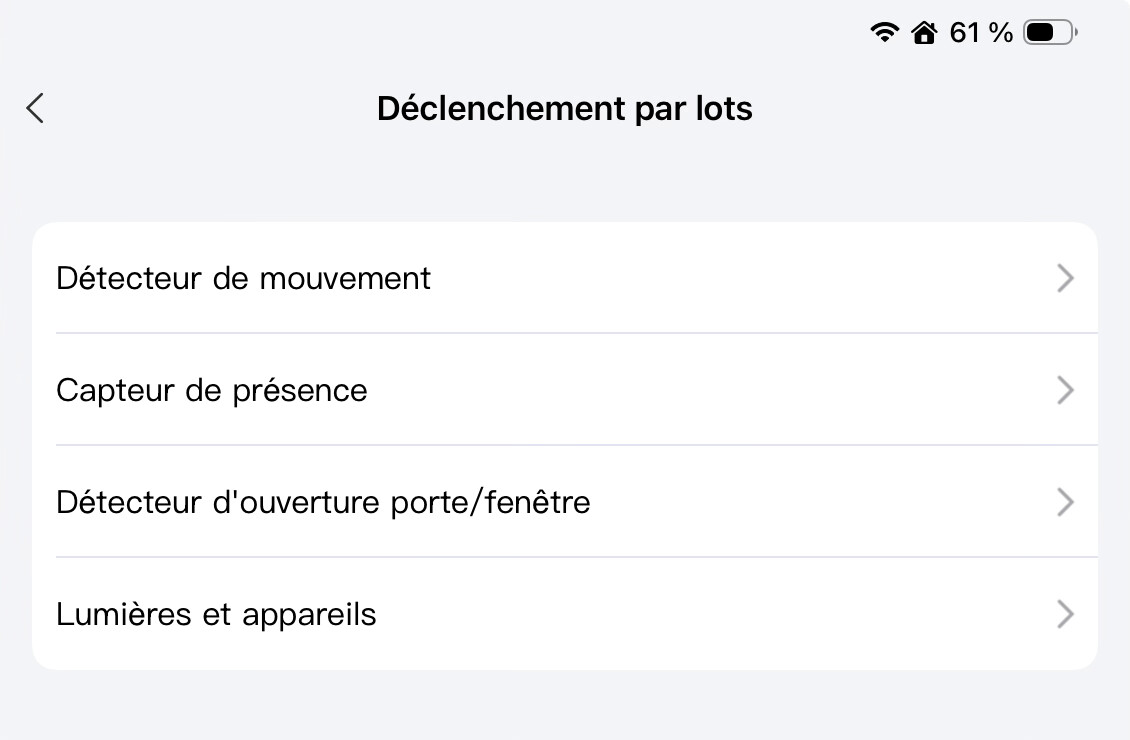
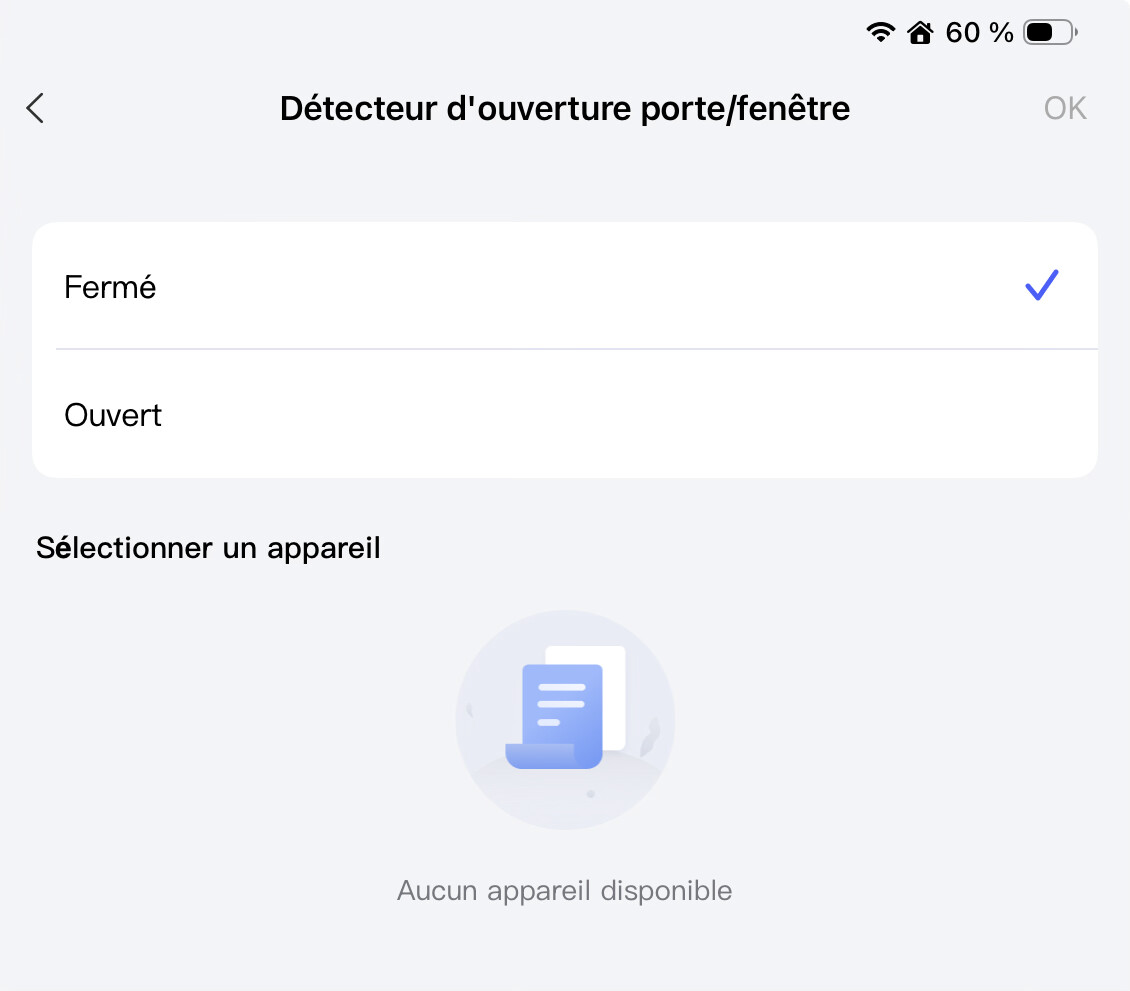
However, when selecting certain groups, no devices appear in the list. For example, the “door sensor” group is completely empty, even though I have three door sensors installed.

This one, should display 3 door sensors.

This one is fine :

This one doesn’t work, I have one of them.

The last one is fine :

Hello, how do you theoretically imagine grouped door sensors. On what principle will the algorithm work? It’s clear with switches, lamps, thermostats. And how with sensors? For another example, how can temperature sensors be combined - the answer is no.

gafich10’s question is exactly the right one: what principle should be used to determine the status of a group?

For example, should a group of windows or doors be open when one window is open, or should they all be open, or should at least two or three be open?

That’s why I would suggest defining this yourself using automations.

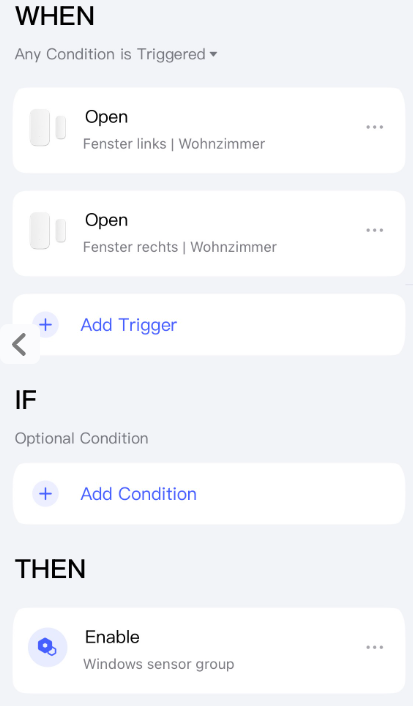
Create an automation that represents the sensor group. This could be an automation that never triggers. For example, something like this:

Define the status of the automation in your mind:

  • Automation activated: at least one window is open.
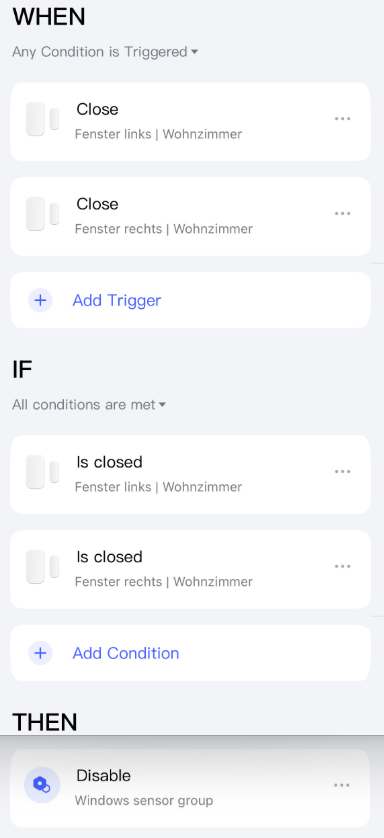
  • Automation deactivated = all windows closed.

Do not forget to set the initial status of the automation depending on the current status of the sensors. Set the automation to deactivated if all windows are closed.

Then you need another automation to activate the first one when a window is opened.

You also need an automation that deactivates the automation when all windows have been closed.

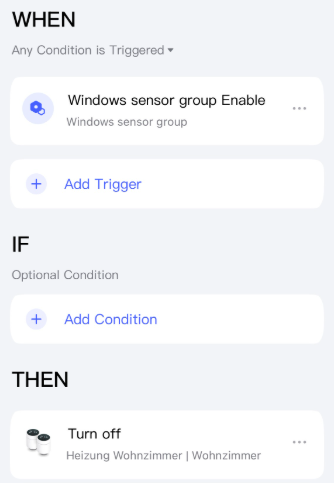
Then you can use the status of the first automation in other automations. For example, like this:

This principle can also be applied to other sensors, such as multiple presence sensors, which can activate or deactivate an automation, e.g. ‘someone is at home’.


However, this will not work for a group of temperature sensors in the Aqara app. Here, too, the question arises: what should the group of temperature sensors represent? The maximum value, the minimum value, or the average?

In Home Assistant, this would be possible with a template sensor:

{{ (states(‘sensor.temp1’)|float +
states(‘sensor.temp2’)|float +
states(‘sensor.temp3’)|float) / 3 }}

However, I currently do not see any way to pass the value on to Aqara (for example, with Matter).
3 Likes

@AqaraOfficial @Aqara_PM_Donie

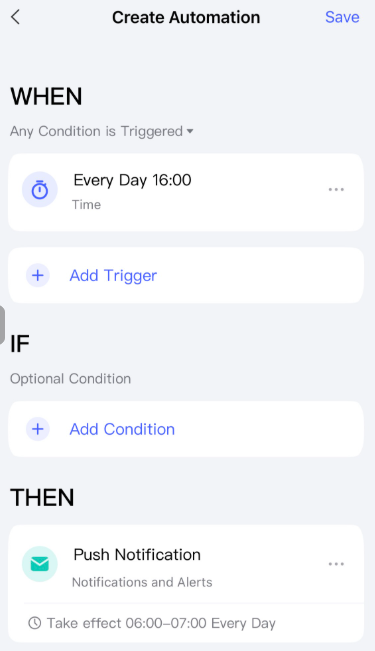
Aqara here is another example of the need for variables in automations. @JohnD and I both use them, you can see his here uses a push message to be valid, I switch an unused relay channel.

(If you ever add this feature, add counters too)

2 Likes

Yes, and the push notification will still be sent despite the restriction imposed by Action Time. I noticed that yesterday afternoon. Until now, I had simply checked whether the always-enabled automation was enabled, but I thought it should work that way too. Apparently, it’s a bug because it should actually take the action time into account. I also stored it as ‘Acting Time’ in the ‘WHEN’ block, but that is ignored too.

2 Likes

I fully support you @JohnD, @nzjrs, I also miss the “exclusion” (nullification, ignoring) of the time-limited condition from the IF block😢

3 Likes

It must be admitted that Boolean variables are not necessarily needed (but nice to have), but a useful feature would be variables for numerical values. For example, you could save the current brightness and colour values of a lamp, make it flash blue, and then restore the original values.

With Home Assistant, this can be achieved by creating temporary scenes. As with automation, a copy of all a device’s entities is created as a scene and deleted afterwards. Rather than using variables, all current states are stored in a scene. This means you can create and delete scenes using automation. It may be easier to implement and somewhat more user-friendly.

1 Like