Automation 2.0 is undoubtedly a step forward, but it doesn’t handle timing well. What I mean is that when I set a maximum time for an event, it doesn’t work correctly.
Here’s an example: WHEN the presence sensor detects no movement for more than 10 seconds, THEN relay T1 turns on/off. However, the relay is activated 1 minute later or even later.
Does anyone have a solution for this?
Greetings
Hi, this is just a post about nothing!
Provide a screenshot of the automation😊
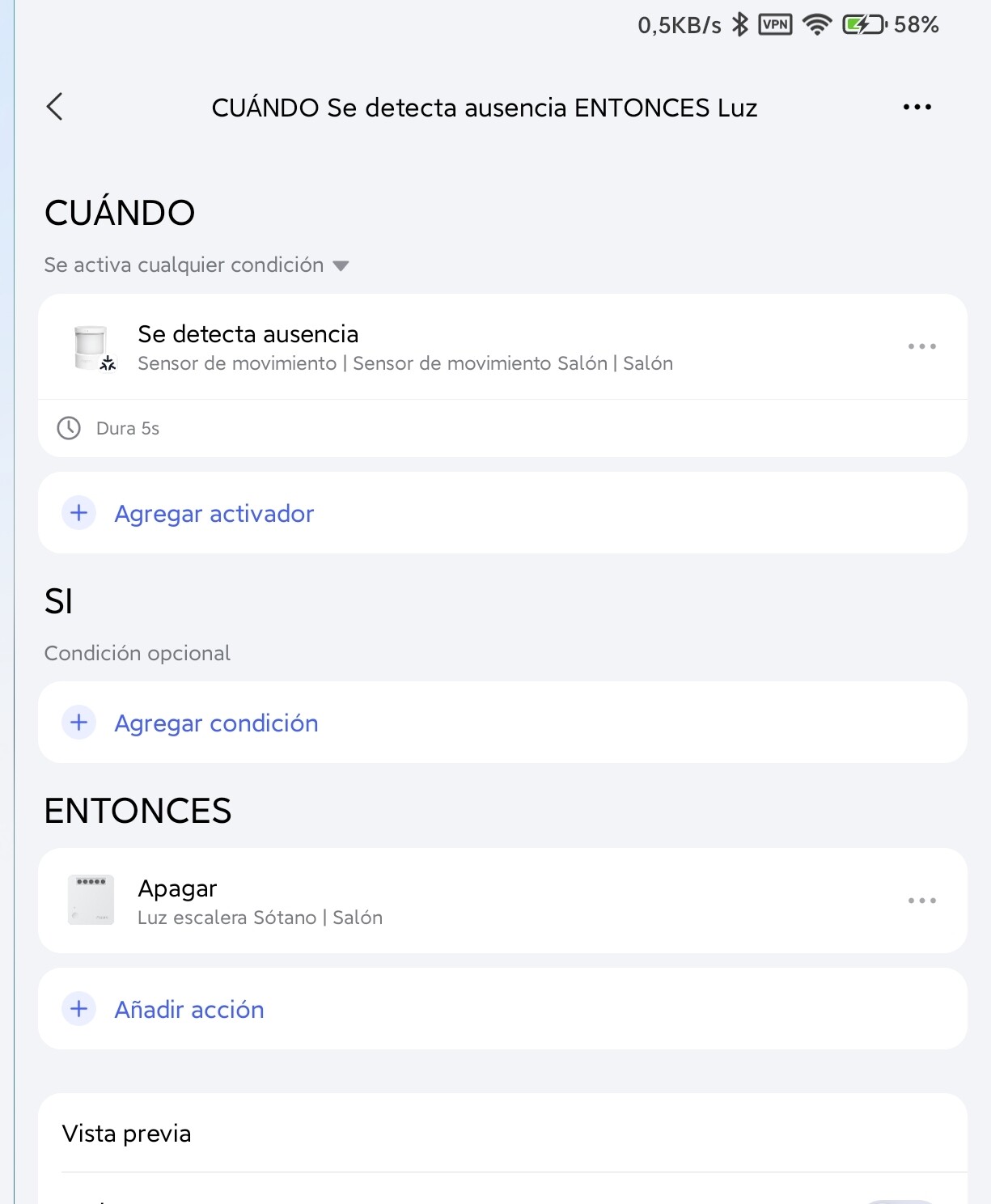
This automation is triggered after 1 minute of idleness.
I don’t use the motion sensor in Thread mode, so I don’t know its settings.
I EXPLAIN the operation mode of automation 2.0.
The motion sensor has a polling timeout of 60 seconds, that is, if there is no movement for 60 seconds, according to your condition, another 5 seconds of delay are added and the switch will operate.
As a result, we get that after the absence of 60+5 seconds, we will get 65 seconds of delay.
If you have the option to set the “polling interval” in Thread mode for the motion sensor, set it to the minimum level.
Do not forget that in the minimum polling (Zigbee has 1 second), the use of the motion sensor’s battery power increases significantly.
1 Like
Didn’t know that this sensor (model P2, ML-S03E) could connect via Zigbee. The only two protocols mentioned on the box are Thread and Bluetooth. But I can try removing it and reinstalling it on my system to see if it offers Zigbee as an option.
In any case, thanks for clarifying the sensor’s response times.
Best regards
You misunderstood me, your sensor is just a Thread.
I gave an example from my sensor.
Take a look at the settings for the P2 sensor.
If the setting is missing, please contact support and ask for firmware version 1.0.3.0
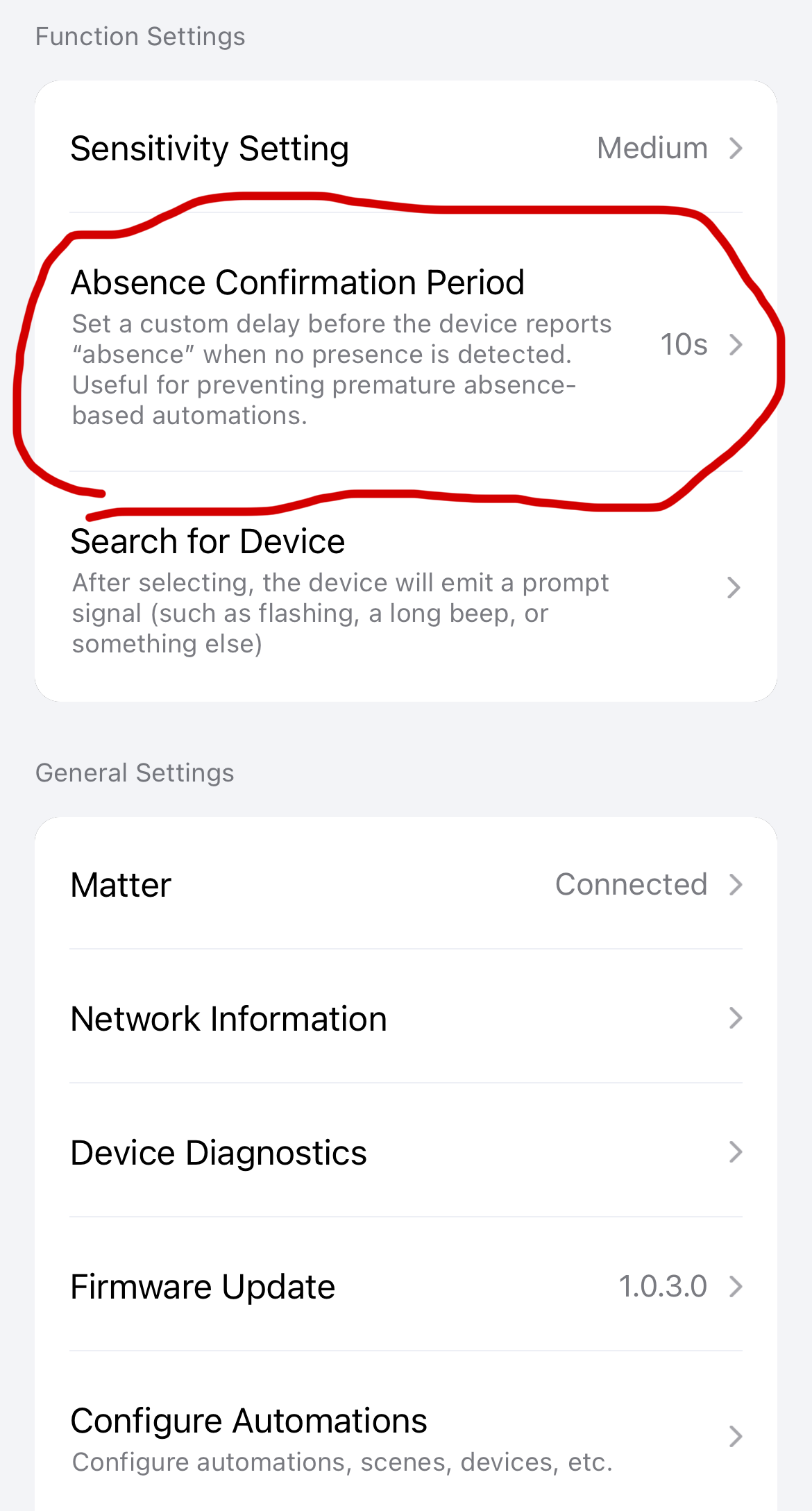
That’s probably what gafich10 meant.
1 Like
Thank you so much for the information. I’ve already contacted support. I have version 1.0.2.0, and I don’t understand why it says it’s up to date.
Greetings
Support Response:
“Currently, there is no publicly available firmware newer than the version already released for your device. The firmware you mentioned (1.0.3.0) has not yet been made available to the public through standard update channels and therefore cannot be installed through the standard process at this time.”
So the question is, how did you get this version?
I had read that some people here on the forum had contacted support and supposedly received the update, but as I just read, that’s apparently not a good idea:
So it probably isn’t a good idea to install the update, even if it would work. That means we’ll just have to wait for the next update.
I had already installed it before the recall. So fingers crossed that my sensor doesn’t break.
1 Like