I am always ready to explain the topic of the lesson after the lesson if you have any questions. Please ask questions under the lesson you have a question about.
I also thank all of you for taking the time to read the lesson and evaluate it.
1 Like
Note 2, I recommend that users do not immediately transfer all automations to 2.0. First, transfer a few pieces (non-critical automations), understand the algorithm of work in practice, examine the execution state (local, cloud). After some time, after realizing that you understand the principle of work, you can gradually switch to 2.0.
Thank you for this, It’s a great way to give to the community, Im looking forward to learning all I can.
Paul
2 Likes
Note 3. My recommendations for using 2.0. If you have problems with 2.0 and want to re-create the automation in 1.0, you need to disable the 2.0 automation (Fig 2) and create a new automation in 1.0. Saved automations from 1.0 and 2.0 work in parallel without problems.
I would love to understand a bit more on the pro’s and cons of getting up devices on Zigbe or Matter as you seem to get a different ability’s on each. I use google home for my and routines across eco systems but am thinking about setting up Home Assistant
1 Like
Hi, I’ll make an announcement, maybe someone will want to start a corresponding topic (lesson) on your question. Thanks for the question.
Thanks a lot. I thought the 2.0 version won’t allow any local automations so i didn’t use it. Now that i know- I’ll use it for sure!
1 Like
In addition, I will tell you that in Zigbee mode, the range of available device capabilities expands. In Matter, they are smaller.
3 Likes
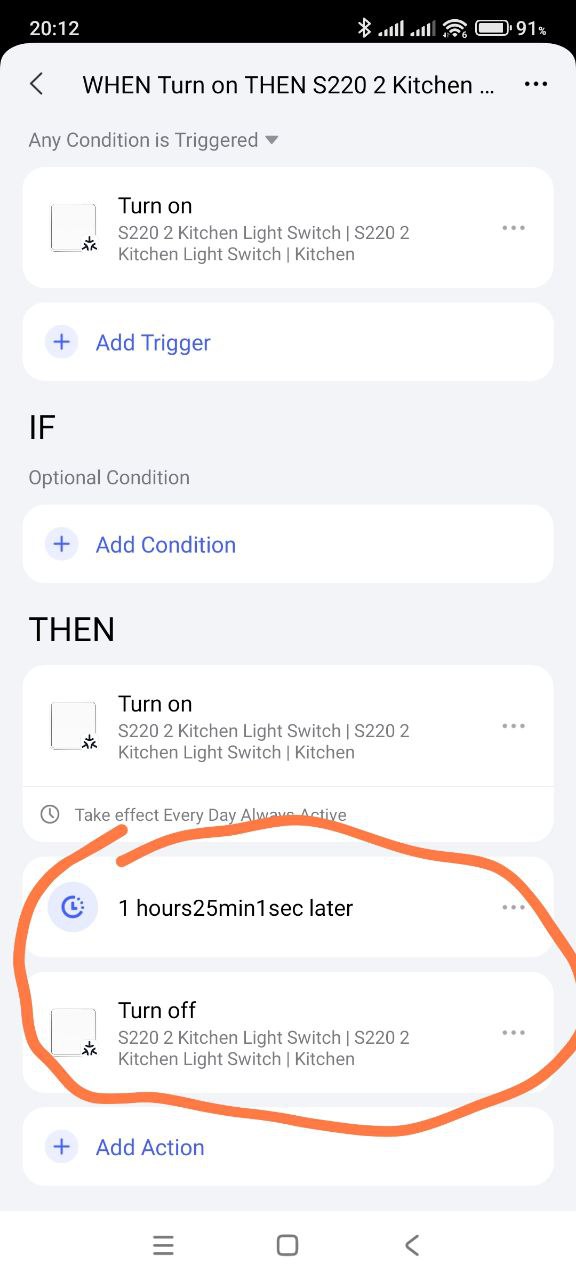
Hello, if the automation has been started and the countdown to turning off the switch has begun, then stopping the automation will not stop the process.
I recommend that you set a time limit in the WHEN section, then everything will work correctly.
2 Likes
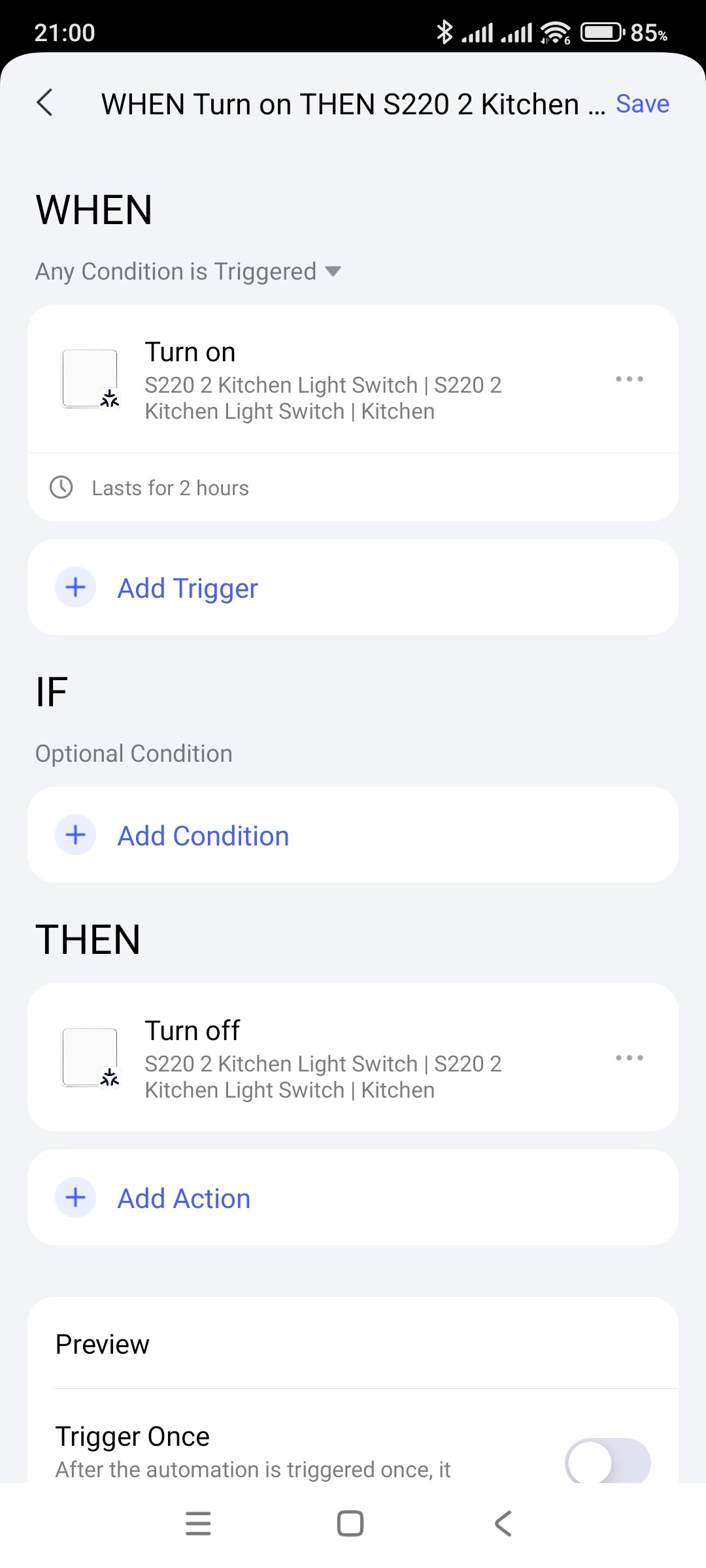
That’s how it should be. But I don’t understand the logic. If you turn it on outside of the limited time, then you have to turn it off manually.
Describe what you want to do. Write the algorithm for what you need.
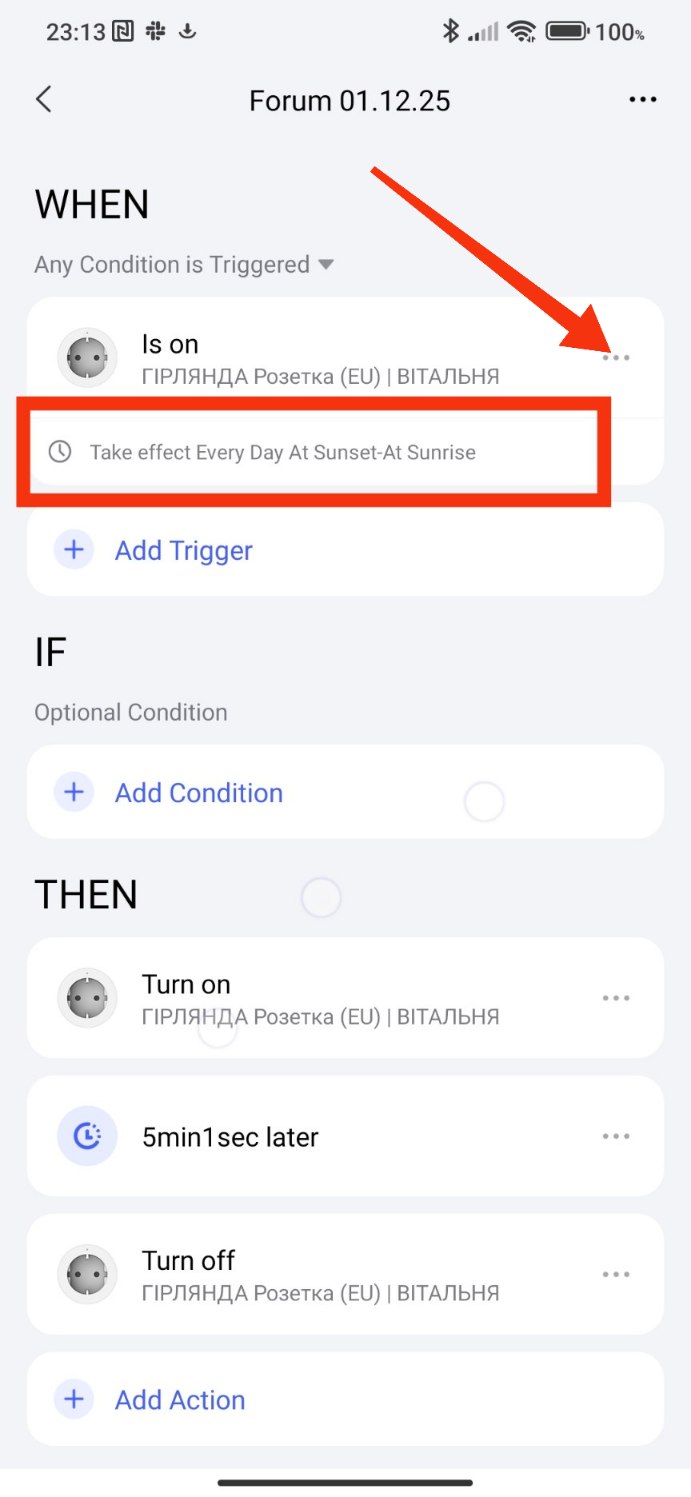
2 Likes
so basically I want to create auto off timer, lights will turn off if I forgot to turn them off manually, but I want to stop that timer if I turn off lights as usual ;p
in tapo app for example if you turn off automation then it will stop any delayed actions in that specific automation
2 Likes
Now I understand!
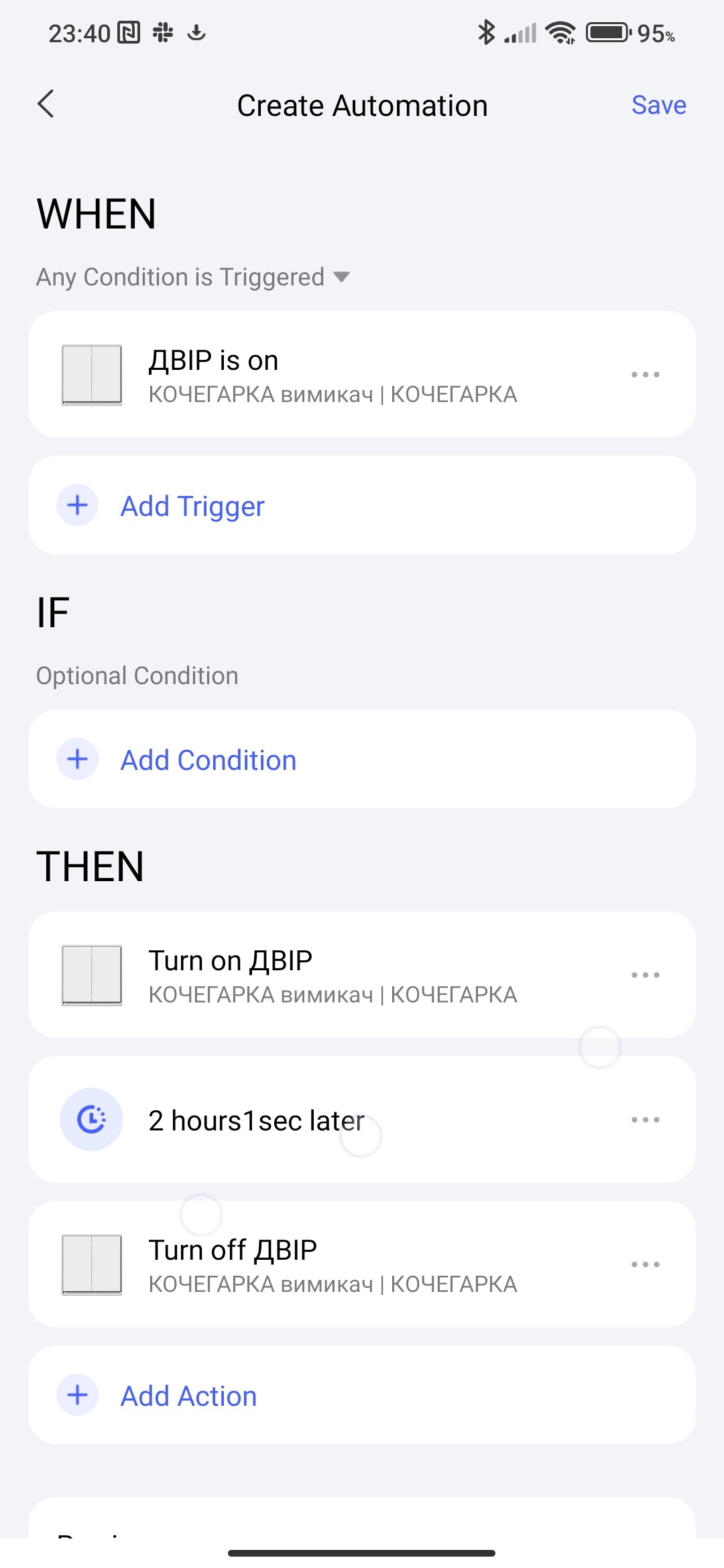
If you turn the switch back on after turning it off (during the pre-start countdown period) then the countdown will start again. Example 12.00 turned on turned off 12.30 (2 hour delay), turned on again 12.35 then the countdown will start from this time, the previous one is canceled (turned off 14.35).
3 Likes
I tested it, it’s working as intended, timer will restart, thanks <3
Both method working as intended.
That could be good topic for another tutorial, how to cancel automations, timers, or restart them. I couldn’t find it anywhere how aqara automations are working in these cases.
thanks again
2 Likes
Very good tutorial, thanks! 
1 Like
Thanks!
1 Like