If there is one particularly interesting product in the Aqara ecosystem, it is the smoke detector. The hardware is solid, the design is well-built, and the pricing remains reasonable compared with what it offers.
It is also one of the rare devices of this type where the battery can be replaced, which is valuable given that many competing detectors must be discarded entirely when their battery reaches end-of-life. Aqara claims several years of autonomy; although this promise is ambitious, real-world endurance should be more than sufficient for domestic use.
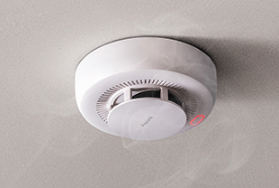
I installed two detectors in my home, both connected to my Aqara Hub M3 via Zigbee. Their behaviour is stable, and I also tested them with Home Assistant and Zigbee2MQTT, where they work equally well.
Thanks to the M3 Hub, they are also exposed as Matter devices, which allows me to integrate them easily into Homey or Apple HomeKit without any complex configuration.
When smoke is detected, the internal siren activates and the Aqara app sends a critical alert. This is essential, but still insufficient in situations where nobody is at home.
A local alert, even a loud one, can go unnoticed. To improve safety, I use Homey Pro to orchestrate more advanced notifications, including sending alerts to neighbours or trusted contacts. Homey also allows fallback mechanisms and confirmation steps that significantly enhance responsiveness in case of a real emergency.
I guess this kind of automation are available on Home Assistant to  but I find more easily to do it graphicaly.
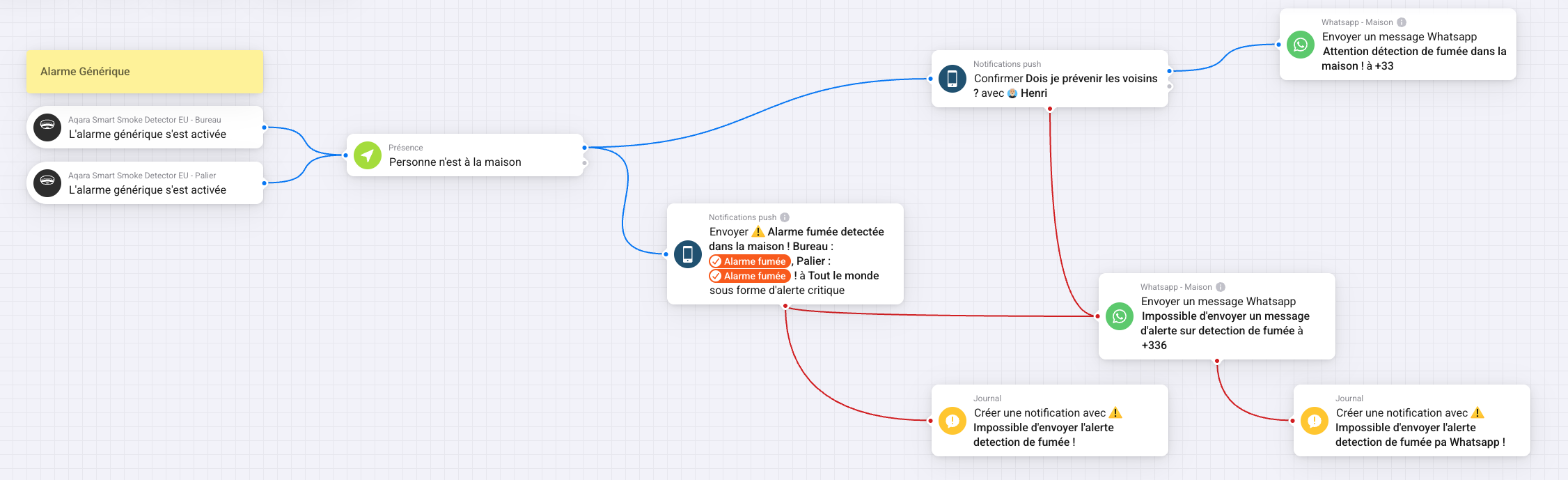
this is a description of the advanced flow:
Two “When” cards trigger the flow:
Aqara Smart Smoke Detector EU – Office – “Generic alarm activated”
Aqara Smart Smoke Detector EU – Landing – “Generic alarm activated”
Both outputs are merged so the scenario starts as soon as one detector triggers.
The next card checks presence: “Nobody is at home.”
If someone is present, the flow stops.
This prevents unnecessary alerts when someone can already intervene onsite.
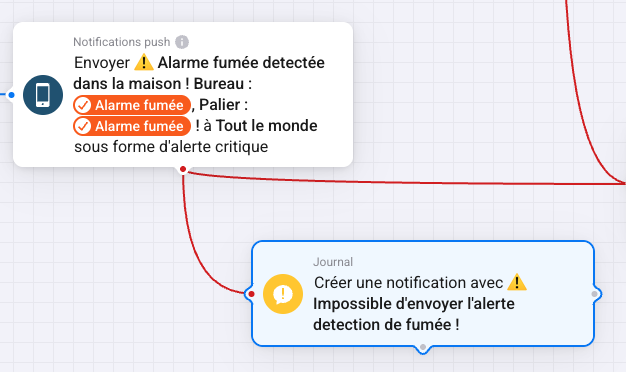
A first output leads to a push notification sent as a critical alert:
“Smoke alarm detected in the house! Office: […], Landing: […].”
Everyone receives the alert immediately on their phone.
Note: A critical alert will always appear even if your smartphone is in sleep mode.
A second output sends a confirmation request:
“Should I alert the neighbours?”
This message is sent directly to you for approval.
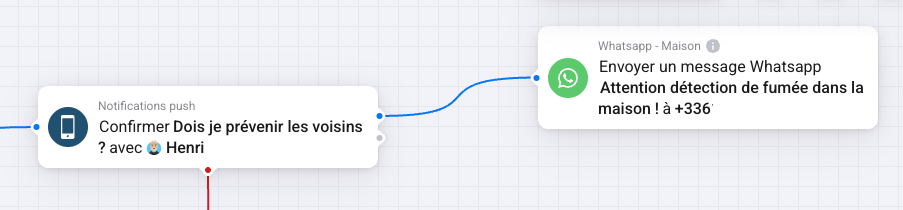
If you confirm, Homey sends a WhatsApp message to a neighbour:
“Warning: Smoke detected in the house!”
If the critical push notification fails, two fallback actions occur:
A Journal entry is created: “Failed to send smoke-detection alert.”
A fallback WhatsApp message is sent to your number.
If the WhatsApp message to the neighbours fails, Homey also sends the fallback WhatsApp message to you.
If the fallback WhatsApp message itself fails, another Journal entry records the issue:
“Unable to send smoke alert via WhatsApp.”
I hope this is helps !