I have a normal washing machine (so not smart) that is plugged into a Aqara smart plug. I want to create an automation that the app sends me a message when the washing machine is ready. But this is more difficult than I thought it would be. Cause when i create an automation with “power falls to” or “power is below” it is also triggered when I put my washing machine on and the program has not started yet. Any suggestion how I should make this automation?
4 Likes
Maybe you should try a vibration sensor! I have one installed and it’s successfully
2 Likes
I know but want to achieve it with only the smart plug. Should be possible I think.
1 Like
Ok, please share a screenshot of your automation
Maybe better work with a delay
2 Likes
I have deleted them all, so no automation at this moment. A delay could be a solution, but where can I find that option?
1 Like
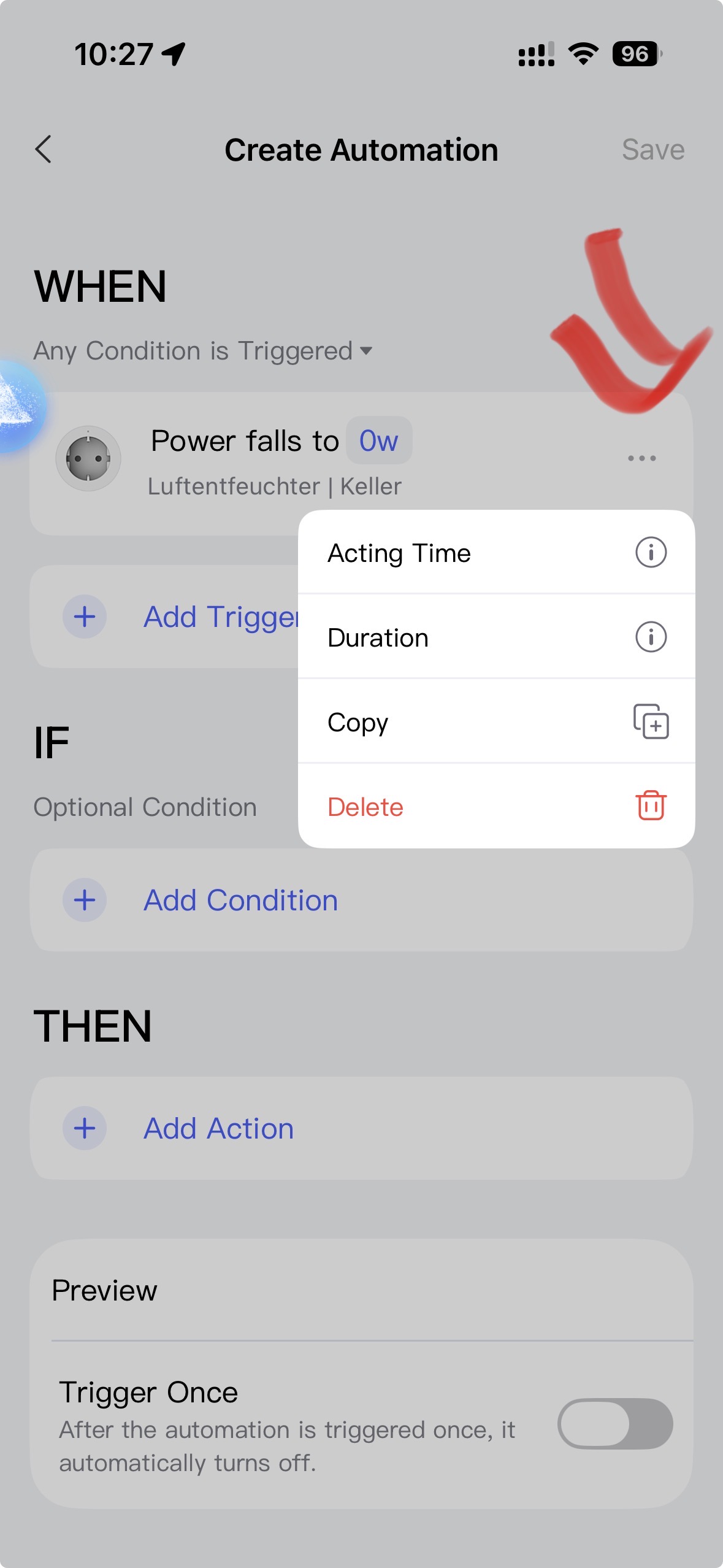
Yes, seen that, but which option is to create a delay? It would be easier if someone could help me with a step by step manual cause I am not a very technical person :-(.
1 Like
Check out the tutorial section! Lots of helpful good descriptions there
2 Likes
Been there, done that. Couldn’t find a 100% solution and that is why I opened this post. Let’s see if anyone else reacts, but thanks for now.
@maurice_schellekens I know exactly what you mean — I had the same problem. The Smart Plug automation is missing the all-important option “Power below X for Y minutes”, which would make this so much easier.
But there’s a workaround that works surprisingly well. You just need two linked automations:
1. First automation:
When the power goes above ~500W, wait about 10 minutes (so the machine is really running) and then enable the second automation.
2. Second automation:
This one sends you a notification as soon as the power drops to something like under 5W.
The trick: set this automation to “Trigger once”.
That way it disables itself after sending the message and only gets re-enabled after the next full cycle via automation #1.
Try it — this setup works reliably in my house.
Always remember: “If your car is smarter than your home… you’re driving into the future while living in the past” 

Check this out: Topics to remember – Bookmark and keep coming back!
4 Likes
Try using two automations.
An automation for notifications that deactivates itself:
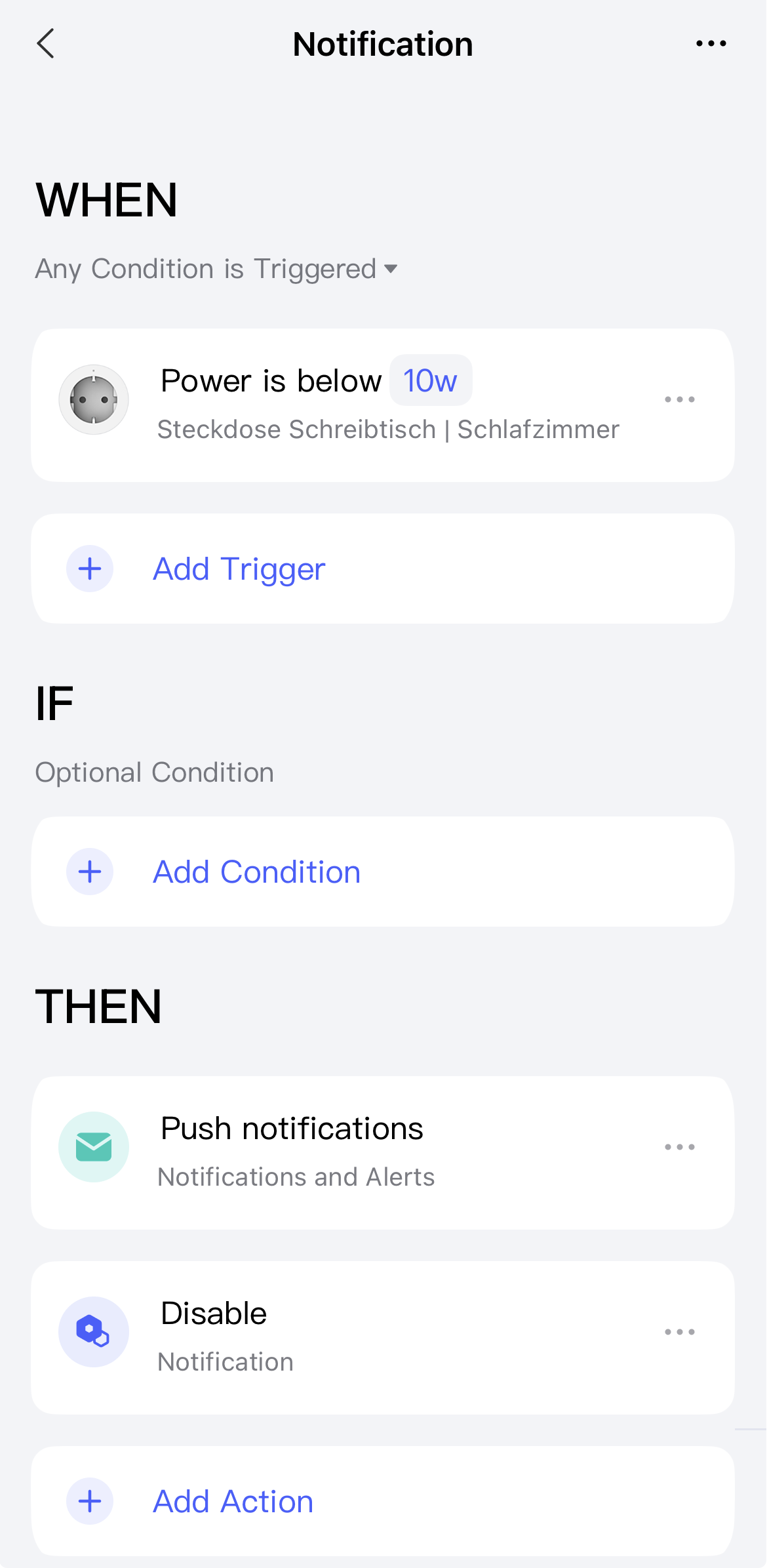
And a second automation that activates the first automation as soon as the washing machine consumes electricity:
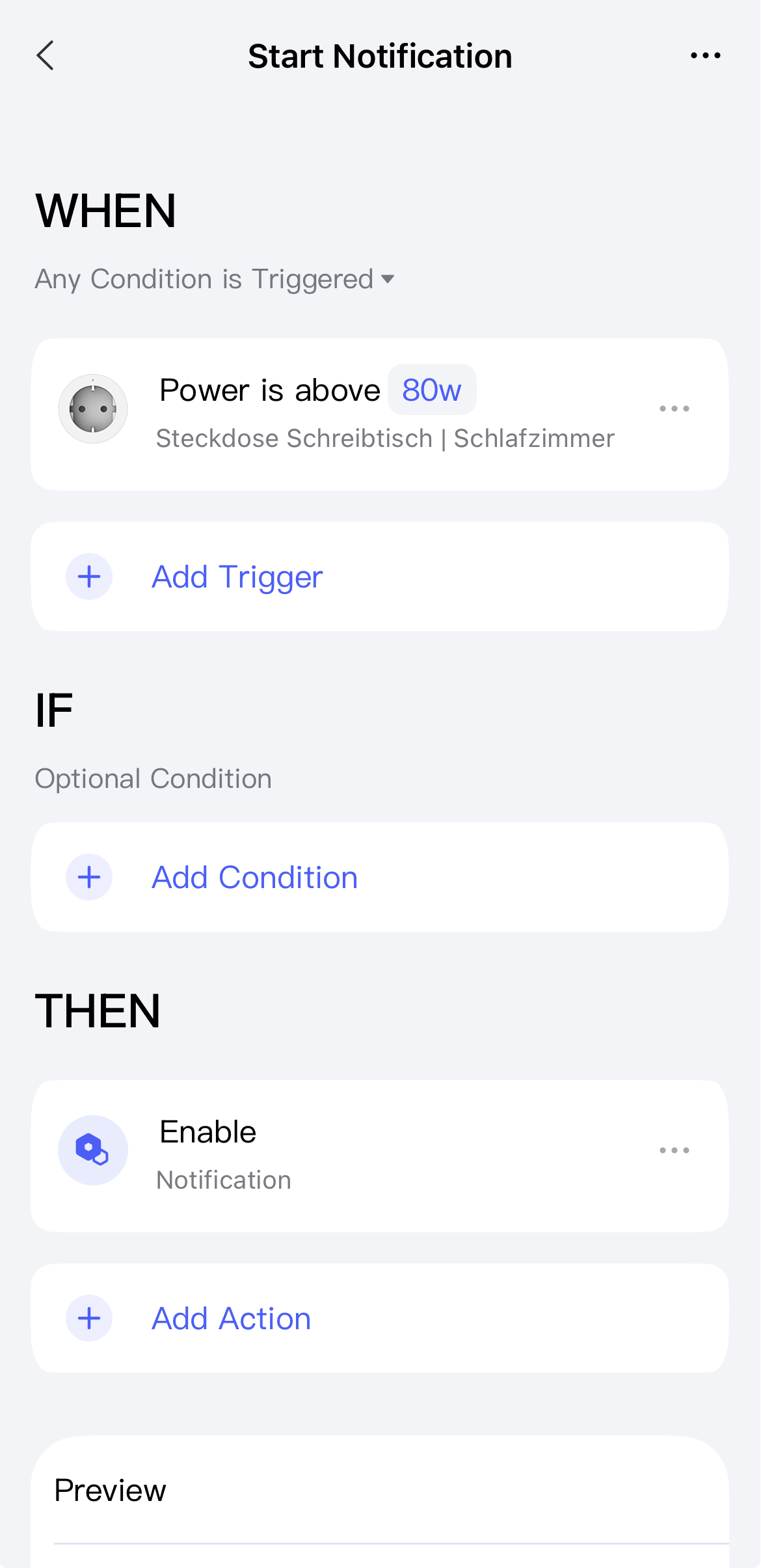
Deactivate the automation for notifications. This will then be reactivated later by the other automation:
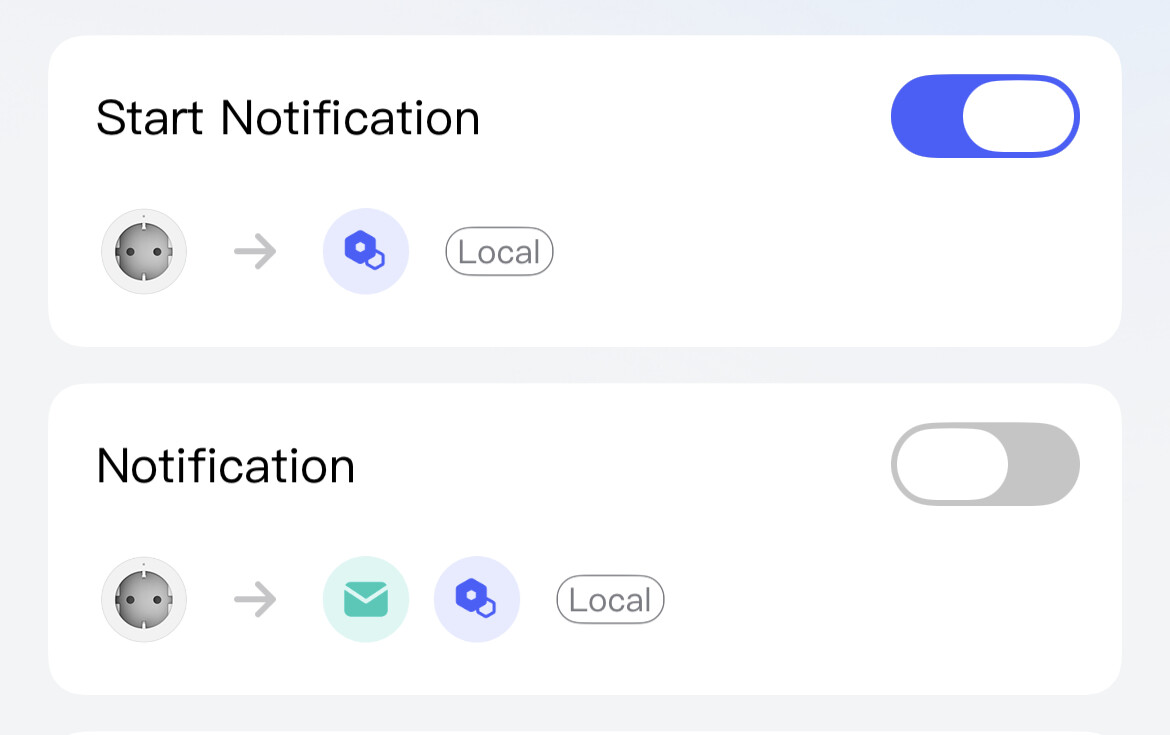
You will need to experiment with the wattage settings, as these will vary depending on the washing machine. To improve the results, you can also set a time duration for each wattage setting. This is the minimum amount of time that the wattage setting must be reached for.
4 Likes
Cannot seem to find the disable and enable notification. Shoud this also be under add action?
Yes, under add actions.
Save the automation at least once and editing it. It is not possible to select it before saving.
Perfect! This seems to be the solution. Will test this week or so. Thank you very much for your help!
1 Like
I would definitely set the duration time for the wattage values.
On my washing machine, the wattage value often drops briefly below 10 watts (see image).
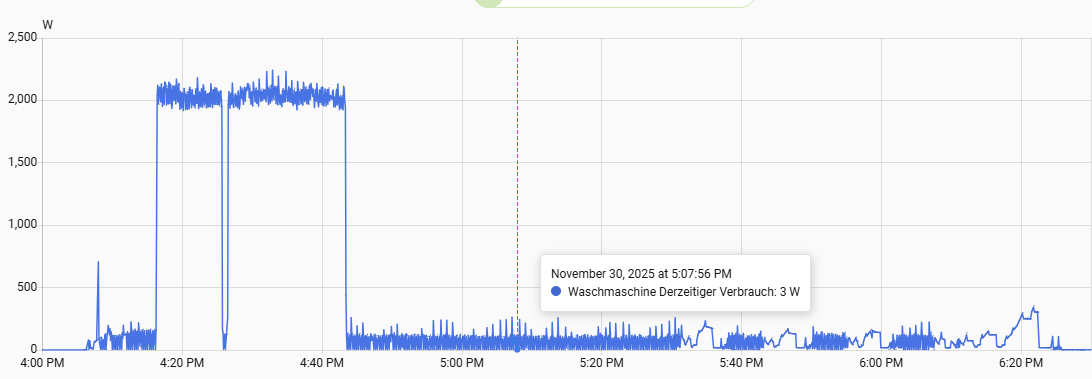
2 Likes
Did that. Idle usage is about 3 Watts. I have set that if the wattage is below 5 watts for 5 minutes it sends the notification.
1 Like