That doesn’t look good. After two weeks of use my Aqara FP300 presence sensor unfortunately has only 66 % battery capacity left:
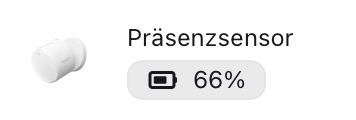

That doesn’t look good. After two weeks of use my Aqara FP300 presence sensor unfortunately has only 66 % battery capacity left:
@StefanD You seem to be experiencing an issue with the battery drain of the Aqara FP300 presence sensor. You can contact customer support for assistance. Contact the Aqara Home App Customer Service Team (Home > Help & Feedback > Customer Service) or scan the QR code:
I am in contact with Aqara support.
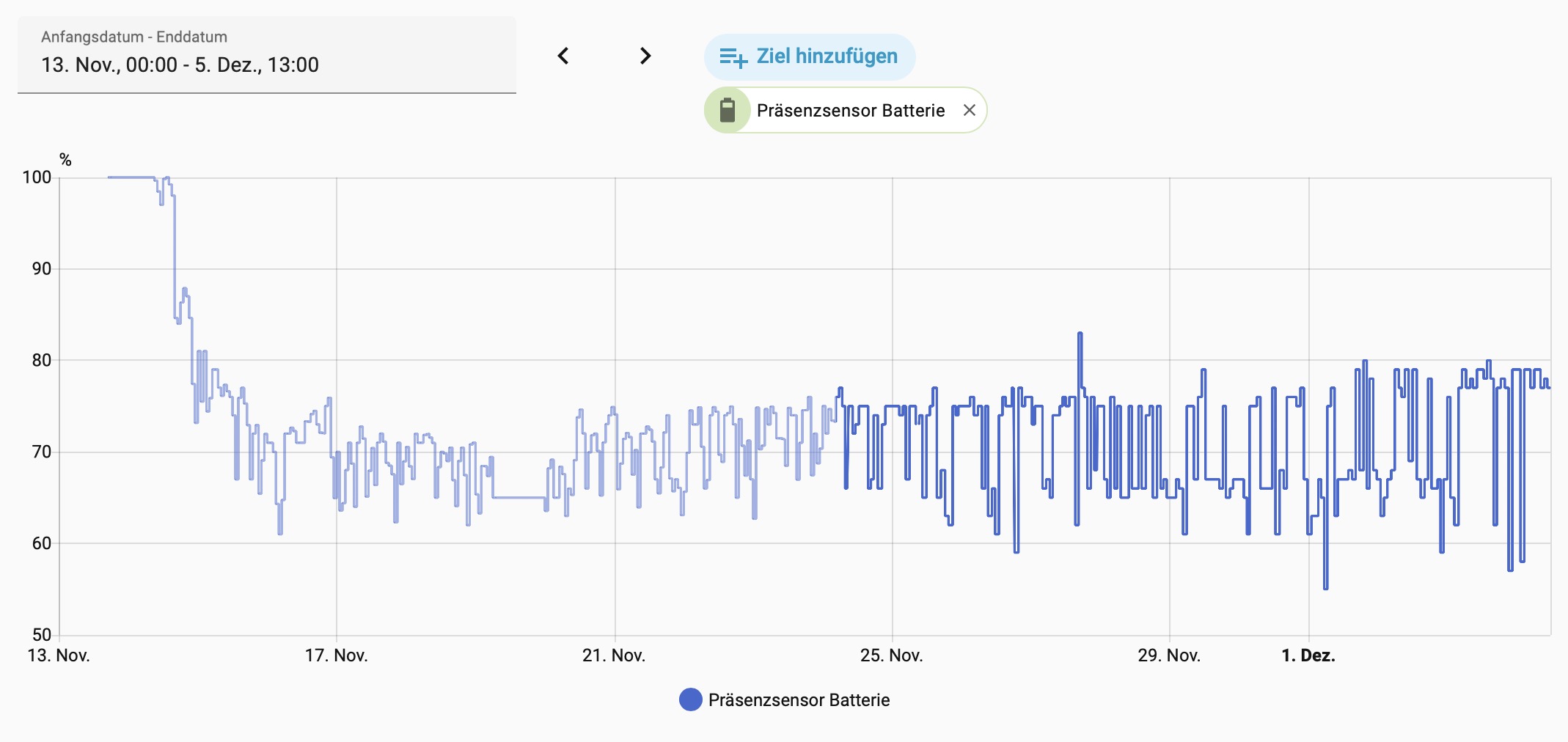
Here is the battery capacity record of Home Assistant since installation:
Otherwise thepresence recognition works fine.
@AqaraOfficial Please shut off this annoying Aqara Bot.
I just received this answer from Aqara Technical Support:
Our R&D department has confirmed that the FP300 does not support connecting to third-party Zigbee hubs.
However, it does support direct connection to Matter controllers.
This may be the reason for the incorrect battery level readings you are seeing.
Thank you for your feedback. We also found that there are small batches of devices with fast power consumption, but we found that after these devices are powered on again, their power consumption basically returns to normal, so it is difficult to reproduce. The R&D side is also continuously testing, and we are also working hard to solve it. You can currently try restarting the device and observe if there is still fast power consumption. If it still occurs, you can contact me again. We will continue to address this issue.
Thank you for your reply.
How can I restart the device?
If you are using Matter mode, you need to remove the battery and then enter the restart mode. If you are using Zigbee mode, you can restart the device through the Aqara app, but you need to press a button on the device for the restart to take effect.
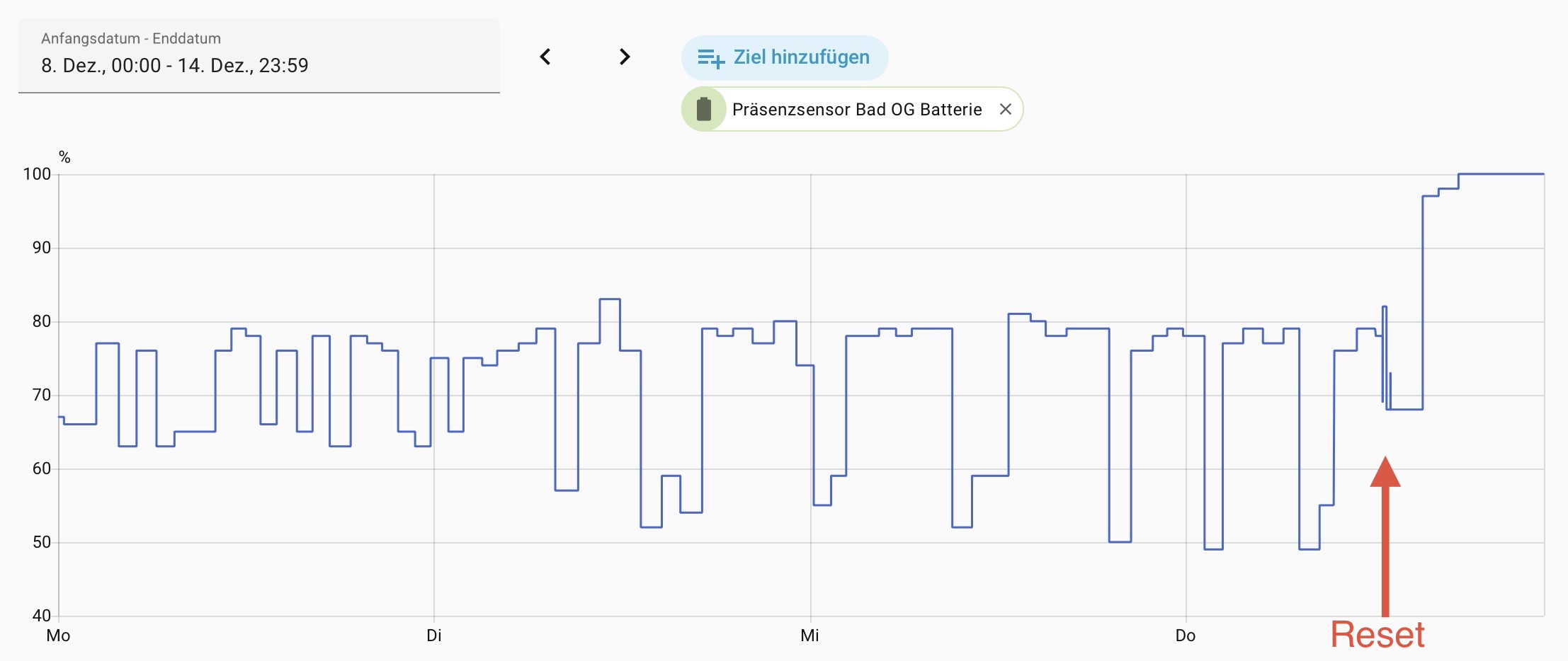
I use the Aqara FF300 via Zigbee2MQTT with Home Assistant. Today I followed your suggestion and made a reset by temporarily removing the batteries and powered it on again (at 12:25 in the chart). About 2,5 hours later the battery capacity shown in home assistant climbed up to 100% and stays on this level until now:
Thank you very much for this easy solution to my problem! 
My pleasure