 Triggers
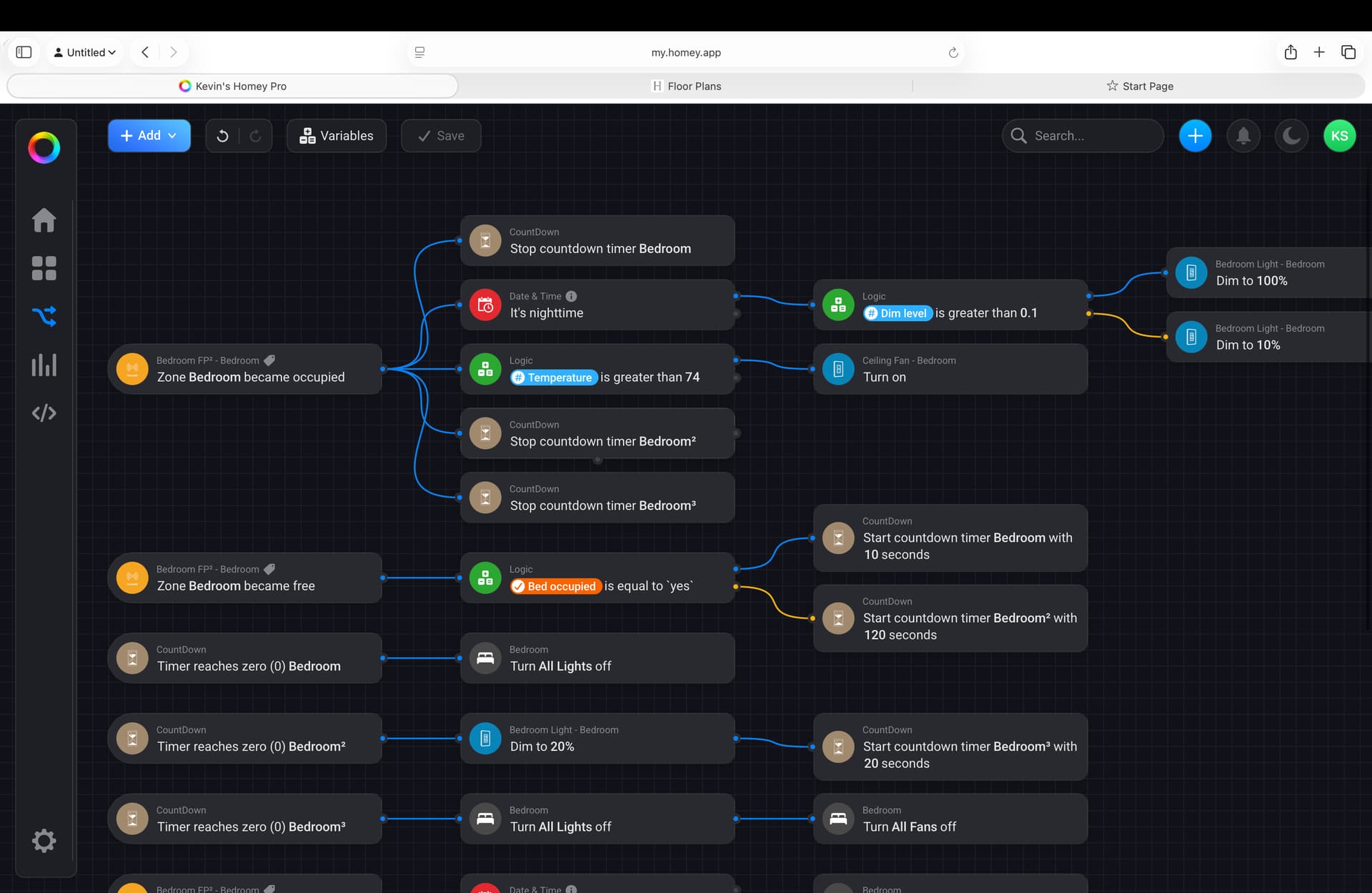
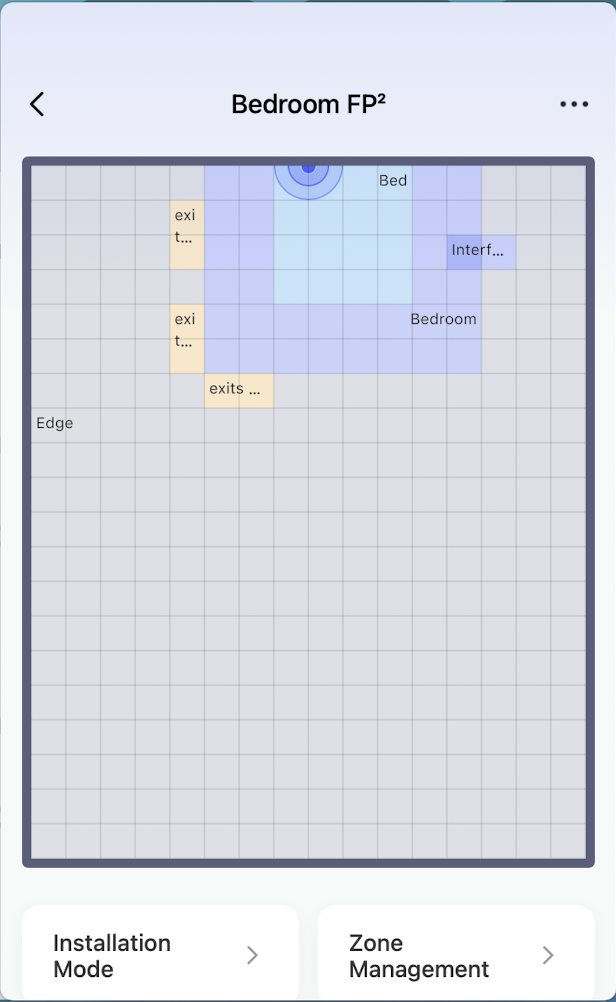
- Zone Bedroom became occupied → starts the “room active” sequence.
- Zone Bedroom became free → starts countdowns if bed is also occupied.
- Countdown timers reach zero (Bedroom, Bedroom², Bedroom³) → control lights.
- Zone Bed became occupied → fan control based on time of night.
When
Bedroom becomes occupied
- Stop countdown timers (Bedroom, Bedroom², Bedroom³) → Cancels any pending “lights off” or “dim down” actions so the room stays on while occupied.
- Check nighttime condition
- If it’s nighttime →
- If Dim level > 0.1 → Lights go to 100%
- Else (Dim level ≤ 0.1) → Lights go to 10% (night mode)
- If it’s nighttime →
- Check temperature condition
- If Temperature > 74°F → Ceiling fan turns on
When
Bedroom becomes free
- If Bed occupied = yes → start two timers:
- Bedroom (10s) → leads to all lights off
- Bedroom² (120s) → leads to dim light to 20%
(Looks like a layered approach: quick shutdown if empty, fallback dim if still inactive after 2 minutes.)
Countdown timer actions
- Bedroom timer (0) → Turn all lights off
- Bedroom² timer (0) → Dim lights to 20% , then start a new Bedroom³ timer (20s)
- Bedroom³ timer (0) → Turn all lights off
 This creates a “soft fade-out”:
- Empty room → after 2 min, dim to 20%
- After another 20s, turn off completely
When
Bed becomes occupied
- If time is between 21:00–07:00 → Turn all fans on
