Would like Aqara to include muting the microphone on their cameras when they are put in privacy mode. Should be an easy firmware add on.
1 Like
Which cameras? My G5Pro under videosettings you can just disable audio recording.
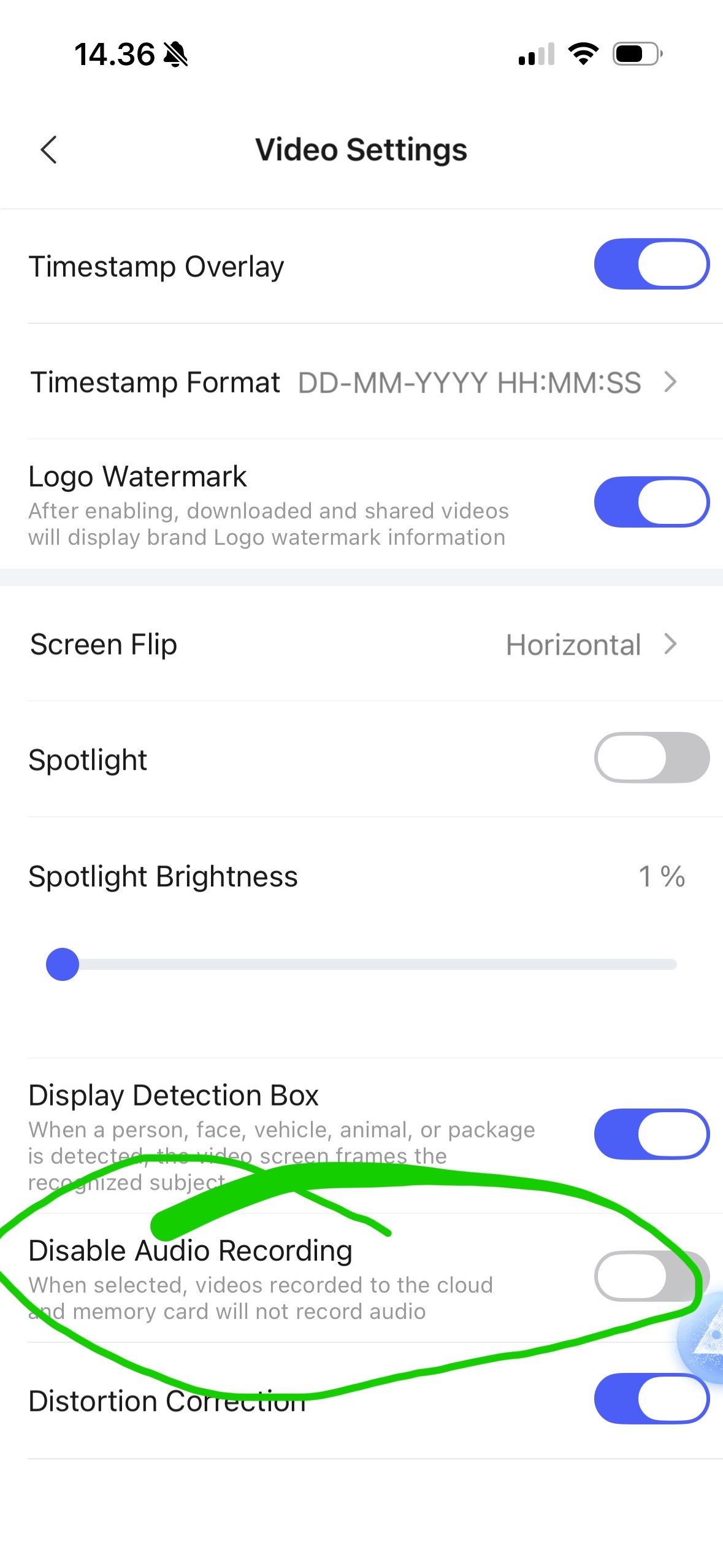
And for G3 and G350 you have the same functionality. For G3 & G350 I don’t believe the microphone is still on when the lens are off and in sleep mode (Privacy) but in that case you can just manually disable it as shown in the screenshot.
5 Likes
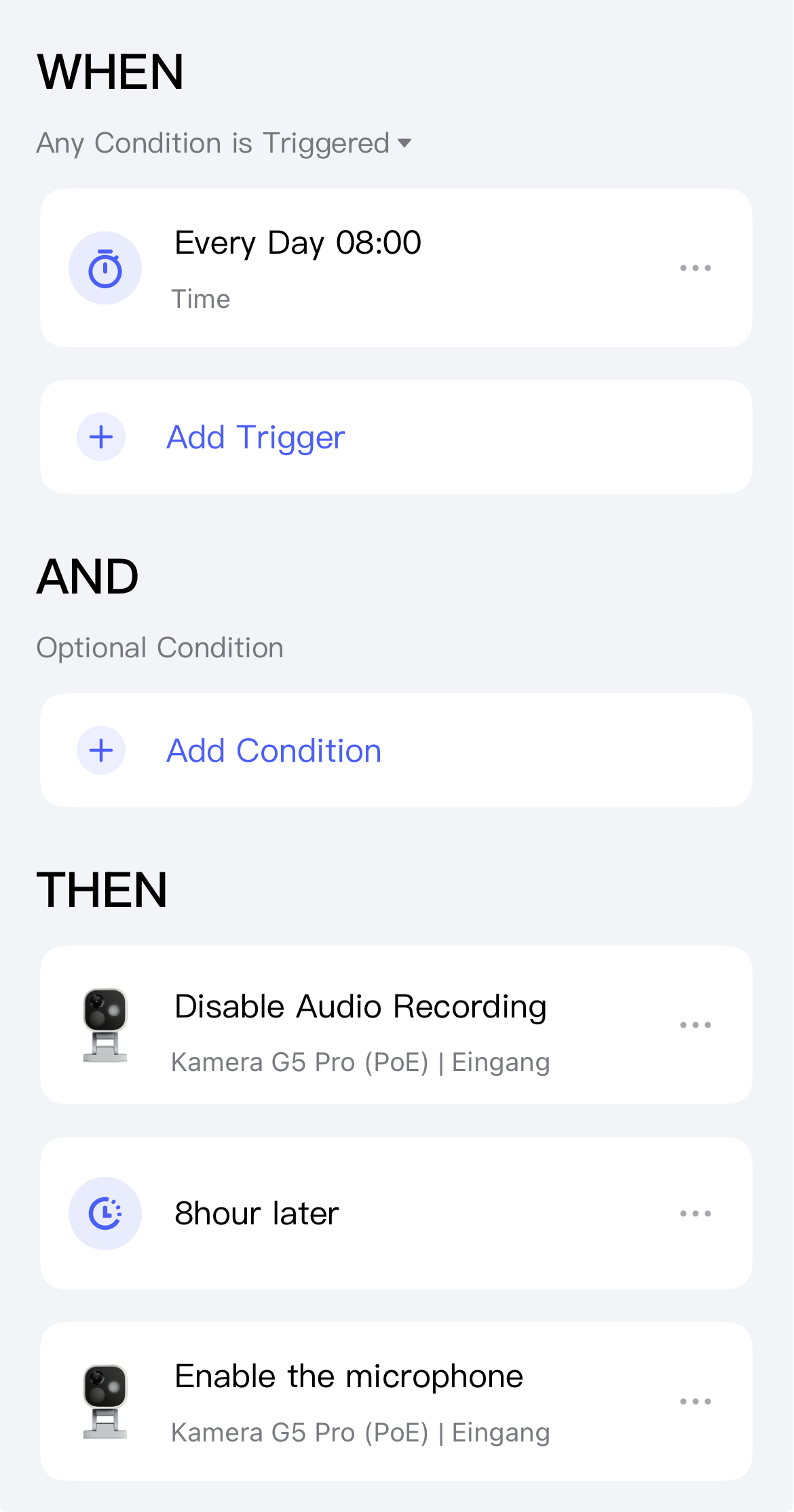
I also think the camera’s microphone is disabled in privacy mode. However, if you want to be on the safe side, you can either turn it off completely as mikkelgraverjensen suggested or control it using an automation.
For example, like this:
4 Likes
My G3 goes into privacy mode when I switch my alarm off. Don’t want indoor recording when home. During the privacy mode I get multi HomeKit audio recordings with “no video” since the lens is covering the camera.
Don’t want to turn off audio for when it’s awake in alarm mode.
I could use an automation, but that doesn’t solve the core issue and not consistent when home or not.
In theory, the issue of audio recording in Apple Home while the G3 Camera’s privacy mode is active could have been resolved through the use of automations. This would involve enabling the microphone when alarm mode is switched on, and disabling it when alarm mode is turned off. Unfortunately, however, the G3 Camera does not offer the option to enable or disable the microphone within Automations in the Aqara Home app.
In Home Assistant I use the HomeKit Integration and an app (plugin) that connects the G3 Camera via the Aqara Open API. This allows me to see if an alarm mode is active, and which one, and I can also turn the camera’s microphone on and off. So, I could create an automation as a workaround here, but I assume you don’t use Home Assistant?
Unfortunately, this can’t be done through the Apple Home app either, since you can’t control the camera from there.
Otherwise, as you suggested, it depends on Aqara making changes to the firmware.
Thanks. I don’t use home assist. Just home kit and the Aqara app. Not hopeful Aqara will offer the suggestion, but put it out there.