My first G410 doorbell camera was faulty, and returned. I received a replacement.
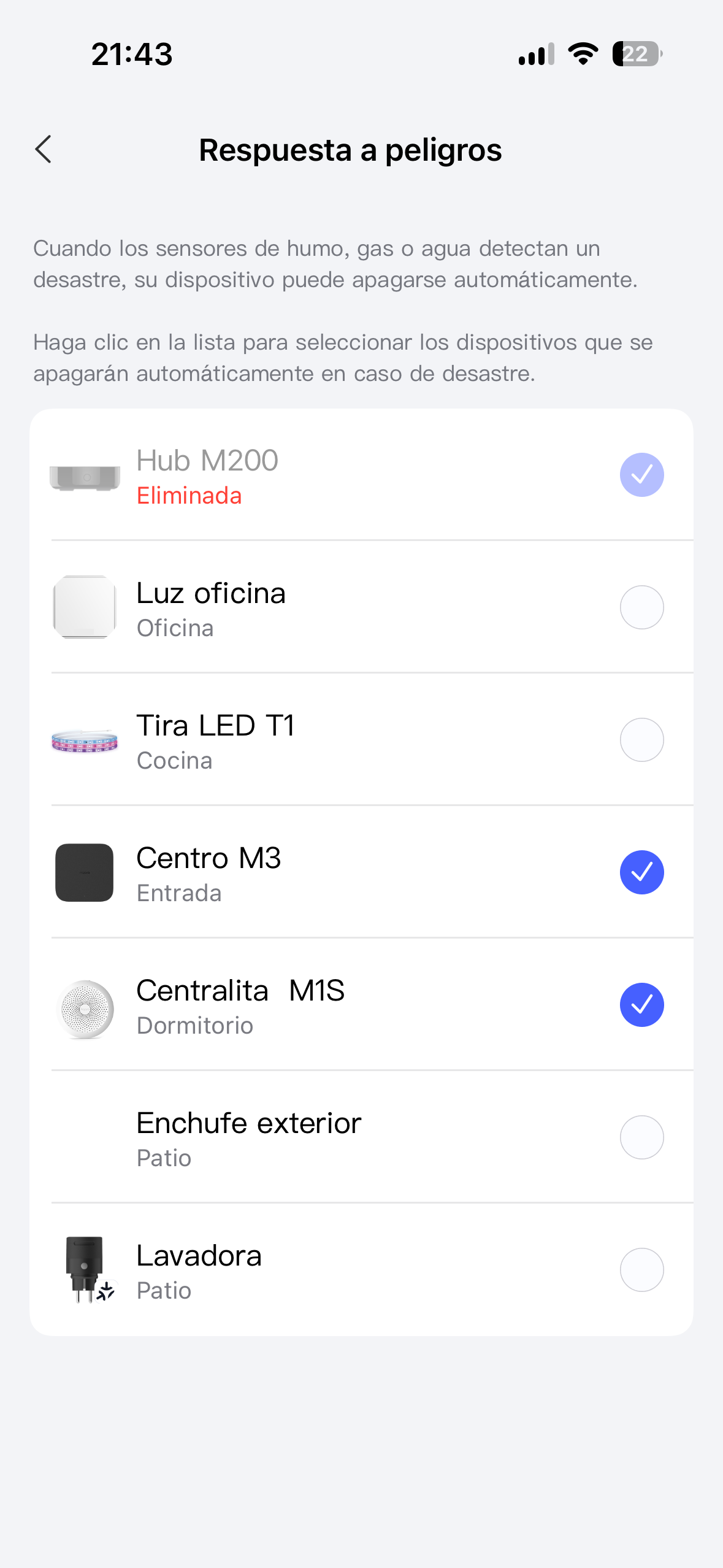
The original (i.e. the one I returned) keeps appearing (albeit grayed-out, and marked as deleted) in a few places e.g. automations or security settings.
How can I remove the ghost of the doorbell camera from my accessories/account, please?
I’d provide a screenshot, but I cannot find an example
!
Hi there, it looks like you’re experiencing a support-related issue. We’ve automatically created a support ticket for you and will reach out via the forum email within the next two business days.
If other members have any suggestions or insights on this topic, feel free to share!
1 Like
Removed accessories are left in the automation for future use. For example, I have 10 lights in my dining room, all automated.
If I had removed one faulty light, I don’t want the automations to automatically disappear (I still have 9 automated lights).
And because the automation list shows exclamation mark next to some automations, I know which automations to fix when I get a replacement.
Unfortunately there is no easy way to remove those automations, you need to manually scroll through the list and fix them.
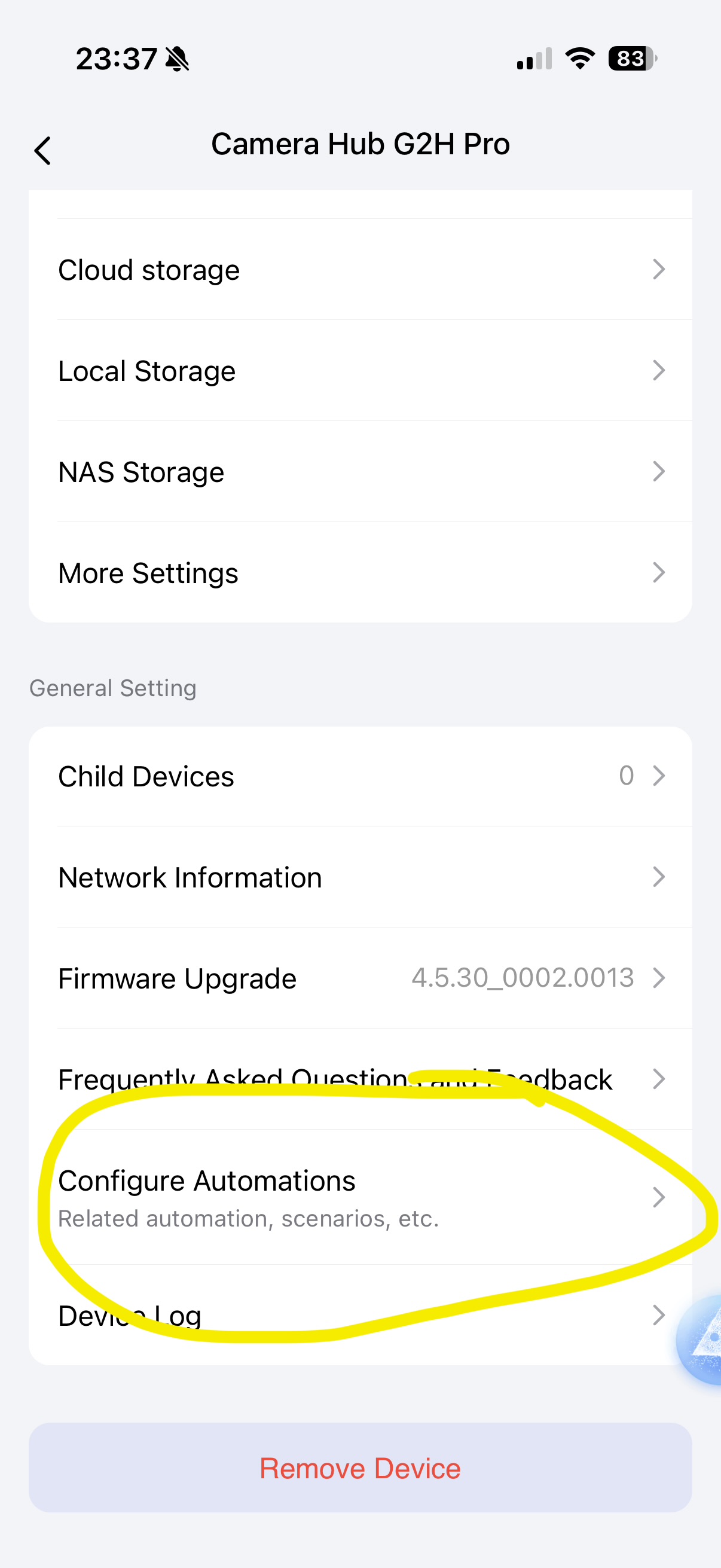
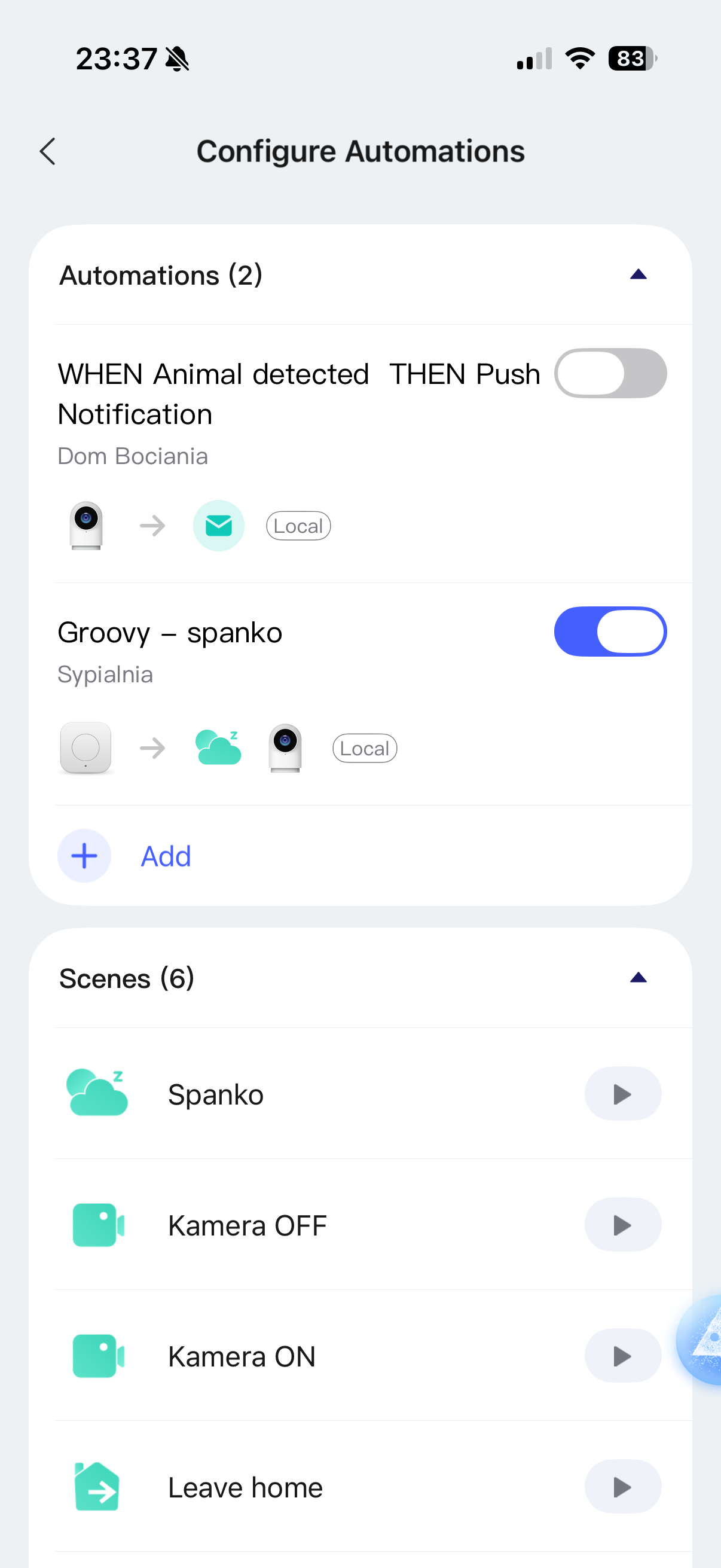
Next time, before removing the device, open it in Aqara app → three dots → Configure automations.
Edit or delete automations from this list. Then delete the device. Now it won’t “reappear”
Yep I have the M200 hub witch I bought and returned because I bough the M3 and there was no point on using both.and now I see it on the alarm devices and no matter what I do it keeps showing me there
Thanks cezary806
I regret to say that I don’t understand, but manually scrolling through the list doesn’t seem to give me an option remove the ghost accessory.
AFAIK don’t see exclamation marks against any automations, either.
I suppose I’ll have to live with this.
Mike
Thanks for posting a screenshot.
Good to know I am not alone.
How do we flag this as something worthy of atttention of the developers?
I think it would be preferable to be allowed to delete this if the accessory/item is gone, gone, gone.
Yeah I think the only way is to contact aqara support and see what they have to say about it and I think aqara bot did open you an ticket support about this issue.now you will need to wait till aqara will contact you tru email I will send them tomorrow and email too
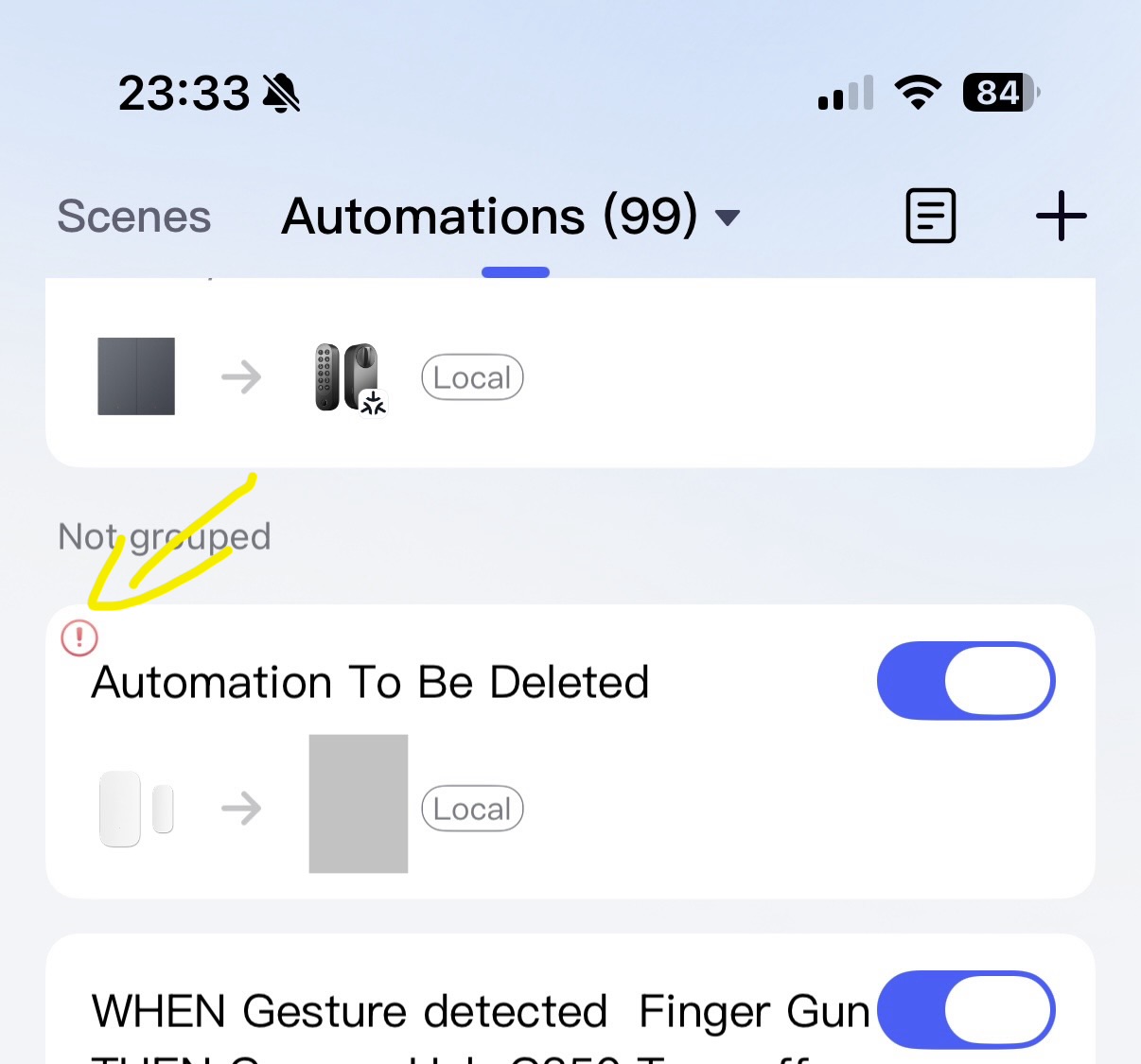
You mentioned you have automation with your deleted device.
The automation with a deleted device has this exclamation mark on automation list
Before deleting a device, you can check automations related to your device (and delete or fix them before removing the device).
How to find automations where your device is used?
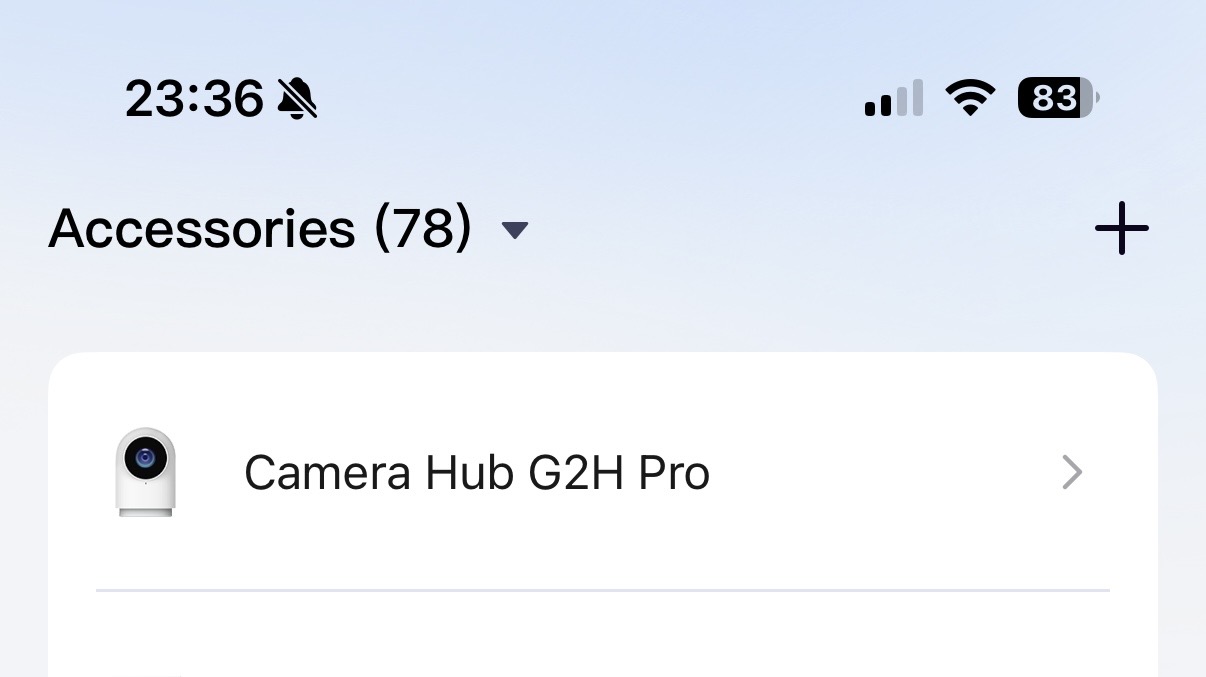
Click “Accessories” on the bottom bar. Find your device.
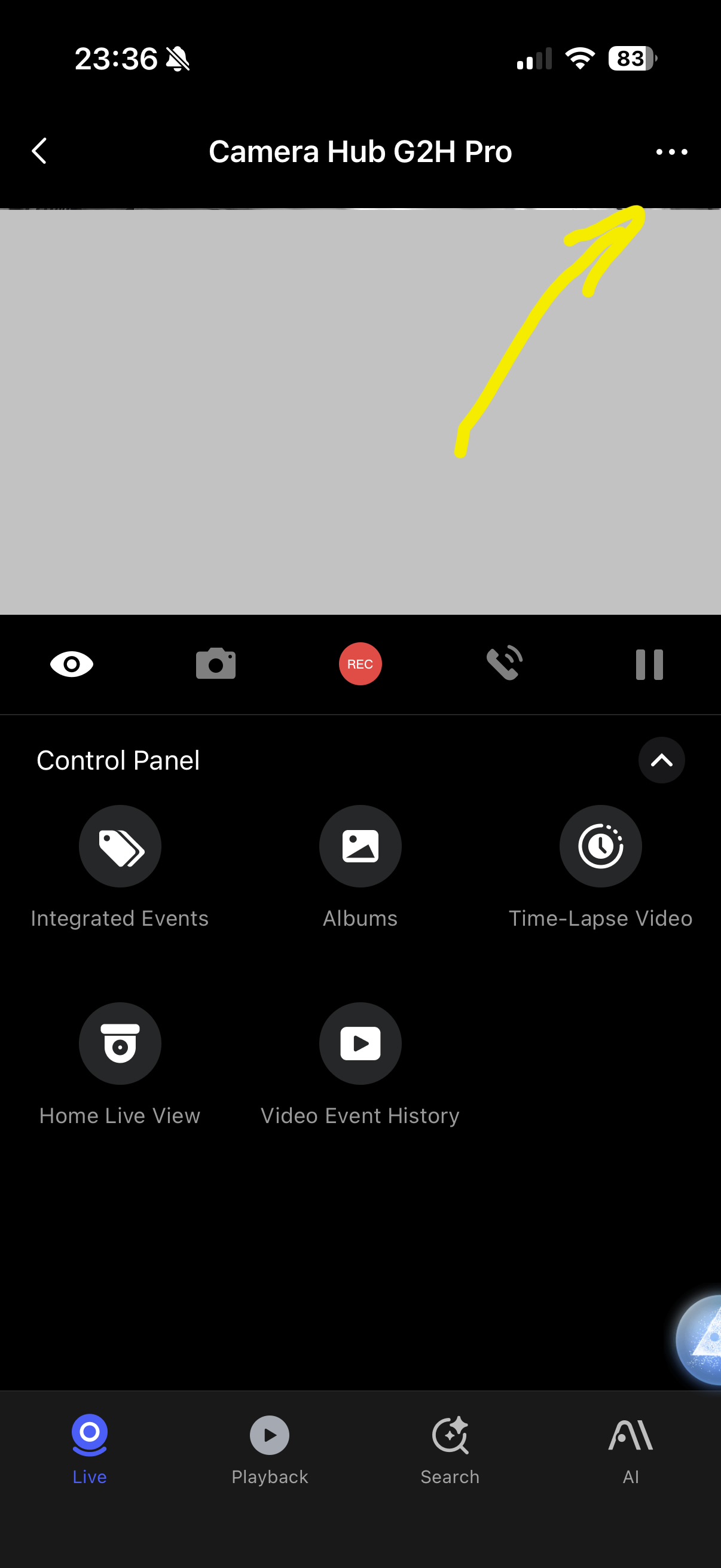
Click three dots in the corner
Scroll to “configure automations”. This screen will show you automations where this device is used. Those automations will be broken when you remove the device.
Since you have already removed the accessory, then it’s no longer helpful to you. But I wanted to tell you how to check this if you plan on removing other Aqara devices from your account.
2 Likes