I have a G5 Pro & G100 and I want to disable notifications when I’m at home.
I’ve enabled geofencing and set an automation to set “home” mode when I’m at home. I thought this might disable notifications but it doesn’t, is there any way to edit home mode or disable notifications when at home?
I’ve spent ages looking through the app and around the forum but haven’t managed to find any setting
Currently, Aqara Home does not provide a system feature that allows you to disable notification bar messages during a specific time period and automatically re-enable them afterward.
You can try this workaround, but there is no guarantee that it will work reliably. The geofence function is still in the laboratory stage and various smartphone settings can interfere with it.
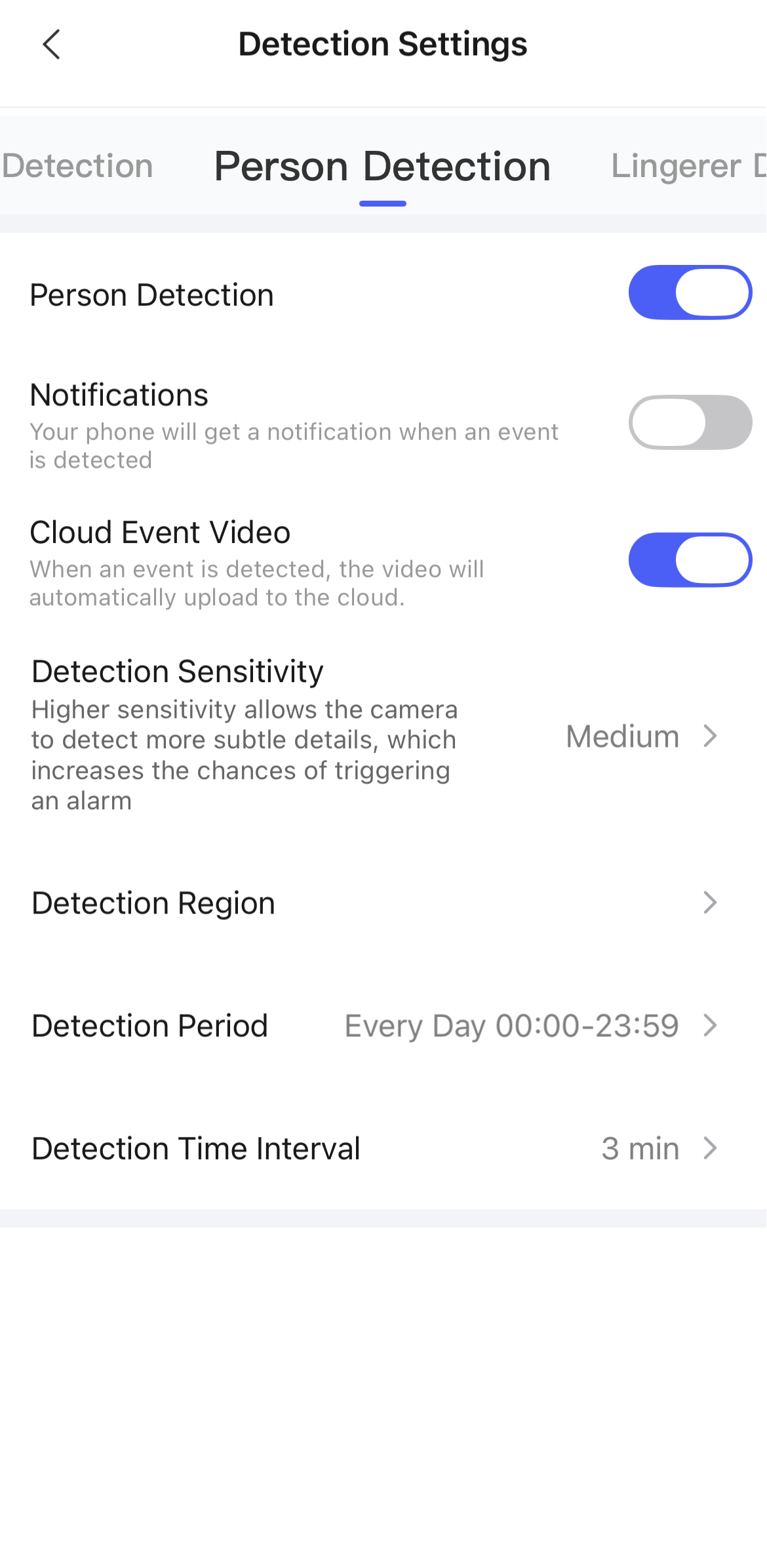
- Disable normal notifications in the camera settings.
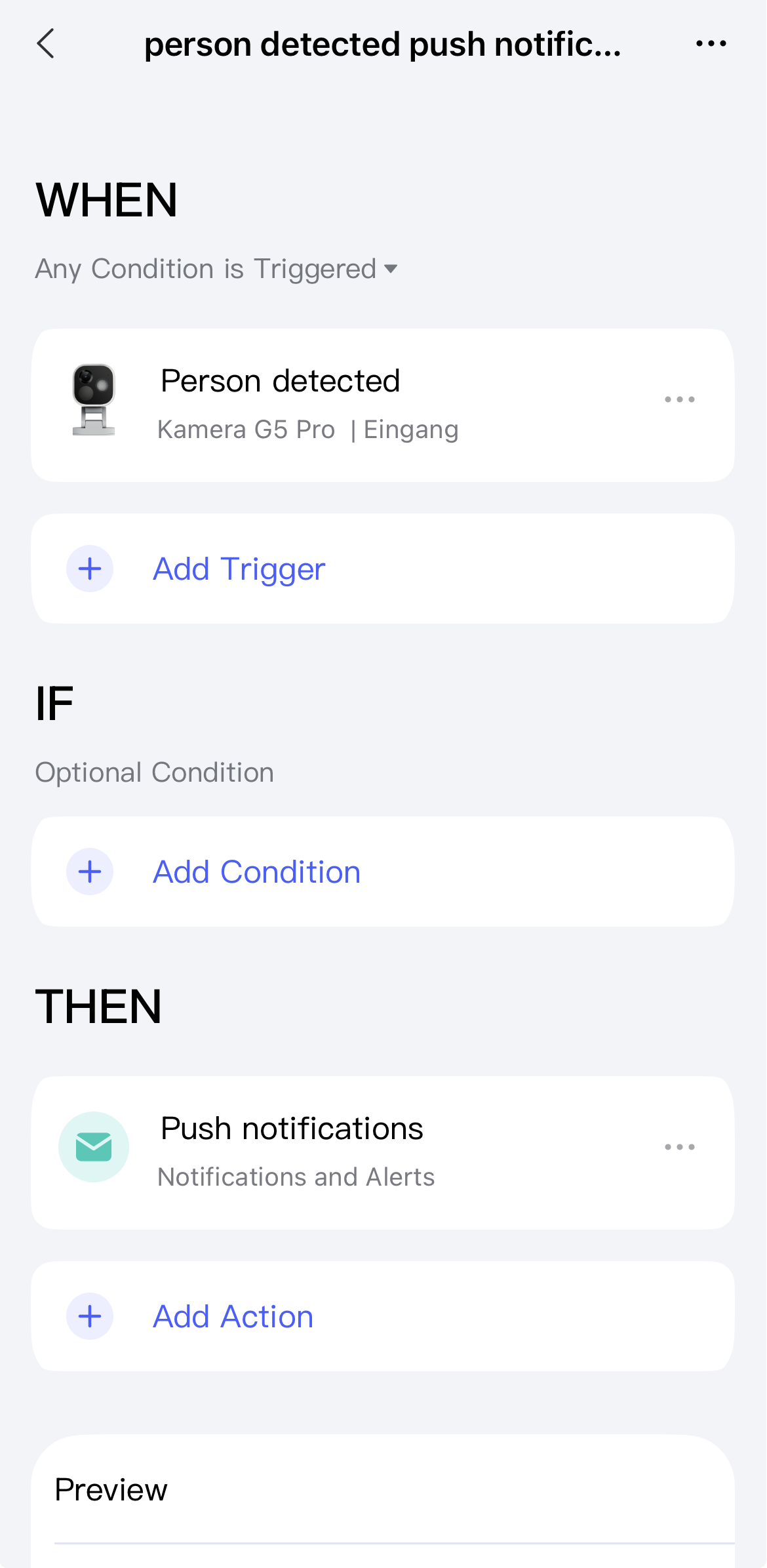
- Create an automation that executes the notification for each case.
- Create an automation that disables all notifications when you leave your home.
- Create an automation that activates every notification when you enter your home.
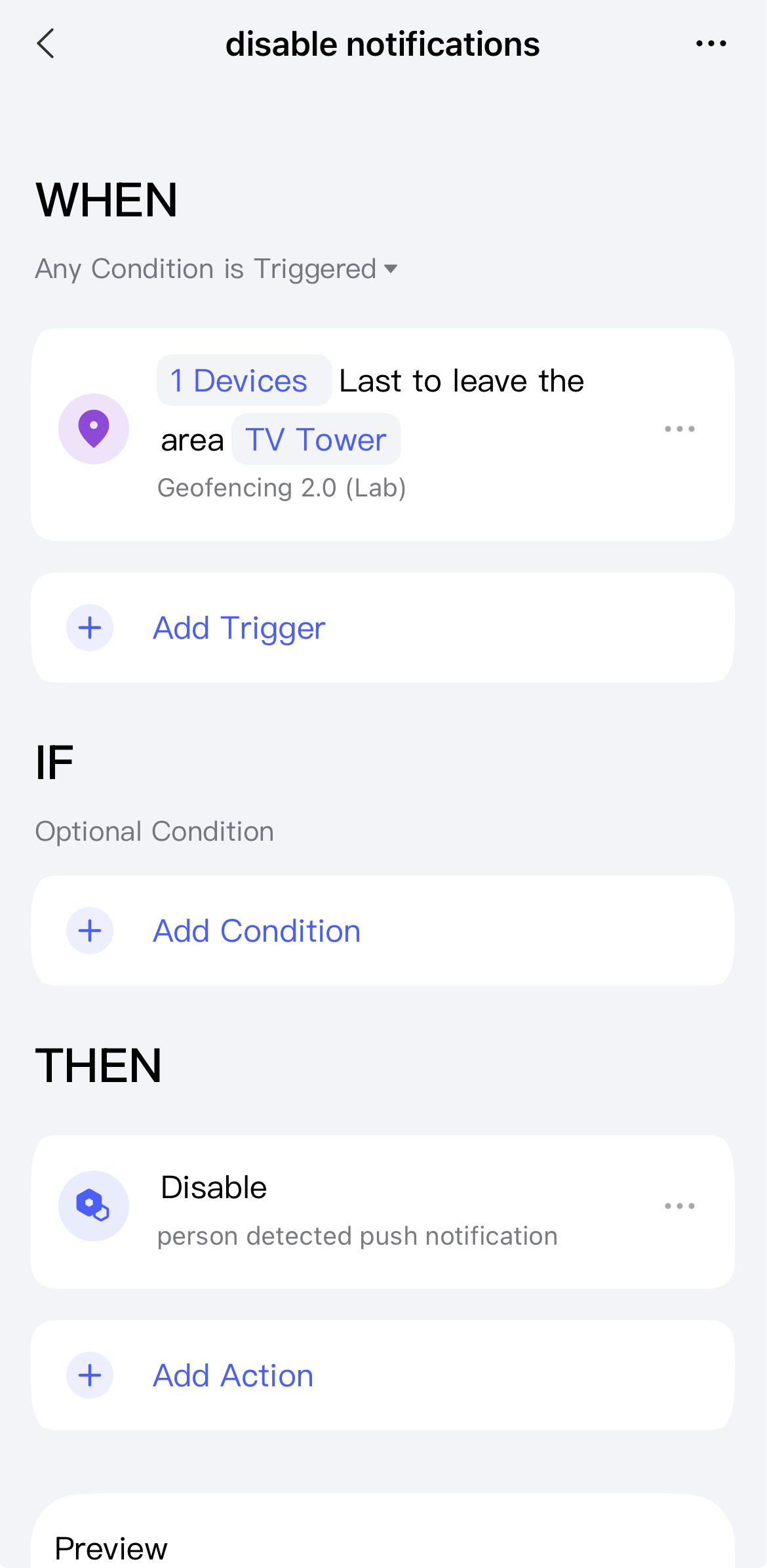
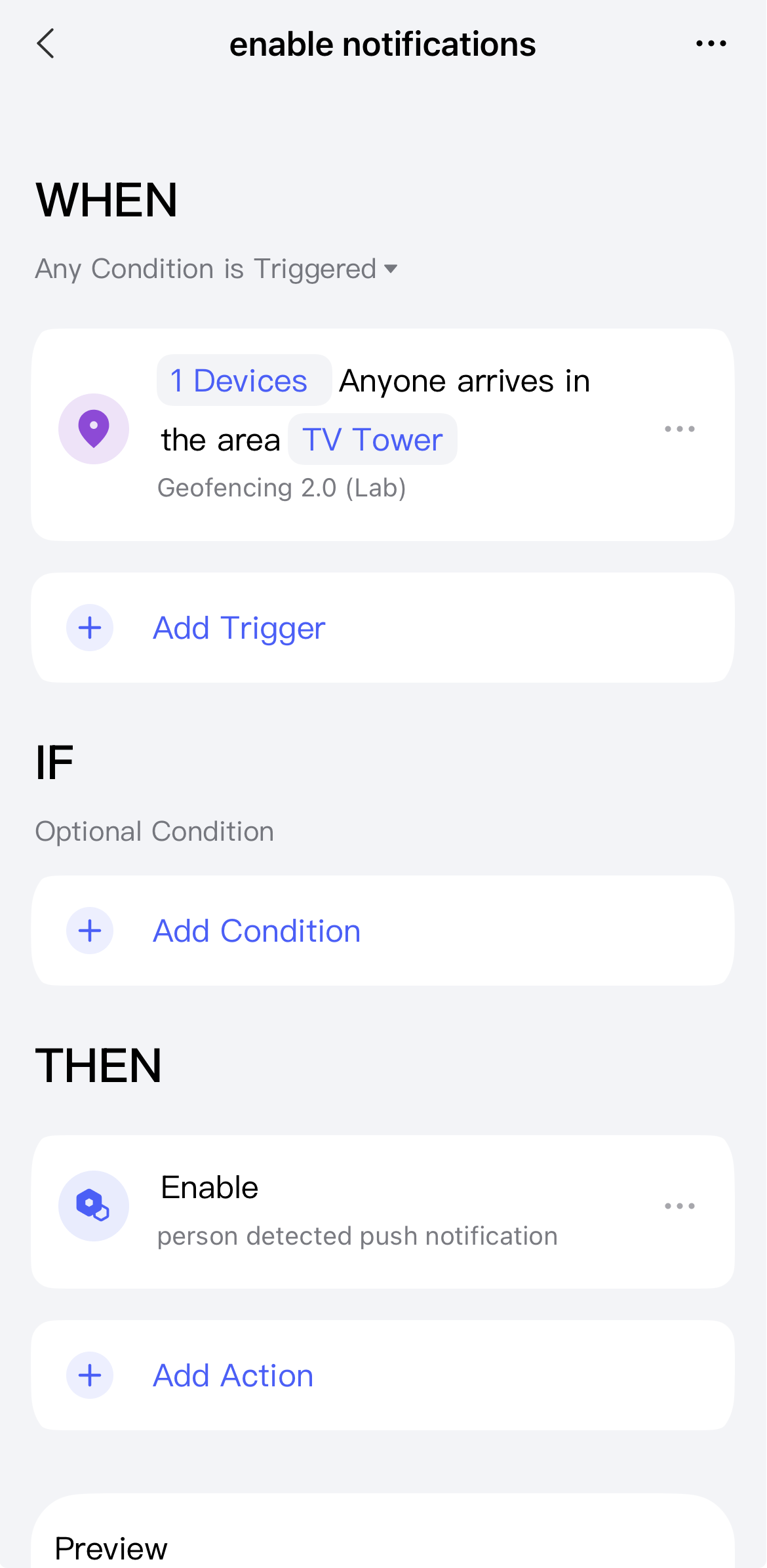
Edit: Sorry, I just realized that you didn’t want to receive notifications when you’re at home. So for the last two automations, please swap enable and disable.
3 Likes