Hi all. Please help me. I’m all new to Aquara and the automation. I was able to set an automation for an alarm to be forwarded to me when the door is opened after 09:00 pm, but I can’t get it right to set an automation for it to switch off at 08:00 am again and now I get a warning every time I open the door. I was able to get it into my Apple HomeKit and there it switches it on and off, no problem, but it does not do the same in the Aquara app. 
Have you set the specific time for the automation?
1 Like
Hi Caroline. Yes, I think so. How can I check or where do I put it in?
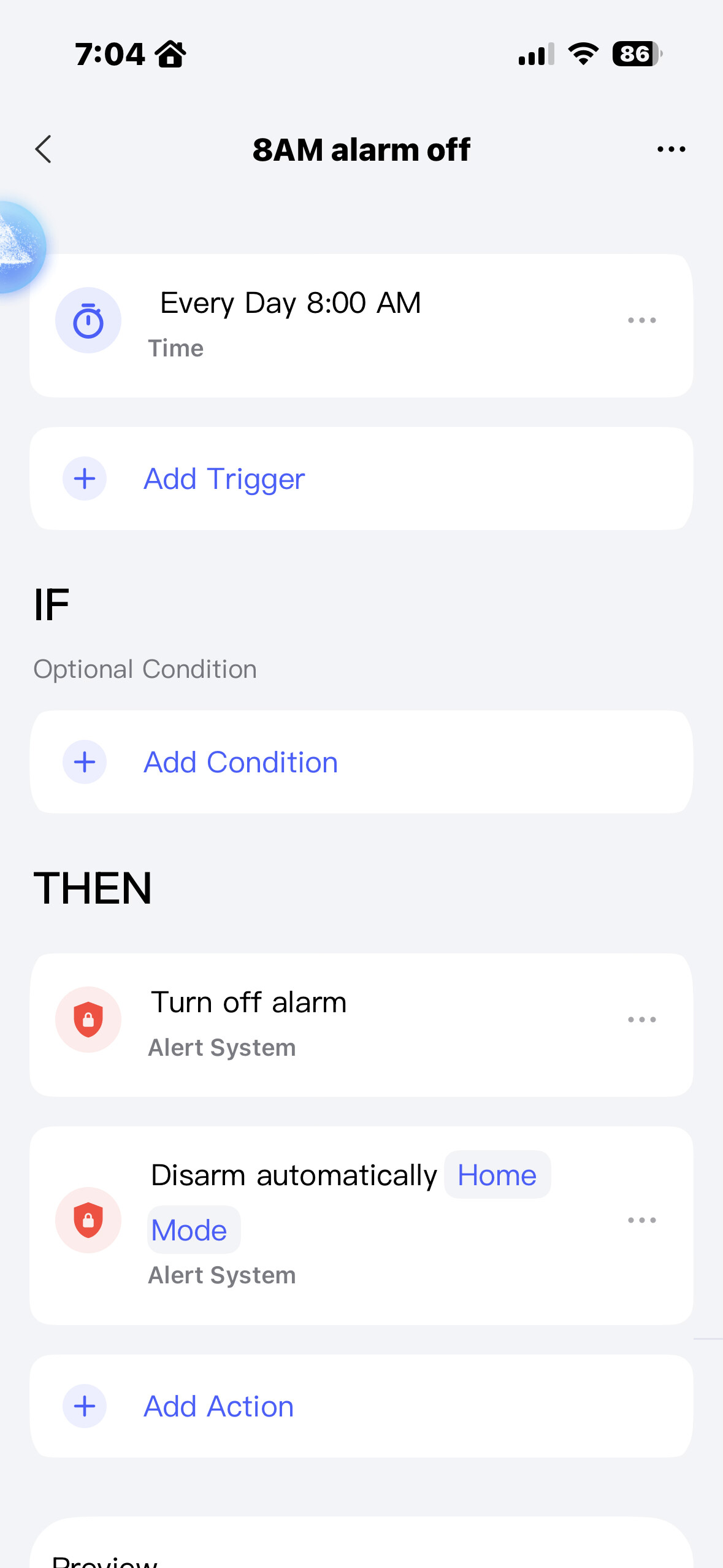
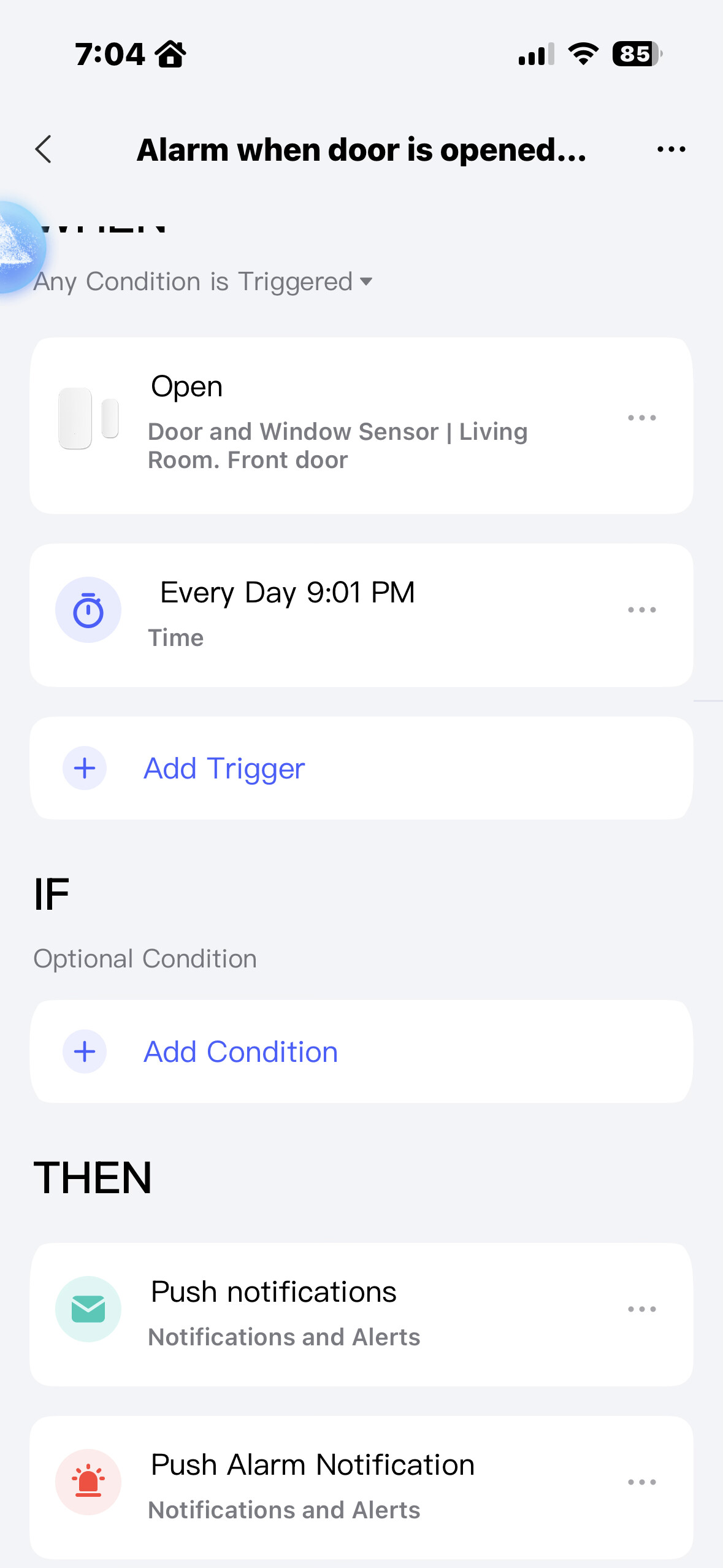
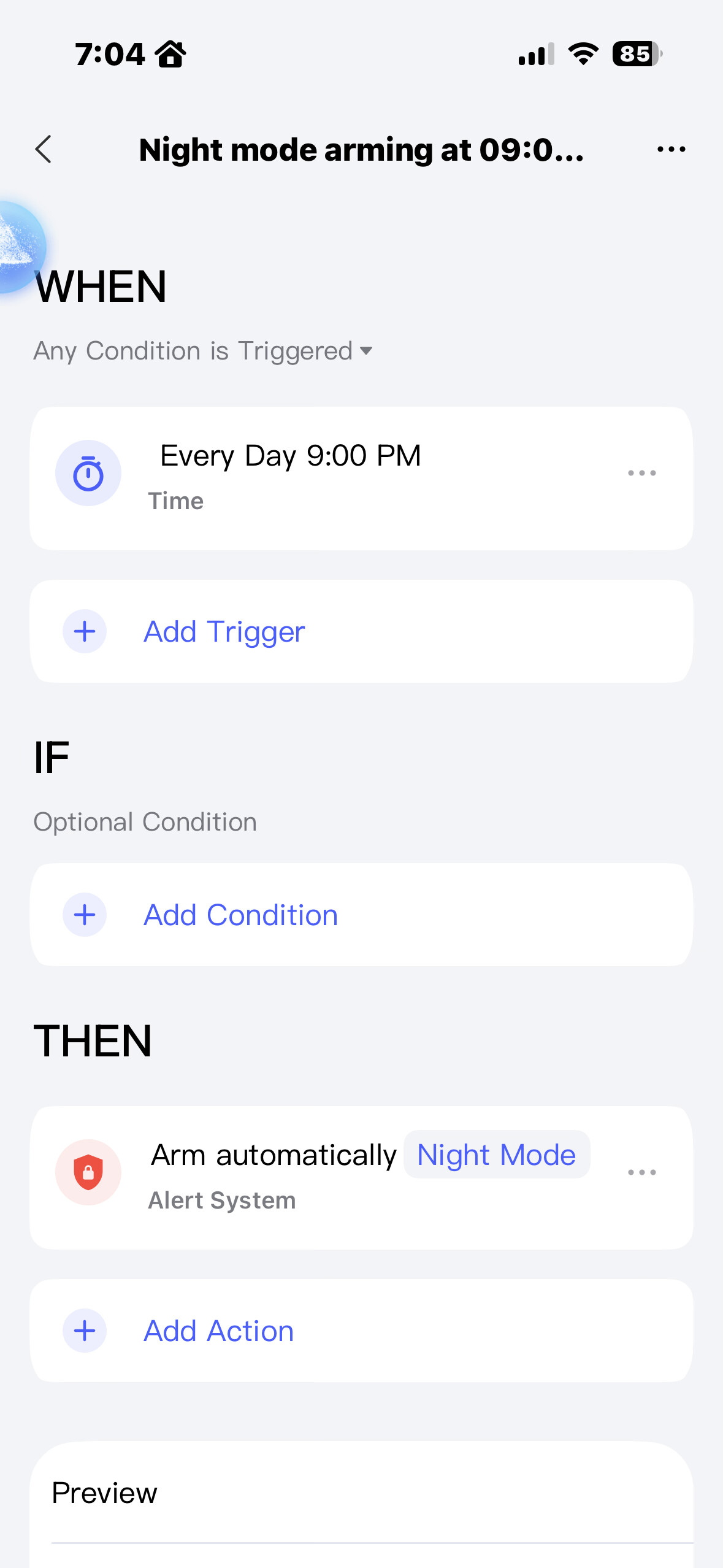
There are two things you need to distinguish between:
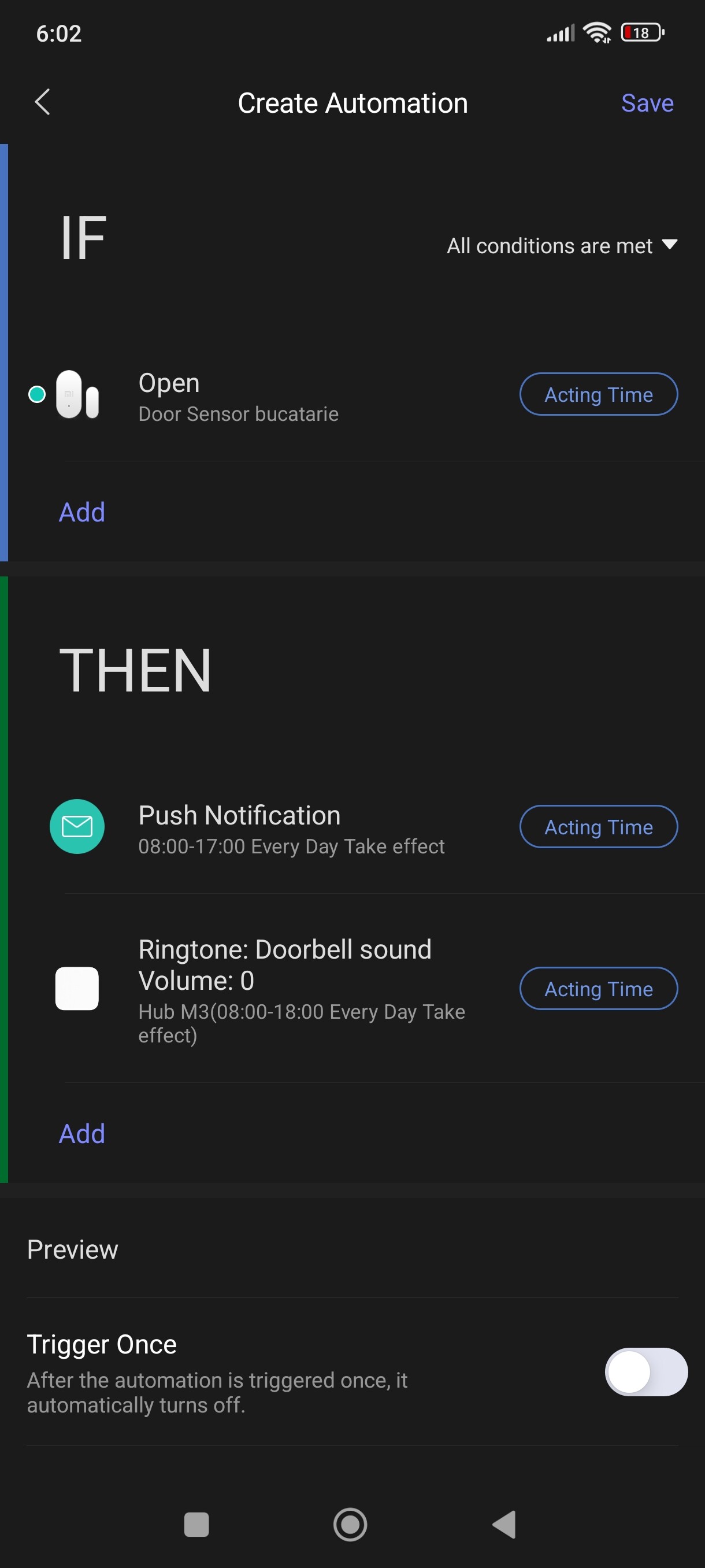
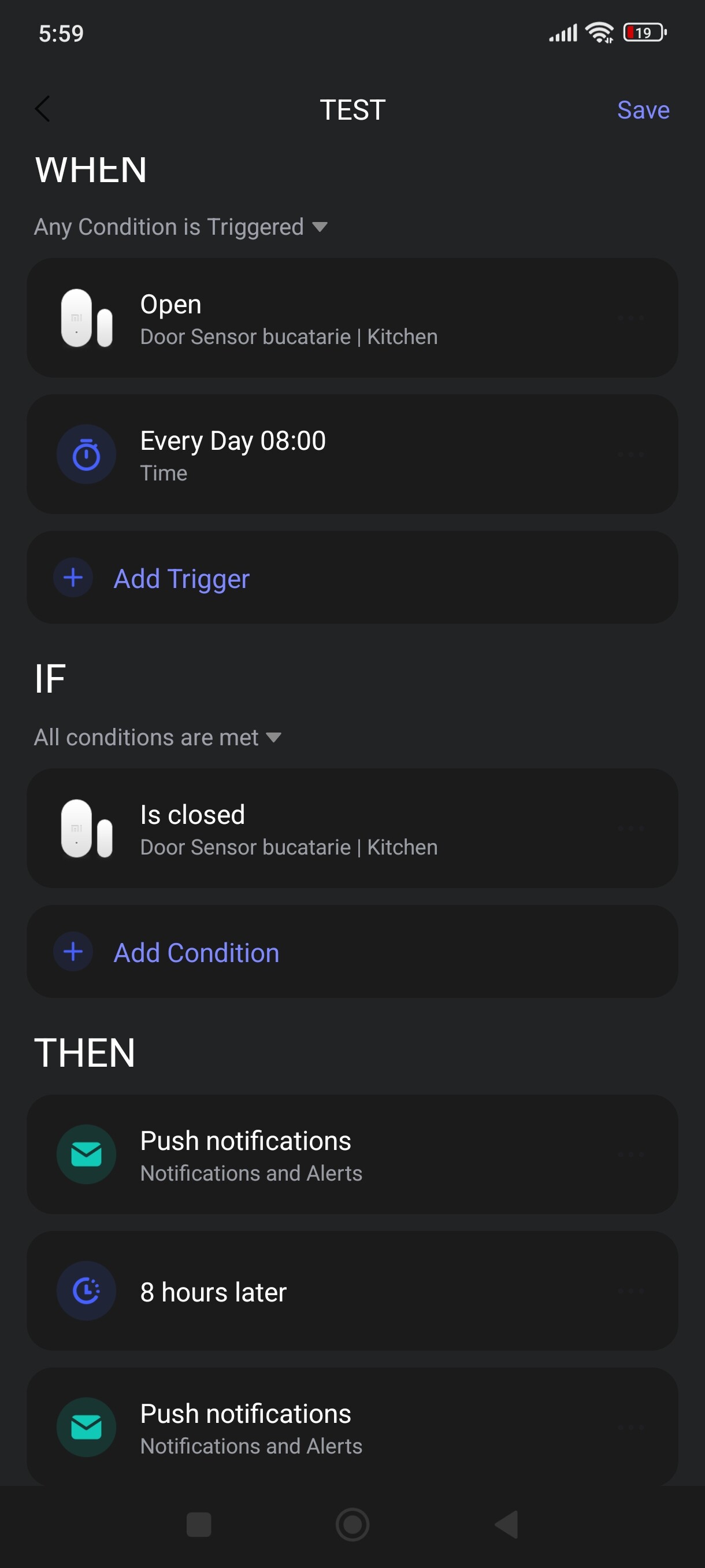
- You can set up notifications to be sent to yourself using automation when a door is opened (as shown in your second image).
- You can activate and deactivate an alarm system in different modes (your first and last image). The alarm can also be triggered by opening the door.
Regarding point 1: your automation is incorrect. You have set it so that a notification is triggered at 9:01 PM, regardless of whether the door is opened or not.
Regarding point 2: you activated a night alarm at 9 pm and deactivated the Home alarm mode at 8 am. This means that the night alarm is still active.
The alarm system has three different modes that can be set differently:
- Home → For example, motion detectors are not active.
- Away → For example, motion detectors are active.
- Night → For example, you can exclude the window contact because you sleep with the window open.
If you only want to receive a notification at a specific time, you can create an automation as follows:
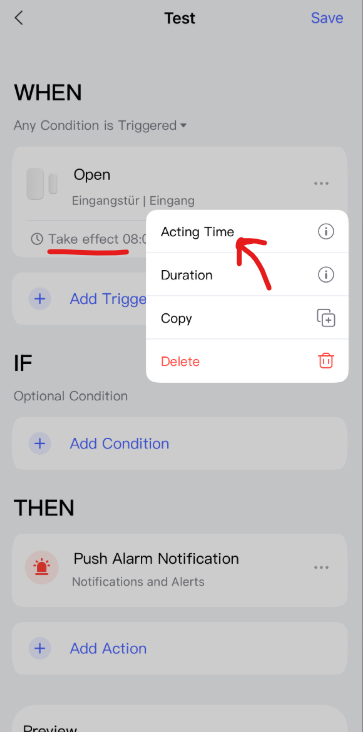
If you don’t want to use automation, you can set up your alarm system in the following way:
Go to:
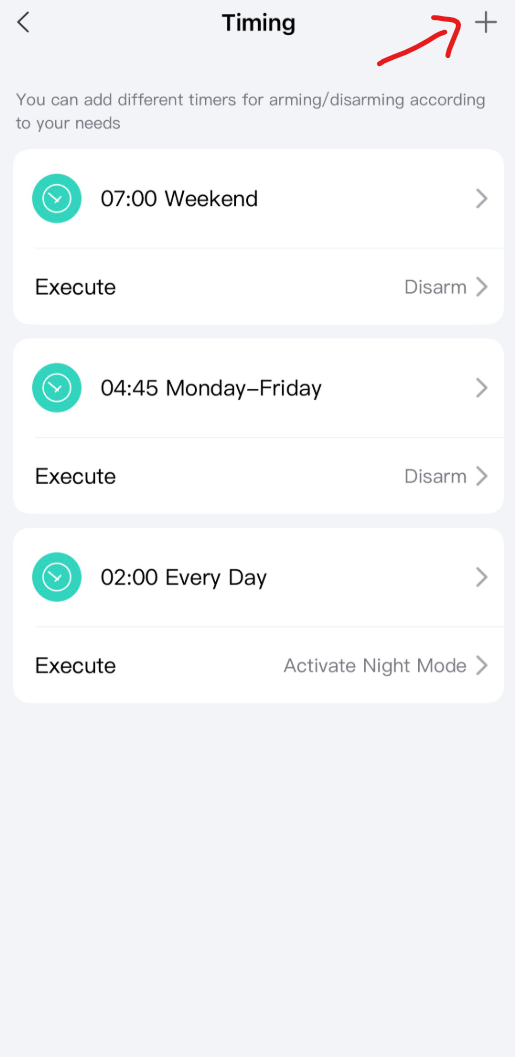
Alarm System → Settings → Auto Arming/Disarming → Timing → Add Timers
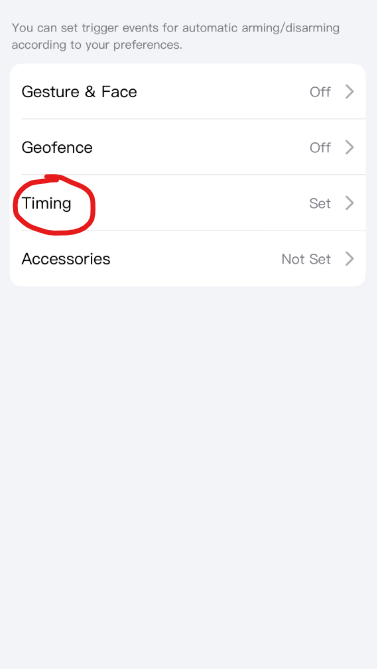
You will also receive a notification if an alarm is triggered, even without automation.
4 Likes
Thank you very much John. I’ll try it now. 
2 Likes
Hi John.
I have looked all over for if I don’t want to use the atomization as your one note explanation but I cannot find the alarm setting. I have the normal door and window sensor, Hub M2, and a smart door lock U50. Where can I find the alarm settings then please? Thanks
1 Like
Alarm settings are on the main page. Click on the black rectangle in the image. Then follow the steps…
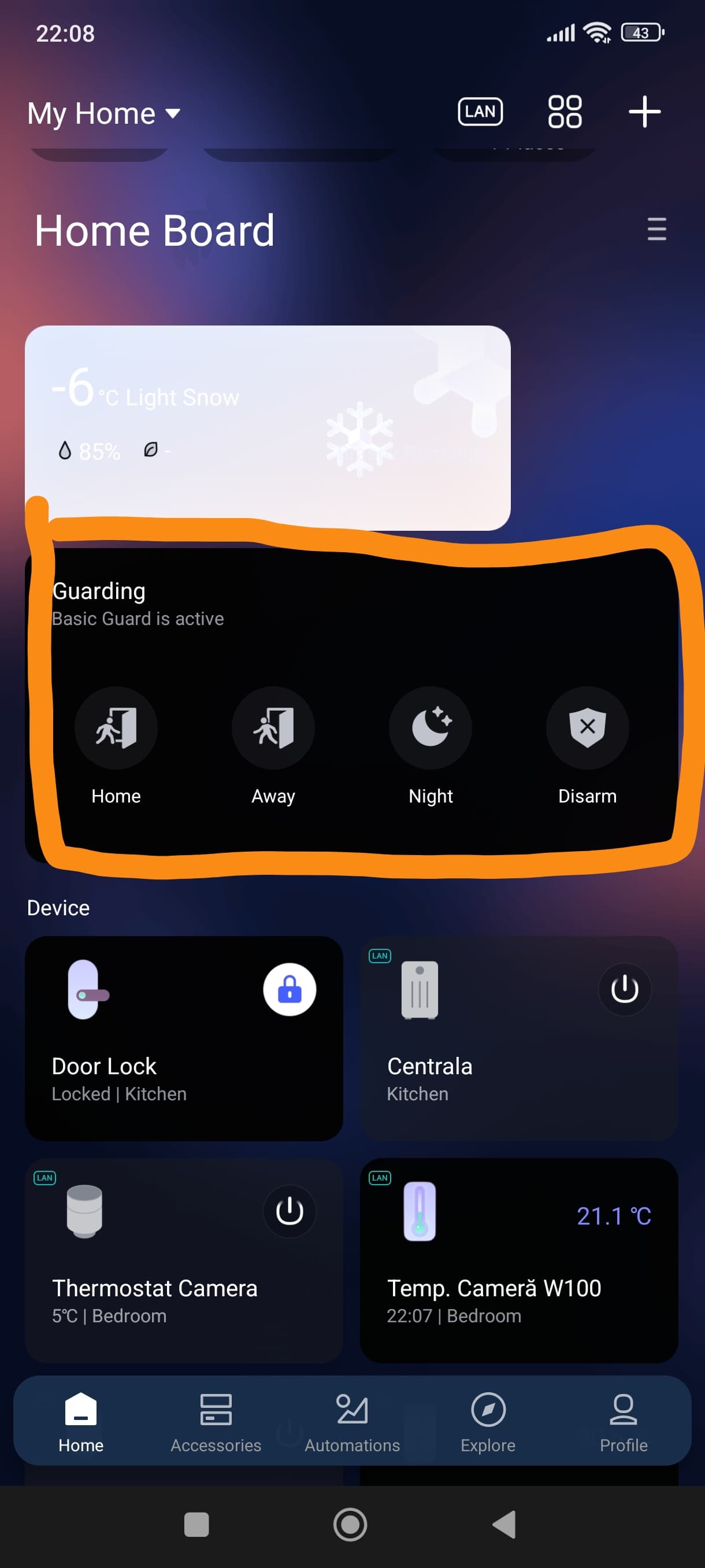
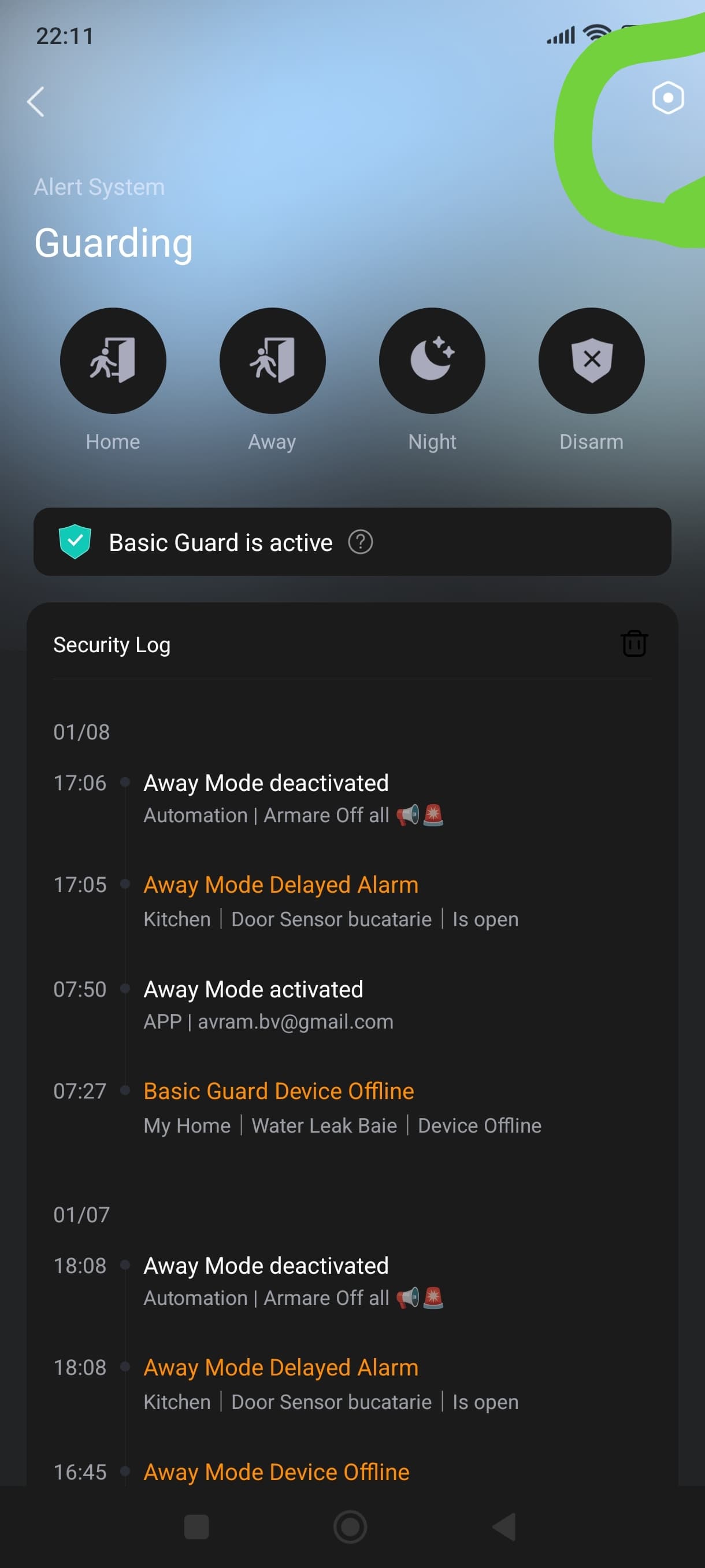
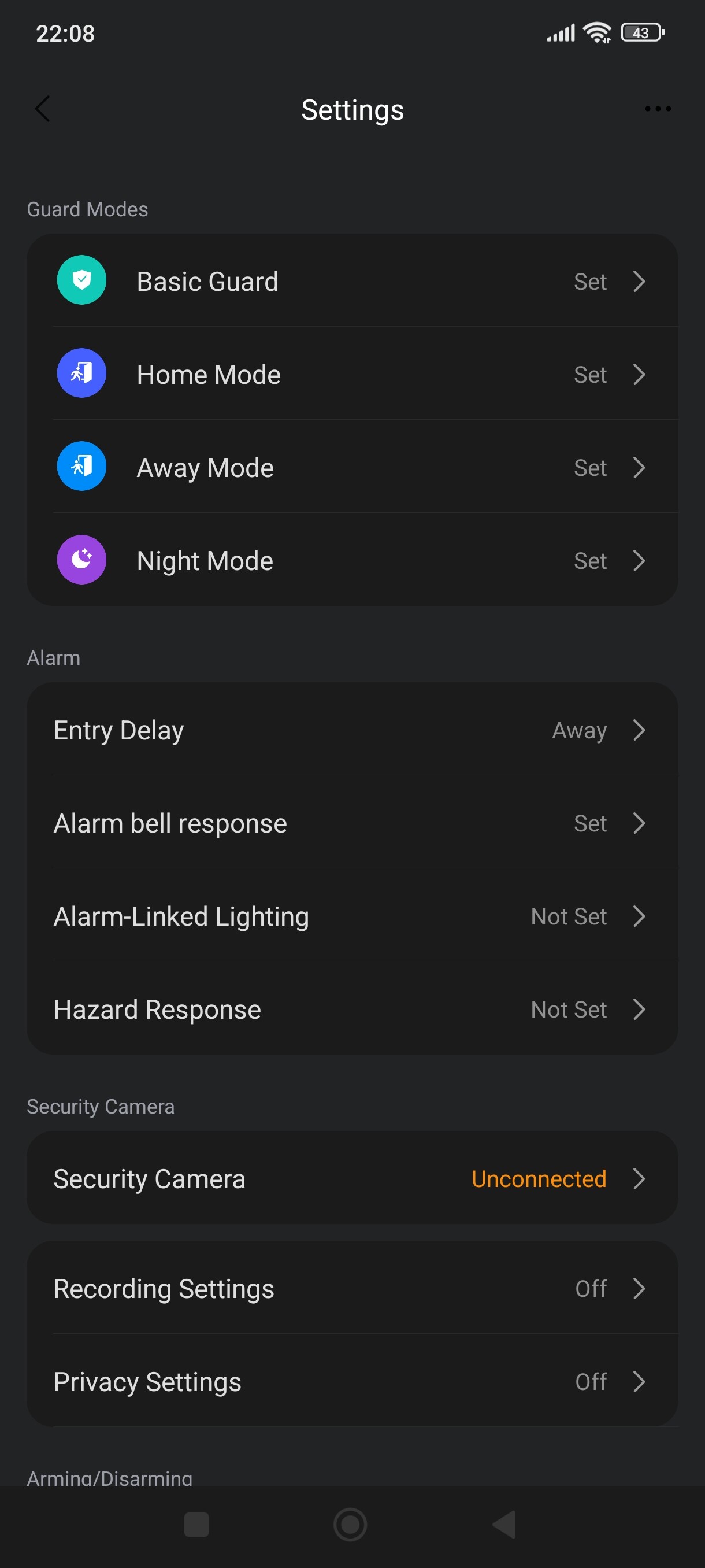
2 Likes
My homepage does not have that and it states that I don’t have any accessories in gaurding.
Hi John
Sorry to bother you again.
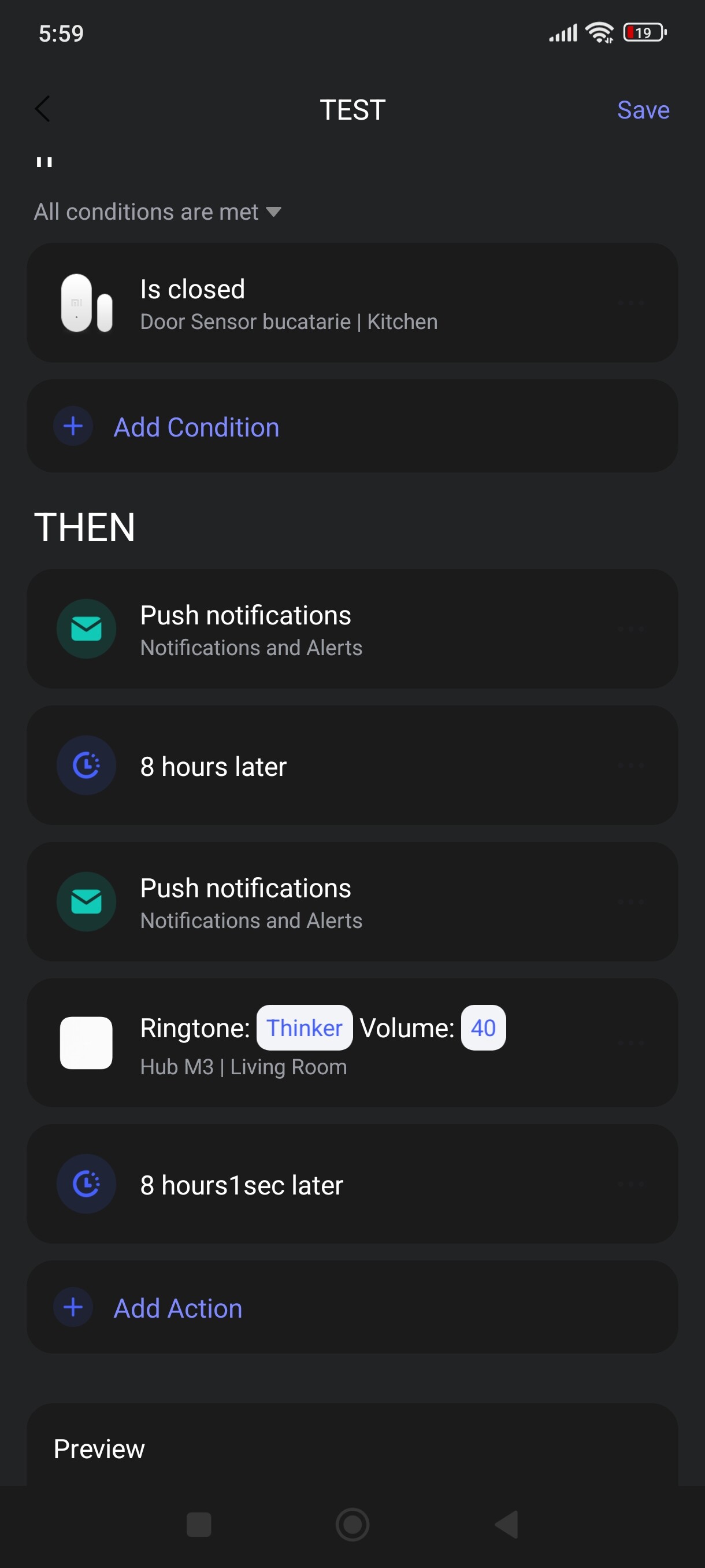
Is it possible to set a scene where the door sensor will be activated at a certain time and deactivated at a certain time and when the door is opened I want a push notification to my cell and maybe have my hub sound an alarm for a short period as well?
Thanks for all your help.
Johan
1 Like
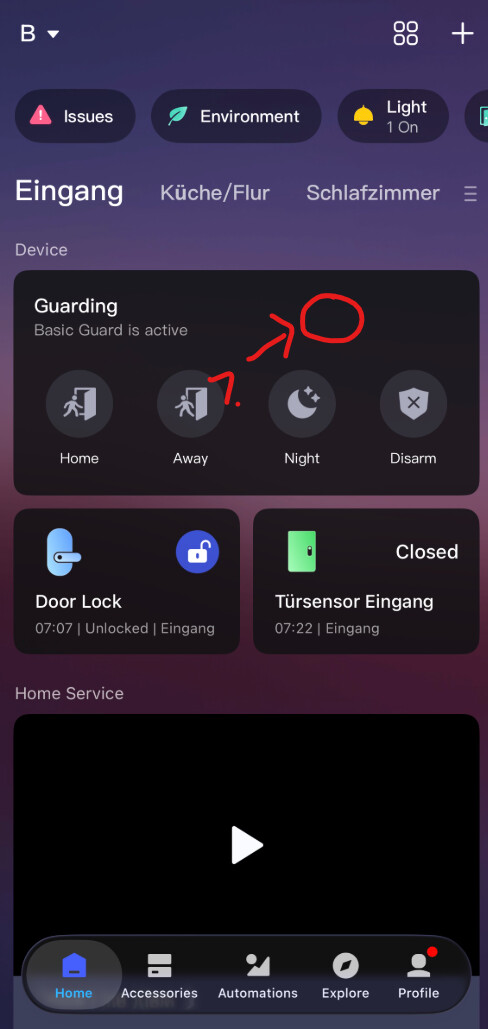
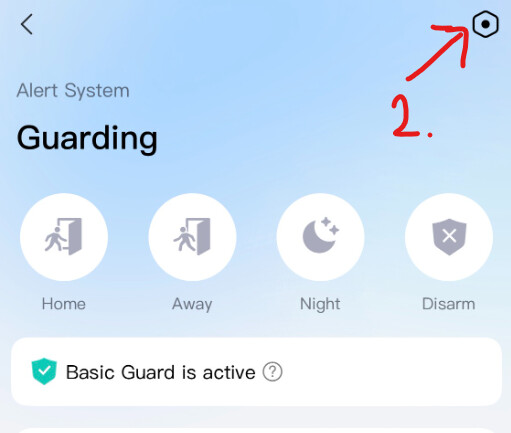
Set up the alarm system here first:
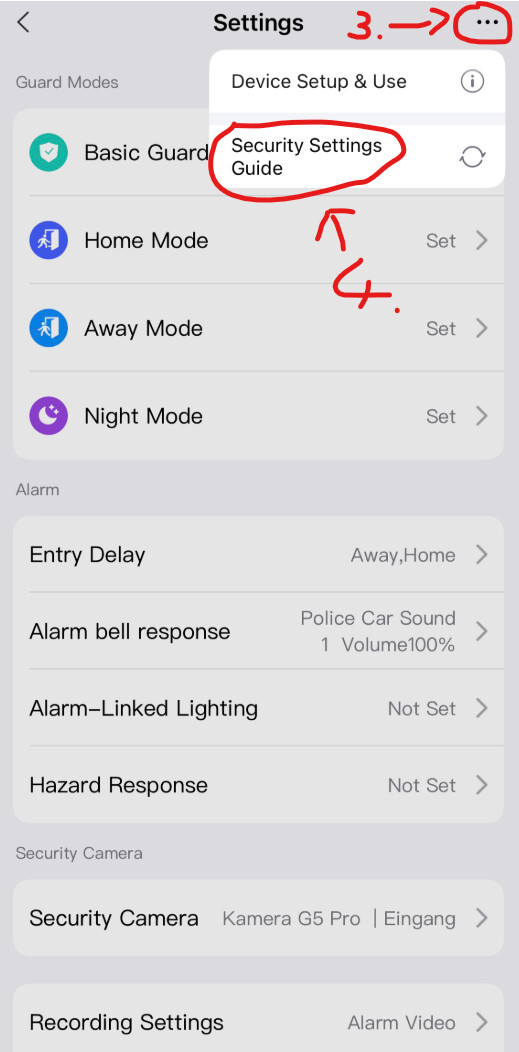
After setup, you can also set different times in the alarm system settings. To do this, go to
Alarm System → Settings → Auto Arming/Disarming → Timing
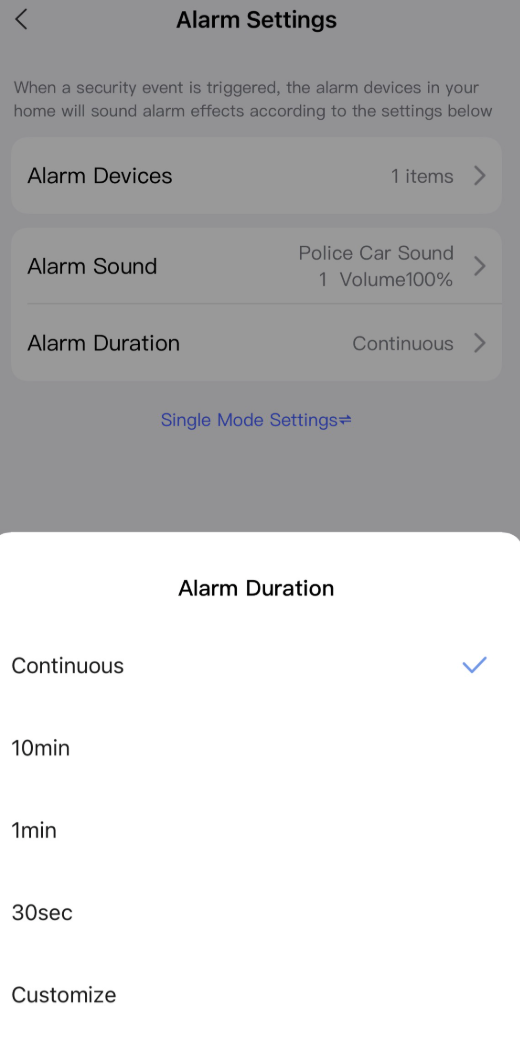
You can also set the duration and sound of the alarm tone under:
Alarm System → Settings → Alarm bell response → Alarm Duration / Alarm Sound
@avram_bv Unfortunately, your automation in version 2.0 is incorrect and triggers unnecessary notifications or most likely does not work at all.