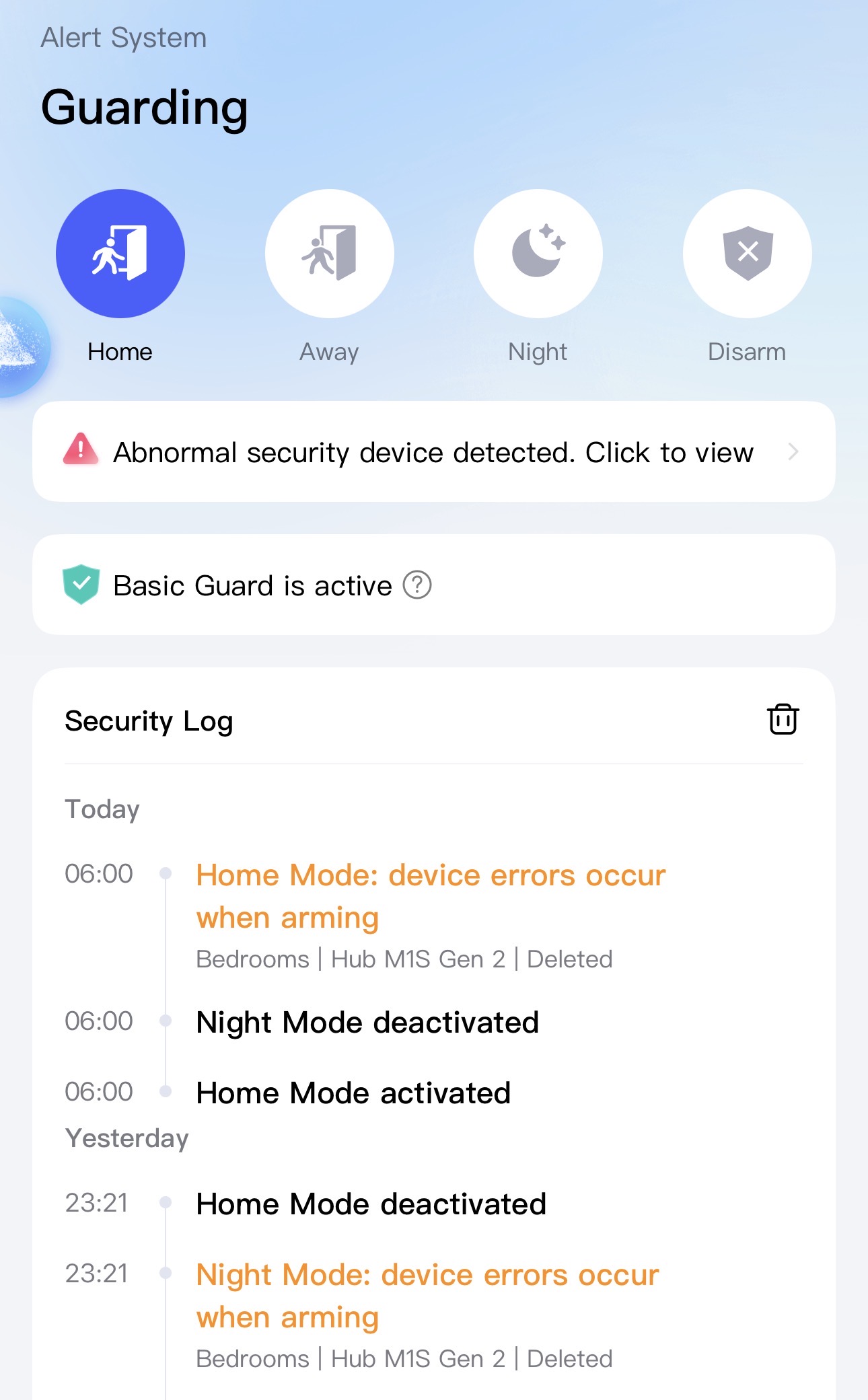
Hi, I had to delete an Aqara 1S Gen 2 Hub from my system and now every time I set the alarm I get an error message about the deleted hub. How can I accept and reset the message?
@akis_papadopoulos I’m sorry, but I couldn’t find any information related to how to accept and reset the error message about the deleted Aqara 1S Gen 2 Hub when setting the alarm. Community collaboration might be really helpful here. If others in the community have encountered similar issues and found solutions, they could share their experiences.
In the meantime, if you have any suggestions or improvements, you can submit manual customer service feedback. This way, you can get more targeted support and potentially help us improve the product for everyone. Let’s work together to make the Aqara Smart Home experience even better!
@akis_papadopoulos It sounds like you’re encountering a SafeGuard System Exception Notification. According to Aqara’s Alert System, during the arming period, if the system recognizes that a triggering or alarm device (like your deleted Hub M1S Gen 2) is deleted, it will prompt an abnormality message. The good news is that this type of notification can be turned off, so you won’t receive such messages anymore . Have you tried checking the notification settings in the app? If you need more details, feel free to share, and the community might have additional tips!
@akis_papadopoulos Hi there! Sorry to hear you’re running into this error after deleting the Hub M1S Gen 2. Currently, the reference information doesn’t have specific steps to resolve this exact “deleted hub” error when setting the alarm.
If you haven’t already, you might try re-adding the hub to your system (following the setup steps in the Aqara Home app) to see if it restores the connection and clears the error—sometimes re-establishing the device can resolve lingering associations with automations like alarms . If the hub is no longer in use, double-checking that all automations or scenes linked to it are deleted in the app could also help, though this isn’t explicitly covered in the references.
Since we don’t have a direct fix here, maybe other community members have encountered similar issues and can share their tips! If the problem persists, feel free to reach out to the Customer Service Team via the Aqara Home App (Profile>Help&Feedback>Customer Service) for further assistance.
Hope this gets sorted soon! 