Hi Friends,
As we help users on the forum, I see a lot of confusion regarding smart home network protocols and Matter. It leads people to buy devices that won’t work for them, wasting their money and time in support and troubleshooting.
I made this video to help explain these concepts in a way that regular homeowners can understand. It’s framed in the concept of smart lighting, but it applies for all smart devices.
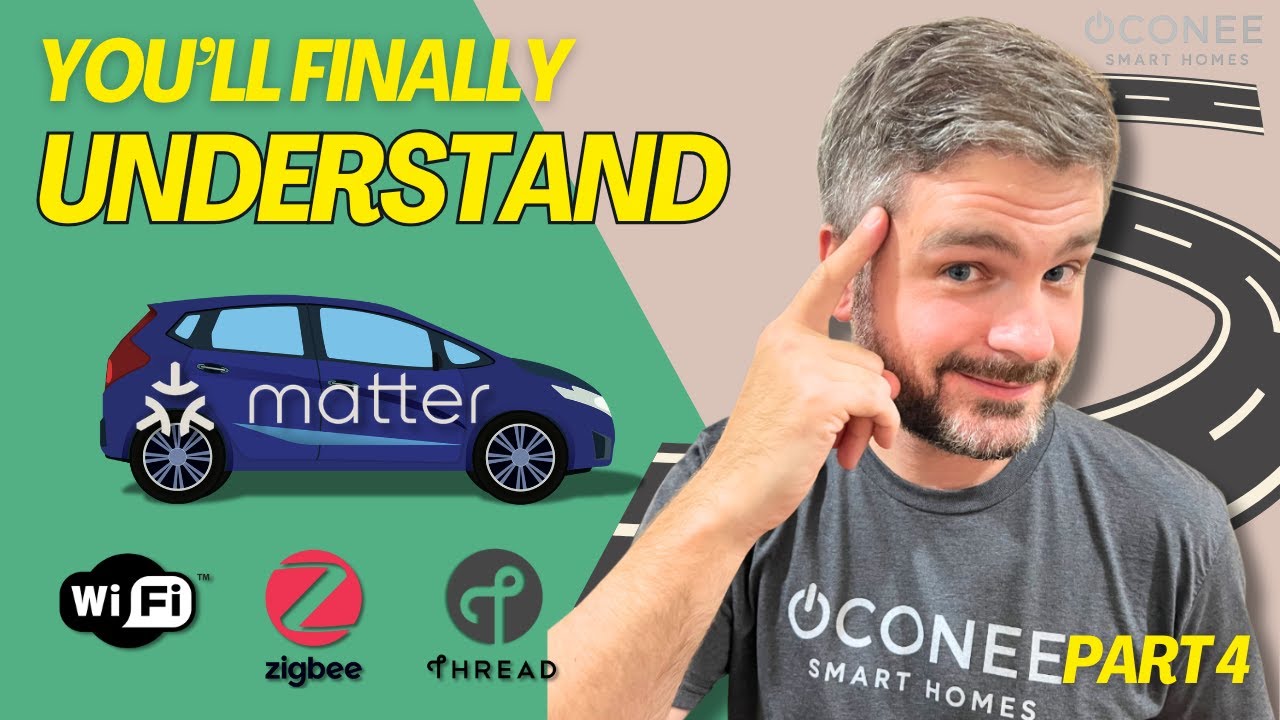
Bottom line - don’t confuse Matter with Thread (or any other network protocol). They are not the same.
Here’s the breakdown:
If you’re like most homeowners, terms like Zigbee, Thread, Z-Wave, or even Wi-Fi might make your eyes glaze over.
Here’s what most people miss: lighting is usually the biggest category of devices in a smart home. That means your bulbs are often the first place your network starts to feel the strain. So today, I’m breaking down these protocols — Wi-Fi, Zigbee, Thread, Matter, and more — in plain English. By the end, you’ll know what those labels actually mean, and which ones make the most sense for your smart home.”
 The Consistent Metaphor: Roads & Traffic
Let’s zoom out for a second. Every smart device in your home communicates using what’s called the OSI model. Don’t worry, we’re not diving into textbooks here. Just Think of smart-home traffic like city streets. The physical groundwork – radio waves, cables, chips – that’s your pavement, the physical layer. The protocols are the type of road – Wi-Fi, Thread, Zigbee, Z-Wave – is the network layer. And the rules of the road, the universal traffic laws? That’s Matter, the new common language, the application layer.
If the pavement is cracked or the roads are jammed, even your sleekest smart devices won’t get far. A solid network infrastructure is foundational for all wireless communication, but the chosen network protocol dictates how smoothly your smart devices travel.
Network Layer: The Roads
So let’s talk about the highways and roads your devices actually travel on - the network protocols.
1. Wi-Fi
First let’s dive a little deeper into Wi-Fi, the protocol everyone knows.
Think of Wi-Fi as your city’s main freeway — fast, direct, and open to everyone. You don’t need a hub because your router is already acting as traffic control. It’ll haul 4K video streams or a chunky firmware update without even breaking a sweat. It’s built for bandwidth, for those heavy data loads. Modern Wi-Fi 6 can push well over a gigabit per second. That’s perfect for your doorbell camera blasting high-definition 2K footage straight to your phone, or for streaming multiple 4K movies simultaneously. There’s no denying its raw data power. But, add too many cars, or ask them to constantly chat about trivial things like temperature changes, and suddenly nobody moves.
Then there’s the power draw - A typical Wi-Fi smart plug burns about two watts just listening for commands, constantly connected. So, your “energy-saving” LED could be burning extra power just staying online.
So, what’s the bottom line here? Wi-Fi is absolutely brilliant for data hogs – your streaming devices, your computers, your high-bandwidth cameras. But throw in dozens of chatty bulbs, and suddenly you’re in rush-hour gridlock. - that’s why I avoid it for lighting.
2. Zigbee
Then there’s Zigbee. Zigbee powers popular systems like Philips Hue, Ikea Dirigera, and Aqara hubs. Think of it as a private toll road system, completely separate from the city highways. It builds its own road network, each bulb rebroadcasts signals, strengthening the network as you add devices. Zigbee generally operates on a quiet 2.4 GHz channel, carefully designed not to interfere with your main Wi-Fi.
The result? Stable, low-power performance that just works.
But there’s a catch— you’re not taking off without a hub to translate its encrypted language. The hub is the traffic controller and zigbee won’t run without one.
3. Thread
Now Imagine a brand-new, purpose-built neighborhood bypass: that’s Thread. It’s an IP-based mesh network, like Wi-Fi but designed specifically for low-power, low-latency smart home devices.
But here’s the big advantage: Thread creates a self-healing mesh. Every new device doesn’t clog the road — it actually builds more roads. Unlike WiFi, Thread gets faster and stronger as you add devices. You’ll need a border router for Thread – but chances are, you might already own one. Devices like an Apple TV 4K, HomePod mini, certain Echo models, Aqara’s M3 hub, or the newest Eero routers can all act as Thread border routers.
Thread is low power, low latency, and extremely reliable. And that’s why it’s quickly becoming the future standard for smart homes.
Practical Difference: Thread vs. Zigbee
You might be wondering — what’s the practical difference between Thread and Zigbee?
They look similar: both use a low-power mesh where each device strengthens the network. But here’s the key difference:
- Zigbee speaks its own private language. That’s why it needs a hub or bridge to translate everything into your smart home. It works great, but you’re often tied to whatever brand makes that hub.
- Thread is more open and speaks the same internet language (IPv6) your other devices use. That means it connects more directly.
So here’s the cheat sheet: Zigbee is proven but closed off; Thread is newer, open, and works natively with Matter.
Application Layer: Matter
Now let’s talk about the cars themselves — and the rules of the road. That’s where Matter comes in.
Matter isn’t the road. It’s the car delivering the package — and the universal rules every car agrees to follow.
Matter isn’t a new network protocol itself; think of it as the universal language, the set of traffic laws that all smart devices can understand, regardless of the road they’re on. It rides on top of Thread, Wi-Fi, and even Zigbee (via bridges), giving every bulb a common passport to communicate seamlessly across ecosystems
Before Matter, manufacturers had to build three different cars to support Apple, Alexa, and Google. Now, they can build once and drive anywhere.
In plain English: if you see the Matter logo, you can buy with confidence - it will just work with whatever app you already use.
So Who Actually Wins?
Based on those real-world use and the fundamentals of the underlying technology, here’s the clearest roadmap I can offer:
If you want the fastest, most resilient, and most future-proof highway for your small, chatty gadgets – your lights, your sensors, your switches – Thread absolutely takes the flag. It’s simply superior for these types of devices.
If you already own a fleet of Zigbee bulbs and sensors, don’t rush to replace them; the performance gap isn’t so massive that it’s worth the landfill guilt or the cost of an immediate upgrade. Your Zigbee devices are still reliable workhorses.
As a rule of thumb, I say stay away from WiFi for your smart bulbs. Stick with Thread if you can, Zigbee if you already own it.
Ultimately, most homes will settle on a hybrid approach: high-bandwidth toys on Wi-Fi, and your vast array of sensors, bulbs, and switches on Thread or Zigbee. The real magic happens when all these different protocols are stitched together seamlessly under Matter, ensuring that Alexa, Siri, and Google finally speak the same sentences, truly unifying your smart home experience.
Matter 1.4.2 Update
Quick note before we wrap: Matter is always evolving. The latest released update — version 1.4.2, released in August 2025 — brought some big improvements for Wi-Fi devices.
“Matter 1.4.2 makes Wi-Fi smarter: easier onboarding, less background chatter, and support for at least 100 devices. Translation: Wi-Fi bulbs are still not my first pick, but they’re getting lighter and more reliable in a Matter world.”