I think that Aqara accessories (such as Motion Sensors, Door Window Sensors) need the ability to advise the user when they go offline.
3 Likes
@Mike Scott Thanks for sharing this idea — it’s a thoughtful suggestion that would definitely help with peace of mind! Getting proactive notifications when sensors drop offline would make troubleshooting much faster, especially for Motion Sensors and Door & Window Sensors that are easy to overlook until an automation fails.
If you’d like to formally submit this feature request, the best path is through Aqara’s customer support channels. You can reach the Aqara Home App Customer Service Team via Profile > Help & Feedback > Customer Service, or scan the QR code:

This will be more efficient. If you do not have an Aqara Home account, please click here to create a ticket.
Keep the suggestions coming — the community benefits from users like you thinking through the real-world experience
With many Aqara devices in Home Assistant, I find visibility into offline status valuable because otherwise the first sign of a problem can be an automation that does not run. A useful Aqara implementation should include a configurable grace period before alerting, since battery sensors may not report at the same interval. That would reduce false alarms without hiding devices that have genuinely dropped out.
It would also help if the notification showed the last successful contact and grouped simultaneous failures by hub. If several sensors disappear at the same time, one hub level warning is more actionable than a separate alert for every device. Per device notification controls would be important as well, especially in larger installations.
2 Likes
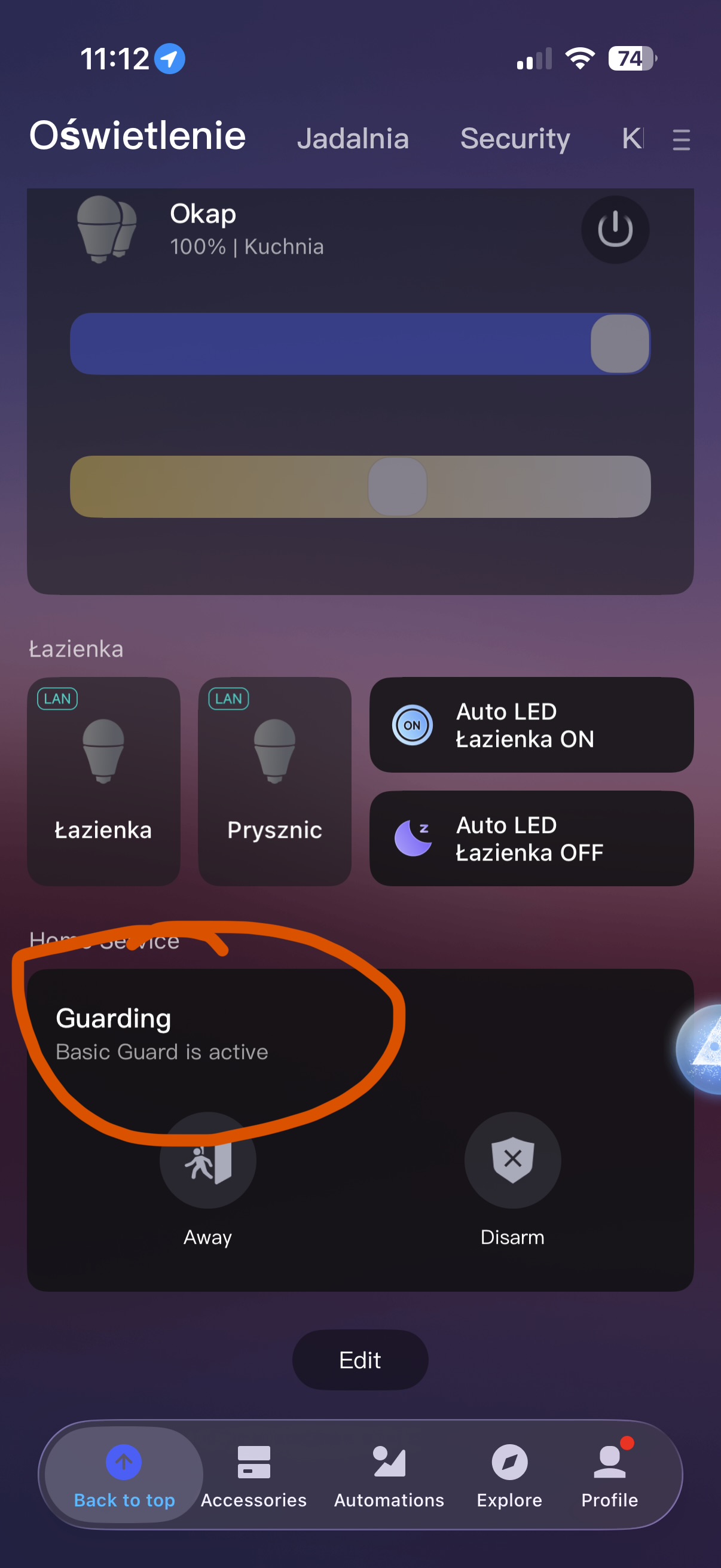
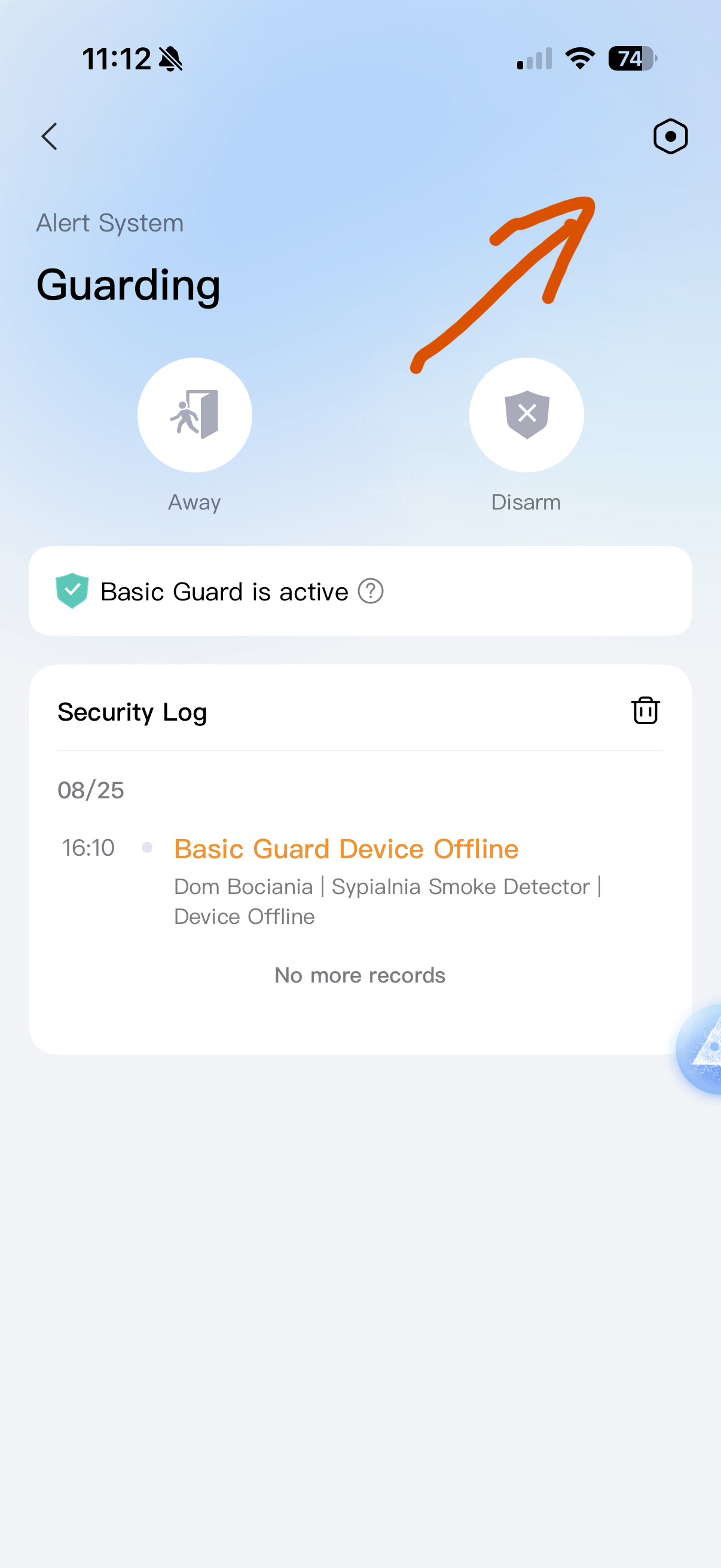
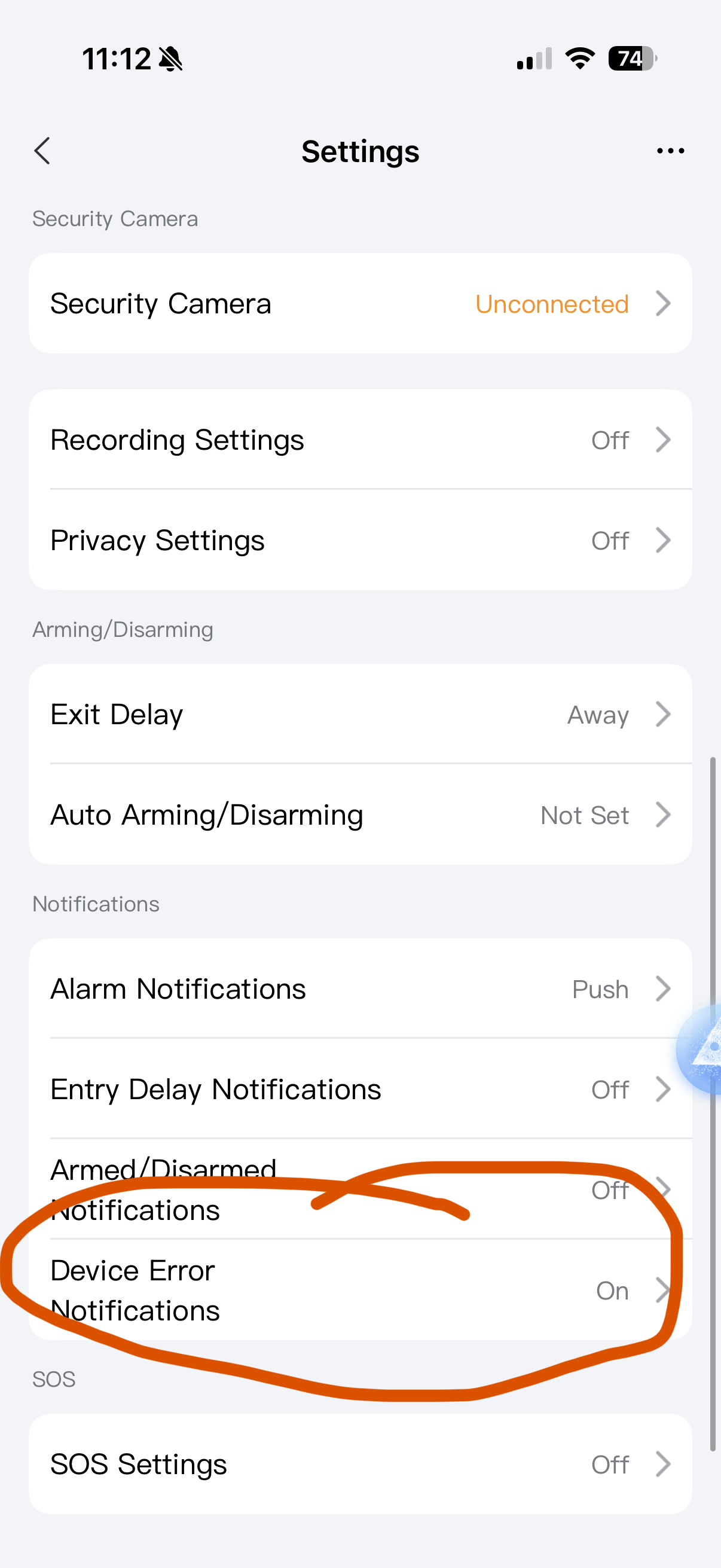
If you have Basic Home Guard, you will get notifications when a device is offline
Add the “Alert System” widget to your dashboard in Aqara Home, and from there, you can configure those automations
3 Likes
Thank you for your response.
My settings match yours, but… when, for example, a motion sensor goes offline, I don’t receive a notification.
1 Like
That is exactly the kind of gap I would want to separate from the automation itself. In a larger Home Assistant setup, I find offline visibility important because a climate or presence rule can fail silently when a sensor stops reporting. I would treat a missed heartbeat as a state with a grace period, not as an immediate alarm, and keep the last contact time visible so a battery device is not mistaken for a hub outage.
The Alert System widget sounds useful, but I would also check whether the event exposes the device and hub that generated it. Grouping sensors that disappear together by hub would make the alert actionable, while per-device controls would avoid noise in a larger installation. If the widget still shows no event with the settings enabled, comparing its last-contact state with the device state seen by Home Assistant could help identify whether the issue is detection or notification delivery.
1 Like
Hi, unfortunately, this notification applies only to devices included in the security (base) system. 
That limitation is important for larger Home Assistant installations. My climate and presence automations depend on sensors that are not necessarily part of a security setup, so it would still be useful to expose their last contact state separately from the current security alert. A configurable grace period would also help avoid false alarms from battery sensors that report at different intervals.
Could Aqara consider an optional diagnostic alert for any paired device, grouped by hub and with per-device controls? That would preserve the existing security behavior while making offline visibility useful for temperature, humidity and presence sensors that drive automations. It would also make it easier to tell whether a rule failed or its sensor simply stopped reporting.
1 Like