Hello everyone! I’ve been diving into the world of smart home automation with my Fibaro HC3, and I must say, it’s been an exciting journey. However, I’ve hit a bit of a snag while trying to set up a button to activate a specific scene. I thought I’d share my experience and see if anyone else has encountered similar challenges or has some tips to share.
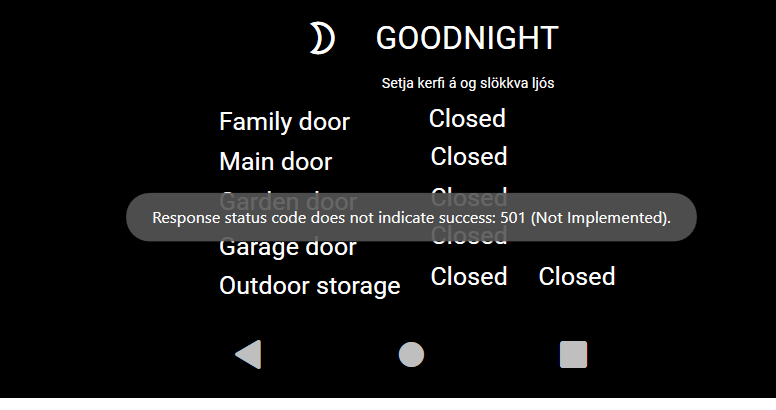
So, here’s what I’ve been doing: I added a button and created an event trigger with the action set to DataAction, binding it to my scene with the operator set to Value Execute. I’ve also tried other operators like Start and ON, but no luck so far. When I go live, I get the error message: Response status does not indicate success: 501 (Not Implemented). It’s a bit frustrating, especially since I’ve followed the steps from the Fibaro forum.
I’ve spent quite some time watching support videos and going through documentation, but I can’t seem to figure out where I’m going wrong. I’ve attached some images of my setup below, just in case someone can spot something I’ve missed.
I remember seeing some commands on the Fibaro forum for HC2, like /api/callAction?deviceID=28&name=turnOn and http://ADMIN:xxxx@192.168.0.xxx/api/sceneControl?id=10&action=start. I wonder if these can be adapted for HC3. Maybe there’s a different API endpoint or parameter I need to use?
I’d also love to hear if anyone has successfully set up a similar scene activation using a button. What was your approach? Did you use a different operator or action type? Any insights would be greatly appreciated!
Let’s keep the conversation going and help each other troubleshoot these smart home setups. Happy automating! 