FP2 Automations Not Working - Detection OK, But Automations Fail

Summary:
FP2 automations fail to execute properly despite correct presence detection. Lights turn on then immediately off when entering room, and zone-based timed automations never trigger.


Hi everyone,

I’m experiencing a frustrating issue with my FP2 Presence Sensor automations and would appreciate any help or insights.

My Setup:

  • Aqara FP2 Presence Sensor
  • Aqara M100 Hub
  • Aqara LED Bulb T2 (E26, RGB CCT) × 4
  • All firmware updated to latest version

The Problem:

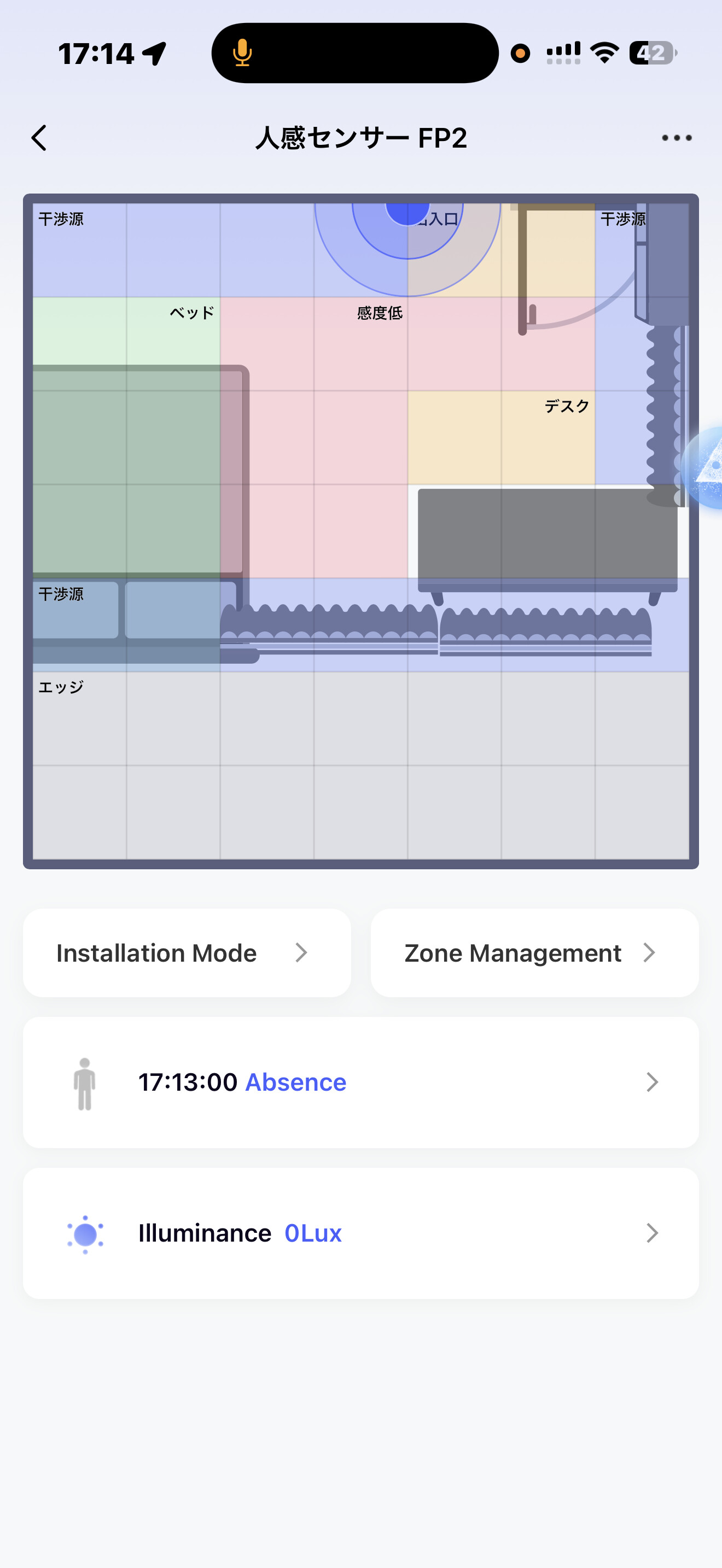
The sensor detection is working perfectly—I can see accurate presence/absence status and correct zone detection on the dashboard. However, the automations are not behaving as expected.

Issue 1: “Someone Enters” automation triggers then immediately reverses

I have an automation set up:

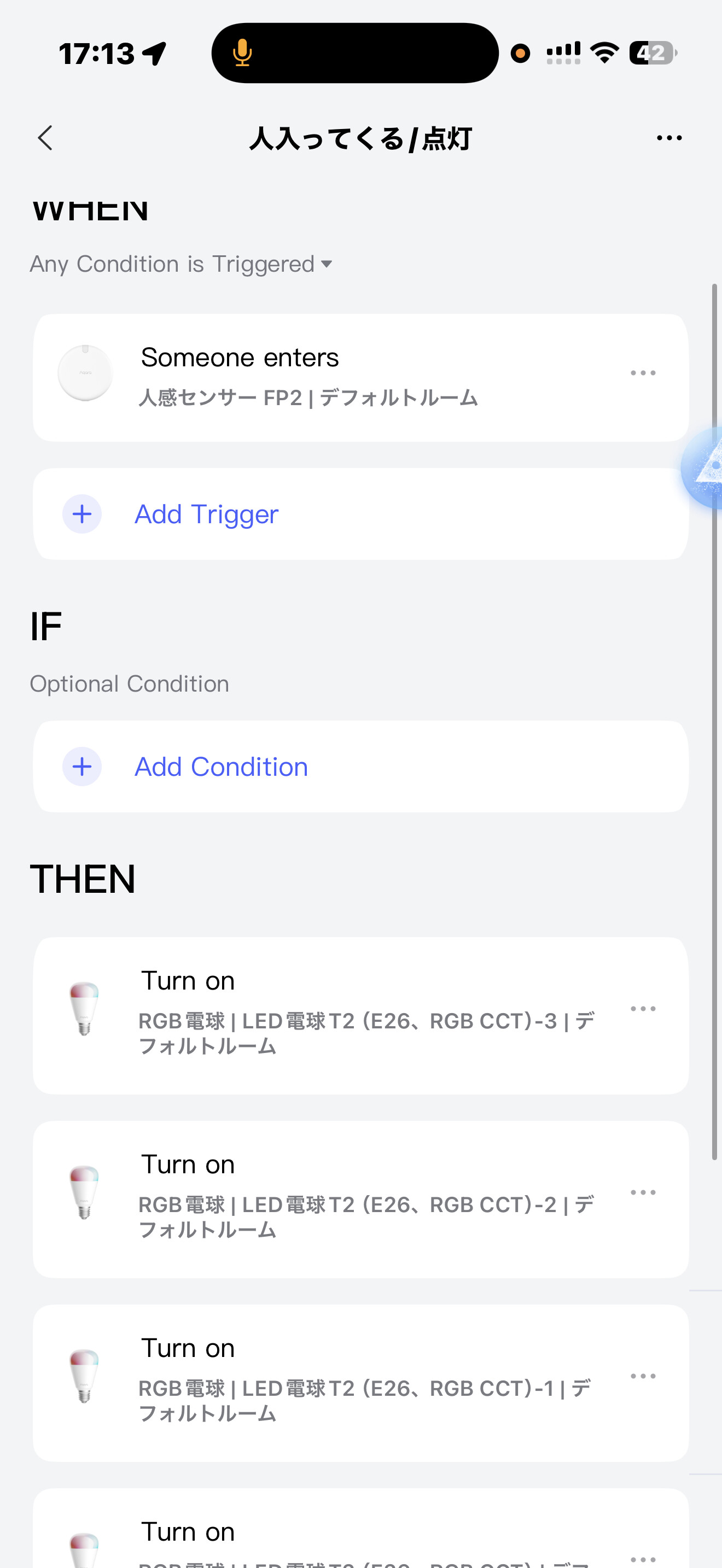
  • Trigger: Someone enters
  • Action: Turn on all 4 LED bulbs

When I enter the room, the lights turn on for about 1 second, then immediately turn off. The dashboard confirms I’m detected as “Present” the entire time. The “Absence / All Off” automation should not be firing since presence is detected.

Issue 2: Zone-based timed automation never executes

I have another automation:

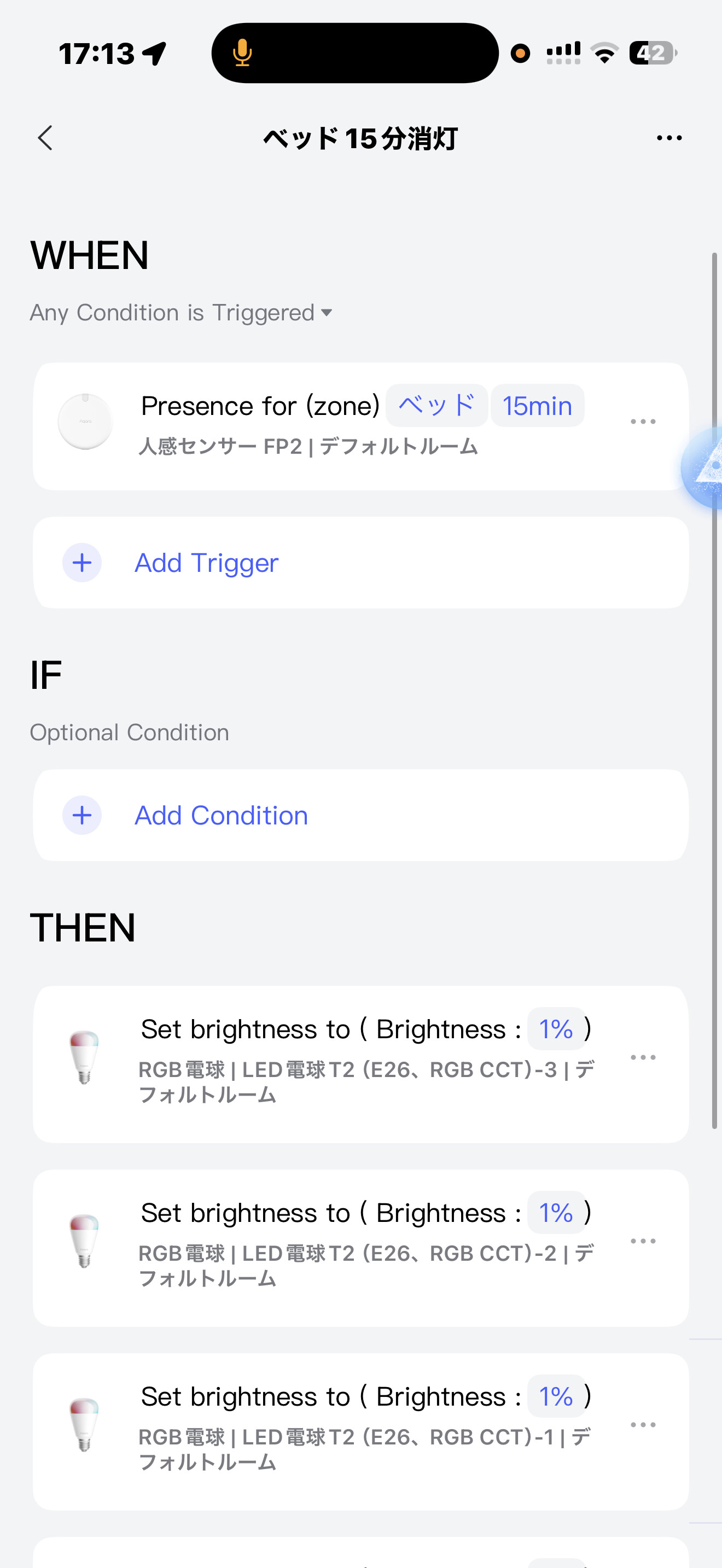
  • Trigger: Presence in “Bed” zone for 15 minutes
  • Action: Set all bulbs to 1% brightness

I stayed in the Bed zone for over 15 minutes (confirmed on dashboard), but the automation never triggered. To isolate this, I disabled all other automations during testing.

Issue 3: Manual scene control gets overridden

When I manually turn on lights using Scenes, they immediately turn off again—even though I’m detected as present.

What I’ve Tried:

  • Updated all firmware to latest version
  • Recalibrated the sensor multiple times
  • Disabled/enabled automations
  • Tested zone automation in isolation

My Question:

Has anyone experienced similar automation issues with FP2? Is this a known bug? Any workarounds?

I’ve also contacted Aqara support directly, but wanted to check if the community has encountered this.

Thanks in advance for any help!
3 Likes

Hi there,

I have had a similar experience recently. It’s not as extreme in my case (it doesn’t turn off immediately), but it happens after a while.

I even did a cross-check by creating automations via Home Assistant to verify the sensor data. Every day, the sensor eventually reported “absence” after a certain time, even though someone was definitely still inside the zone.

However, I currently have “AI person detection” enabled. I am planning to test it again with this function disabled to see if that is the culprit.

Could you share a screenshot of your specific absence automation?

Also, I tried a tip from @gafich10 which helped me a bit: I added a 5-second duration time to the “IF” condition in all my automations. Since applying that setting, I have had significantly fewer issues.

1 Like

Hello, first of all, you need to check the event log of automations (scenes) that turn off the light. Often, users make an Off automation that works immediately after On. Show screenshots of the Off automations, then we can help you. Regarding the second question, I recommend doing this (use the delay that is in automation 2.0)

Hi JohnD,
Thank you for your reply and the helpful tip regarding the “5-second duration.” I will definitely try that.
Here are the screenshots of my current automations as requested. Since the titles and some settings are in Japanese, I have translated the key details below so you can understand the logic.
Notes on specific automations:

  • Duplicate “Bed” automations:
    You will see two similar automations regarding the “Bed” zone in the list. I set these up to test which trigger method works better.
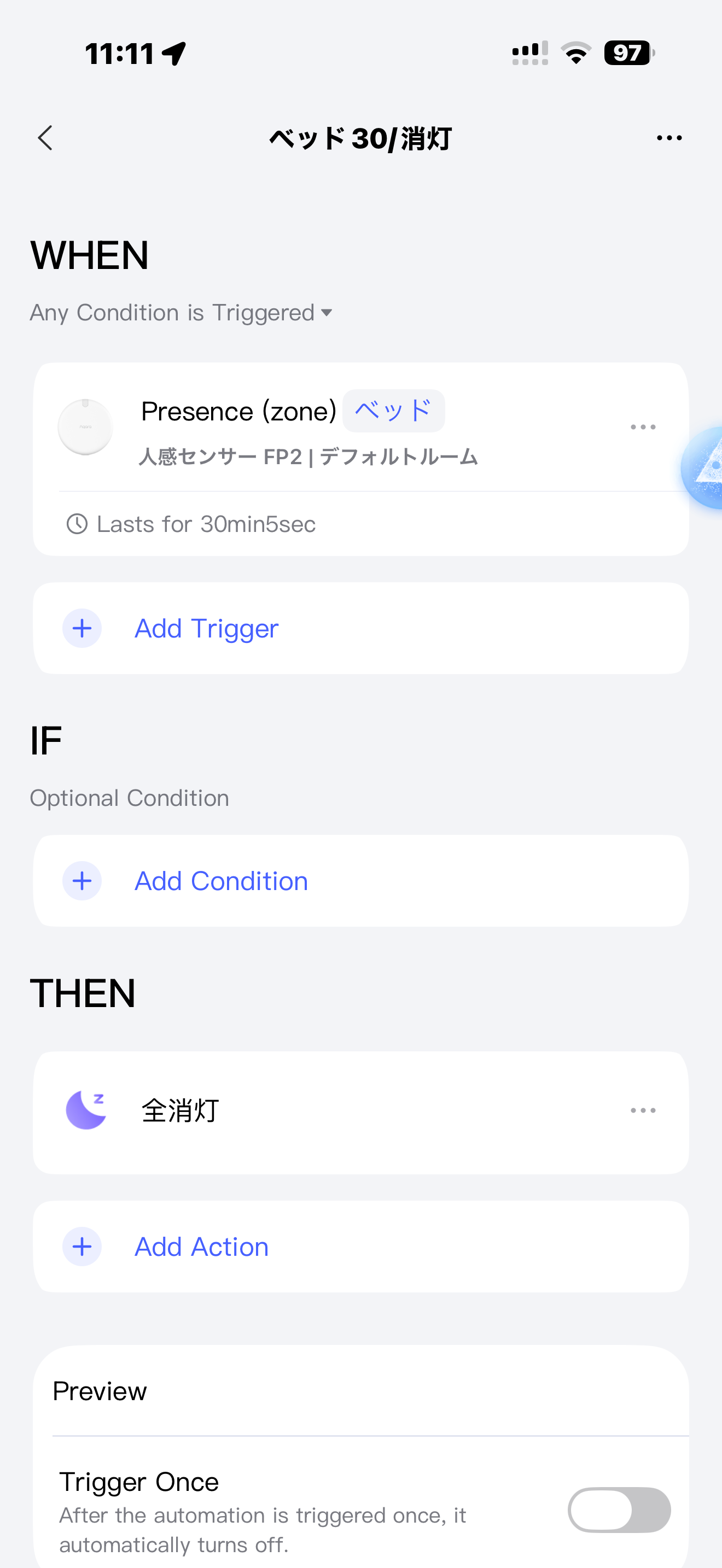
    • “Bed 30/Turn off” (Trigger: Presence lasts for 30min 5sec) → This one worked.
    • “Turn off in 30 mins at bed” (Trigger: Presence for 30min) → This one did not work.
  • Illuminance Logic (800Lux):
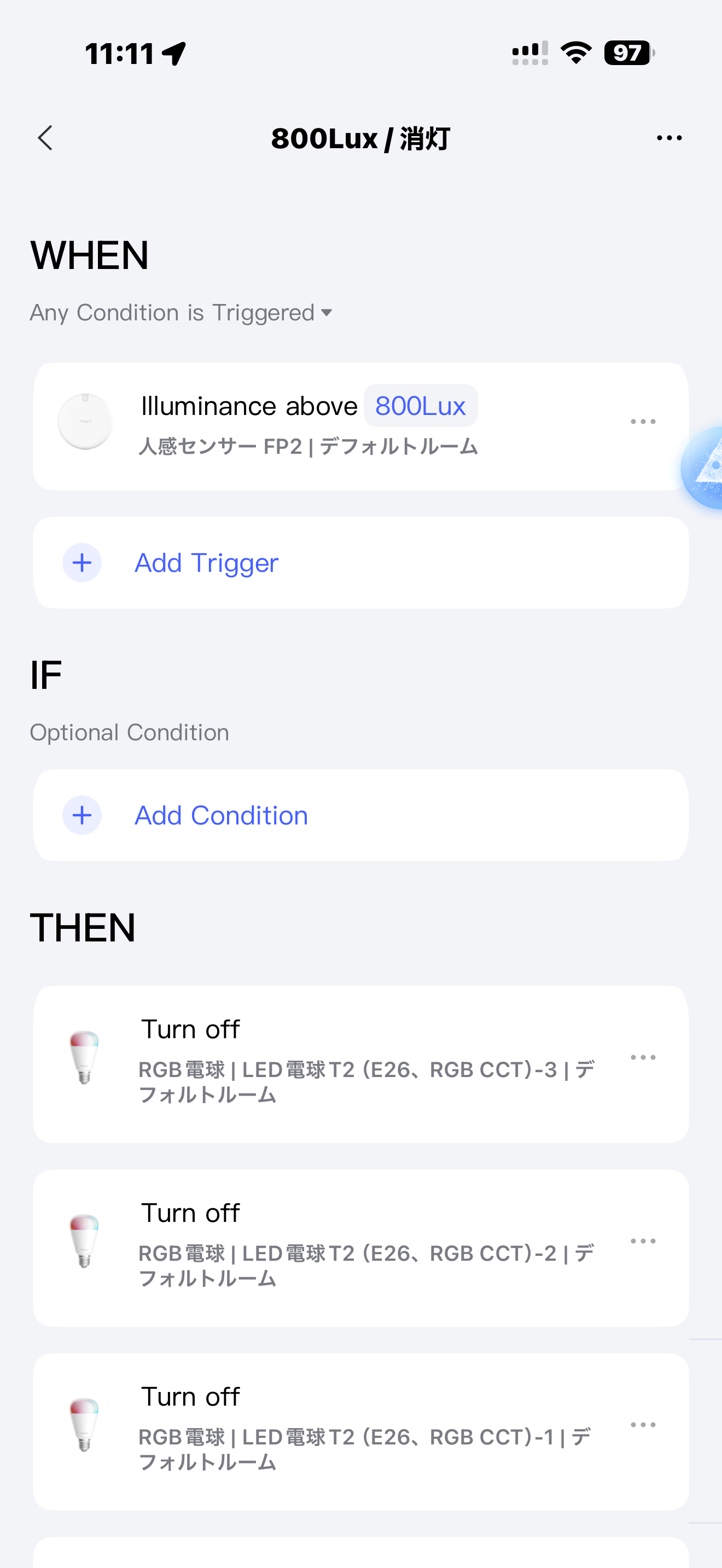
    Regarding the “800Lux / Turn off” automation: The logic is that if the room is bright enough (over 800 Lux, usually in the morning), I don’t need the lights on. This prevents the lights from turning on unnecessarily when someone enters. (This brightness level is rarely reached in the afternoon).
    Translation of the Screenshots:
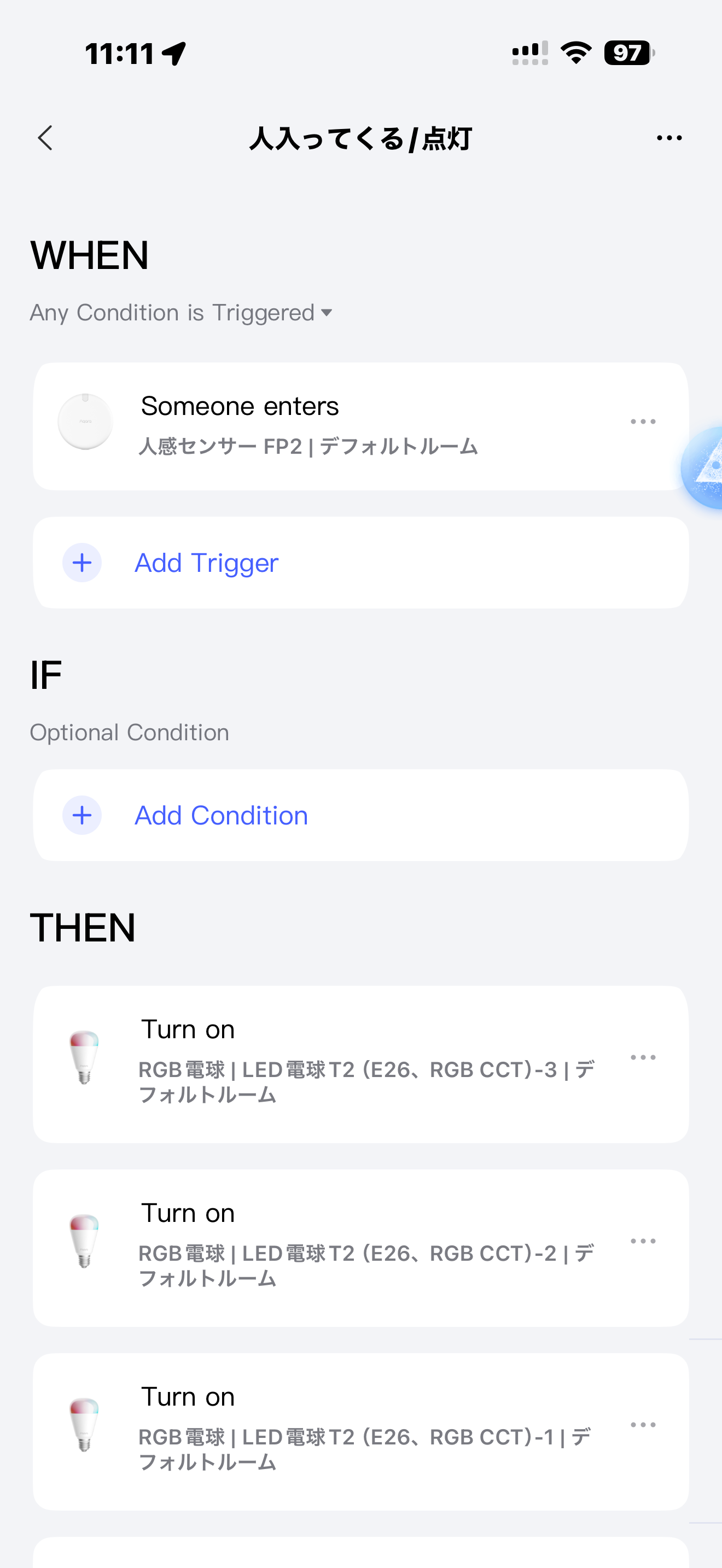
  • Image 1: “人入ってくる/点灯” (Person enters / Turn on)
    • WHEN: Someone enters (Zone: Default Room)
    • THEN: Turn on lights (RGB Bulbs)
  • Image 2: “ベッド30/消灯” (Bed 30 / Turn off)
    • WHEN: Presence (Zone: Bed) Lasts for 30min 5sec
    • THEN: Turn off all lights
    • (Note: This is the one that worked for me)
  • Image 3: “ベッド入る/暖色” (Enter bed / Warm color)
    • WHEN: Someone enters (Zone: Bed)
    • THEN: Set lights to Warm Color / Brightness 35%
  • Image 4: “ベッド出る/点灯” (Leave bed / Turn on)
    • WHEN: Someone leaves (Zone: Bed)
    • IF: Illuminance below 800Lux
    • THEN: Turn on lights fully
  • Image 5: “800Lux/消灯” (800Lux / Turn off)
    • WHEN: Illuminance above 800Lux
    • THEN: Turn off lights
  • Image 7: “ベッド30分で消灯” (Turn off in 30 mins at bed)
    • WHEN: Presence for (Zone: Bed) 30min
    • THEN: Set brightness to 1%
    • (Note: This is the test version that did not work)
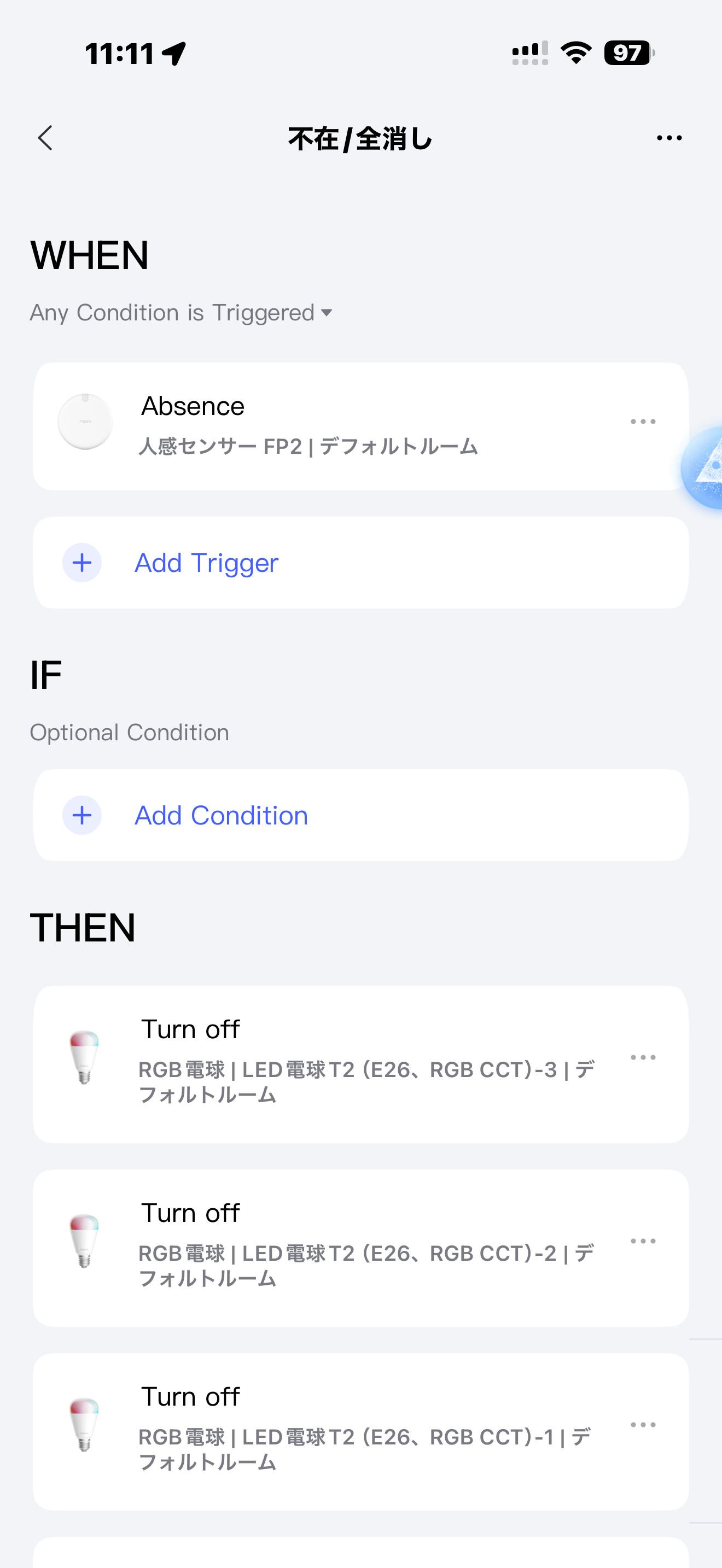
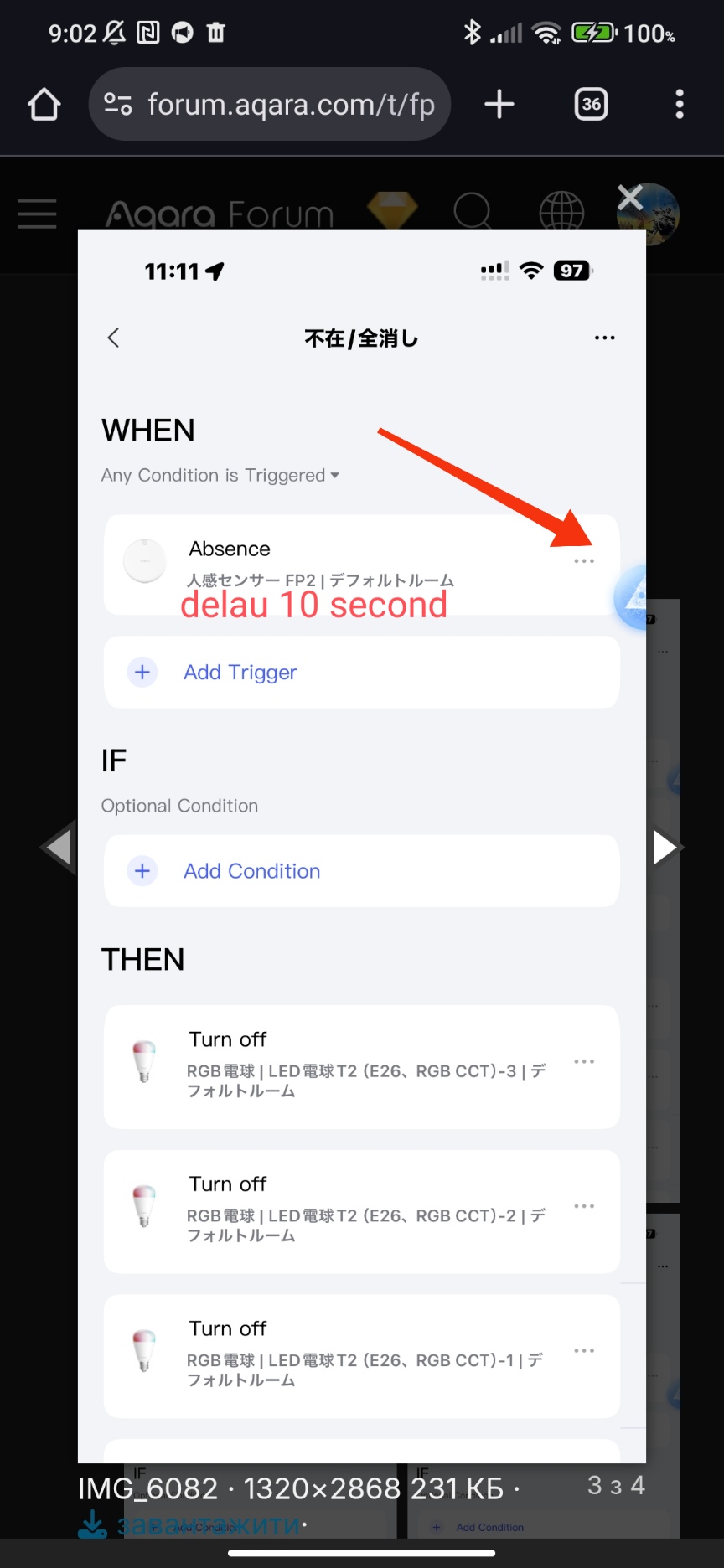
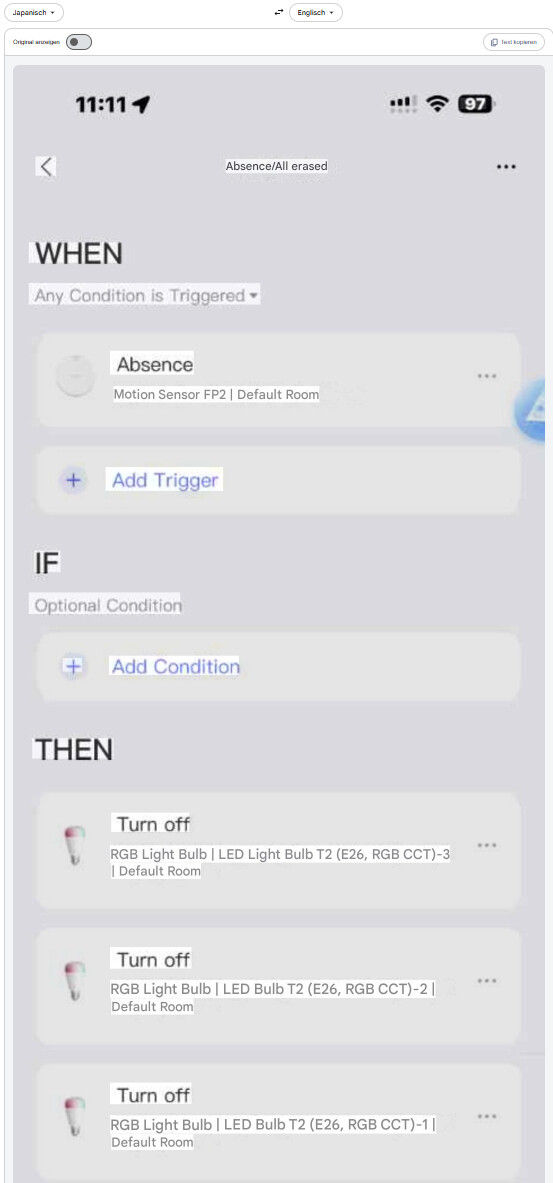
  • Image 8: “不在/全消し” (Absence / Turn off all)
    • WHEN: Absence detected
    • THEN: Turn off lights
      I hope this clarifies my setup. Let me know if you see anything else that might be causing the issues!

Hi, try these options, it should help.


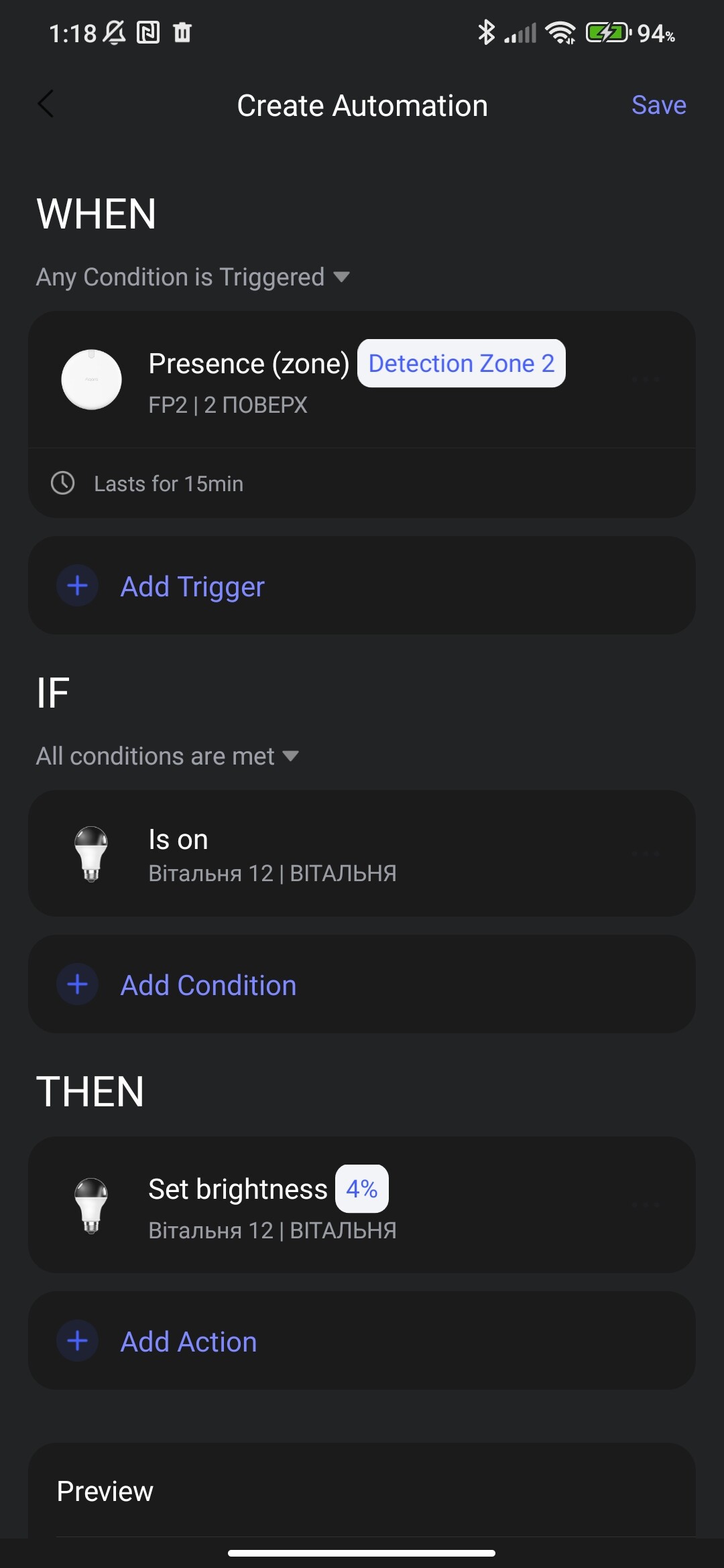
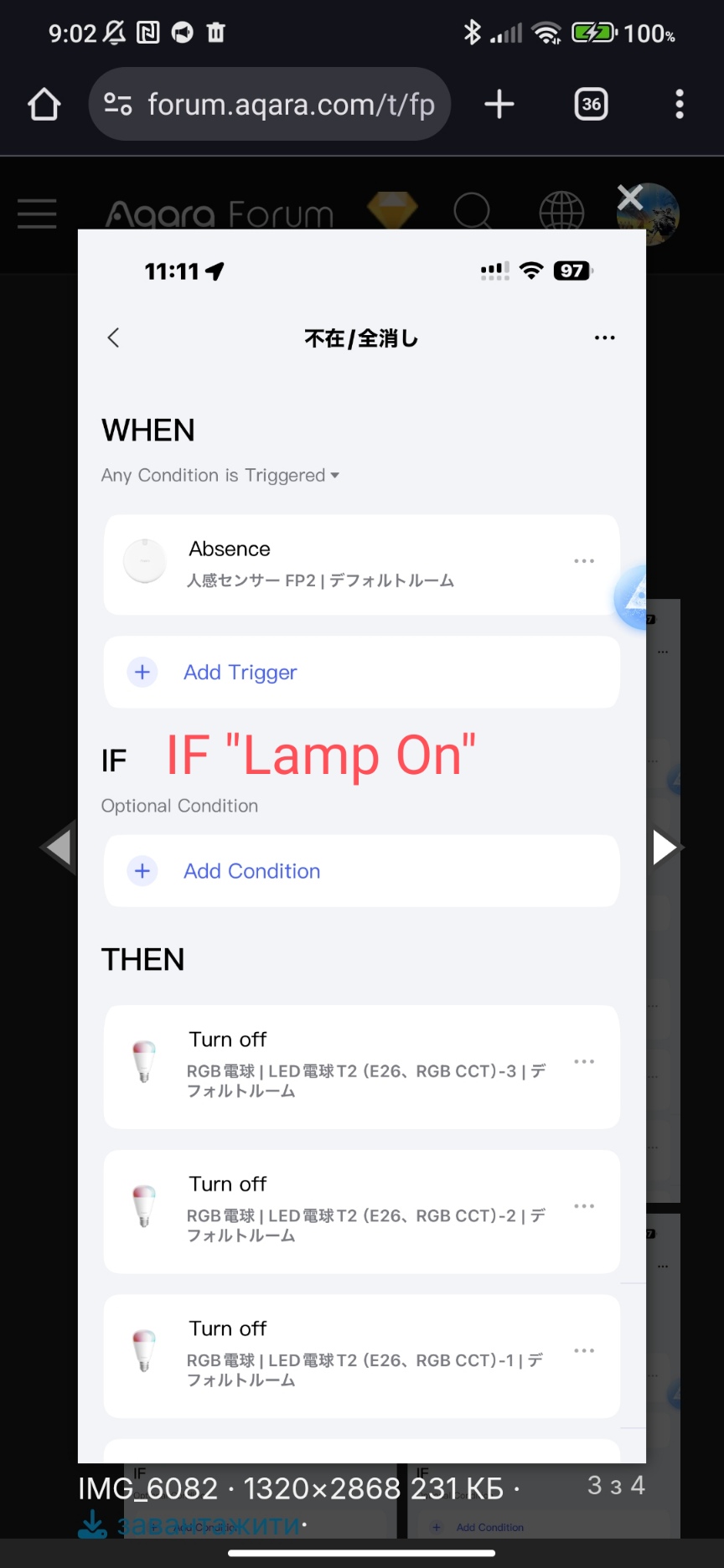
Explanation, the sensor works perfectly and therefore it does not manage to switch to the “presence” mode which triggers the Off lamp. In the first example, the “absence” will be triggered only when the “On” lamp. In the second case, there will be a “absence” delay of 15 seconds, during which the status will change to “presence” and the light will not be “Off”

This isn’t unique to automations through the Aqara app. It happens across all eco systems from what I have noticed. I use Homey, I get the same issue and from what I can tell, home assistant users have also had similar problems.

I’ve also noticed the one of my FP2 sensors is getting slightly warm to the touch.

@p64yvkh6ph Thanks for your efforts with the translation. Since gafich10 has already given a good answer, here’s just another tip for translating, so that it’s easy next time :wink:


It is best to zoom out after translating and then take a new screenshot.
I hope that makes it easier.

@The_Heckmeister I mentioned earlier that HA is showing absence too. I think the “AI person detection” might be the culprit here. Do you happen to have that turned on?

I will give it a shot with it turned off, currently the sensor is saying presence and there hasn’t been anyone in the room for over half an hour.

I will try with AI off now

Hello, by the way, I use “reset presence” for emergency operation, if someone is there then it reappears, if no one is there, it triggers the lights to turn off.

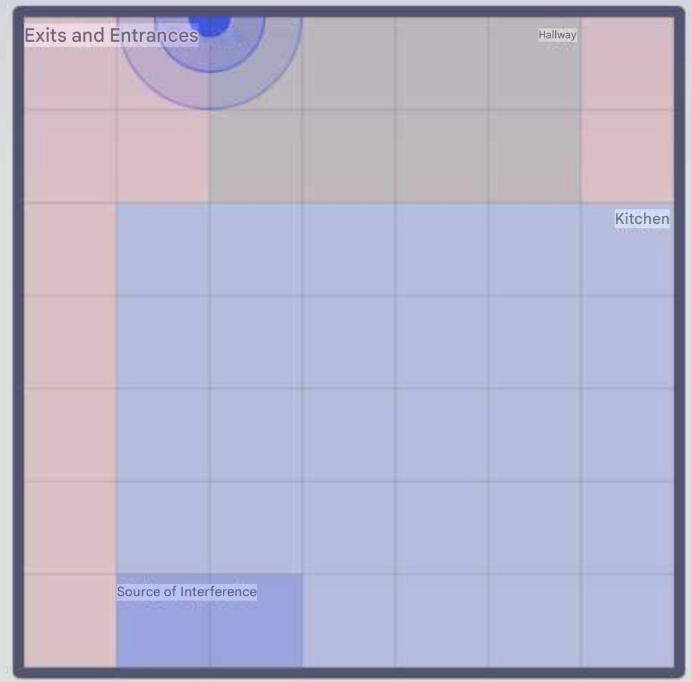
I’ve seen this before. Check your FP2 map. If ‘ghosts’ remain at the edges, the entrances/exits likely weren’t marked or detected by the AI (This was probably introduced at some point with a new firmware update.).

My fix was to manually mark every entry and exit point on the map. I have a large open layout (kitchen, hallway, living room), so I lose some map area to these entrance markers, but it solved the problem completely.

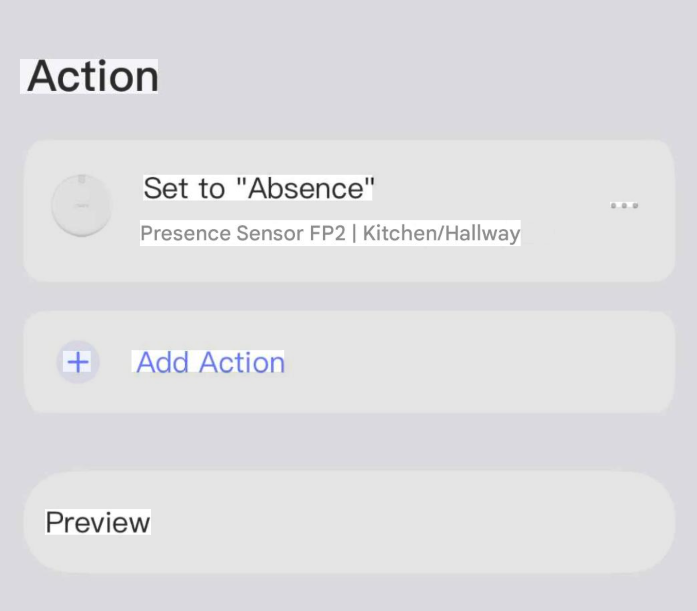
When I was having issues with ghosts, I also created a scene (see image below) that I could trigger via Siri whenever the lights wouldn’t turn off.

Thanks everyone for the detailed replies and the great suggestions.

I really appreciate the idea of adding a short delay / duration (e.g., 5–15 seconds) to the “IF” condition or using the Automation 2.0 delay. After applying this approach, the behavior is already much more stable on my side, and it’s been a big help for troubleshooting.

That said, it still feels like a firmware / platform-level issue with the FP2 presence state transitions (e.g., brief “absence” flickers, ghost presence, or zone timers not firing reliably) rather than just a configuration mistake. I’m hoping Aqara can address this properly in the FP2 firmware or the Aqara Home automation engine.

Could anyone please advise the best place/channel to report this so it actually reaches Aqara engineers (or internal staff)?

  • Is there an official bug tracker or developer portal submission form?
  • Should this be reported through Aqara support only, or is there a recommended path (e.g., logs, diagnostics, specific info) to make it actionable?

If there’s anything specific I should include (event logs, automation history screenshots, sensor map/entrance markers, firmware/app versions, etc.), I’m happy to provide it.

Thanks again for your help—your tips saved me a lot of time.

2 Likes