Unfortunately, that is not entirely correct. From a Matter perspective, there is fundamentally no functional disadvantage for the second Matter controller if it has been added via a sharing or multi-admin code. Technically, the first controller is not simply being “shared”; instead, the Matter device is being added to an additional Matter fabric. Each fabric receives its own operational credentials.
1 Like
@mluecke You’re right, and I’d rather correct that properly than let it stand.
Matter has no hierarchy between fabrics. A controller joining via a multi admin code gets its own fabric with its own operational credentials and is a full peer, not a guest. My “primary relationship” wording was simply wrong as a description of the standard.
So the mechanism has to be somewhere else, and I think your own test points straight at it.
The zone functionality is not standard Matter. There is no Matter cluster for room boundaries, entrances or detection maps, so Aqara has to expose it either through a manufacturer specific cluster or, more likely, through their own channel to the device. Either way, that channel needs to be provisioned, and that provisioning presumably happens as part of Aqara’s own commissioning flow. Join through someone else’s multi admin code and you skip that step entirely.
That would explain exactly what you observed, and nothing else I can think of does:
- Discovery via mDNS works, because that is device level and fabric independent
- Aqara Home reads the zones and shows the map, because the zone occupancy states are exposed as ordinary Matter sensors
- Any attempt to change a setting fails, because writing zone configuration does not go through Matter at all
Worth adding: even within Matter, ACL entries are per fabric. A manufacturer can grant access to its vendor specific clusters only to the fabric it commissioned itself. So “equal credentials” does not automatically mean “equal permissions on non standard functionality”. Whether Aqara does it that way or uses a separate channel, I can’t tell from the outside.
To be clear, that is a hypothesis, not something I have verified. What would settle it is the test I suggested: factory reset, fresh Aqara home without a hub, commission in Aqara Home using the device’s own Matter QR code, and check whether settings become writable at that point. If they do, the provisioning explanation holds. If they don’t, it is a bug and worth reporting with your Apple hub model and firmware version alongside the details you already listed.
2 Likes
In my optinion the non working „Direct Connection“ is a bug in the Aqara Home App because every scenario with a Aqara Hub involved is working fine, even if the FP400 is allready commissioned to another Matter Controller.
I‘ve allready contacted support but got now response until now.
Non-working scenarios / all with error „Unable to connect to the LAN where the device is located“
- Initial commissioning with Aqara Home App (Direct Connection) > The FP400 is successfully added but not configurable.
- Initial commissioning with Apple Home App and then shared to Aqara Home App (Direct Connection) > The FP400 is successfully added but not configurable.
Working scenarios (FP400 goes through onboarding process)
- Initial commissioning with Aqara Home App and M3 Hub (joined to existing Apple Thread Network).
- Initial commissioning with Apple Home App and then shared to Aqara Home App with M3 Hub (joined to existing Apple Thread Network).
- Initial commissioning with Apple Home App and then shared to Aqara Home App with M3 Hub (joined to other Thread Network). The FP400 in that case stays connected to the Apple Thread Network.
@mluecke That matrix settles it, and it disproves what I suggested. You did commission directly in Aqara Home as the first controller, and it still fails. So the provisioning idea was wrong too.
Laid out side by side, the only variable that changes the outcome is the hub:
Fails, always with “Unable to connect to the LAN where the device is located”:
- Aqara Home first, Direct Connection
- Apple Home first, then shared to Aqara Home, Direct Connection
Works:
- Aqara Home first, with M3
- Apple Home first, then shared to Aqara Home, with M3
Order does not matter. Which controller commissioned first does not matter. Fabric membership does not matter. The presence of an Aqara hub does, and nothing else.
That means Direct Connection does not currently do what the official guide says it does. It is a bug, not a configuration mistake, and everyone in this thread who tried to follow the guide was always going to end up where you are.
I will pass this on internally today, with your test matrix as the evidence, since it is the cleanest reproduction anyone could ask for. Support ticket plus forum thread plus a direct report should get it in front of the right people faster.
@ming_wen, this may be worth a look. The guide at /t/336498 describes a path that currently fails reproducibly without a hub.
@mluecke, could you add your Apple hub model and its firmware version? That was the one data point asked for in the guide’s issue reporting section, and it will save a round trip when this gets picked up.
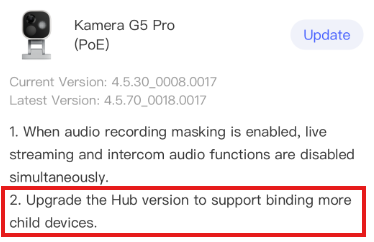
Anyone tried to use G5 Pro or G410 as the hub instead of M3 for Zigbee mode?
They are both on the latest firmware versions (4.5.30 in G5 and 4.5.20 in G410), but when I try to pair the FP400 with them, the hub responds with “Accessory not supported in this hub”.
Based on the product info on the website, both of these devices could be used as hubs.
Do you have IPv6 enabled in your network? Thread only communicates over v6, not v4
2x AppleTV 4K 3.Gen and 2x HomePod mini. All on tvOS/HomePod OS 27.
Perfect, that completes the set. So for the record: iOS 27, Aqara Home 6.4.1, FP400 firmware 1.1.9.6, and 2x Apple TV 4K 3rd gen plus 2x HomePod mini, all on OS 27.
That’s everything asked for in the guide’s issue reporting section. Passing it on internally today.
1 Like
Reasonable thought, but that one’s already been ruled out earlier in this thread. @mluecke’s Aqara Home app discovers the FP400 automatically via mDNS and even reads the configured zone map off the device, so IP connectivity to the sensor clearly exists. The failure is only on the configuration path, and it disappears the moment an Aqara hub is present, with the network left completely untouched.
I went down the IPv6 route myself further up in this thread and had to walk it back, so you’re in good company.