FP400 - Can't reach on LAN

Hey Aqara Forum!

I’ve just purchased an FP400 and it refuses to setup. I had the FP200 and had none of these issues.

Setup: Apple TV thread network, Eero Routers, Home Assistant

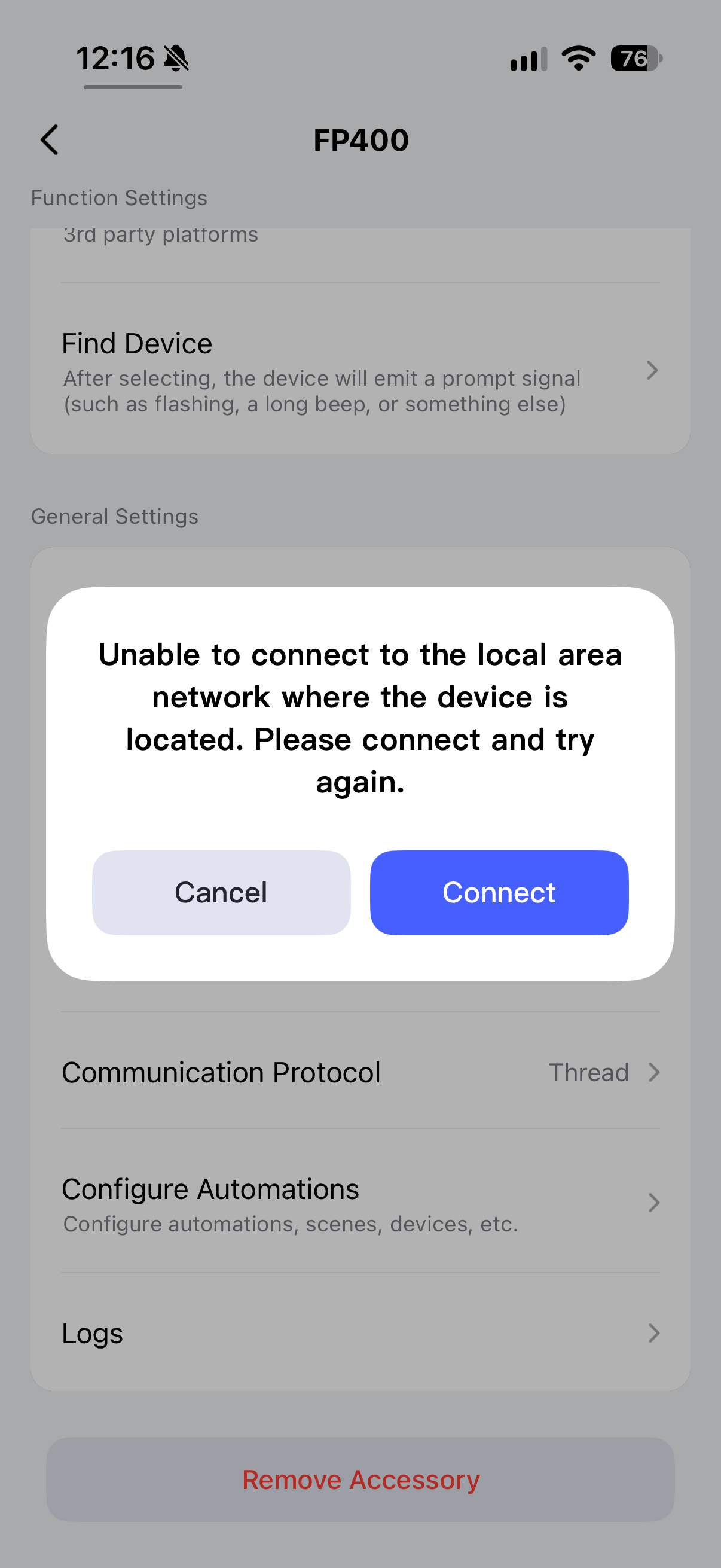
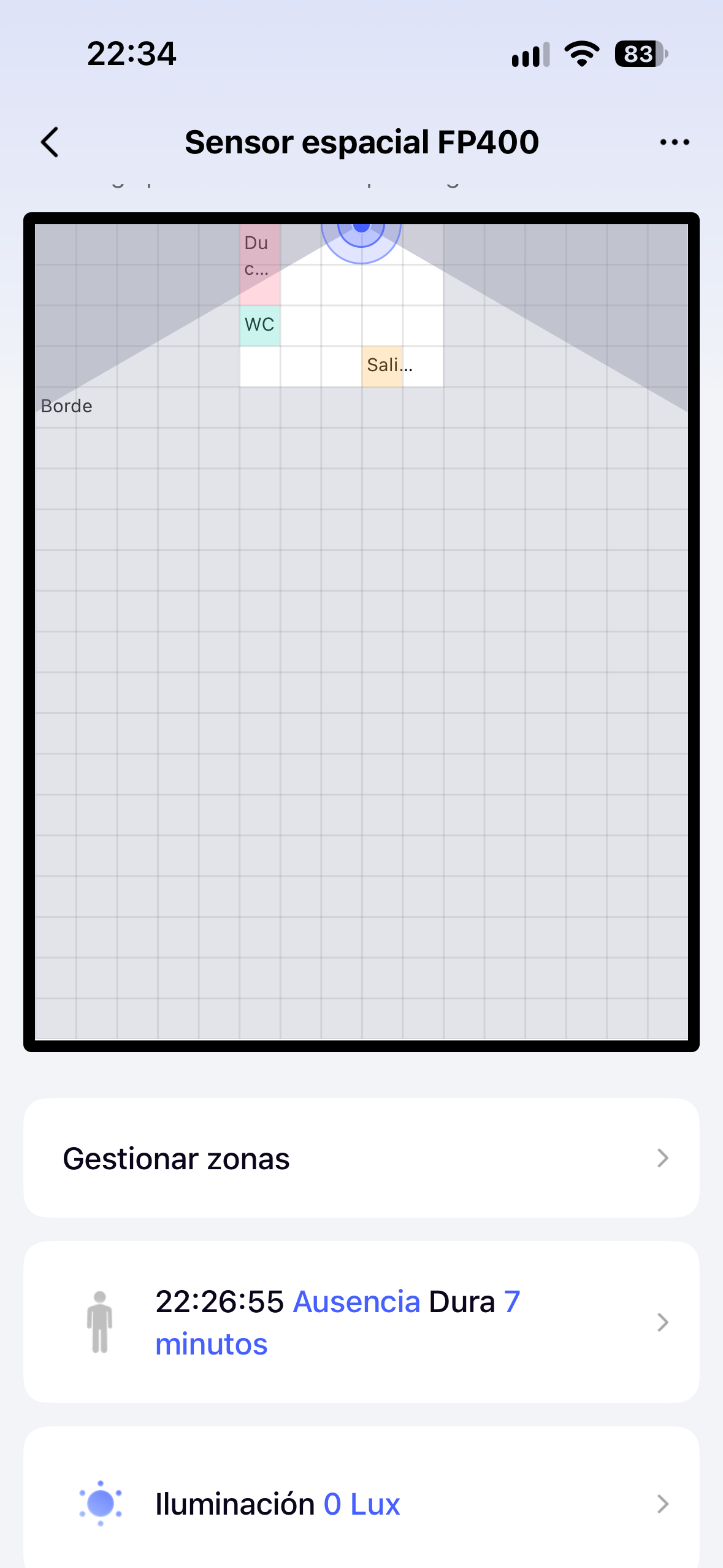
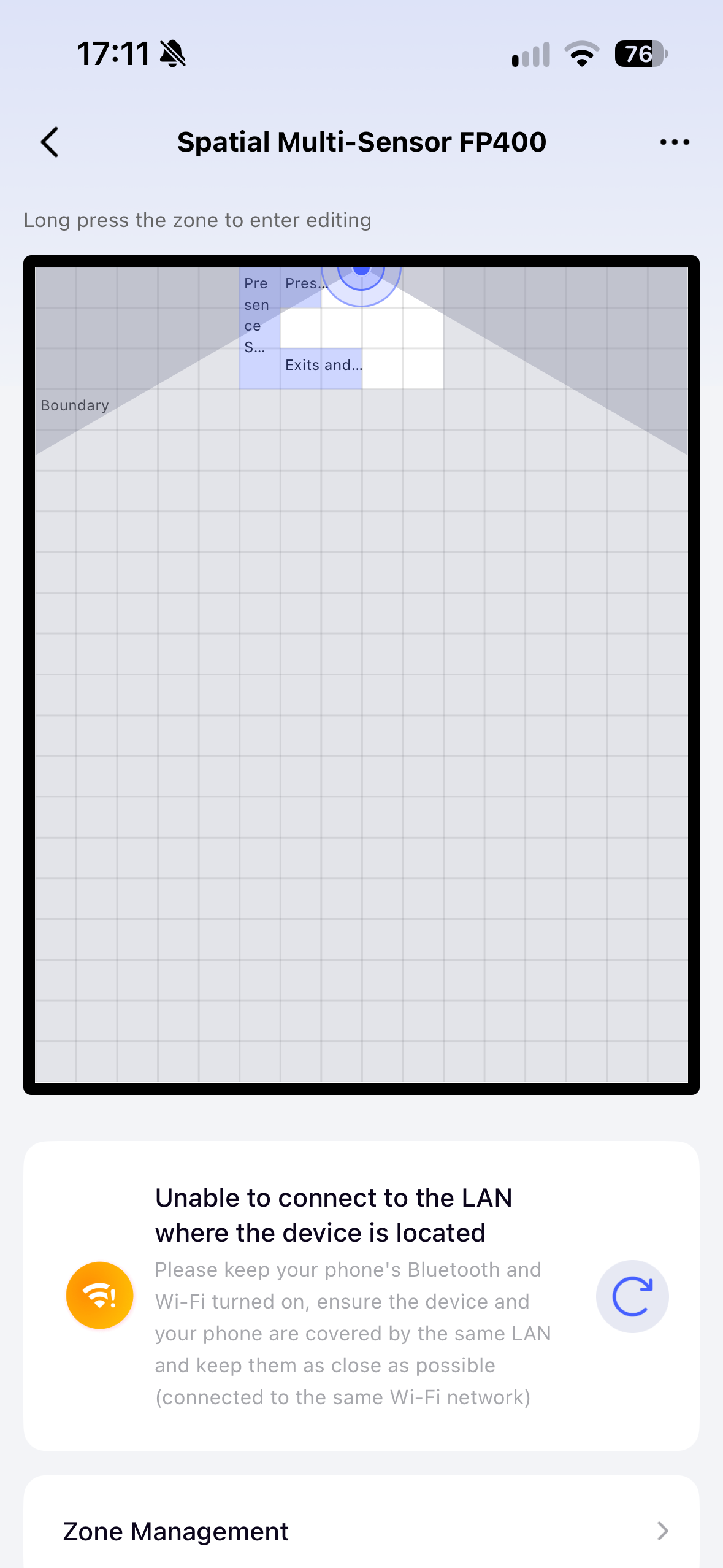
I’ve tried scanning the Aqara Magic QR code and the app says it can’t find it. I’ve tried connecting it to Apple Home first, then the app, didn’t work. I’ve tried connecting it all via the Aqara app, it adds it to the Aqara app, shows occupancy and the lux values, but says that it can’t be reached on LAN.

I’ve triple checked that local area network access is enabled on the ios app settings, enabled bluetooth, enabled location and everything. I’ve also disabled 5ghz on my Eero router to rule that out, even though other Aqara devices didn’t have this issue.


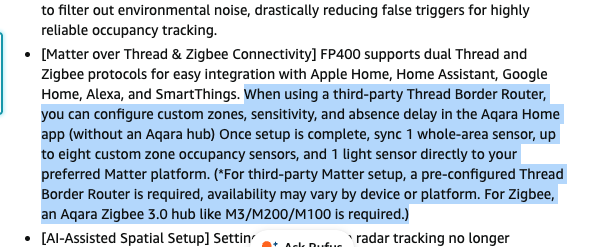
I was under the impression the device could be used without an Aqara hub, at least to configure the zones, was I incorrect?

5 Likes

Hi there, it looks like you’re experiencing a support-related issue. We’ve automatically created a support ticket for you and will reach out via the forum email within the next two business days.

If other members have any suggestions or insights on this topic, feel free to share!

4 Likes

Hello.well something is wrong on your end as I have mine and I just set LAN “ON” and it works and I have it added as thread via M3 hub.do you own and M3 hub?also what do you use to power it?


3 Likes

Hi have the same issue! I don’t habe an aqara M3 Hub. Still want to connect the FP400 directly to the Aqara Home app to configurie zones and setting to connect it to my Home Assistant afterwards. The device was added with the matter code but show immediatly the error.

Hope there will be quick fix for this?!

3 Likes

I have no Aqara hubs, I intended to configure the zones via the app and sync it via Matter to Apple Home. The Amazon page states this is is possible.

1 Like

I don’t recommend doing this, but when I switched to zigbee mode and then back to thread, it did update it to the most recent version of software. Meaning it is finding someway to connect to the device for data, wether that be via Matter or via the bluetooth connection.

However even with the update, I still have the same issue.

2 Likes

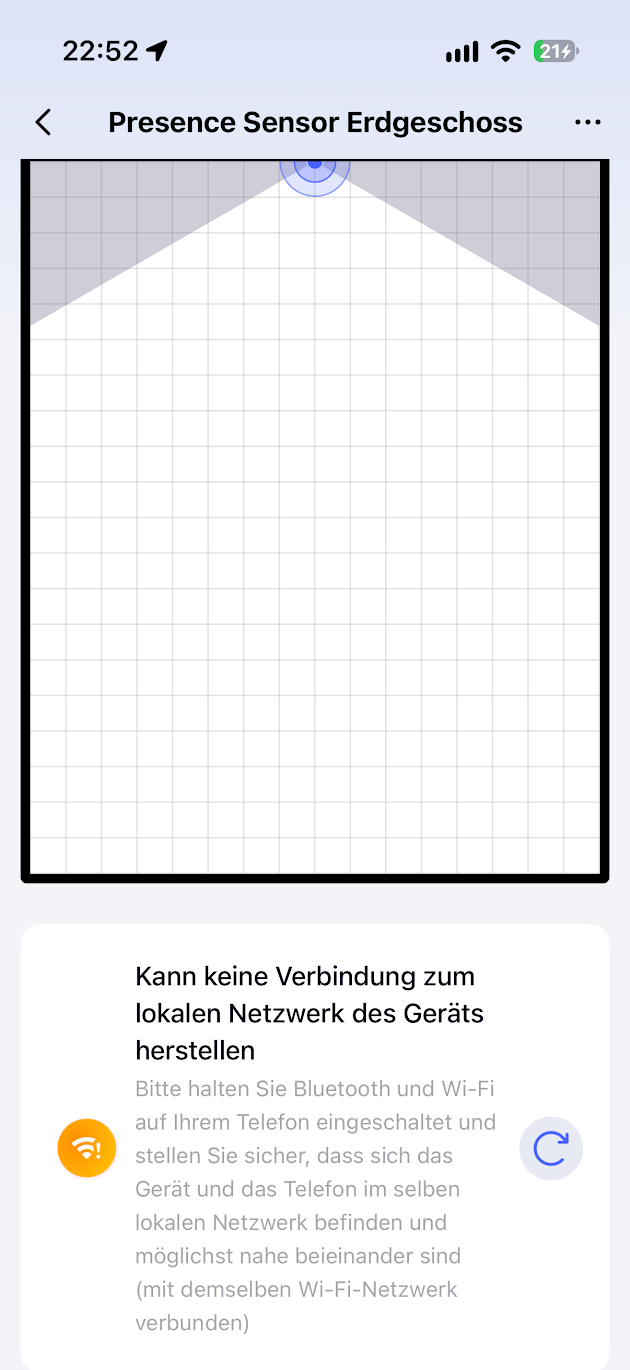
I get the same error message as OP after pairing the FP400 within the Aqara Home App. I only have Apple Border Routers. The FP400 is added to the Apple Keychain and Aqara fabric but the Aqara Home App can‘t connect to the sensor.

Interestingly I can share and sucessfully connect the sensor to other Matter Controllers from within the Aqara Home App, so basically the sensor is reachable and working.

2 Likes

I have seen that when I changed my router settings to 2.4G only, if I didn’t disconnect my phone from the internet and then reconnect it, the software would still see my phone as connected to a different network. Frustrating, but I always make sure to disconnect/reconnect my phone after setting the WiFi to 2.4.

And it’s my understanding that zones are only available with Zigbee.

And welcome to the forum! We have some fantastic experts here.

Yes you are right, FP400 only supports 2.4G WiFi, so you need to make sure your phone has connected to the right one.

And for FP400, Zigbee and Thread will have the same function so you could also use zones in Thread mode with Aqara home App

1 Like

Well zones are also available on thread I am using it as thread devices but for that you need one of the Aqara hubs like M3.i do not know if the sensor it is polished to work with 3th party boarder routers for the zones to can be created on Aqara home app.

@tvdffgdffdg from my understanding and I my be wrong you need to add it first on apple home app as there is were you have you Apple TV then try adding it on Aqara app.do not use your Eero routers for thread network as those makes their own thread network and doesn’t work well with apple from what I know.now first what I suggest is to unplug you Apple TV from power for 1/2 min the factory reset the FP400 press 10 times in an row and let it to rest then plug back your Apple TV wait till it’s connected to WiFi and make sure is set as the main controller on apple home app/Hubs then pair again the FP400 and after you have it on your apple home app see if shows on Aqara home app as an discoverable device if not the scan the matter code (not Aqara code since you do not have an hub).see if this way you will manage to add it.also I suggest you to contact Aqara support for more info as they could help better on how exactly FP400 should be used without an Aqara hub.

1 Like

@ming_wen @coccolino_26
I hope you’re right. That’s great news. But I am confused over what’s stated in the user guide as I addressed in this post: My Review: Aqara Spatial Multi-Sensor FP400 - #12 by starlitter

Edit to add: So you are saying that the Aqara app is required for zones via thread, but not an Aqara hub?

I think we’re mixing up two separate issues here: setting up zones in the Aqara app and getting the FP400 paired in the first place.

@ming_wen confirmed above that zones can be configured in the Aqara Home app in Thread mode too, with the same functionality as Zigbee. So the “can’t be reached on LAN” message doesn’t mean you need to switch to Zigbee to get that feature.

@mluecke’s description sounds more like a local connection or discovery issue. Presence and lux still work, and the sensor can be shared with other Matter controllers, but the Aqara app can’t reach it for configuration. That would point to the app’s local connection rather than the sensor being completely unreachable.

I’d start with the Aqara app’s Local Network permission in iOS settings, then check whether the phone is on a guest network or a separate VLAN. Client isolation or multicast filtering would also be worth checking if you’ve changed those settings on your router.

You could also try reconnecting the phone’s Wi-Fi, as @starlitter suggested. Trying 2.4 GHz might help narrow things down, though devices on different Wi-Fi bands should normally still be able to communicate. Being on 5 GHz alone shouldn’t prevent local access.

@coccolino_26 also mentioned Eero and Apple Thread networks. If you’re running both, that’s another thing to look into, but I wouldn’t start rebuilding the Thread setup before checking the simpler stuff.

As for the pairing failures and firmware switching, I managed to put myself through that a few times.

I tried Matter first. Scanned the code, got “device not found,” tried again, same result. Then I switched to Zigbee, which started a firmware download and installation. That took about 10–15 minutes, long enough that I thought it had hung.

While waiting, I finally read the quick start guide. I’d been tapping the button. It needs a five-second press to enter pairing mode. In my case, that was the whole pairing problem.

After that I switched back to Thread, waited another 10–15 minutes, then decided to stick with Zigbee and went through it all a third time. Not how I’d planned to spend the evening.

So @tvdffgdffdg, I saw the firmware change you mentioned in post 6 too. The device clearly could download firmware at that point, even though I’d been having trouble getting it set up.

Based on that experience, I’d allow around 15 minutes for a mode switch before assuming it’s stuck. And if pairing fails with “device not found,” check the five-second button press first. I wish I had.

For reference, I’m now using:

FP400 → Zigbee → Aqara Hub M3 → Matter bridge → Home Assistant

The zones I set up in the Aqara app appear in Home Assistant as separate occupancy entities. I stayed with Zigbee because my other Aqara devices are already on the M3. Thread supports the same features, according to @ming_wen’s clarification above.

2 Likes

The Aqara App has the permission enabled and the iOS device is in the same VLAN as the TBR‘s without any restrictions.
Also, initial Thread commissioning within the Aqara App is working fine.

1 Like

@mluecke

That’s useful, because it rules out the easy causes, and it points at something more specific.

Worth separating two things here. Thread commissioning runs over Bluetooth, not over IP. So the fact that commissioning works fine doesn’t tell us anything about whether your phone can actually reach the sensor afterwards. Those are two different transport paths.

And the sensor isn’t on your VLAN at all. It lives in the Thread mesh with its own IPv6 prefix. Your phone being in the same VLAN as the border routers is necessary but not sufficient. It also needs a route into that Thread prefix, which the border router announces via IPv6 Router Advertisements (route information options). If those RAs never reach your phone, the phone has no path to the device, even though everything looks correctly configured.

The usual suspects for that, roughly in order of likelihood:

  1. RA Guard or rogue RA protection on your switch, AP or firewall for that VLAN. It’s designed to block exactly this kind of announcement from a non gateway device, and an Apple TV acting as a border router is precisely that: a non gateway device announcing routes. On prosumer gear this is often on by default.
  2. IPv6 disabled or incomplete on the VLAN where phone and TBR sit. No IPv6 on that segment, no route to the mesh.
  3. MLD snooping or IPv6 multicast filtering, which can break the mDNS advertisements the border router publishes on behalf of the Thread device. Then the app never discovers it, even with routing in place.

Fastest way to confirm it’s a routing issue rather than a device issue: put your phone on a plain flat network with IPv6 enabled and no filtering, a simple consumer router or a basic SSID without segmentation, and try opening the sensor in the Aqara app there. If it suddenly works, you’ve found your answer, and it’s in the network rather than in the FP400.

To be clear, that last part is inference on my side. I haven’t captured the traffic to prove the Aqara app addresses the sensor over its Thread ULA. But the symptom pattern, commissioning fine, Matter sharing fine, presence and lux fine, only the app’s local channel failing, fits a missing route far better than anything device side.

2 Likes

Yep, that was happening. I’m really happy to hear from you and @coccolino_26 and @ming_wen that full thread functionality is there. Mine should get here tomorrow so I’ll see for myself then. Thanks!

2 Likes

whish you all the best with the FP400

1 Like

In my Review I am using the M3 Hub and Zigbee Mode.

When i first directly paired the device with Apple Home i had only one Zone.

Check this instruction out:

When you have an Aqara Hub it will be priorised as i said.

Cheers :v:

2 Likes

@crazyracer Thanks for digging that up. @ming_wen’s guide answers everything in this thread, so let me try to write it out properly, because the underlying logic isn’t obvious and I think several of us were chasing the wrong thing. Myself included.

What was actually going on

Three different problems got mixed together here:

  1. Pairing failing outright (@tvdffgdffdg, @sTaNy)
  2. The app reporting it can’t reach the device on LAN (@mluecke)
  3. Zones missing after pairing (@crazyracer’s first attempt)

They look related but they aren’t the same thing, and two of them come down to one simple rule: the order in which you add the device decides what you get.

Why the order matters

When you commission a Matter device, whichever app does it first becomes the one holding the primary relationship with that device. Everything else is a shared guest afterwards.

Matter as a standard only knows a certain vocabulary. For the FP400 that vocabulary covers presence and light level. Zones, room boundaries, entrances, the detection map, none of that exists in Matter’s vocabulary, because it is an Aqara specific feature. It lives in the Aqara app and needs an Aqara owned channel to the device.

So if Apple Home commissions the sensor first, Aqara Home is left holding a shared Matter device and can only speak the Matter vocabulary to it. You get presence and lux, and no zones. That is exactly what @crazyracer described: one single zone, nothing more. Nothing is broken, the configuration channel simply isn’t there.

The correct procedure without an Aqara hub

Per the guide, this is the only recommended path:

Prerequisite: your Aqara Home home must have no Aqara hub bound to it. If a hub is present, the app will always prefer talking through the hub, and the direct connection path does not apply at all. Your phone and your Apple hub also need to be on the same local network.

  1. Open the Aqara Home app and add the FP400 there first, by scanning the device’s Matter QR code.
  2. Once it is added, configure everything you need in Aqara Home: room boundaries, zones, entrances, sensitivity, hold time. Do this before sharing it anywhere.
  3. Open the device’s detail page in Aqara Home and retrieve the third party pairing code.
  4. Use that code in Apple Home (or your other Matter platform) to share the device.

That way Aqara Home keeps the configuration channel, and Apple Home receives a fully configured device.

The detail that explains the failed pairings

From the guide’s FAQ, and this one is easy to miss: the device carries two different codes. There is the Matter QR code, and there is the Aqara MagicPair code. If you scan the MagicPair code when you meant to add it as a Matter device, pairing fails. That alone could be behind some of the “it just says device not found” reports in this thread.

While I’m at it, from my own setup: if pairing fails even with the right code, the button needs a 5 second press, not a tap. I lost an evening to that one before I properly read the quick start guide.

If you already added it the wrong way round

Remove the device from both platforms and start over following the order above. There is no way to retrofit the configuration channel afterwards, because the primary relationship was established at commissioning time.

Correction to what I wrote earlier

@mluecke, my post about IPv6 routing and RA guard was plausible but very likely beside the point. The guide offers a much simpler explanation, and I’d try that first before touching your network configuration. If it still fails afterwards, @ming_wen asks for three things when reporting the issue: Apple hub model, Apple hub firmware version, and Aqara Home app version.

The two clean setups, side by side

With an Aqara hub: FP400 via Zigbee to the hub, zones configured in Aqara Home, hub bridges into Apple Home or Home Assistant. Full feature set, and the one I run myself (M3, then Matter bridge into Home Assistant, where each zone arrives as its own occupancy entity).

Without a hub: Aqara Home first via the Matter QR code, configure zones, then share into Apple Home using the third party pairing code. Also full feature set, as long as no hub is bound to that home and the order is respected.

Mixing the two, or reversing the order, is what produces every symptom described in this thread.
Well, that makes perfect sense. I’m glad I saw all of this before I got mine. :slight_smile:
I keep thinking how frustrating this all must be for a typical non-tech homeowner. Ring must feel a sense of security in all of this.

1 Like

@frankdreyer73 Thanks for your recommendations to fix the problem. I can definitely rule out a network issue. I’ve run a few tests with the sensor.

  1. Reset the sensor to factory defaults
  2. Temporay added an Aqara M3 Hub to my existing Apple Thread Network
  3. Commissioned the FP400 to the M3 Hub
  4. Configured the sensor with adding two zones
  5. Shared the Sensor with Apple Home and Home Assistant. The sensor was added successfully and the sensors for the configured zones are visible in all Matter Controllers
  6. Removed the FP400 from the M3 Hub. Sensor is still working fine in all other Matter Controllers with the configured zones.
  7. Removed and disconnected the M3 Hub from the Aqara Home App
  8. Generated a new Matter code for the FP400 via the Share function in the Apple Home App
  9. Created a new “fresh” Home in the Aqara Home App
  10. Added the FP400 to the Aqara Home App via the generated Matter code and “Direct Connection”. The Aqara Home App discovered the sensor automatically in “Add Accessory” because of its mDNS advertisement. The Aqara Home also recognised the additional presence sensors for the configured zones during the process of adding the FP400, so the App is able to reach and communicate with the sensor.

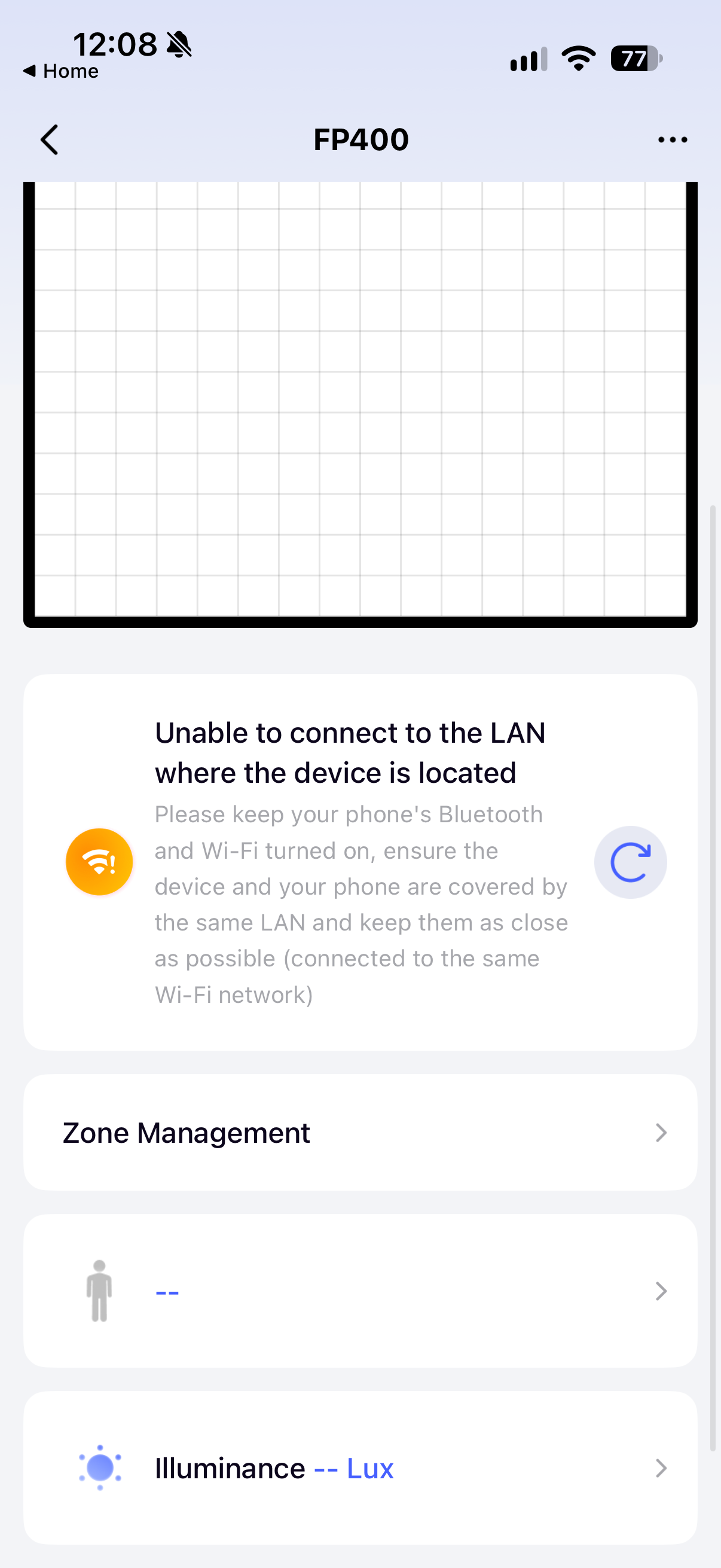
After adding, the device is visible in the App and I can see the the map with the configured zones. Still getting the “Unable to connect” error and changing any settings is not possible. I’m using iOS27, Aqara Home App 6.4.1 (latest) and the FP400 has been upgraded to 1.1.9.6.

1 Like