I was selected to order my FP400 at a discounted price a few weeks ahead of the UK launch.
This is my first mmWave presence sensor, so please consider my experiences as part of the learning process.
The set up process of connection an Aqara device to an Aqara hub was straightforward as usual, however for me the ZigBee firmware took around 1 hour to download on my Android phone. I raised this with the team at Aqara, and have not yet read of others experiencing this issue.
After setup, I had the challenge of where to install the sensor and how to power it. The room I require presence detection is living/kitchen space with 2 zones to monitor. We live in a 1960s house of solid “cinder block” construction From experience, WiFi & 2.4Ghz signals are attenuated and I expected the mmWave to be similarly impacted by solid wall blind spots, as well as our gigantic fridge freezer. There are no useable corners in this space due to doors, windows and wall cupboards.
The main zone to monitor is the kitchen, so I first mounted the sensor there for the best view of that zone.
The app guides the user through the install. I placed the sensor in the best available kitchen location on top of the wall cupboards, aware that this was higher than the app recommends. I completed the mapping and after living with the FP400 in this location for a few days, I found that the sensor being mounted too high meant that seated people in the living zone were not being detected.
I next mounted the sensor at the opposite end of the room, in the living area. Again this position is less than ideal as exits/entrances to the room are obscured from the sensor by solid walls. I next made the mistake of manually adding what I considered to be “interference” sources to the area. This turned out to be a mistake as detected people would disappear or remain as “ghosts” if they stood near that “interference” for any length of time.
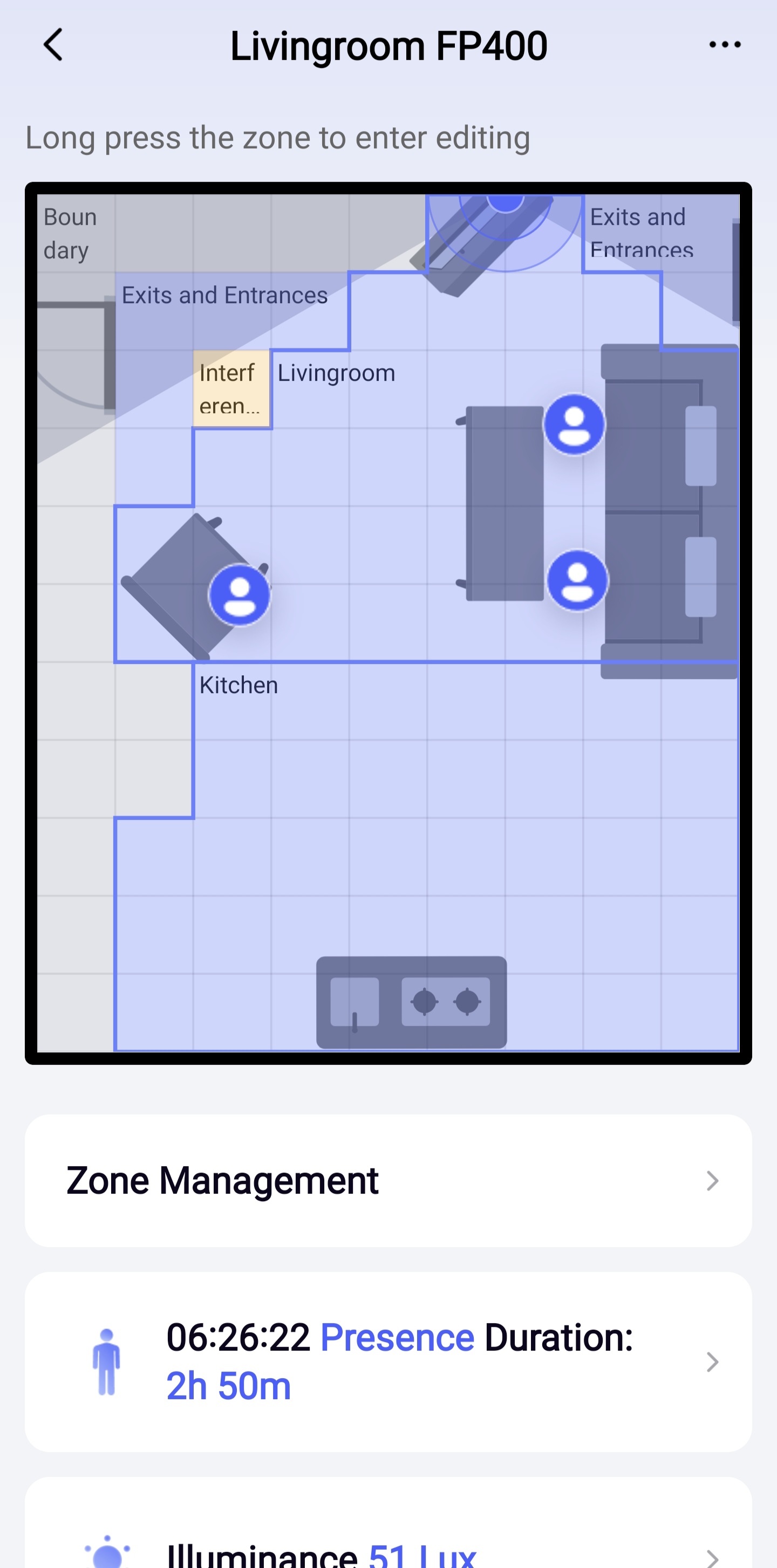
The issue with blind spots around the doorways means that people leaving the room would be detected as standing in the corner and never leaving. I found that I can long-press these “ghosts” in the FP400 and delete them, which added an “interference” source to that square.
My experience has been frustrated by the environment, routing USB power to the the FP400, as much as the required learning curve of an advanced mmWave sensor. Having said that, I have been successfully using presence detection for automatically changing the brightness of lights & triggering nighttime routines. The more I spend getting to know the capabilities and limitations of the FP400 in this living space, the more I feel I can trust the presence detection which is only improving with time.