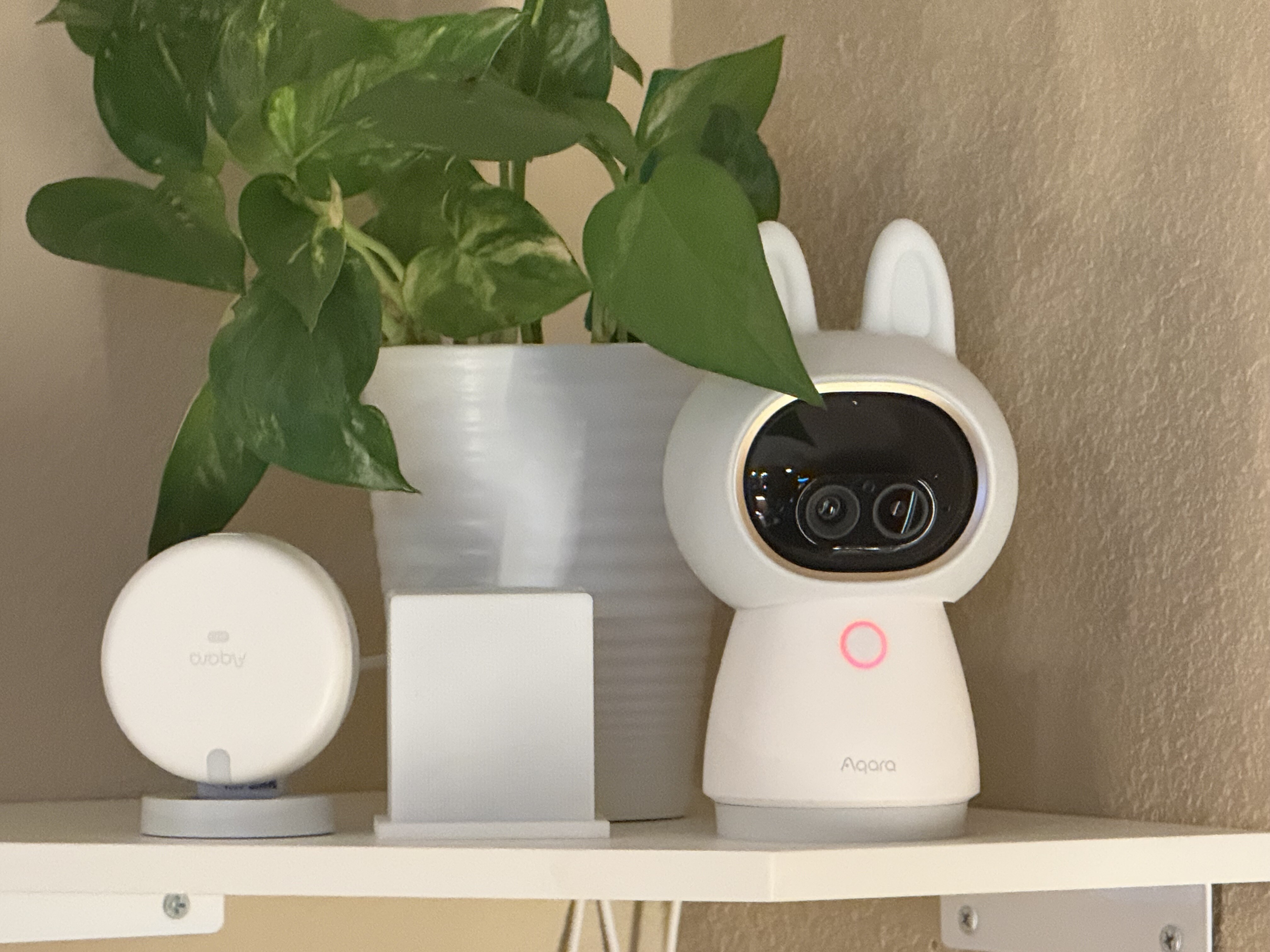
I just bought an Aqara FP400 for my open concept living room, kitchen, and dining room replacing an FP2 which will probably go into my bedroom for sleep tracking.
Right now it is being paired with an Apollo presence sensor but I have yet to figure out the Apollo’s zone configuration and how to get automations from approach direction down.
Additionally there’s the Aqara Matter Camera watching over the zones.
8 Likes
@barfcat2 Nice setup! The FP400 in an open-concept space sounds like a solid upgrade, and repurposing the FP2 for bedroom sleep tracking is a smart move.
For the Apollo’s zone configuration and approach direction automations — since that’s a different ecosystem, your best bet would be checking Apollo’s own docs or community. But if you ever want to compare notes, the FP2’s zone setup might feel familiar: you can define up to 30 detection zones with tap-to-select and pinch-to-zoom editing, and it generates zone-specific automation triggers like “Enter the zone” and “Approaching the zone” automatically once zones are configured. The FP2 also supports approach/departure events at 1m, 2m, and 3m boundaries for brightness-dimming automations and similar.
If you end up missing that granular approach-direction logic on the Apollo, the FP2’s “Approaching the zone” / “Going away from the zone” transient triggers might be worth testing in your bedroom setup before you finalize placements.
How’s the FP400’s coverage handling the open floor plan compared to the FP2 so far? And are you running everything through Aqara Home, or mixing platforms with the Matter camera?
2 Likes
I certainly hope a human also reads this not just the bot. But the FP400 is doing well at the open concept. It sees me in the living room and kitchen and dining room.
My problem is the FP400 loses me when I’m laying down on my couch watching TV and will turn the lights off. Not sure if it thinks I’m my dog chilling on the sofa since I’m laying down or if part of the room make up is blocking it from seeing me lay down in certain positions on the couch. So for now I just have it turn the lights on then I use the voice assistant to turn off the lights when I’m done in there.
I use Homey Pro as my main smart home platform of choice. I generally have everything connected through the Aqara Hub as a Zigbee device then use the hub as a Matter bridge over to Homey.
I wish the G400 doorbell would communicate with Homey better. I have some Aeotec Siren 6’s that are Z-Wave that I set up to also ring when the doorbell is pressed for coverage in other rooms away from the chime box. However, it’s not a clean setup. I have to use IFFTT to determine if the doorbell has been rung and then start a Homey flow that triggers another flow to sound the sirens. Unfortunately, it doesn’t always work. I’m assuming is a polling issue with IFFTT so it doesn’t start the Homey flow for the Aeotec sirens to ring. I also tried to set up an IFFTT triggered Homey flow to send a notification when motion was detected but that has never worked outside of testing the flow.
1 Like
@barfcat2 Hi barfcat2! Thanks for sharing your detailed setup and experience with the FP400 and Homey Pro. It’s great to hear that the open-concept coverage is holding up well for your living, kitchen, and dining areas.
Regarding the issue of the FP400 losing detection when you are lying down on the couch, this is a common challenge with mmWave presence sensors. While mmWave is generally better at detecting static breathing than PIR motion sensors, lying down significantly changes your body’s orientation and distance from the sensor, which can reduce the radar return signal or move you out of the optimized detection zone. It might not necessarily think you are a dog, but rather that you have exited the “presence” threshold. You might want to try adjusting the detection distance or sensitivity settings in the Aqara Home app specifically for the couch area, or perhaps slightly adjusting the angle of the FP400 to ensure it has a better line of sight to the reclined position.
For the G400 doorbell and Homey integration issues with IFTTT, these complex cross-platform automation glitches (like polling delays or flow triggers failing) are often tricky to troubleshoot remotely. Since this involves specific third-party platform behaviors and potential firmware compatibility between the G400, Homey, and IFTTT, it would be best to get direct assistance.
You seem to be experiencing an issue with the G400 doorbell integration and IFTTT automation reliability on Homey Pro. You can contact customer support for assistance.
Contact the Aqara Home App Customer Service Team (Profile> Help & Feedback > Customer Service) or scan the QR code:
This will be more efficient. If you do not have an Aqara Home account, “Please
click here” to create a ticket.
1 Like