I recently set up my new Camera Hub G350 and while live view works perfectly in Apple Home, HomeKit Secure Video is not recording any events.
Setup:
Camera Hub G350, Firmware: 4.5.20_0020.0017
Apple Home hub: Apple TV 4K + HomePod
iCloud+ subscription active
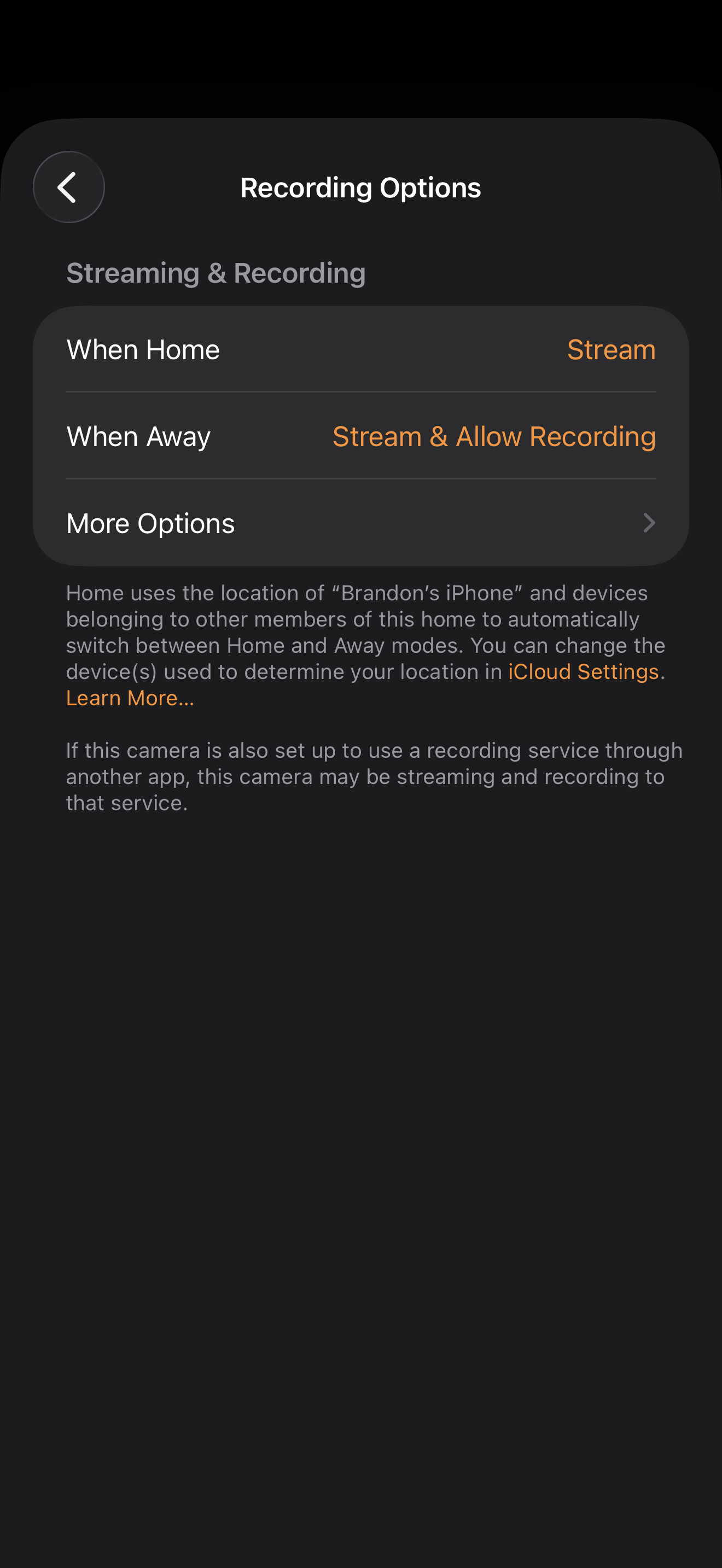
Recording Options set to “Stream & Allow Recording” for both When Home and When Away
Connected via 5GHz Wi-Fi 6 (WPA3)
What works:
Live view in Apple Home
Live view in Aqara Home app
Motion detection in Aqara Home app
Event recording in Aqara Home app
What does not work:
HKSV event recording - no clips appearing in Apple Home timeline
Recording works correctly within the Aqara Home app, which confirms the camera and motion detection pipeline are functioning as expected. The issue appears isolated to the HomeKit Secure Video recording handoff specifically.
Hi. I have a few questions to help get to the bottom of this:
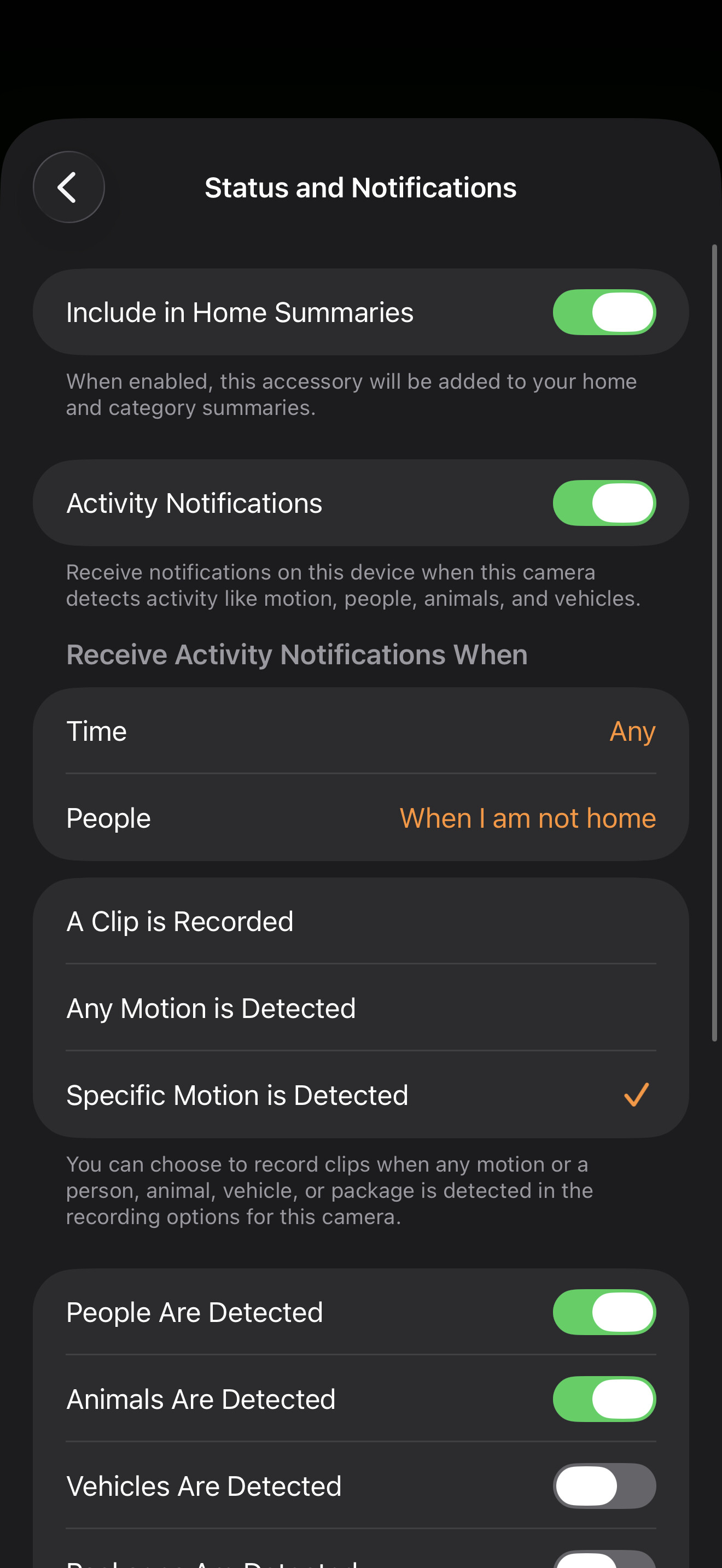
Do you receive motion notifications from Apple Home for this camera, even though no clips appear in the timeline?
Under Accessory Settings → Recording Options → More Options, is “Any Motion” or “Specific Motion” selected, and in the case of the latter, which types (People, Animals, Vehicles, Packages) are checked?
In Home Settings → Cameras & Doorbells, does the G350 show any error or a “limit reached” message regarding your iCloud+ plan?
Which of your devices is currently shown as the active Home Hub? Have you tried a restart of that specific hub to force a new HKSV handshake?
Nope, no notifications other than when it’s switching modes. Otherwise all notifications are enabled. My other HKSV cameras are working properly except this new G350. I’ve removed and repaired the camera thinking it might’ve been that too, but still no HKSV other than Live.
I’ve rebooted my Home Hubs. Just can’t seem to figure this out, everything is working correctly in the native Aqara app and able to view the recordings there. I’ve left it like this for the last week but still won’t show any timeline.
Have you tried setting “When Home” to “Stream & Allow Recording” and “Any Motion is Detected” temporarily to see if the timeline and notifications appear immediately?
Does Apple Home correctly recognize your location? Make sure that you have My Location (Settings → Location Services) set to your primary iPhone and Share My Location turned on.
Regarding your iCloud+ plan: Which tier are you on (50GB, 200GB, or 2TB+), and how many HKSV cameras are you already using? Even though your other cameras work, you might have hit the limit for the 50GB (1 camera) or 200GB (5 cameras) plan.
By the way, check in the Home App under Home Settings → [Your Name] → Camera → Stream & View Recordings if it is set to “Stream & View Recordings”.