Hi everyone,
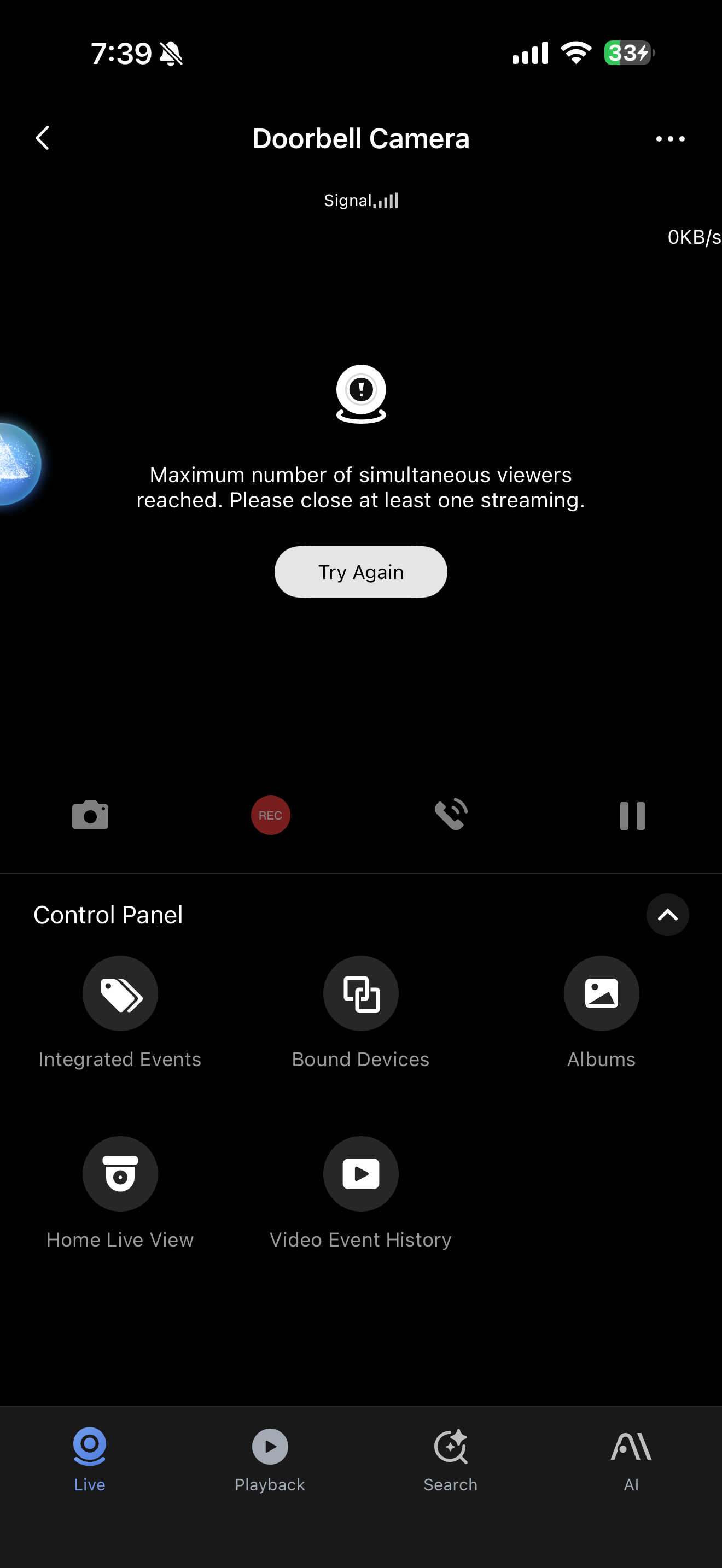
I keep receiving the “Maximum number of simultaneous viewers reached. Please close at least one streaming.” error on my Aqara G410 doorbell, and I’m hoping someone can help me figure this out.
I currently have 5 other G100 cameras, and none of them have this problem. Only the G410 doorbell consistently shows this error.
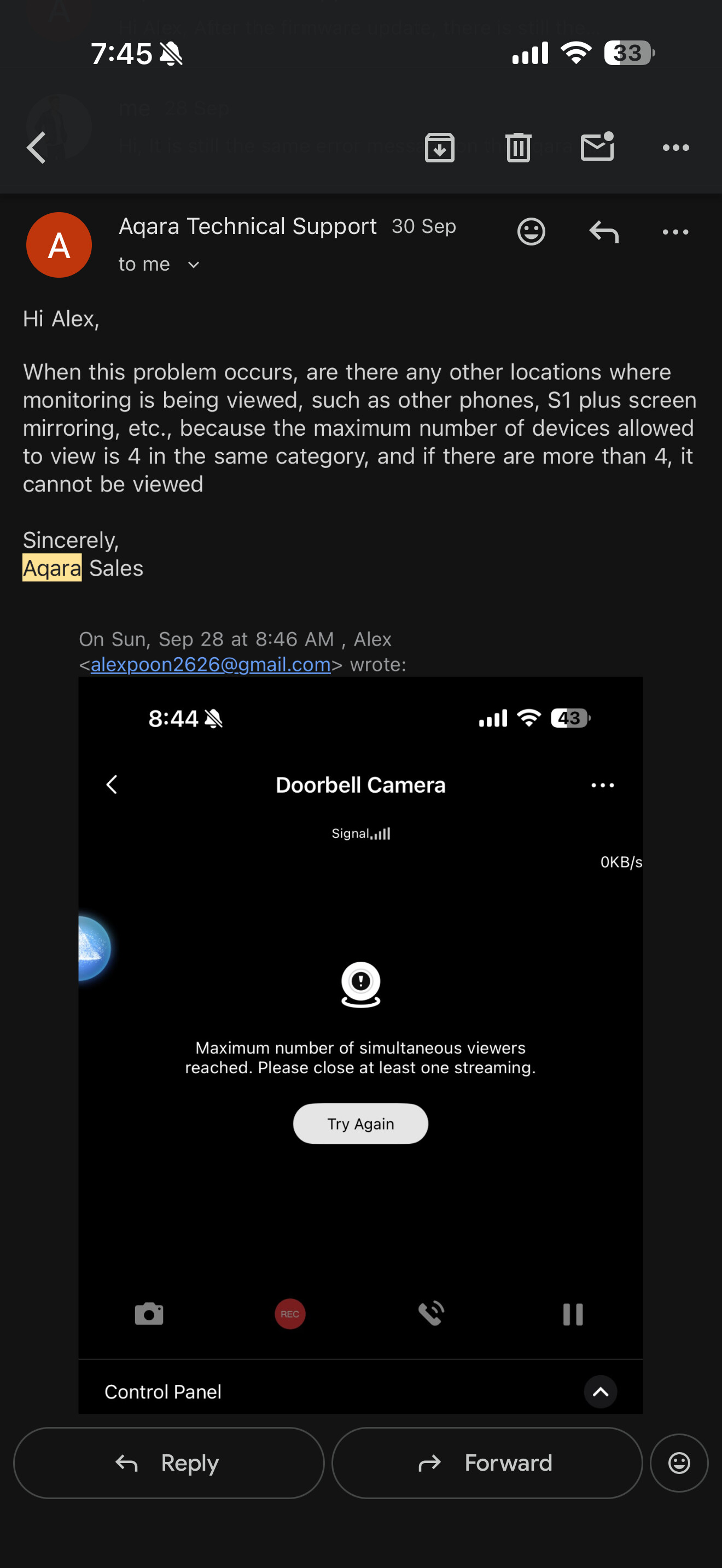
I’ve already contacted Aqara Support — they mentioned that “4 locations are viewing the stream,” but that doesn’t make sense in my setup. I have two S1 Plus panels, both with their screens off, and no one else is actively viewing the camera.
Interestingly, the G410 is still accessible and working fine through Apple HomeKit, so I can view it from there without issue.
Is there any way to see a log or list of devices currently connected/viewing the doorbell stream? I’d really like to identify what’s causing this and why it’s only affecting this specific model.
Any insights or suggestions would be greatly appreciated.
Thanks in advance!
— Alex
1 Like
@alexpoon2626 Hi Alex, sorry to hear you’re running into this frustrating issue with your G410 doorbell. Let’s break down what might be happening based on available info.
First, the “maximum simultaneous viewers” error is likely tied to the device’s viewer limit. For Aqara video doorbells like the G4 (which shares similar specs with the G410), the system supports up to 5 devices viewing the feed simultaneously (HomeKit supports 2 devices at once). Importantly, projecting the stream to devices like the Panel Hub S1 Plus counts towards this limit—even if the screens are off, the connection might still be active. This could explain why you’re hitting the cap despite no one actively viewing.
As for checking a log of connected devices, the reference information doesn’t mention a built-in feature for this. It might help to verify if your S1 Plus panels are still maintaining a background connection to the doorbell, even with screens off. You could try temporarily disconnecting one panel to see if the error persists, which might help isolate the issue.
Since the doorbell works fine via HomeKit, that aligns with the separate viewer limit for HomeKit (2 devices), which might not be affected by the main app’s 5-device cap.
Hopefully, this gives you a starting point! If others in the community have faced similar issues, sharing their experiences could help too.
Thanks for reaching out, and let us know how it goes.
P.S. If you need further clarification, feel free to share more details—we’re here to help!
@alexpoon2626 Hi Alex, sorry to hear you’re dealing with this “maximum viewers” error on your G410 doorbell. Let’s break down what might be happening based on available info.
First, the reference notes that some Aqara cameras (including doorbells) have a limit of up to 5 simultaneous viewers (with HomeKit supporting only 2). Importantly, projecting the camera feed onto devices like the Panel Hub S1 Plus can count towards this limit—even if the screen is off, the connection might still be active . Since you have two S1 Plus panels, this could explain the “4 locations” mentioned by support, as they might be occupying viewer slots.
As for checking a log of connected devices, the reference info doesn’t mention a built-in feature for this. However, you could try:
- Ensuring the G410 isn’t set to auto-project on the S1 Plus panels in the app settings.
- Disconnecting and reconnecting the panels to see if the viewer count drops.
- Verifying no other devices (like shared accounts or guest access) are silently streaming.
Since HomeKit works fine, it might be using a separate connection that doesn’t hit the same limit.
If you figure out the exact cause, feel free to share—your experience could help others! Let us know how it goes.
P.S. If the issue persists, you might want to follow up with support and mention the S1 Plus projection possibility.
1 Like
@alexpoon2626 Hi Alex, sorry to hear you’re running into this “maximum viewers” issue with your G410 doorbell. Let’s break down what might be happening based on what we know about Aqara camera streaming limits.
For many Aqara cameras, including video doorbells like the G4, there’s a limit on simultaneous viewers—typically up to 5 devices (with HomeKit supporting only 2 at a time). Importantly, even if devices like the Panel Hub S1 Plus are projecting the feed (even with screens off), this can count toward the limit. Other factors like multiple phones logged into the same account, guest access, or even background connections might also occupy slots, which could explain why the app shows 4 “locations” even if no one is actively viewing.
Since your G410 works fine via HomeKit, that aligns with HomeKit having a separate, lower limit (2 devices) that might not be maxed out in your case.
As for viewing a log of connected devices, the reference information doesn’t currently cover this feature, so I can’t confirm if it’s available. It might be worth checking if the S1 Plus panels are still maintaining a background connection to the doorbell, even when their screens are off—this could be contributing to the count.
If you’re still stuck, feel free to share more details about your setup (like how the S1 Plus is integrated) and the community might have additional insights. For product improvement suggestions, you can submit feedback via the Aqara Home App (Profile>Help&Feedback>Customer Service).
Hope this helps, and let us know how it goes!
Best,
[Your Name]