Hi all.
My hardware: 2x Aqara G4
iPad and iPhone.
IFTTT (working with my TP-Link devices).
I wanted to add one G4 to IFTTT in order to not always forget to take the cover off when leaving home.
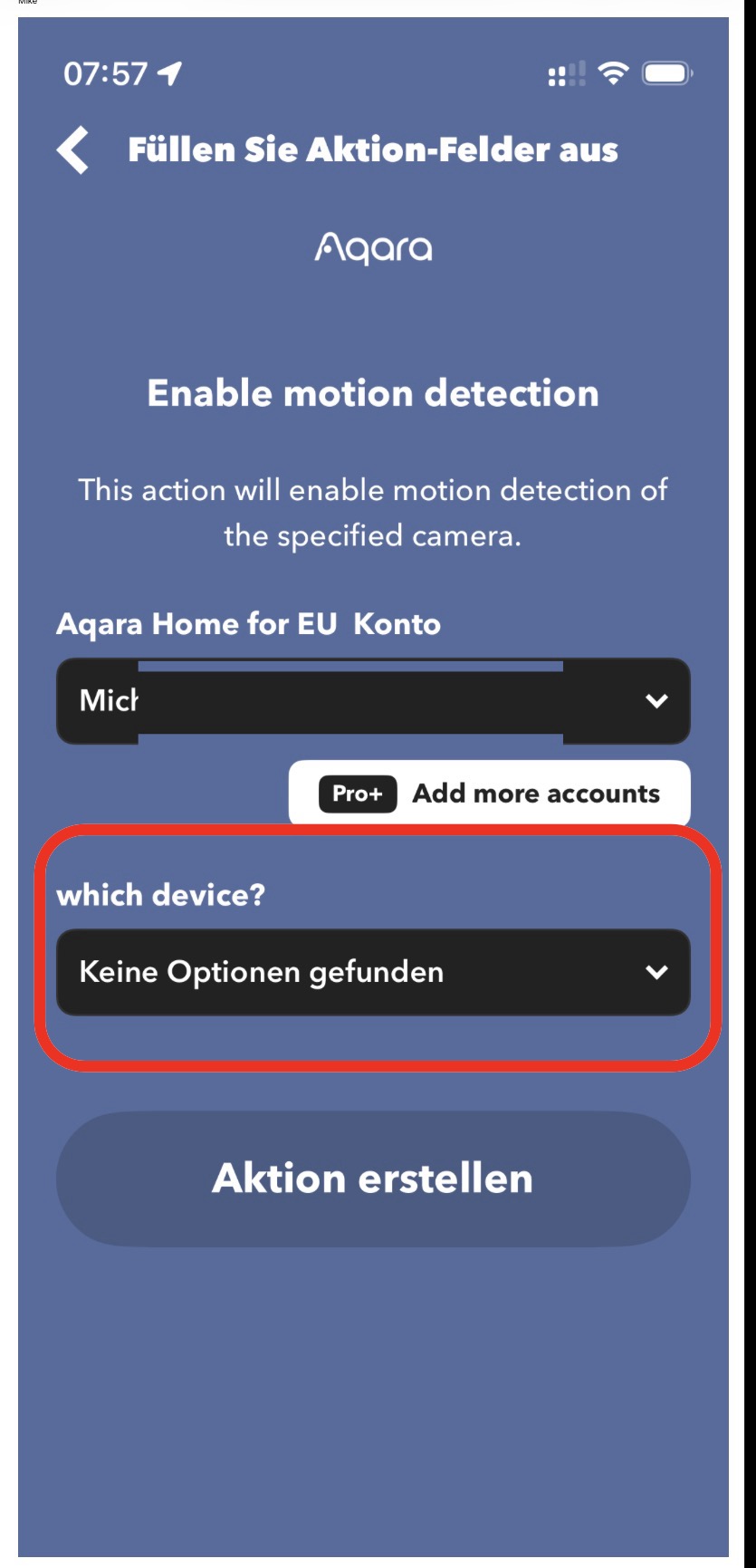
I connected IFTTT to my Aqara account, my Aqara accountname shows up in IFTTT, but no device in order to be selected.
I also tried to set up another IFTTT account with the same mailadress as used in Aqara: NO DEVICE FOUND.
I also tried the US server: No change.
My question:
Is there no direct IFTTT connection, like offered with TP-Link?
Are any third party apps needed?
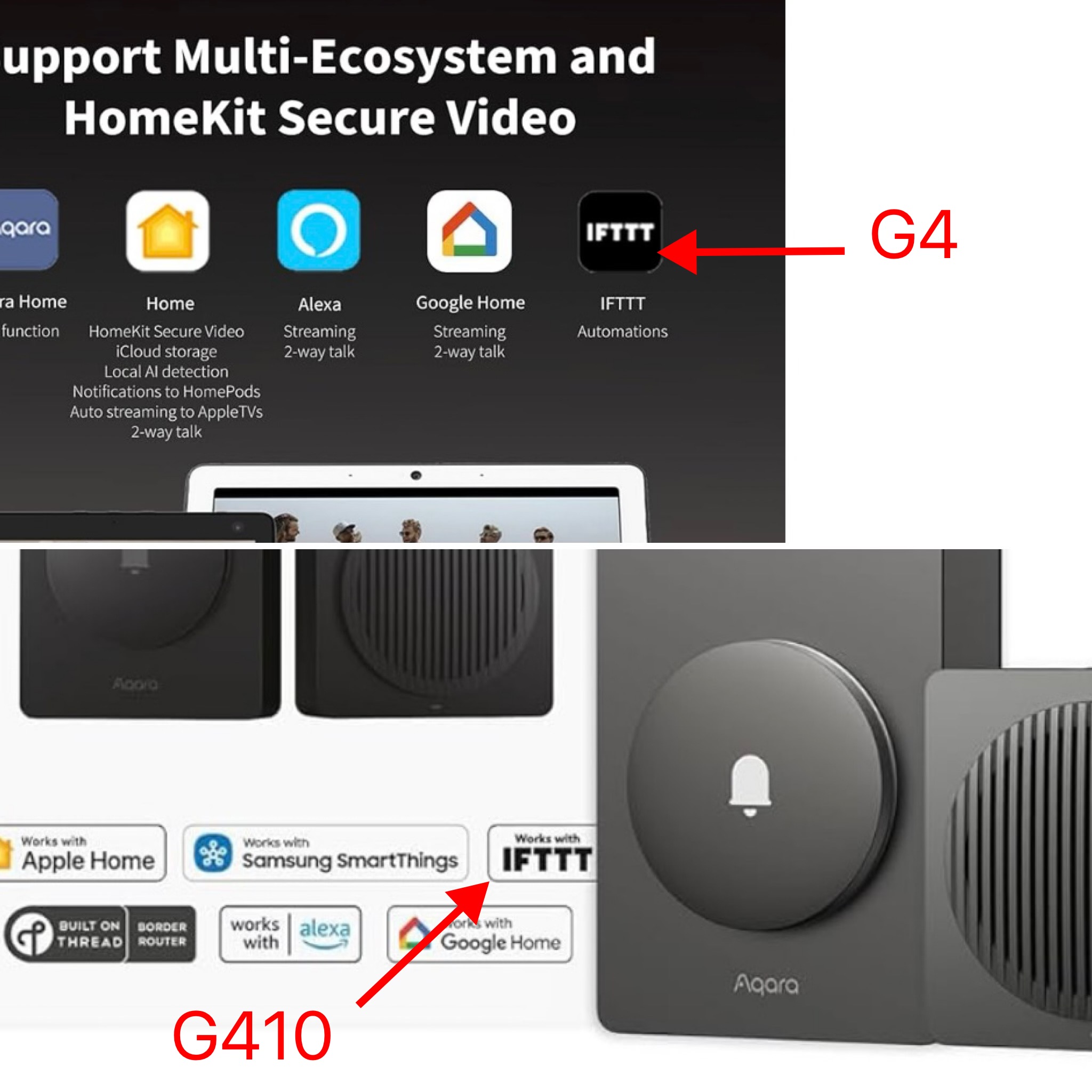
Or would the new G410 be better and support direct IFTTT connection?
Thx
Mike
@miciphone Hi Mike,
Thanks for sharing your setup and your detailed troubleshooting—it’s clear you’ve already tried a lot to get IFTTT working with your Aqara G4!
Based on the current reference information, the Aqara Smart Video Doorbell G4 supports direct connection to the Aqara Home app and does not require an Aqara hub for operation. However, there is no official documentation or reference indicating that the G4 (or the G410, for that matter) supports a direct integration with IFTTT in the way TP-Link devices do. It appears that, at present, Aqara’s integration with IFTTT is limited, and some devices (such as the G4) may not be exposed for direct use via IFTTT even if your Aqara account is linked.
There’s also no mention in the reference information of third-party apps enabling this integration or of the G410 providing enhanced or direct IFTTT compatibility. So, as things stand, neither the G4 nor the G410 seem to offer direct IFTTT connection out of the box, and you might not see your devices appear for selection within IFTTT.
Since integration features can change, I’d recommend keeping an eye on official Aqara announcements and updates. In the meantime, if you have suggestions or specific needs regarding IFTTT integration, you can always submit your feedback through Aqara Customer Service via the Aqara Home App (Profile > Help & Feedback > Customer Service) or by scanning the QR code below. If you don’t have an Aqara Home account, you can click here to create a ticket.
If anyone in the community has managed to work around this limitation, I encourage you to share your experience. Collaboration is always welcome!
Hope this helps clarify things a bit, and thanks again for getting the conversation started.
This is very disappointing and bad marketing (fooling customers), as both cameras are cleary advertised with IFTTT compatibilty.
1 Like