Ghost events from Aqara in Home Assistant

Help! My smart home is haunted.

Okay… maybe not literally, but it sure feels like it.

I’m using several Aqara Mini Buttons around the house to trigger different scenes and automations. One of them controls a roller blind between the prep kitchen and the front kitchen — the button triggers an Aqara relay, and the relay moves the blind. Nice and simple.

At least it was simple.

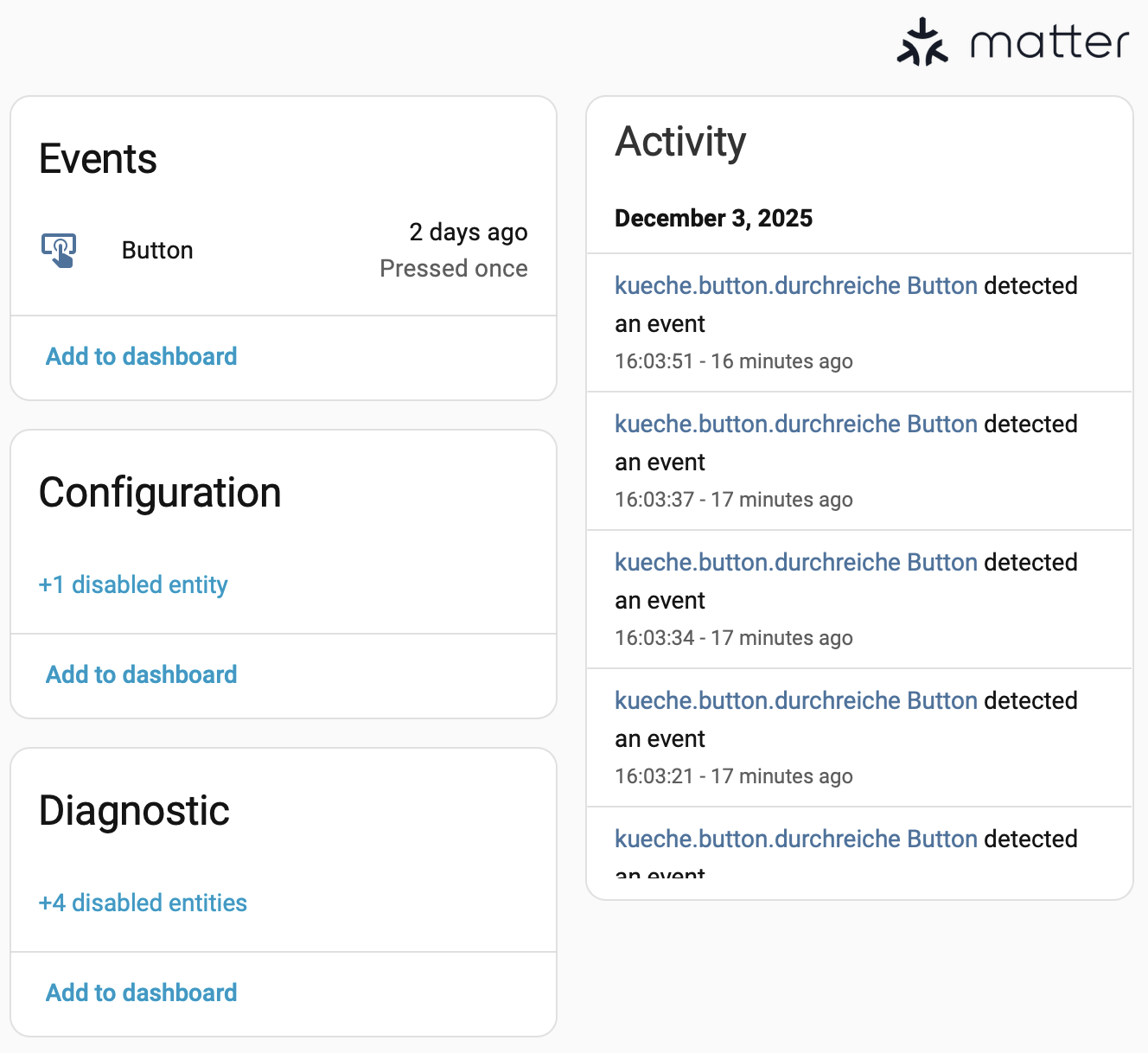
For the past few days, I’ve been getting ghost events from this Mini Button (and a few others). The weird part: the button is lying in a drawer, untouched… and still fires an event in Home Assistant. The screenshot says it all: the last real press was two days ago (December 1st), but under “Activities” you see several fresh events from today — which then triggered the automation.

Anyone seen this before? Any idea where these phantom button presses are coming from?

Check this out: Topics to remember – Bookmark and keep coming back!

Always remember: “If your car is smarter than your home… you’re driving into the future while living in the past” :red_car::house:

Hello Rudy,

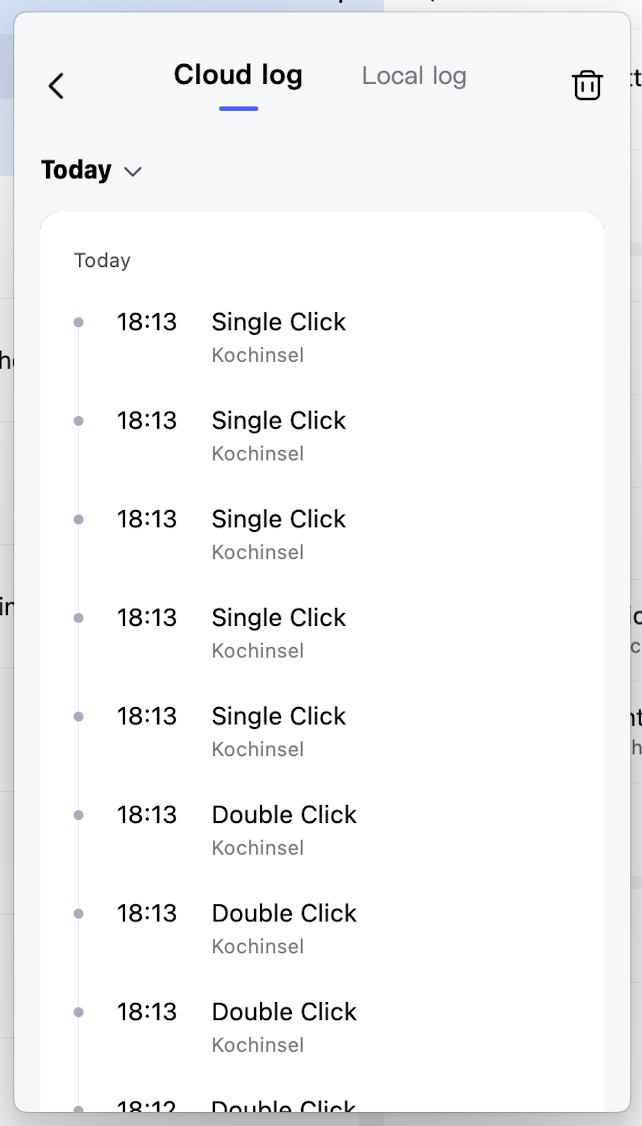
Do you have corresponding logs in the Aqara App?

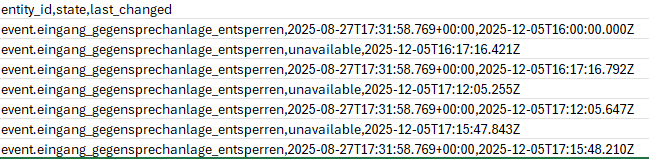
When changing an event, “unknown or unavailable” is also recognized.

Search for the entity under ‘History’, select ‘Last 7 days’, click on the three dots in the top right corner, select ‘Download data’, then open the CSV file in a text editor. You will probably see something like this:

Make sure to create the automation following this instructions: https://www.home-assistant.io/integrations/event/#automating-on-a-button-press

It’s cumbersome and not user-friendly but it’s the only way to (almost) ensure your automation only runs when you use the buttons.

1 Like

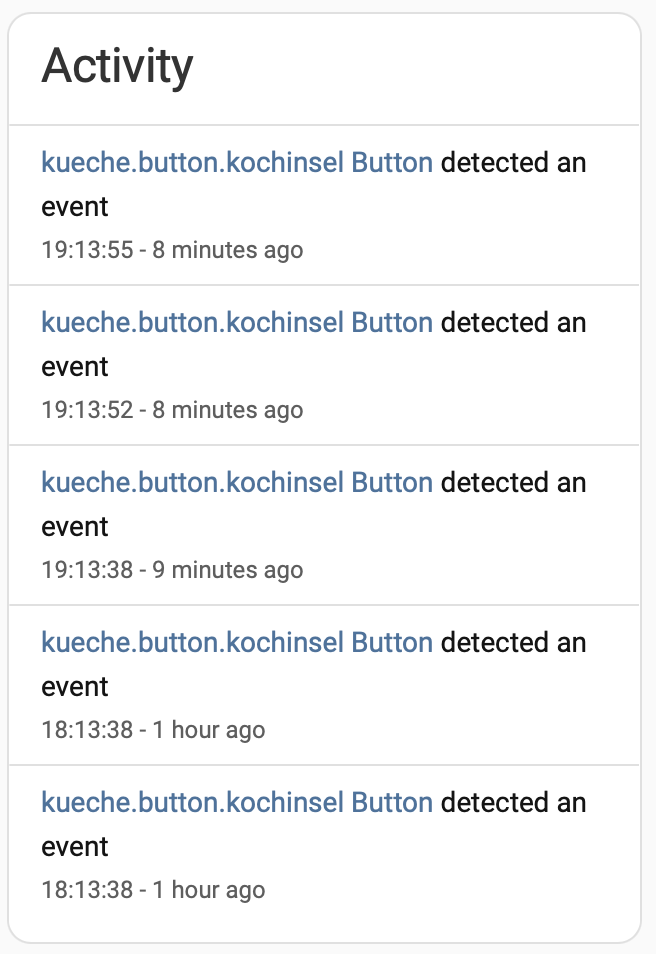
Hi @david and @JohnD this is the log from Aqara and the corresponding log from HA. Nobody touched the button, but you can see the events.

I follow this advice Event - Home Assistant (thank you @mocelet), but “unknown” and “unavailable” seems not to be the problem. I don’t know which system fires the events. Very weird…
1 Like

Gosh, I’d report this to Aqara they may be able to look further in but that’s not good, especially as the button is in a drawer.

2 Likes

Take a look in the Aqara Home app under

Profiles → Help & Feedback → Device diagnostic logs

Maybe that will reveal something useful.

But you don’t have any automation in HA that presses the button?

1 Like