My Guest Bathroom Automation (FP300 + FP2)
I wanted my hallway and bathroom to work together as one system instead of two separate automations.
To do that, I use:
- Aqara FP300 in the hallway.
- Aqara FP2 in the Guest Bathroom.
Each sensor has a different responsibility.
Hallway (FP300)
The FP300 isn’t responsible for bathroom occupancy.
Its only job is to detect approaching and leaving .
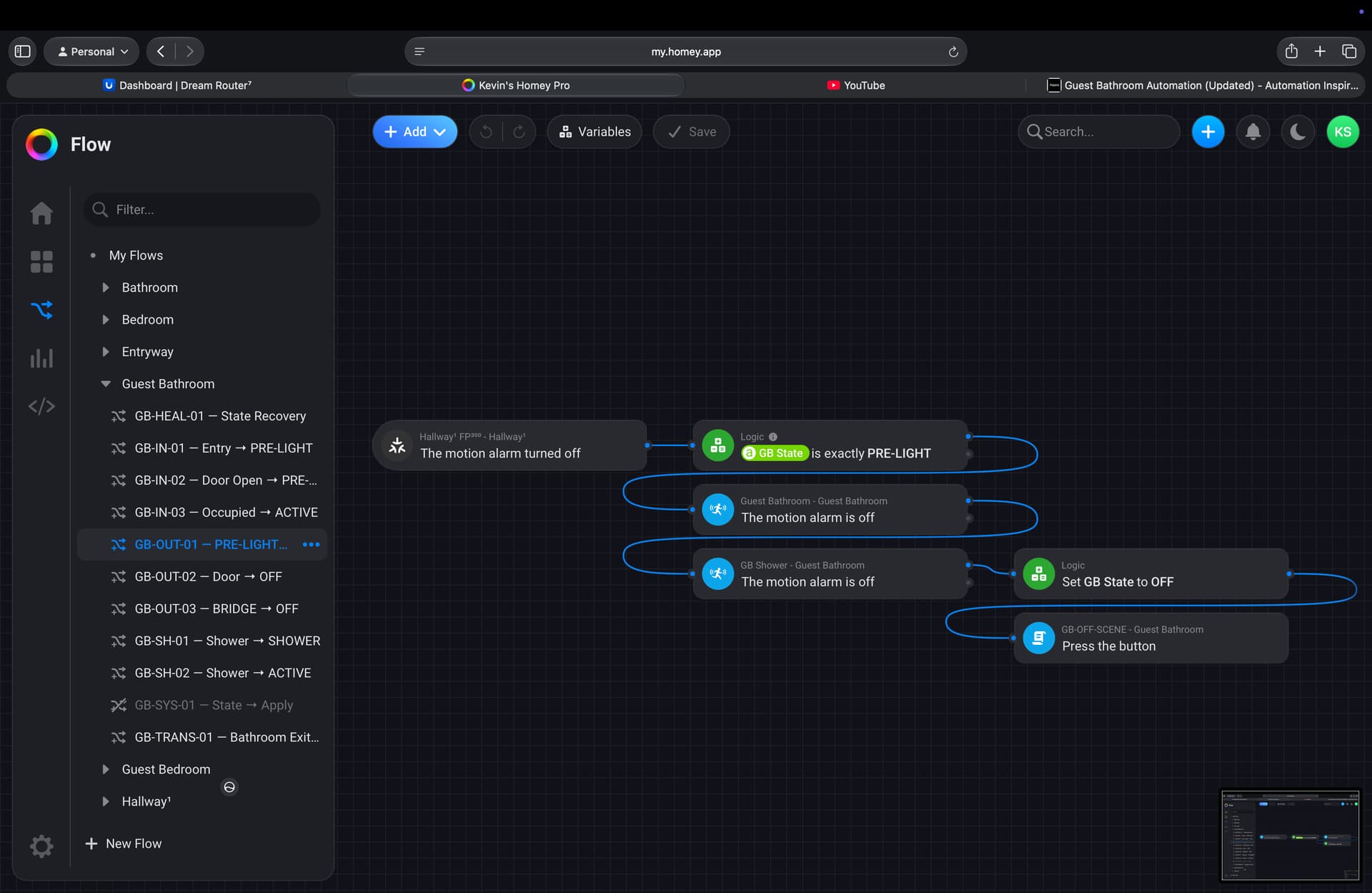
As soon as someone walks toward the bathroom, the hallway tells the bathroom:
“Someone is coming.”
The bathroom enters PRE-LIGHT and softly turns on before the person even reaches the door.
This makes the room feel much more natural than waiting for someone to step inside before the lights come on.
Bathroom (FP2)
The FP2 handles everything that happens inside the bathroom.
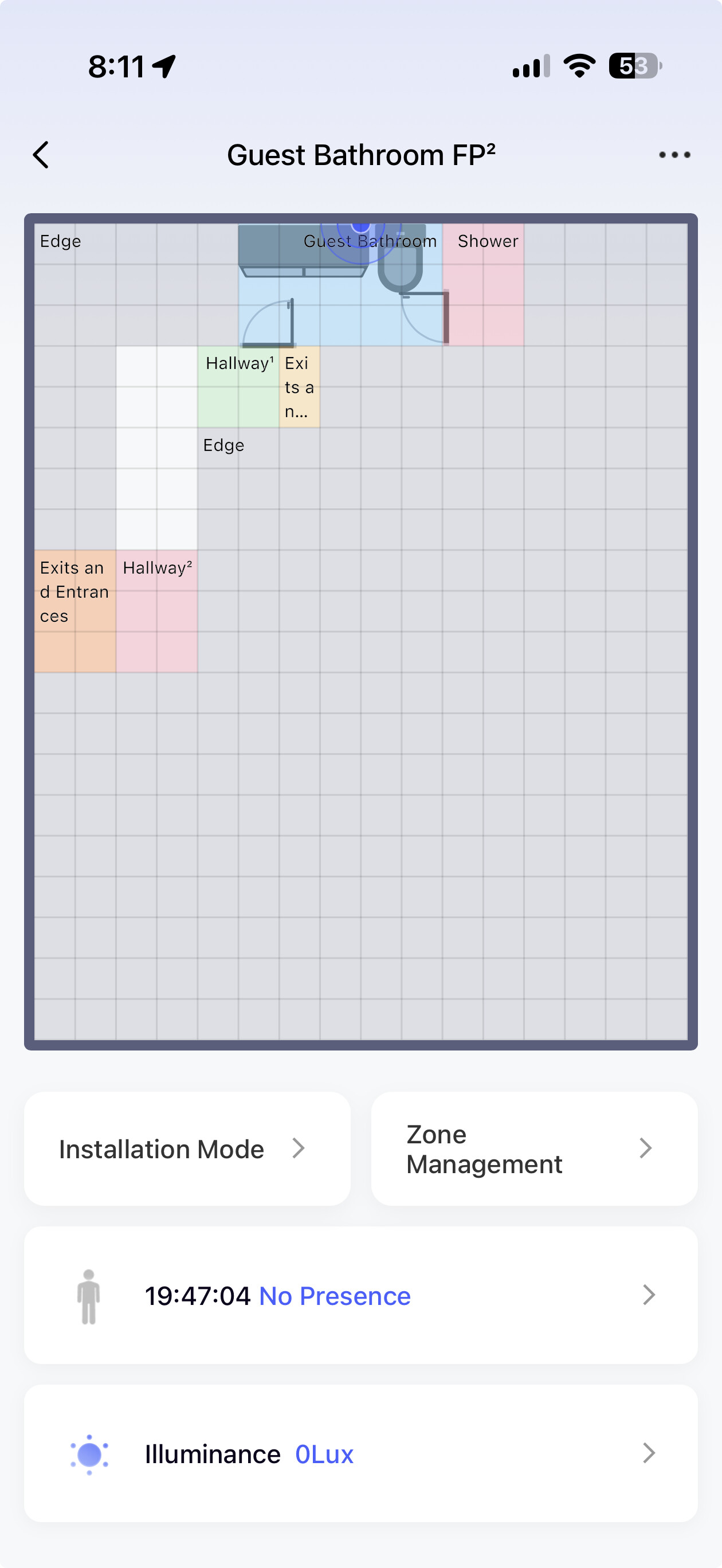
I divided it into two zones:
- Bathroom Zone
- Shower Zone
The Bathroom Zone tells the automation that someone is using the room normally.
The Shower Zone tells the automation someone is showering, which is treated differently because people don’t move much in the shower.
The Bathroom Has Five States
- OFF – Nobody is inside.
- PRE-LIGHT – Someone is approaching.
- ACTIVE – Someone is using the bathroom.
- SHOWER – Someone is showering.
- BRIDGE – Someone is moving between the hallway and bathroom.
The room is always in one of these states.
Walking Into the Bathroom
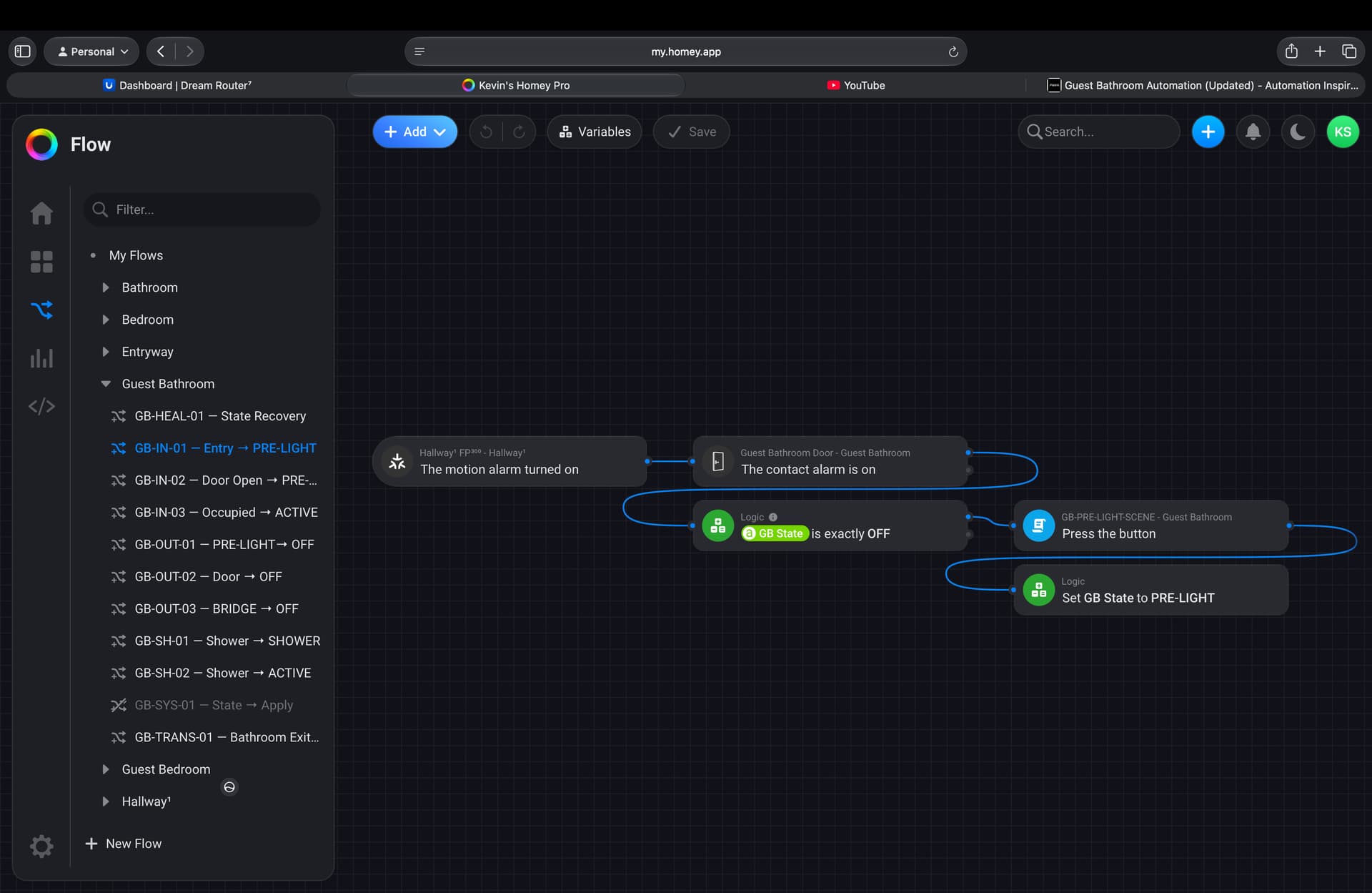
You walk down the hallway.
 The FP300 detects you.
The bathroom enters PRE-LIGHT and turns on a soft light.
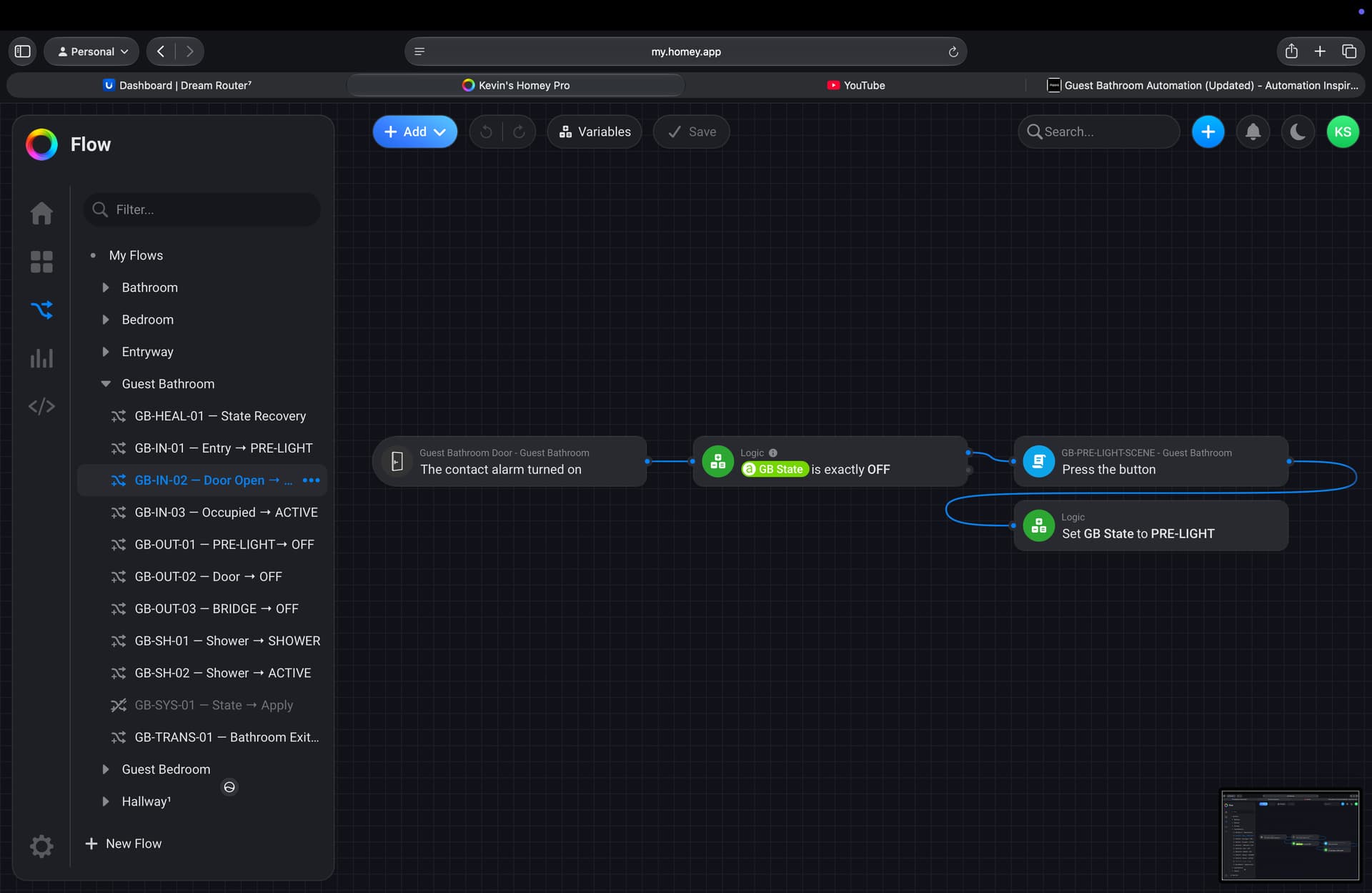
You walk through the doorway.
The FP2 Bathroom Zone detects you.
The bathroom changes to ACTIVE .
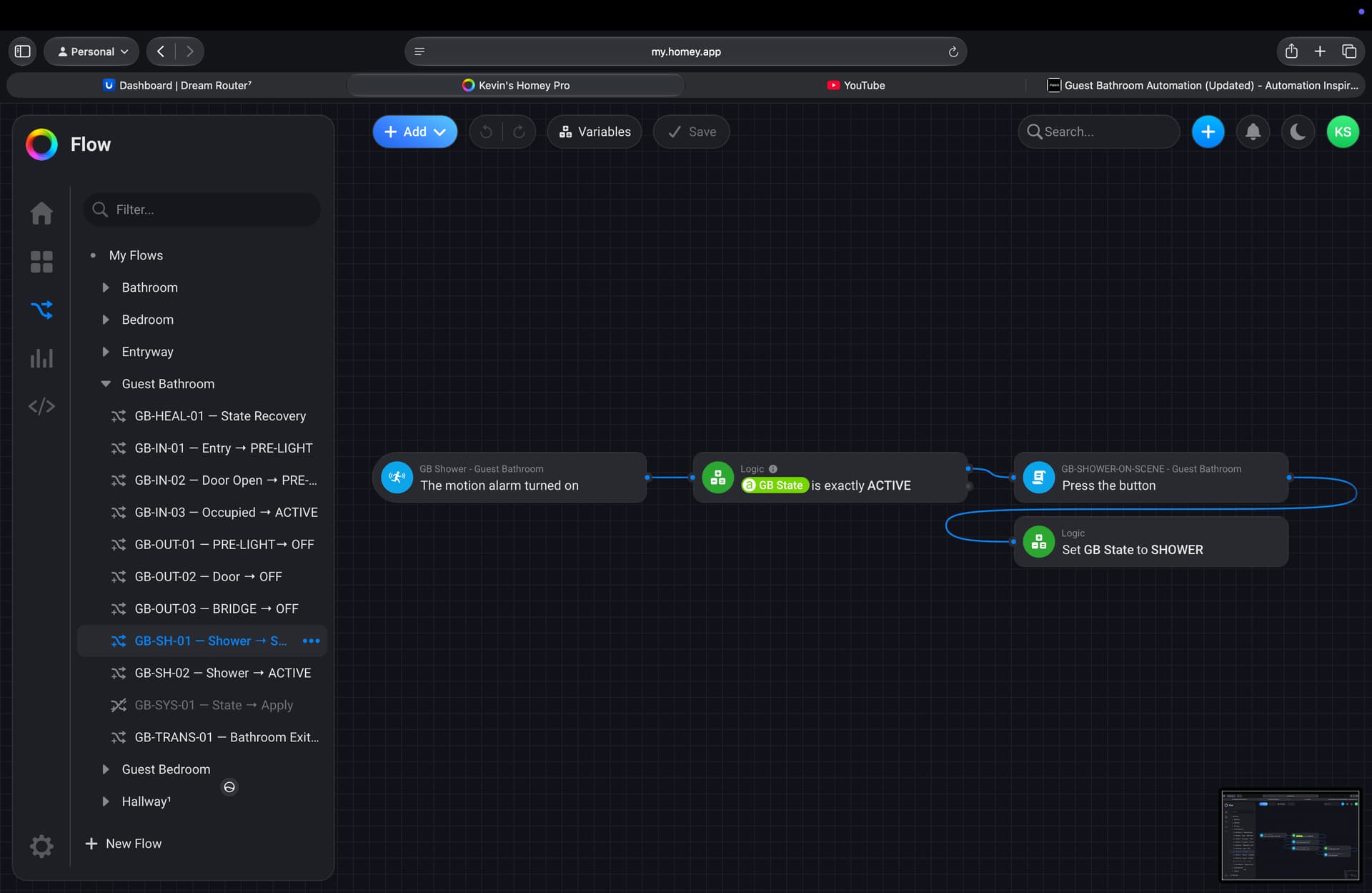
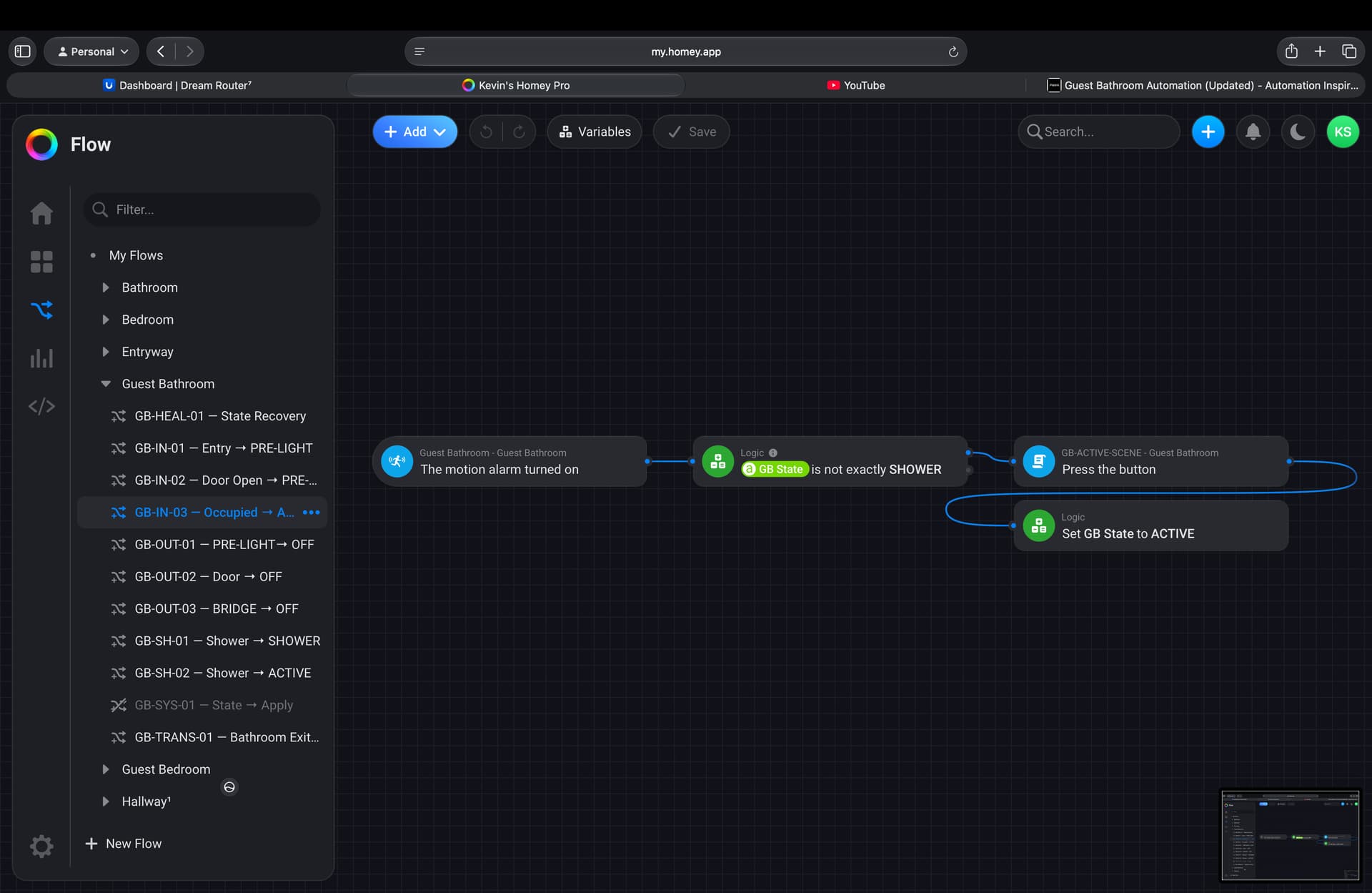
If you step into the shower…
The FP2 Shower Zone becomes occupied.
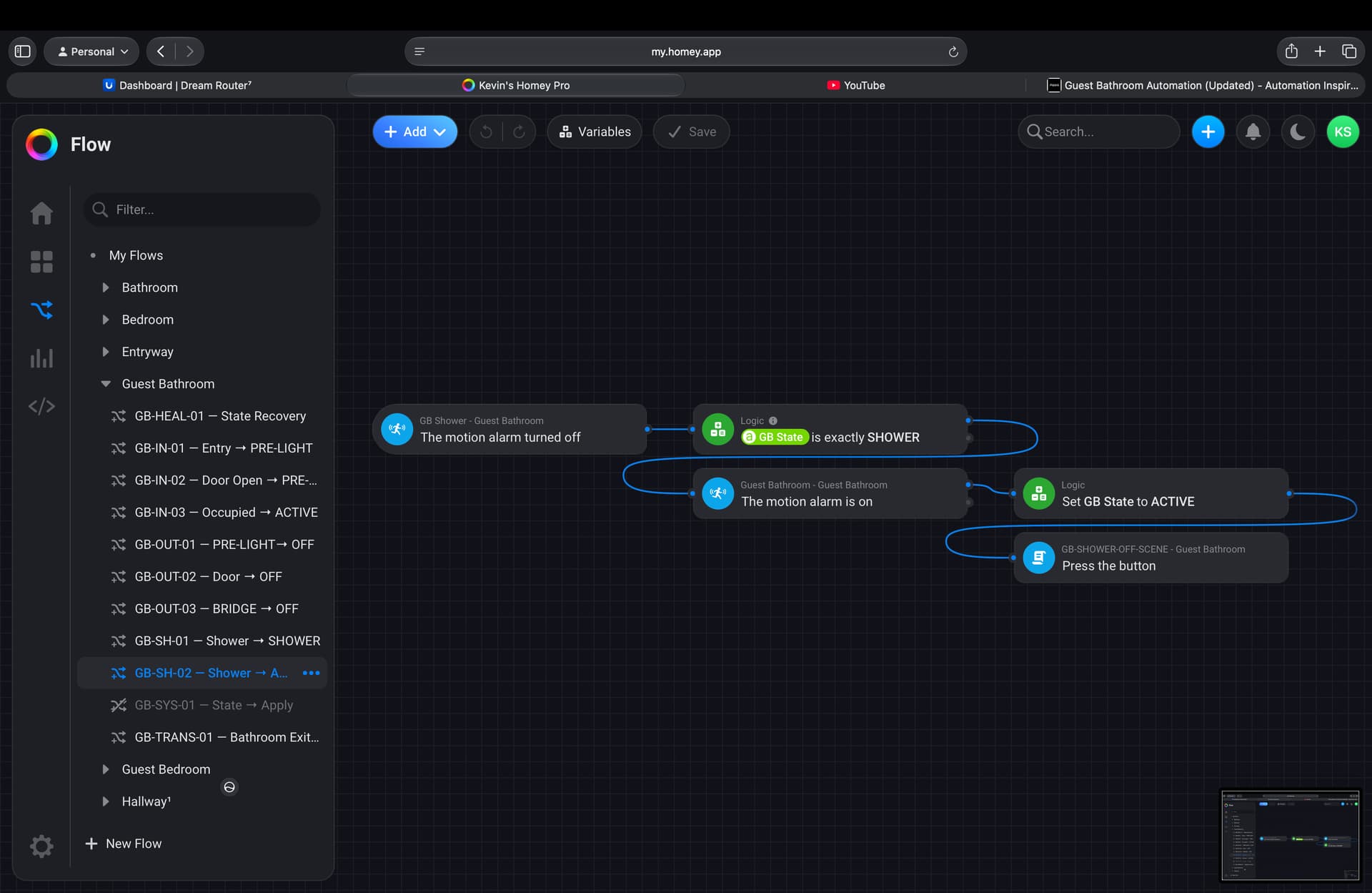
The bathroom changes to SHOWER .
Because SHOWER is a protected state, the lights won’t accidentally turn off if the sensor briefly loses you while you’re standing still or behind the shower curtain.
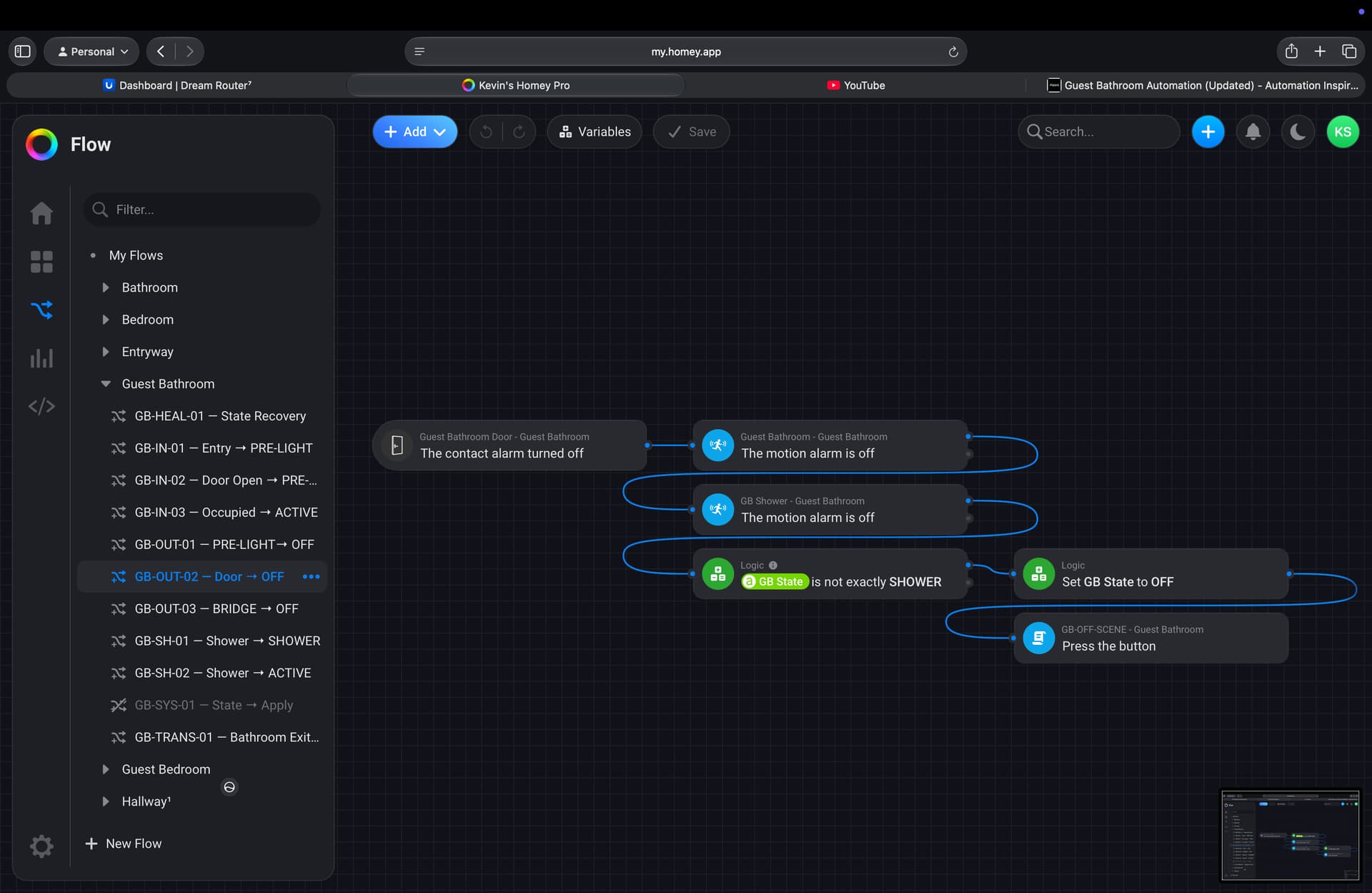
Walking Out
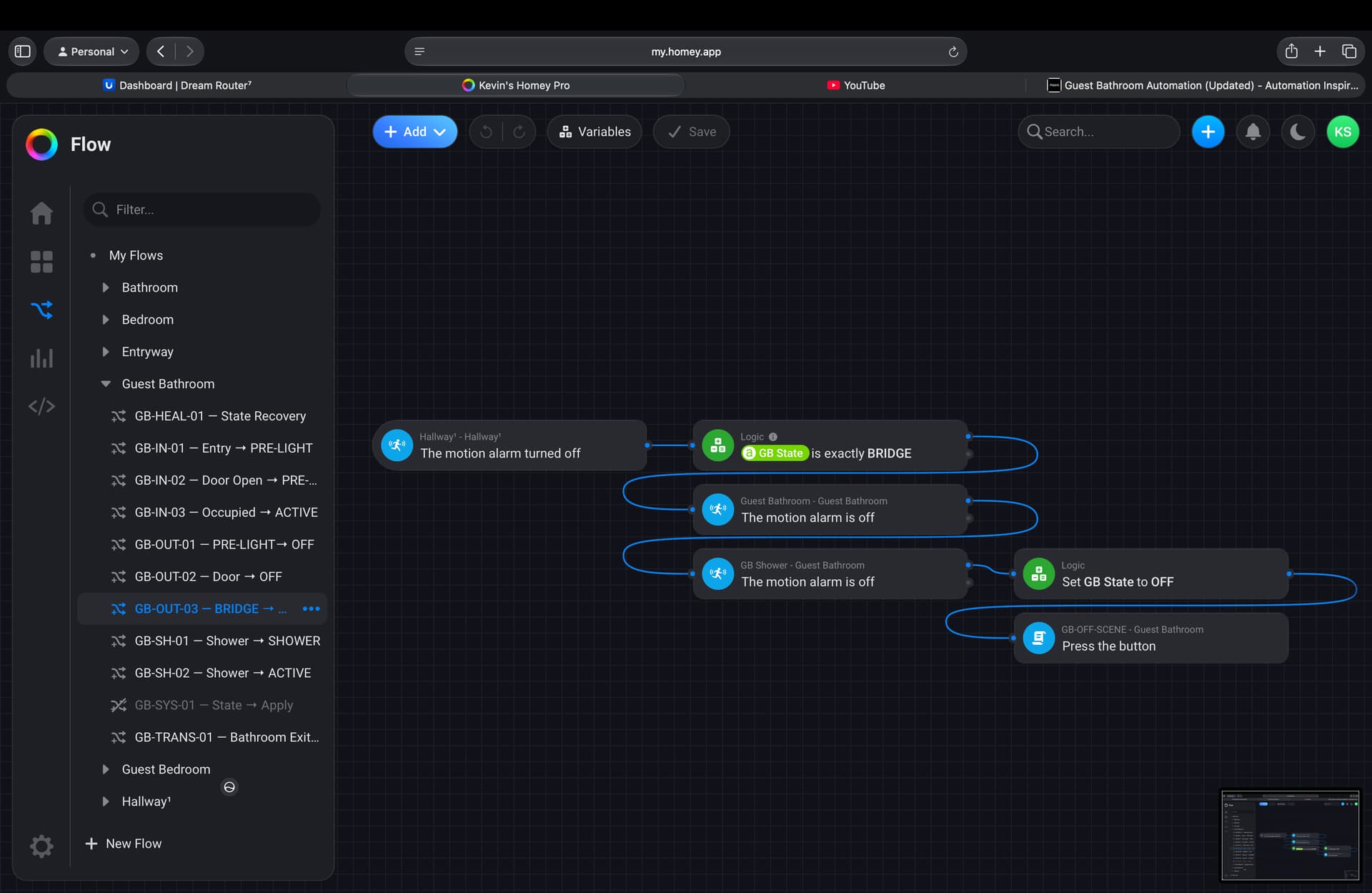
This is where the BRIDGE state comes in.
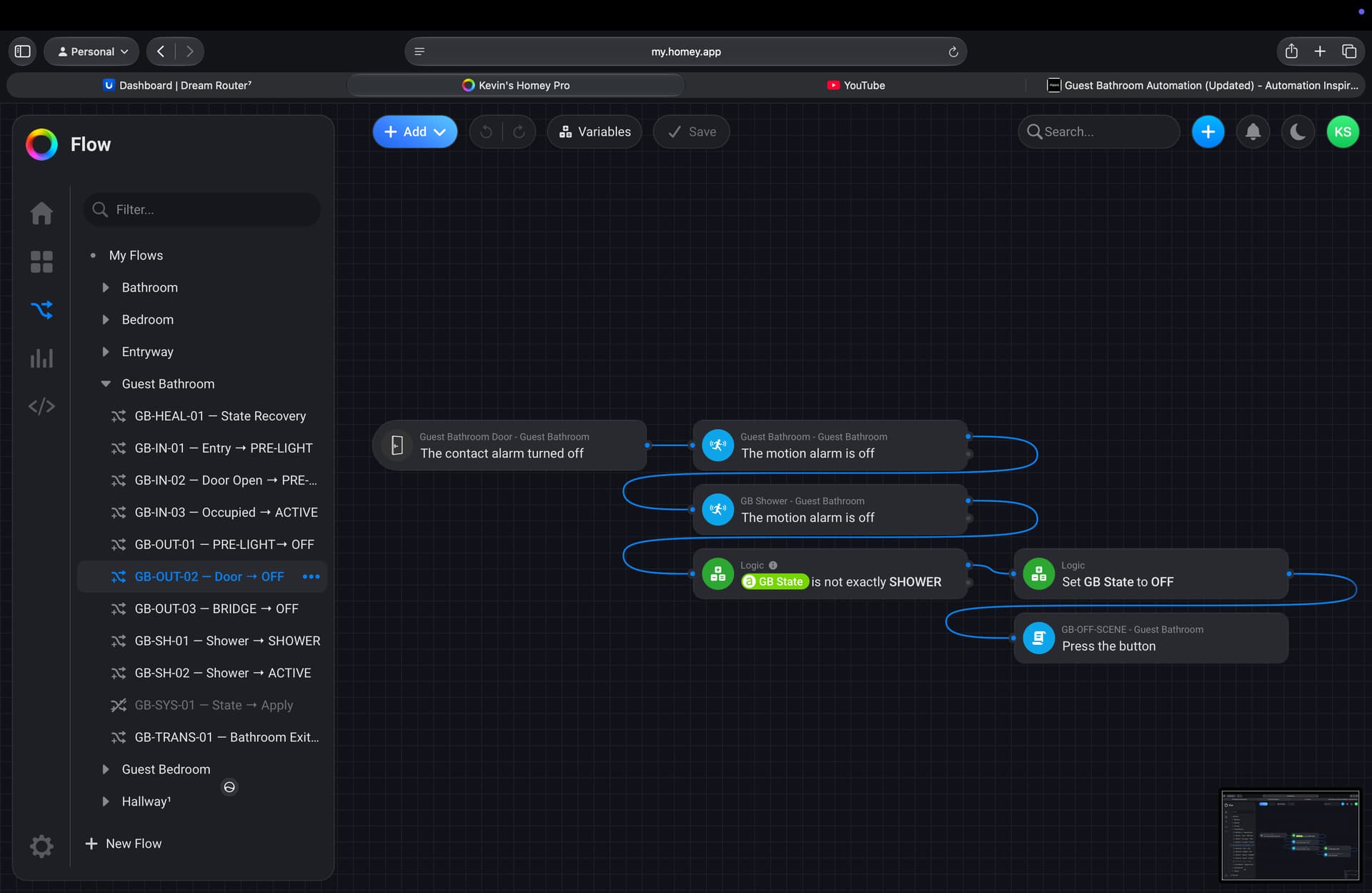
When you leave the bathroom, the FP2 no longer sees you, but you’re still physically in the doorway and entering the hallway.
Instead of immediately turning everything off, the bathroom enters BRIDGE .
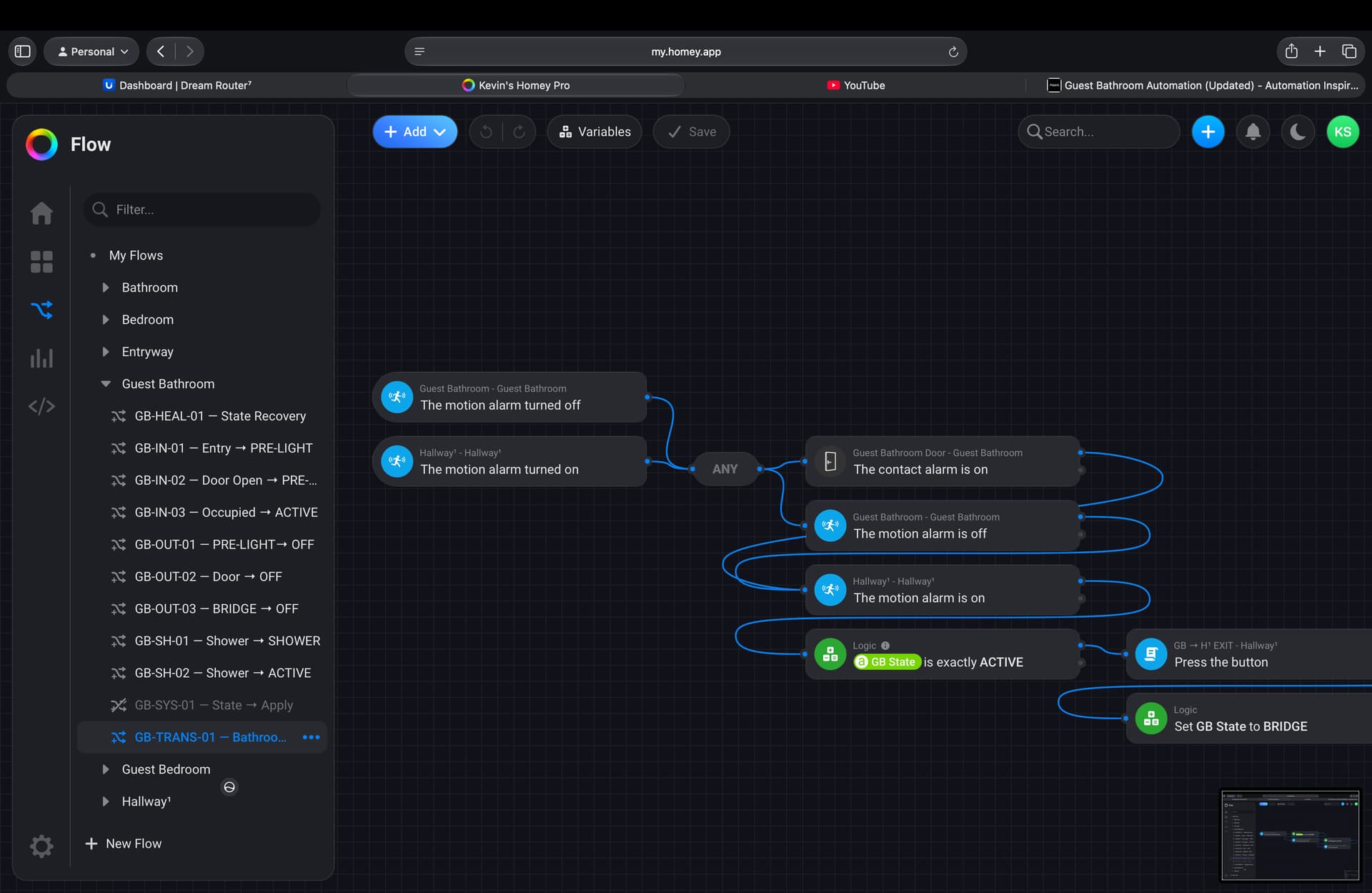
During this brief transition, the hallway takes over.
The FP300 sees you enter the hallway and activates the Hallway¹ automation.
Once you’re fully out of the bathroom and the transition is complete, the bathroom finally changes from:
ACTIVE → BRIDGE → OFF
This handoff prevents the hallway and bathroom from fighting over the lights while you’re standing in the doorway.
Why I Built It This Way
Most occupancy automations treat every sensor as if it’s making decisions on its own.
I wanted each sensor to have a specific job.
- The FP300 watches movement to and from the bathroom.
- The FP2 watches what happens inside the bathroom.
The result is a smoother experience:
- The bathroom lights are already on before I enter.
- The hallway lights come on naturally when I leave.
- No lights turning off while showering.
- No flickering in the doorway.
- The hallway and bathroom never fight over who’s in control.
Instead of asking, “Did a sensor detect motion?” , my automation asks, “Where is the person in their journey?”
That small change has made this one of the most reliable automations in my smart home.