Hello everyone,
I have been working with the Aqara P100 and want to share a guide on how to capture specific events like vibration, falls, or movement via Zigbee2MQTT in Home Assistant automations. I mounted the sensor under my sofa and wanted to turn on the lights and the Apple TV in the evening when vibration is detected.
Here is the complete process:
Enable experimental event entities in Z2M
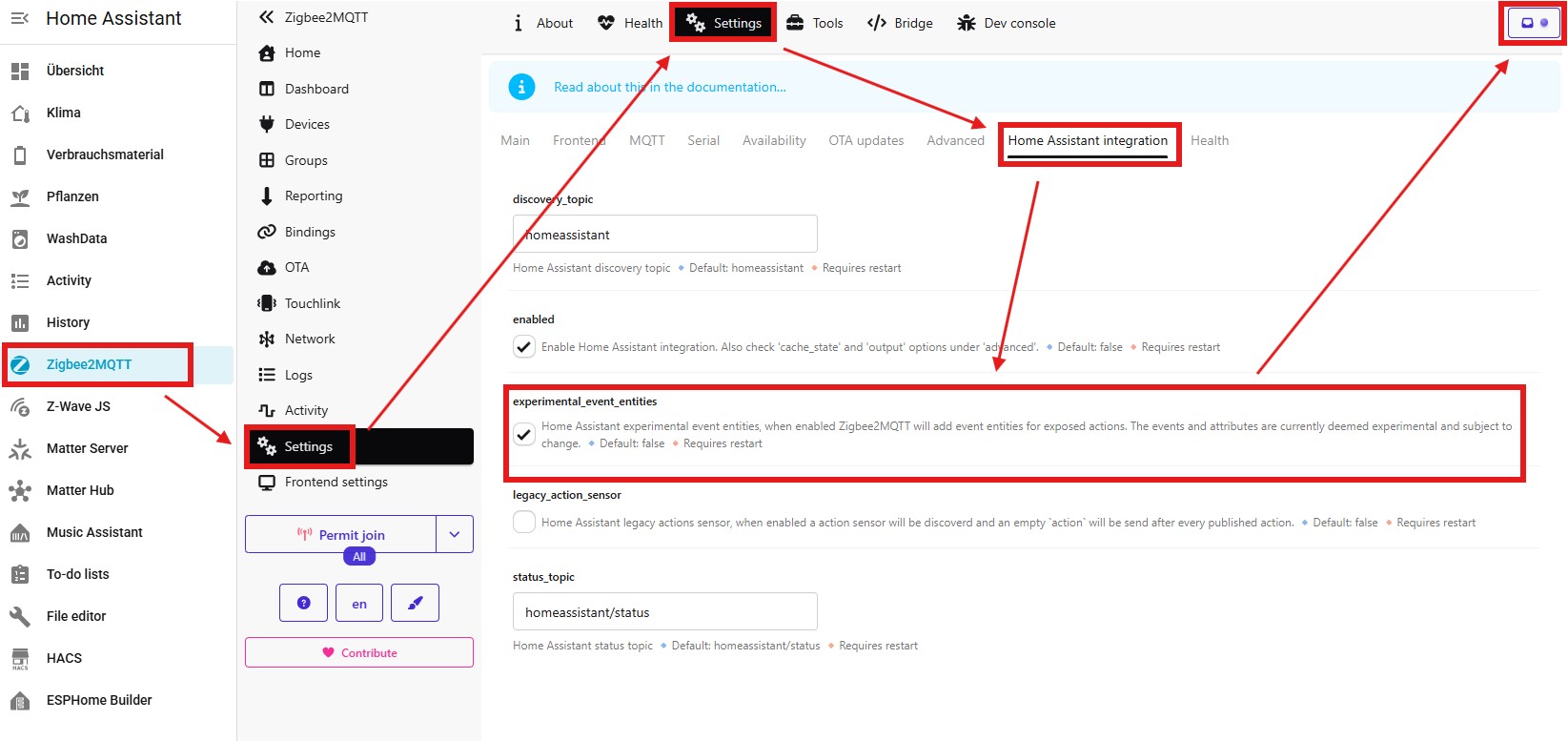
For the events to be passed to Home Assistant as triggers, we need to adjust a setting. Go to Zigbee2MQTT under Settings → Home Assistant integration and check the box for experimental_event_entities.
Restarted Zigbee2MQTT
Afterwards, Zigbee2MQTT must be restarted once for the changes to take effect.
 Warning: Do not restart Home Assistant, but rather the Zigbee2MQTT app, as shown in the next image. If you restart HA, the events will not be enabled and you will still have to restart the Zigbee2MQTT app again for the changes to take effect.

Before and after comparison in HA
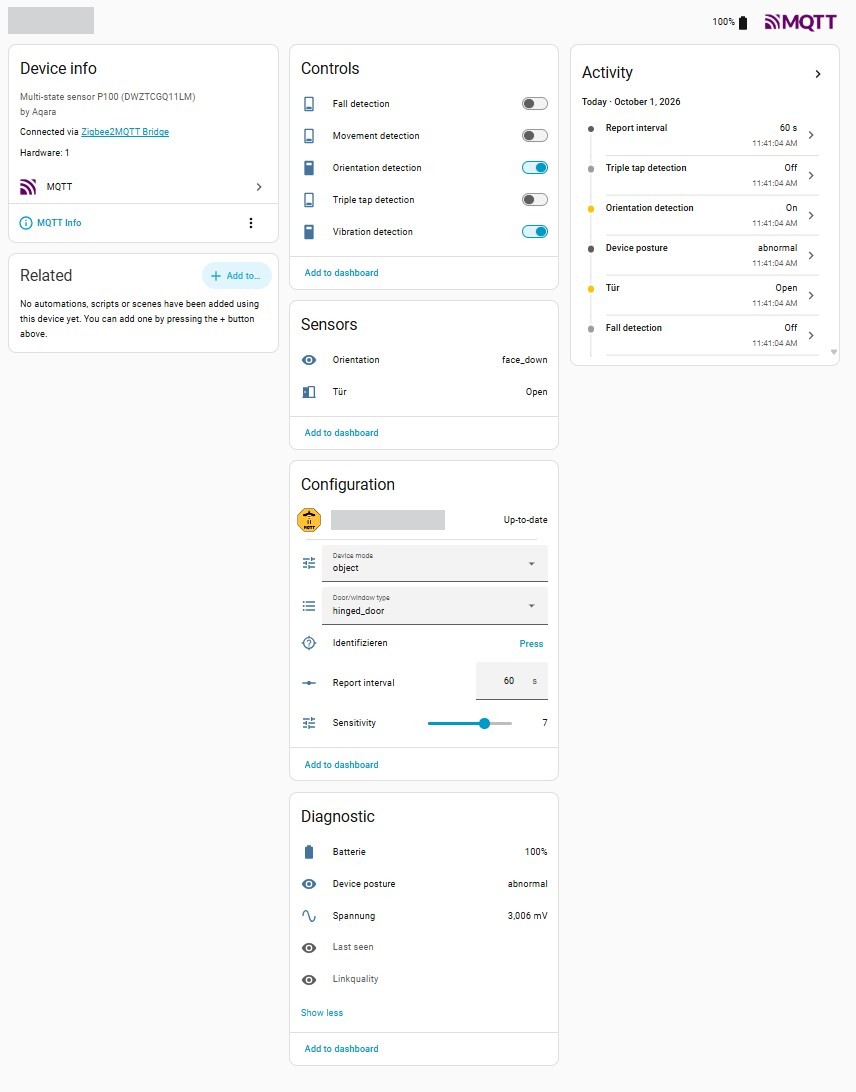
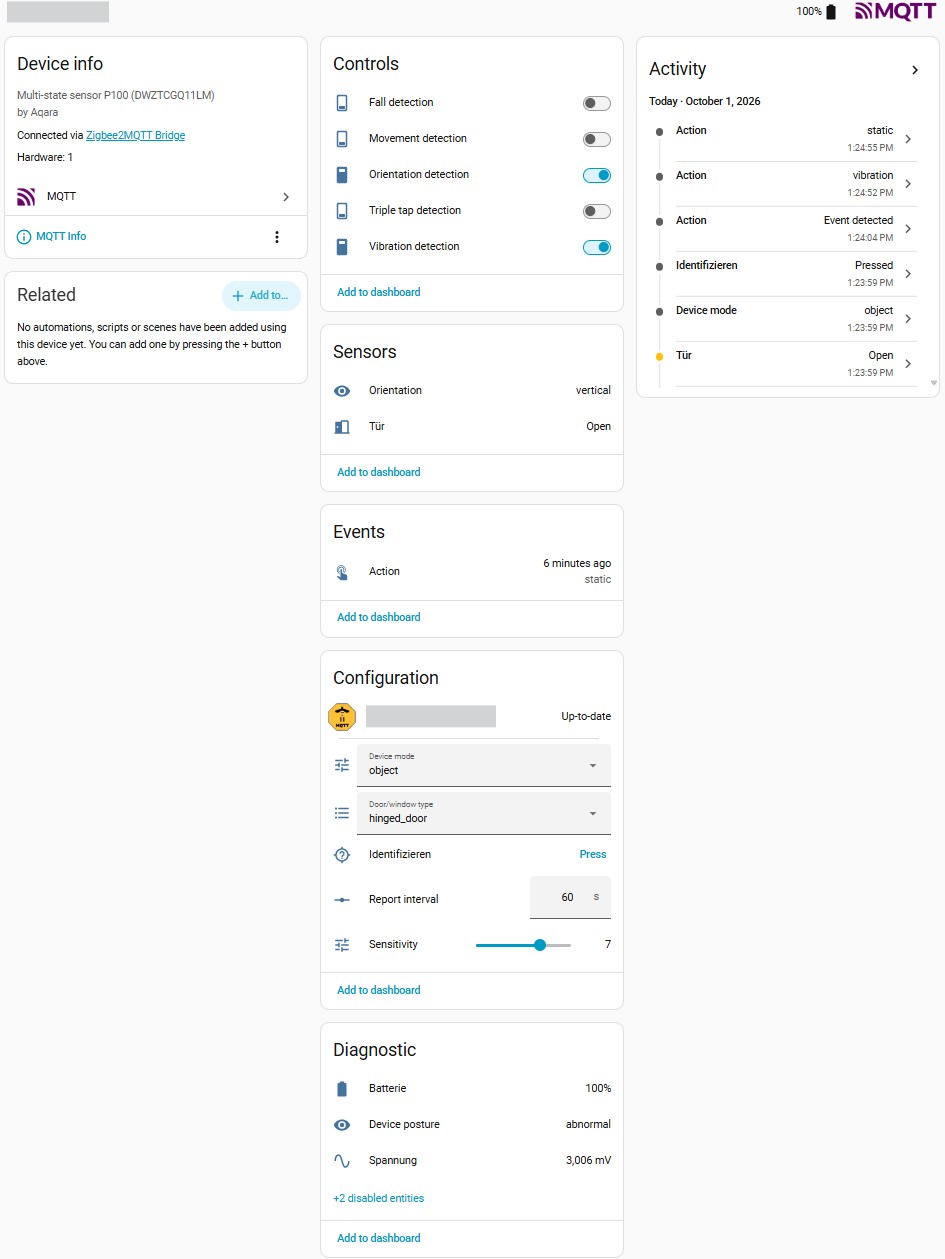
If you look at the MQTT device in Home Assistant before this adjustment, the direct event entities are missing from the overview. After the restart, a new “Events” section appears on the device page, which immediately logs actions such as vibrations as a specific event (e.g., “Action: vibration”).
Before:
After:
Change sensor to “Object” mode
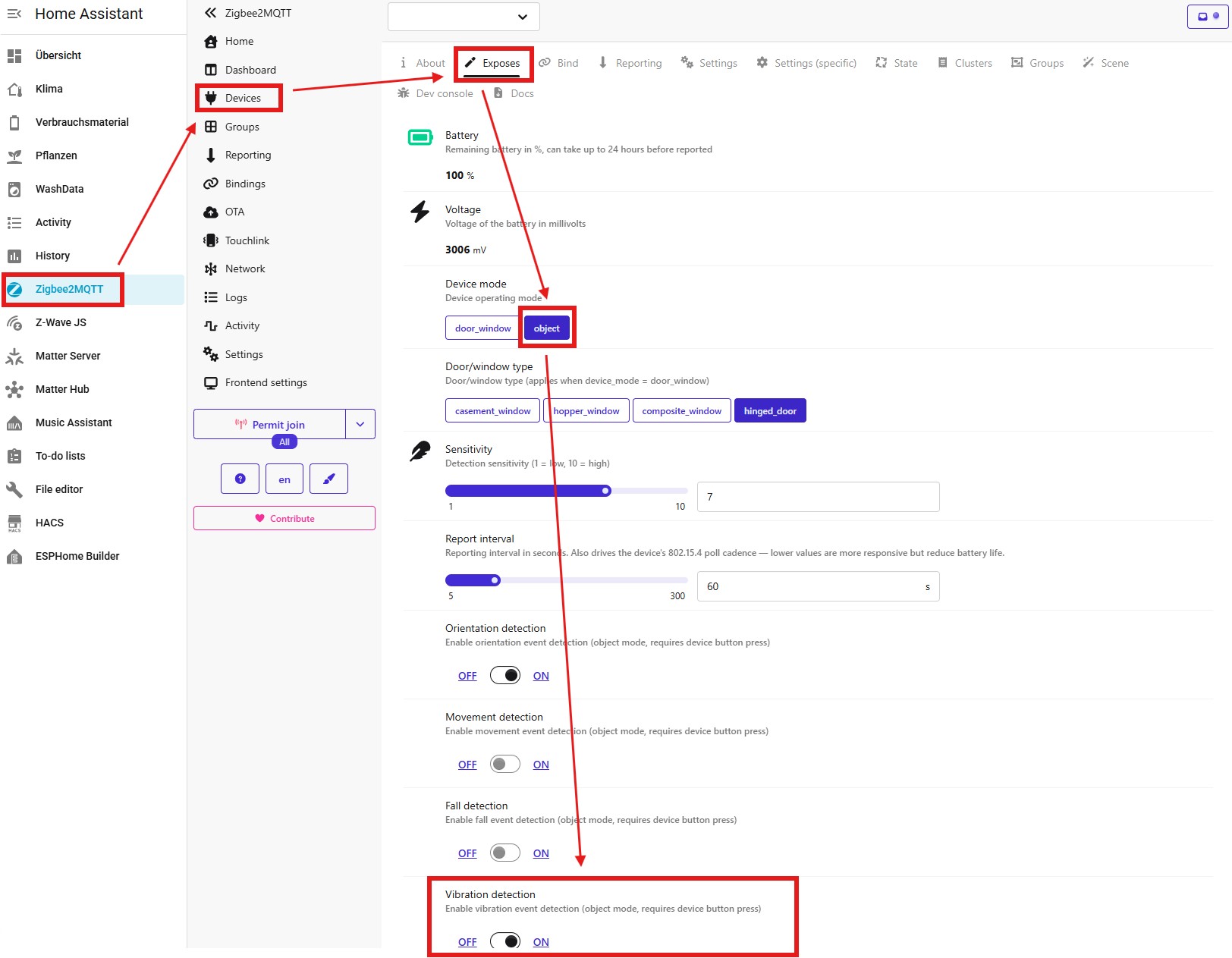
For the P100 to report vibation, the operating mode must be set correctly. To do this, go to the device in Zigbee2MQTT and select the Exposes tab. Change the Device mode to object here and activate the toggle for Vibration detection at the bottom.
 Note: As is usual with battery powered Zigbee devices, you might need to briefly press the physical button on the sensor to wake it up and apply the configuration.
Create the automation in Home Assistant
Now this can be used in automations. Create a new automation, add a trigger, and select your device.
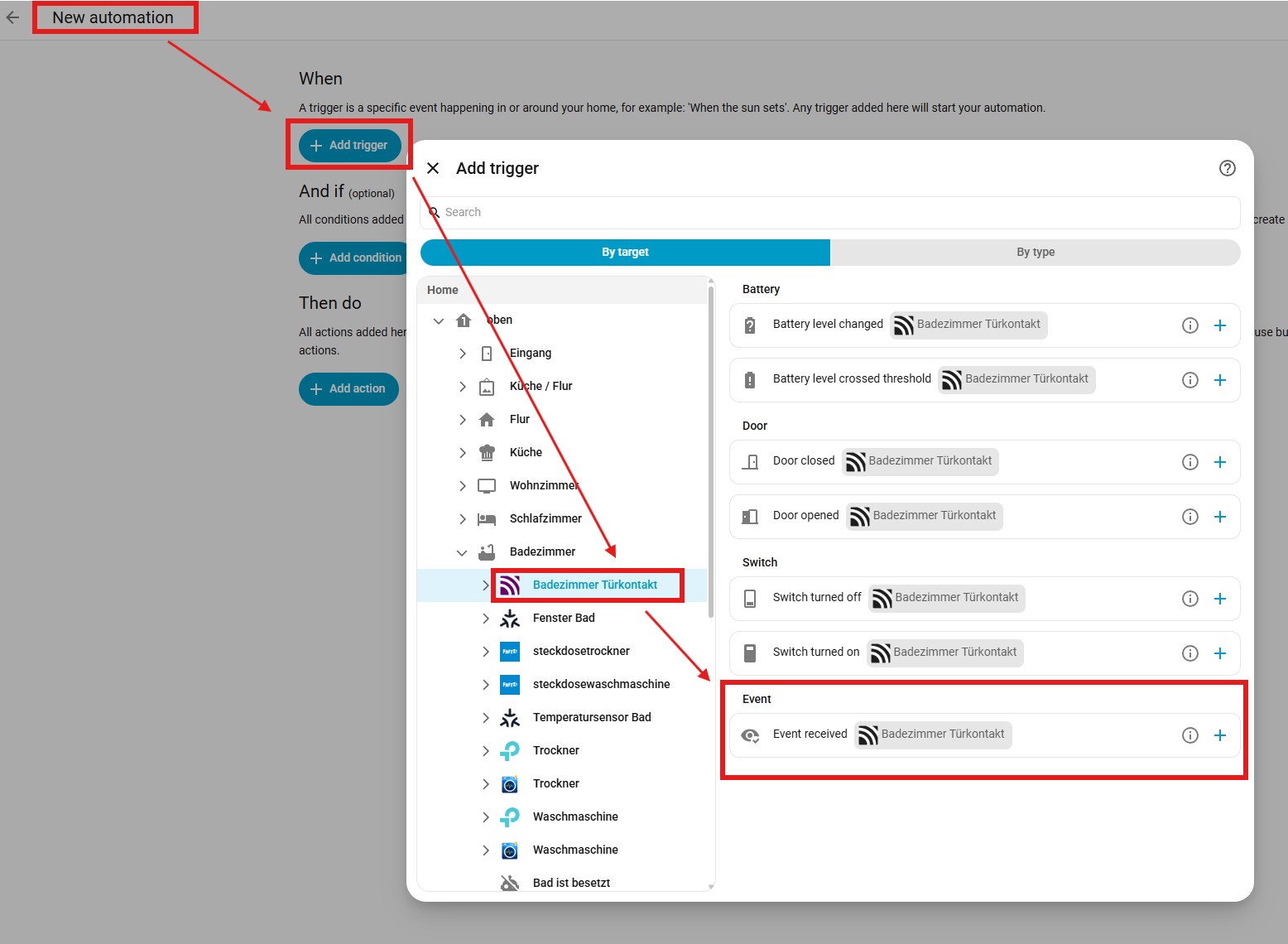
Under the device actions, select Event received for the Event. Then, in the dropdown menu that opens, you can specifically select vibration (or other events like fall, movement, triple_tap) for the Event type.
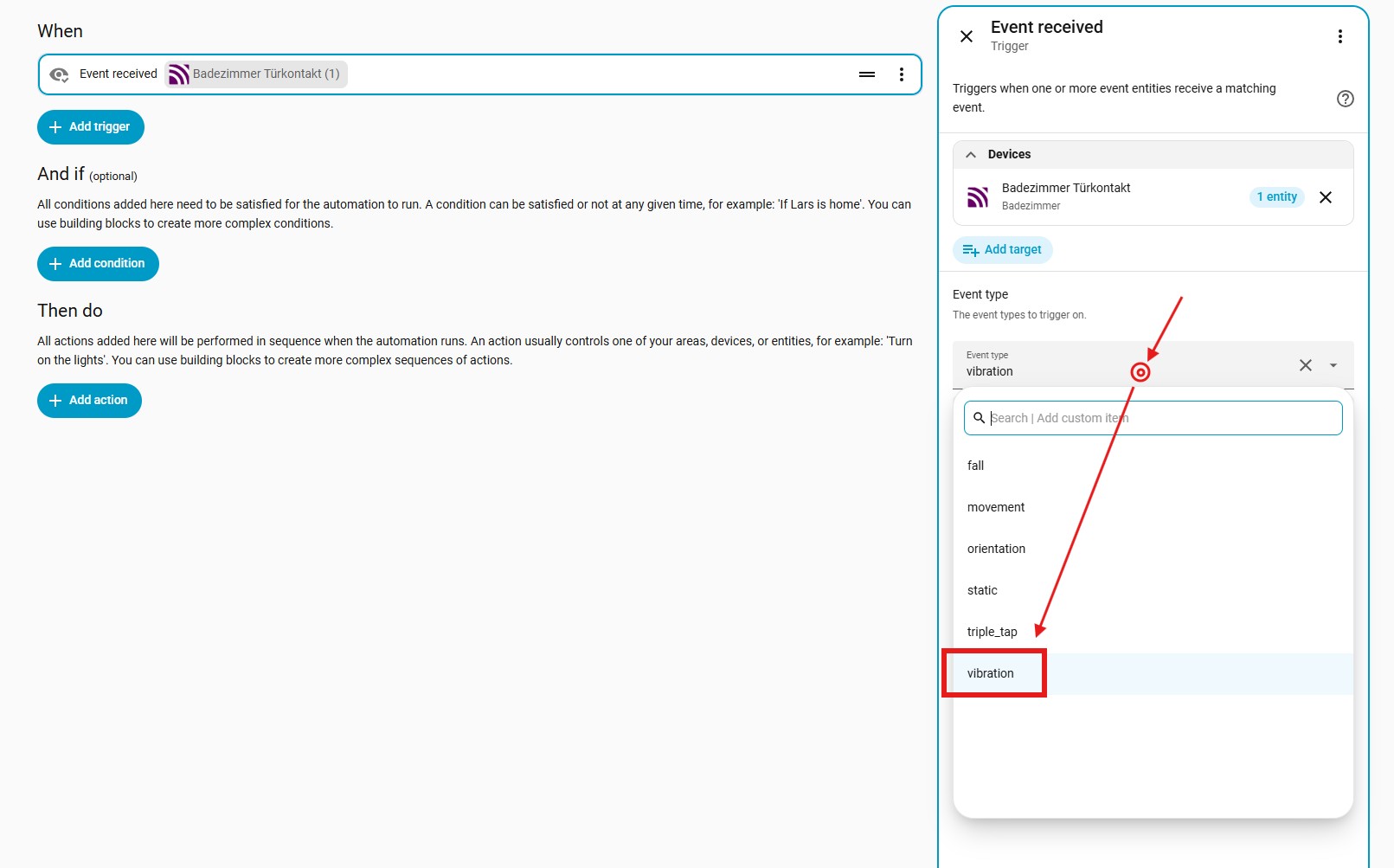
I hope this illustrated guide helps someone with their setup!