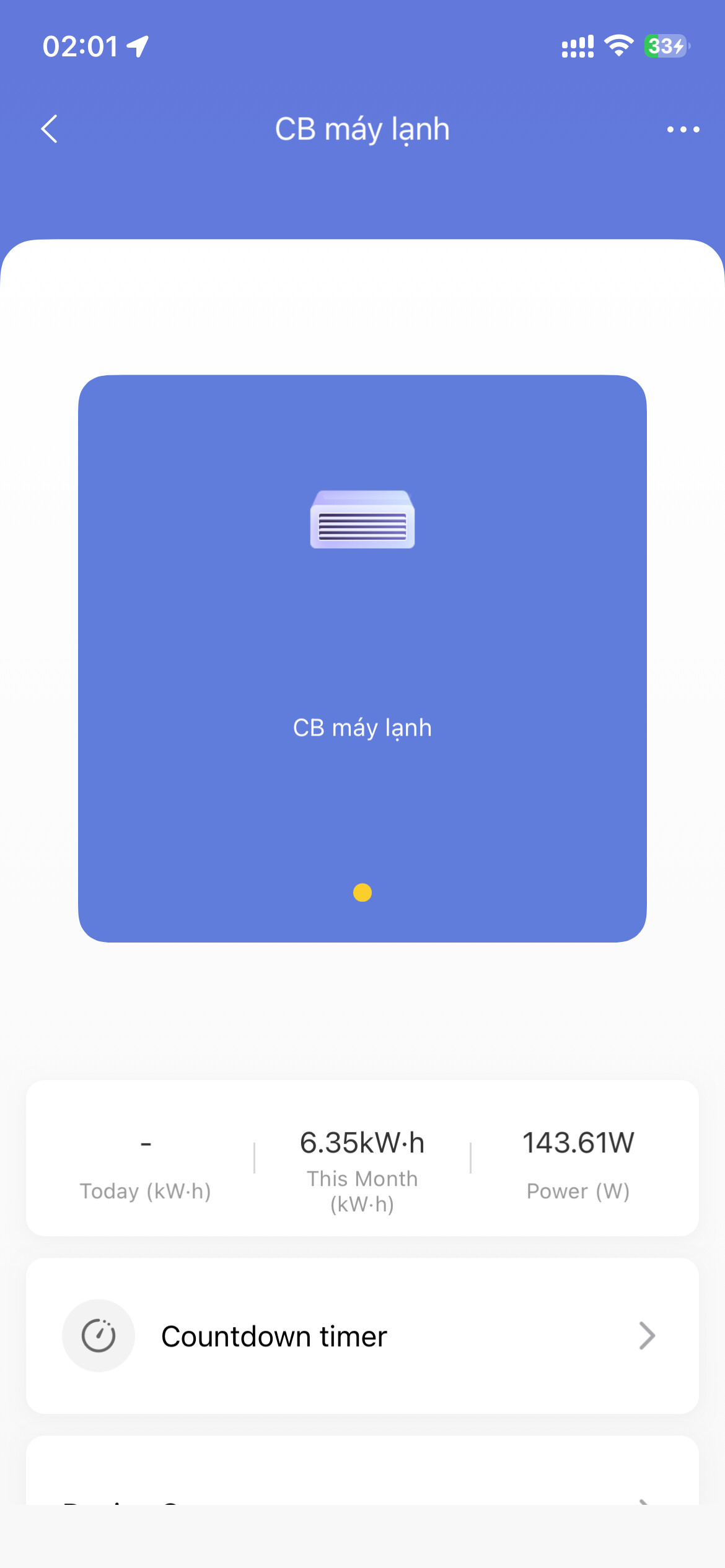
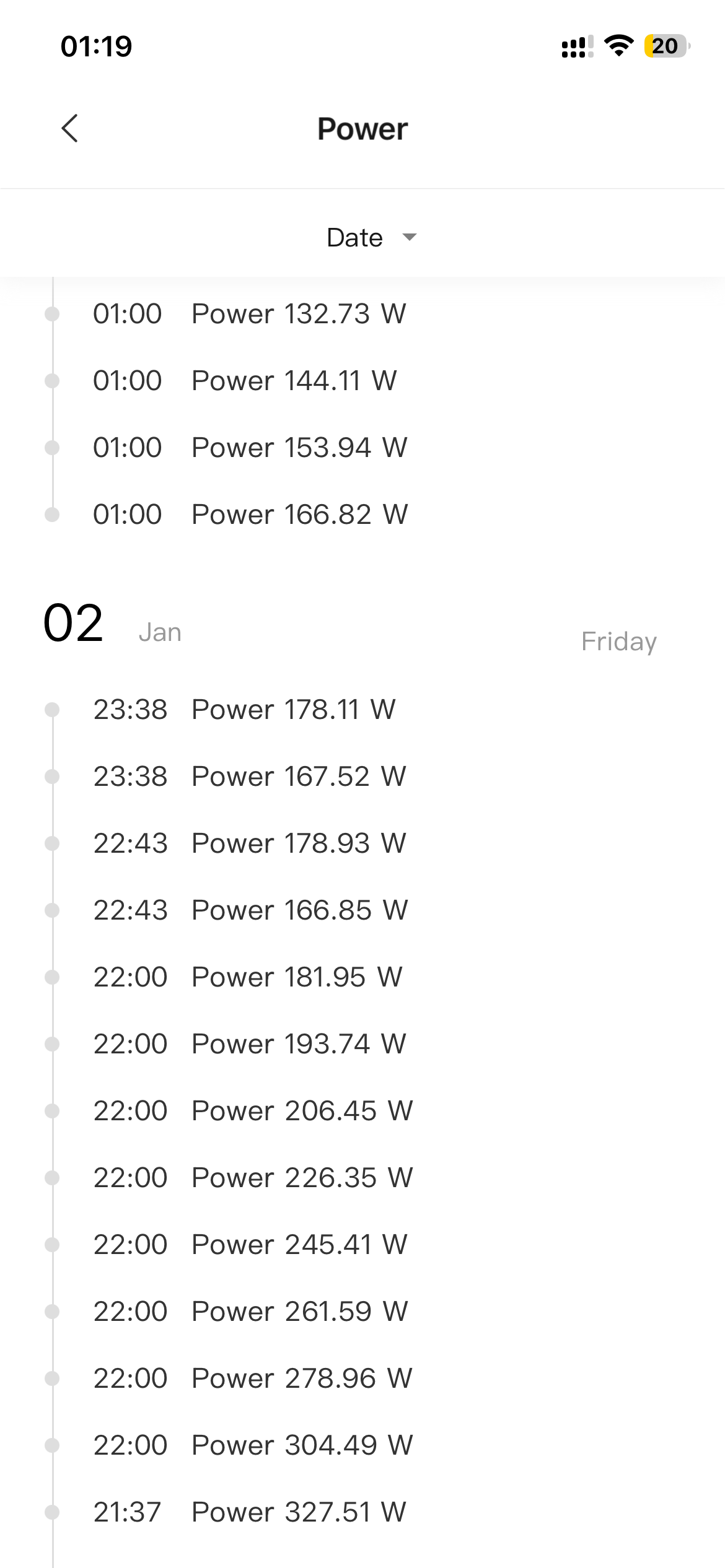
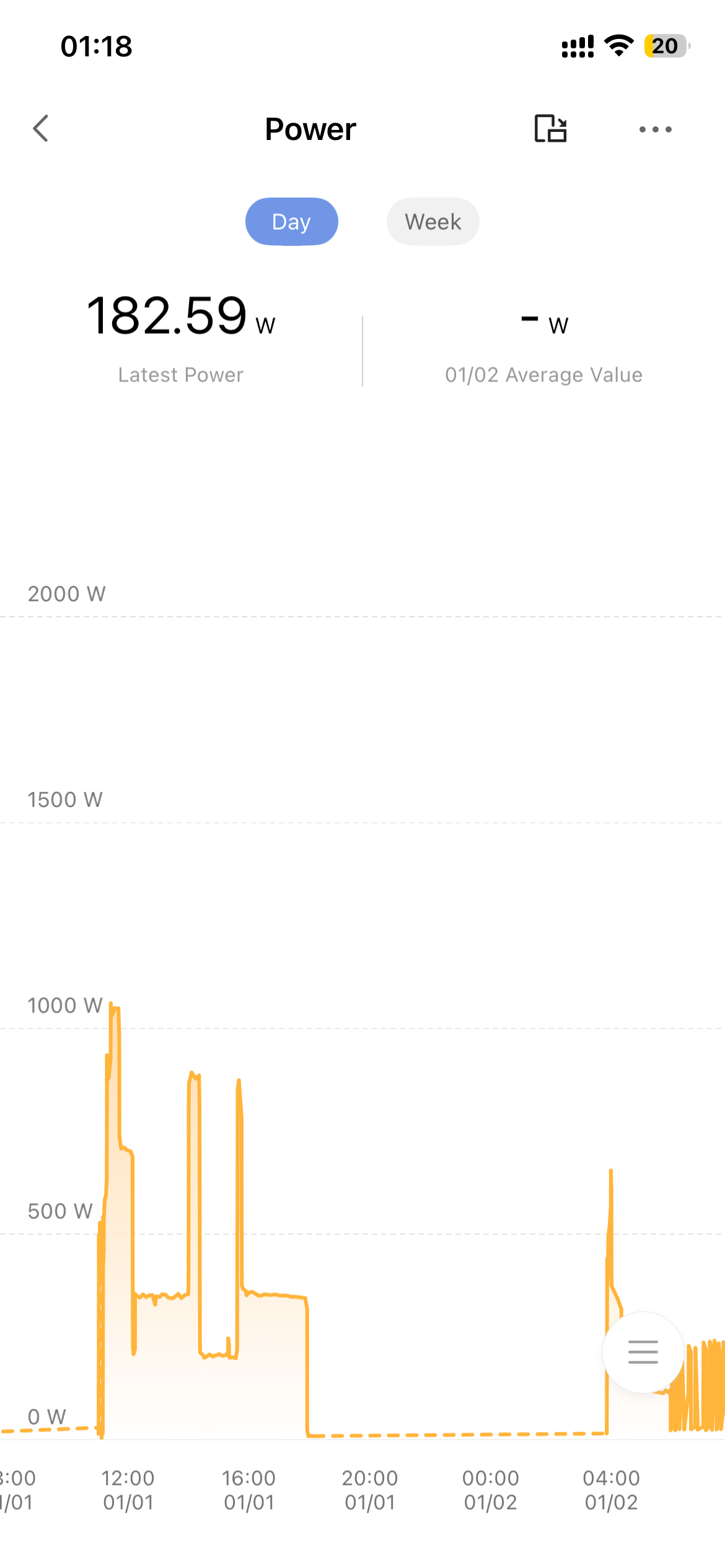
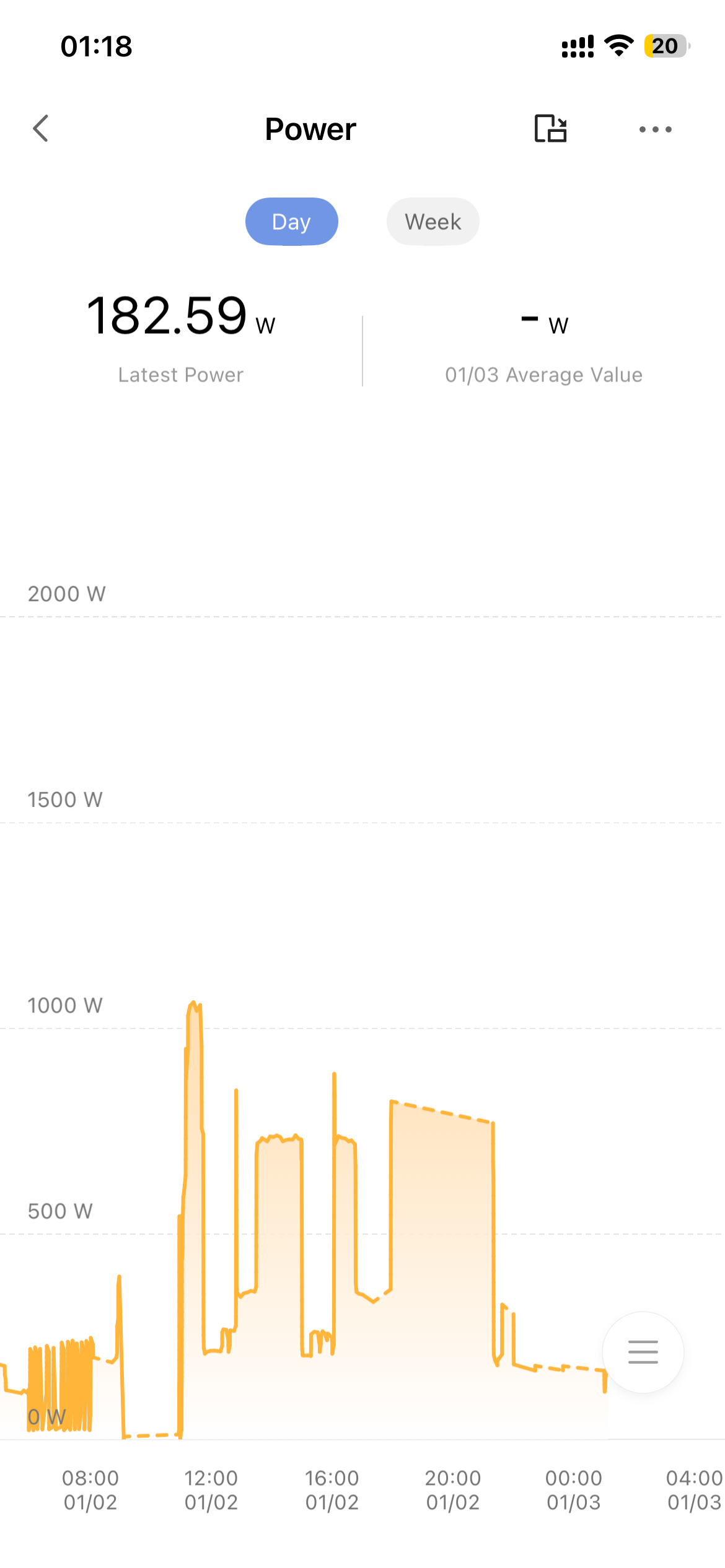
My Aqara H1 20A switch is having an issue. Everything was working normally until a few days ago, when I checked the electricity usage history and noticed that the data was intermittent. The switch’s power monitoring is no longer continuous and it doesn’t show the total amount of electricity consumed. I tried disconnecting and reconnecting it, but that didn’t help. I’m not sure what’s wrong with it. Please help
1 Like
@th_khang I’m sorry to hear about the intermittent electricity usage data and missing total consumption display on your Aqara H1 20A switch. Let’s try some targeted troubleshooting steps to resolve this:
First, ensure both the switch’s firmware and the Aqara Home app are updated to the latest versions—this often addresses data synchronization issues. Next, check if the type of light fixtures connected to the switch meets the required specifications, as incompatible loads can sometimes disrupt monitoring. If the problem persists, try turning off the circuit breaker for the switch, wait a few seconds, then restart it—this can reset the monitoring system.
Since the H1 20A switch is designed to monitor power consumption, these steps should help stabilize the data. Let me know if you notice any improvements after trying these
Hi @th_khang, I ran into this while researching my own issue and found that this is actually a pretty common Aqara H1 behavior, and it’s usually not a dead switch.
What’s confusing is that the switch itself does not store energy history. The kWh total and graphs live on the hub/app side, so when Zigbee reports are dropped or the reporting state breaks, you get exactly these symptoms:
- gaps in the energy history
- total kWh missing or stuck
- switch still turns on/off normally
A few key points I learned from other users:
• Power-cycling alone doesn’t fix it in many cases
• The issue often starts after hub updates, Zigbee mesh changes, or interference
• The metering chip is usually fine — it’s the reporting path that breaks
Things that worked for many people (in this order):
- Check if live power (W) is stable when a load is ON
- If live W also drops → Zigbee signal / routing issue
- If live W is stable → app/history issue
- Improve Zigbee connection
- Move hub closer temporarily
- Add a Zigbee router/repeater (plug devices help a lot)
- Reboot the hub/coordinator
- Fully remove and re-pair the switch
(This is important — just cutting power is usually not enough)
- Remove from app
- Power off for ~60 seconds
- Long-press to reset
- Re-add to the hub
Most reports say this restores continuous energy data and total kWh.
If it breaks again even with good signal, then it may be a faulty metering IC — but that seems to be the minority case.
Posting this here in case it helps others, because I saw multiple threads with the same symptoms and no clear answer.