Hi there, it looks like you’re experiencing a support-related issue. We’ve automatically created a support ticket for you and will reach out via the forum email within the next two business days.
If other members have any suggestions or insights on this topic, feel free to share!
Hello, and welcome to the forum. Have you performed a factory reset (10 quick presses)?
Please also check if the power adapter is working correctly. Sometimes cheap USB power bricks just malfunction - their power control chip dies, and the power adaptor supplies some current, but too low to power some devices (like cameras).
Check if another charger/power adapter fixes your camera. The camera needs at least 10W (5V/2A) charger. You can also use a more powerful charger.
There is also a slight chance that your USB cable is broken. Try using a different one.
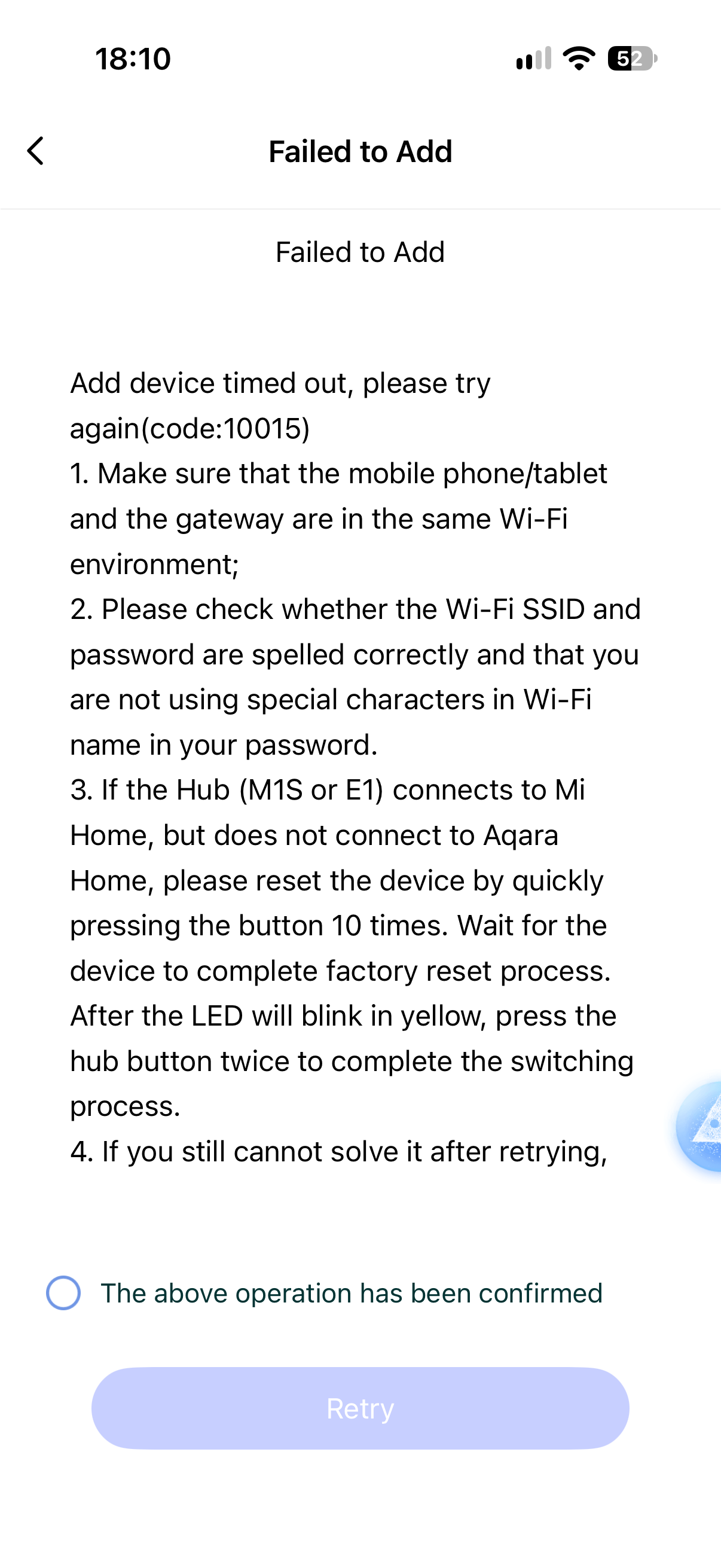
Hi and welcome! Thanks for the screenshot, that helps a lot. Error 10015 (“Add device timed out”) usually means the G3 received your Wi-Fi details but never managed to join the network or reach Aqara’s servers in time. In other words, the camera knocked on the door and nobody answered. 
Things to check:
- 2.4 GHz only: the G3 doesn’t support 5 GHz. If your router uses one name for both bands (band steering / “smart connect”), split them temporarily or create a 2.4 GHz-only SSID for the pairing.
- Same network as your phone: the phone must be on the same Wi-Fi the camera will use. No guest network, and turn off mobile data, VPN and private DNS during pairing.
- Wi-Fi name and password: no special characters, and double-check the spelling. Typos happen to the best of us.
- Router side: make sure nothing is blocking a “new” device, like a MAC filter, a client limit, parental controls or DNS ad-blocking (Pi-hole etc.). Rebooting the router doesn’t hurt either.
- Same region: the region in the Aqara Home app must match the one the camera was originally set up with.
- Clean start: factory reset the camera, power it with a good 5V/2A adapter (as cezary806 suggested), keep it close to the router, then retry.
If it still times out, reply to the support ticket AqaraBot opened and include the error code 10015 along with your router model. That will speed things up.